
SOMIC MS300
SOMIC MS300 Wireless Bluetooth Headphone User Manual
Модели: MS300
Introduction
Thank you for choosing the SOMIC MS300 Wireless Bluetooth Headphones. This manual provides essential information for setting up, operating, and maintaining your headphones to ensure optimal performance and longevity. The MS300 headphones offer high-fidelity stereo sound, extended battery life, and versatile connectivity options for various devices.

Image: SOMIC MS300 Wireless Bluetooth Headphones in white, showcasing жарашыктуу дизайн.
Пакеттин мазмуну
- SOMIC MS300 Wireless Bluetooth Headphones
- 3.5mm Audio Cable (with built-in line mic)
- Заряддоо кабели (USB)
- Колдонуучунун Колдонмосу (бул документ)
Жайгашуу
Наушниктерди заряддоо
Before first use, fully charge your SOMIC MS300 headphones.
- Connect the charging cable to the charging port on the headphone.
- Кубаттоочу кабелдин экинчи учун USB кубат булагына туташтырыңыз (мисалы, компьютердин USB порту, USB дубал адаптери).
- Индикатор жарыгы кубаттоо абалын көрсөтөт (чоо-жайын билүү үчүн LED индикатор бөлүмүн караңыз).
- A full charge provides up to 72 hours of playtime. For quick use, a 5-minute charge can provide approximately 2 hours of playtime.

Image: SOMIC MS300 headphones on a desk, demonstrating the fast charging capability with text overlays indicating "Charge for 5 minutes" and "Used for 2 hours".
Күйгүзүү/өчүрүү
- To power on: Press and hold the Power Switch button until the indicator light illuminates.
- To power off: Press and hold the Power Switch button until the indicator light turns off.
Иштөө нускамалары
Bluetooth жупташтыруу (Зымсыз режим)
The SOMIC MS300 headphones utilize advanced Qualcomm Bluetooth 5.0 for stable and fast connections. They can connect to two devices simultaneously.
- Наушниктердин өчүрүлгөнүн текшериңиз.
- Press and hold the Power Switch button for approximately 5-7 seconds until the indicator light flashes blue and red alternately, indicating pairing mode.
- On your device (smartphone, tablet, laptop), enable Bluetooth and search for "SOMIC MS300" in the list of available devices.
- Select "SOMIC MS300" to connect. Once connected, the indicator light will turn solid blue or flash blue slowly.
- To connect a second device: After connecting the first device, disable Bluetooth on the first device. Put the headphones back into pairing mode. Connect the second device. Then, re-enable Bluetooth on the first device; the headphones should automatically reconnect to both.

Image: A person wearing the SOMIC MS300 headphones, highlighting their comfortable and lightweight design for extended use.
Зымдуу режим туташуусу
The headphones can be used in wired mode with the included 3.5mm audio cable, even when the battery is depleted.
- Insert one end of the 3.5mm audio cable into the 3.5mm jack on the headphone.
- Insert the other end into the 3.5mm audio output of your device (e.g., cellphone, PC, laptop).
- In wired mode, the headphones function as passive headphones, and the built-in line mic on the cable can be used for calls.
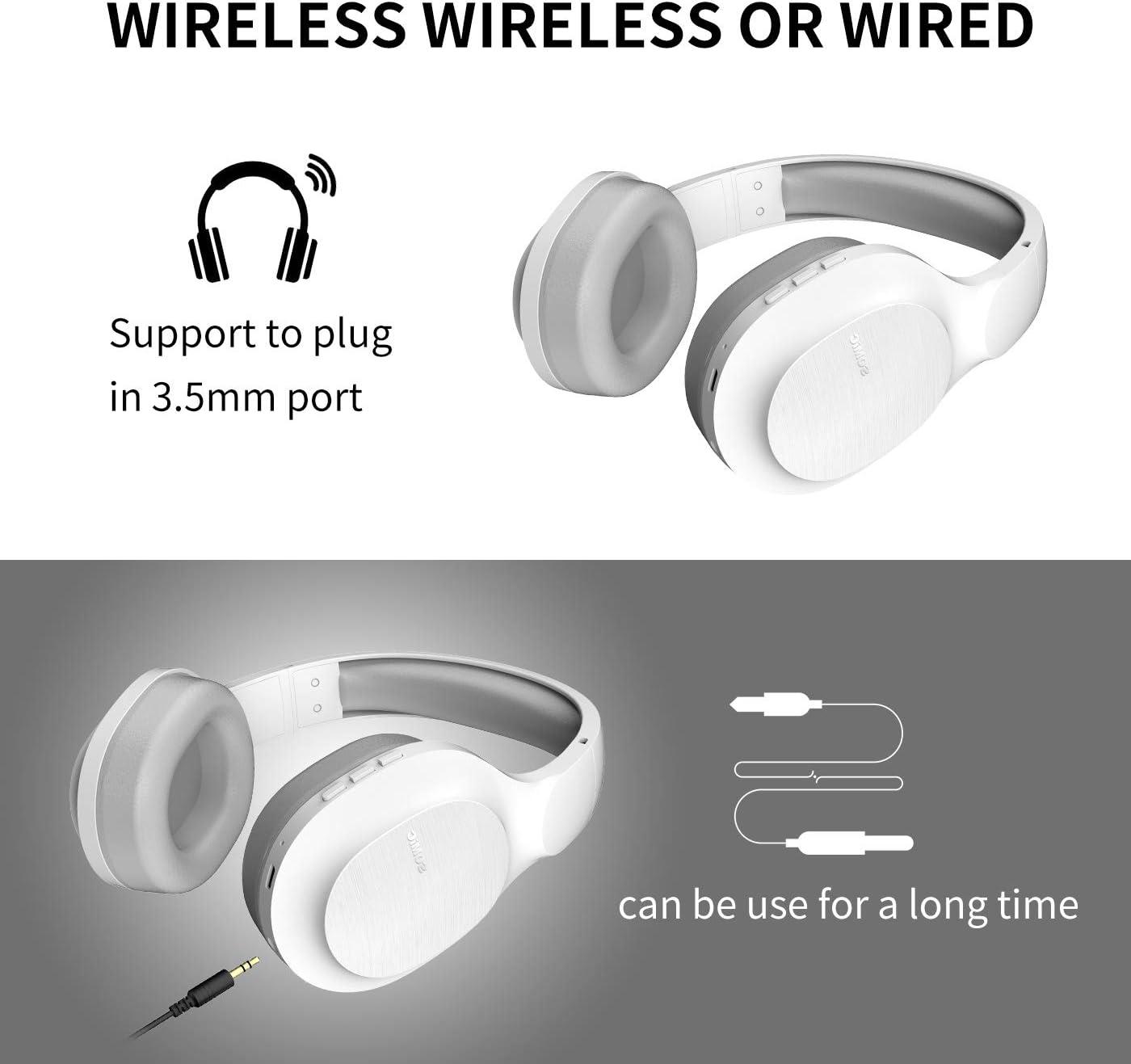
Image: SOMIC MS300 headphones demonstrating both wireless usage and the option to connect via a 3.5mm audio cable for wired listening.
Controls
The functional controls are conveniently located on the ear cup.
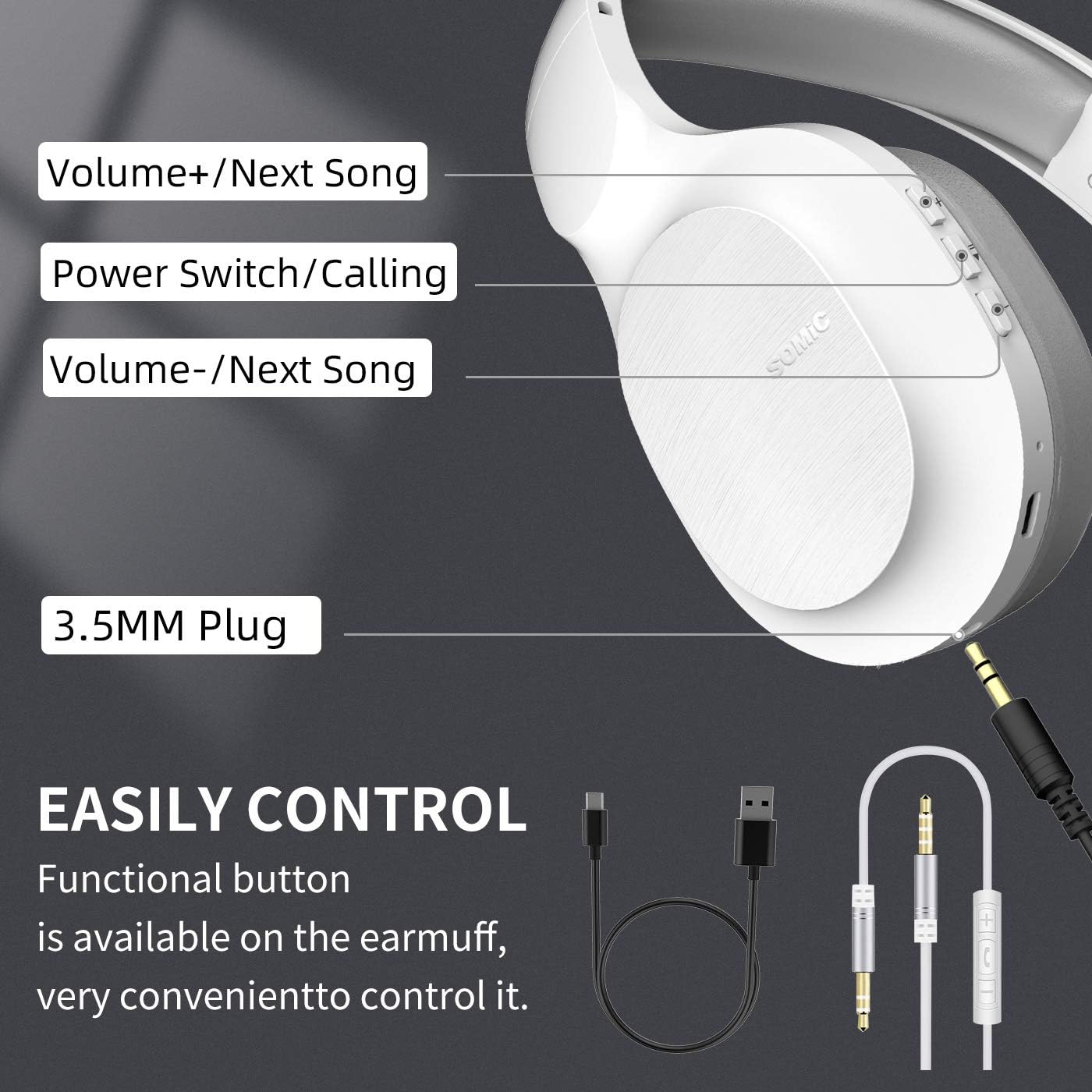
Image: A detailed diagram of the SOMIC MS300 headphone's right ear cup, labeling the Volume+/Next Song, Power Switch/Calling, Volume-/Previous Song buttons, and the 3.5mm plug.
- Көлөм + / Кийинки ыр:
- Кыска басуу: Үнүн жогорулатуу.
- Көпкө басуу: Кийинки ырга өтүү.
- Power Switch / Calling:
- Short press: Play/Pause music.
- Short press (during call): Answer/End call.
- Long press: Power On/Off.
- Эки жолу басуу: Акыркы номерди кайра терүү.
- Көлөмү - / Мурунку ыр:
- Кыска басуу: Үндү азайтуу.
- Long press: Go to the previous song.
Техникалык тейлөө
Proper maintenance ensures the longevity and optimal performance of your SOMIC MS300 headphones.
- Тазалоо: Use a soft, dry cloth to clean the headphones. Do not use abrasive cleaners, alcohol, or chemical solvents.
- Сактагыч: Наушниктерди салкын, кургак жерде күндүн тике тийген нурунан жана экстремалдык температурадан алыс сактаңыз.
- Батареяга кам көрүү: Avoid fully discharging the battery frequently. If storing for a long period, charge the headphones to about 50% every few months.
- Нымдуулуктан качыңыз: Наушниктерди сууга же ашыкча нымдуулукка дуушар кылбаңыз.
- Этияттык менен мамиле кылуу: Кулакчындарды түшүрүүдөн же катуу тийүүдөн сактаныңыз.
Проблемаларды чечүү
| Көйгөй | Мүмкүн себеп | Чечим |
|---|---|---|
| Кулакчындар күйбөйт. | Батарея аз же түгөнүп калган. | Наушниктерди толук заряддаңыз. |
| Bluetooth аркылуу жупташтыруу мүмкүн эмес. | Кулакчындар жупташтыруу режиминде эмес; түзмөк Bluetooth өчүк; аппараттан өтө алыс. | Наушниктердин жупташтыруу режиминде экенин текшериңиз (кызыл/көк күйүп турат). Түзмөктүн Bluetooth'ун күйгүзүңүз. Наушниктерди аппаратка жакыныраак жылдырыңыз (10 метр аралыкта). |
| Зымсыз режимде үн жок. | Үнү өтө төмөн; кулакчындар туташтырылган эмес; түзмөктө туура эмес аудио чыгышы тандалды. | Increase headphone and device volume. Re-pair headphones. Select "SOMIC MS300" as audio output on your device. |
| Зымдуу режимде үн жок. | 3.5mm cable not fully inserted; cable damaged; device audio jack issue. | Ensure cable is fully inserted into both headphone and device. Try a different 3.5mm cable if available. Test with another device. |
| Үн сапаты начар. | Батареянын кубаты аз; тоскоолдук; булактын аудио сапаты. | Charge headphones. Move away from other wireless devices. Try different audio source. |
Техникалык шарттар
| Өзгөчөлүк | Деталь |
|---|---|
| Модель аты | MS300 |
| Байланыш технологиясы | Зымсыз (Bluetooth 5.0), Зымдуу (3.5 мм уяча) |
| Bluetooth версиясы | 5.0 (Qualcomm chip) |
| Аудио драйвер түрү | Динамикалык драйвер (40 мм) |
| Жыштык диапазону | 20 Гц - 20000 Гц (20 кГц) |
| Батареянын иштөө мөөнөтү | Up to 72 Hours (music/talking time) |
| Кубаттоо убактысы (тез кубаттоо) | 2 саат колдонуу үчүн 5 мүнөт |
| Наушник формасы | Кулак үстүндө |
| Материал | Plastic, Memory-Protein Earmuffs |
| Башкаруу түрү | Volume Control, Play/Pause, Call Answer/End, Track Skip |
| Продукциянын өлчөмдөрү | 8.66 x 4.33 x 10.24 дюйм |
| Элемент Салмагы | 15.5 унция |
| Өндүрүүчү | SOMIC |

Image: SOMIC MS300 headphones from behind, emphasizing their strong endurance with a "72" hours playtime graphic.
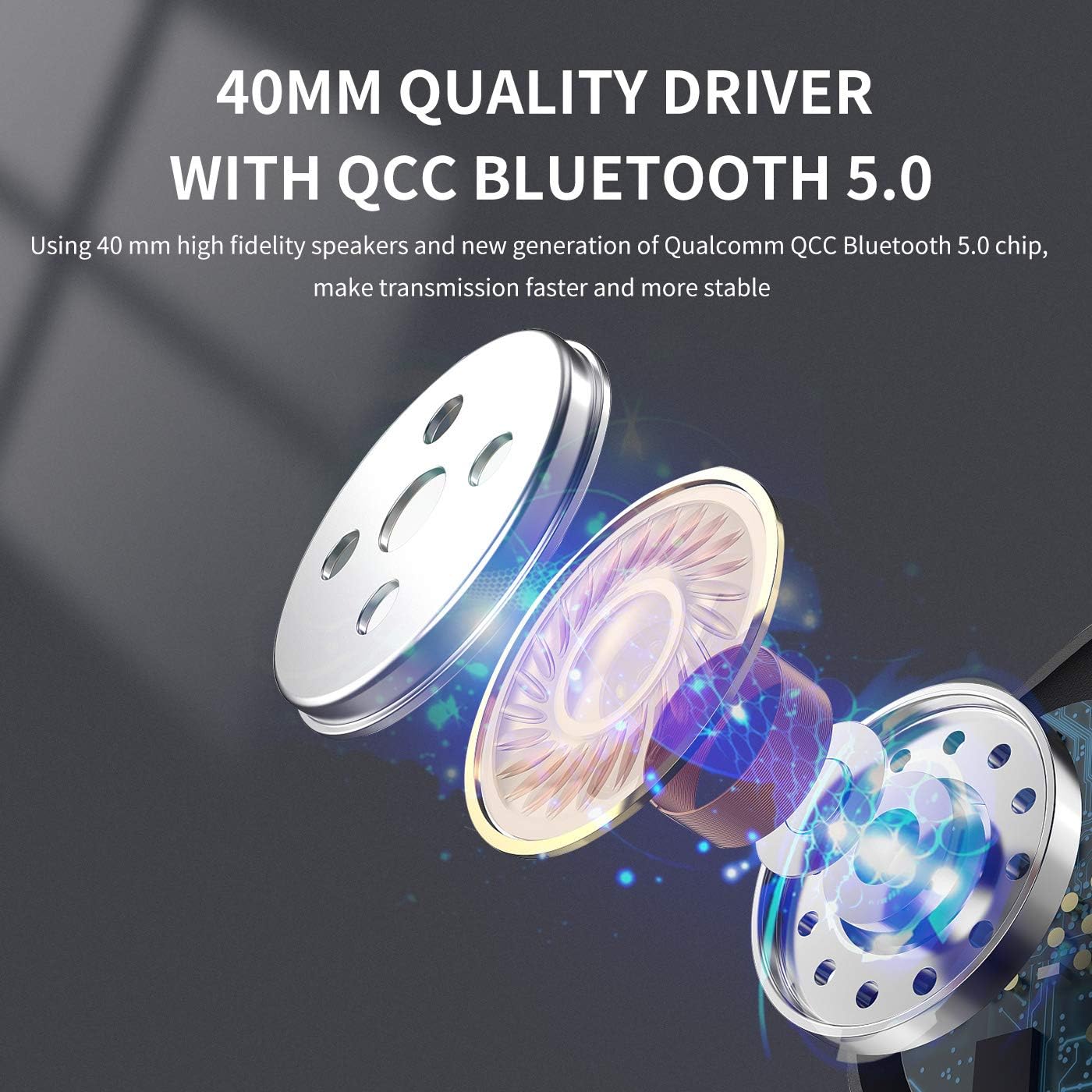
Сүрөт: жарылган view diagram illustrating the 40mm high-fidelity speakers and Qualcomm QCC Bluetooth 5.0 chip inside the SOMIC MS300 headphones.
Кепилдик жана колдоо
SOMIC provides a standard warranty for its products. Please refer to the warranty card included in your package for specific terms and conditions, or visit the official SOMIC webакыркы кепилдик маалымат үчүн сайт.
For technical support, troubleshooting assistance, or warranty claims, please contact SOMIC customer service through their official webсайт же продукт таңгагында көрсөтүлгөн байланыш маалыматы.
SOMIC Official Webсайт: Visit SOMIC Store on Amazon
Ask a question about this manual
Ask about setup, troubleshooting, compatibility, parts, safety, or missing instructions. Manuals+ will review the question and use this page’s manual context to help answer it.