
1. Киришүү
Thank you for choosing the Renkforce RBP-ALC100 SBC Case. This robust aluminum enclosure is specifically designed for Raspberry Pi single-board computers, providing both protection and efficient active cooling. Its universal design ensures compatibility with various Raspberry Pi models, offering precise cutouts for all essential ports. This manual provides detailed instructions for assembly, operation, and maintenance to ensure optimal performance and longevity of your device.
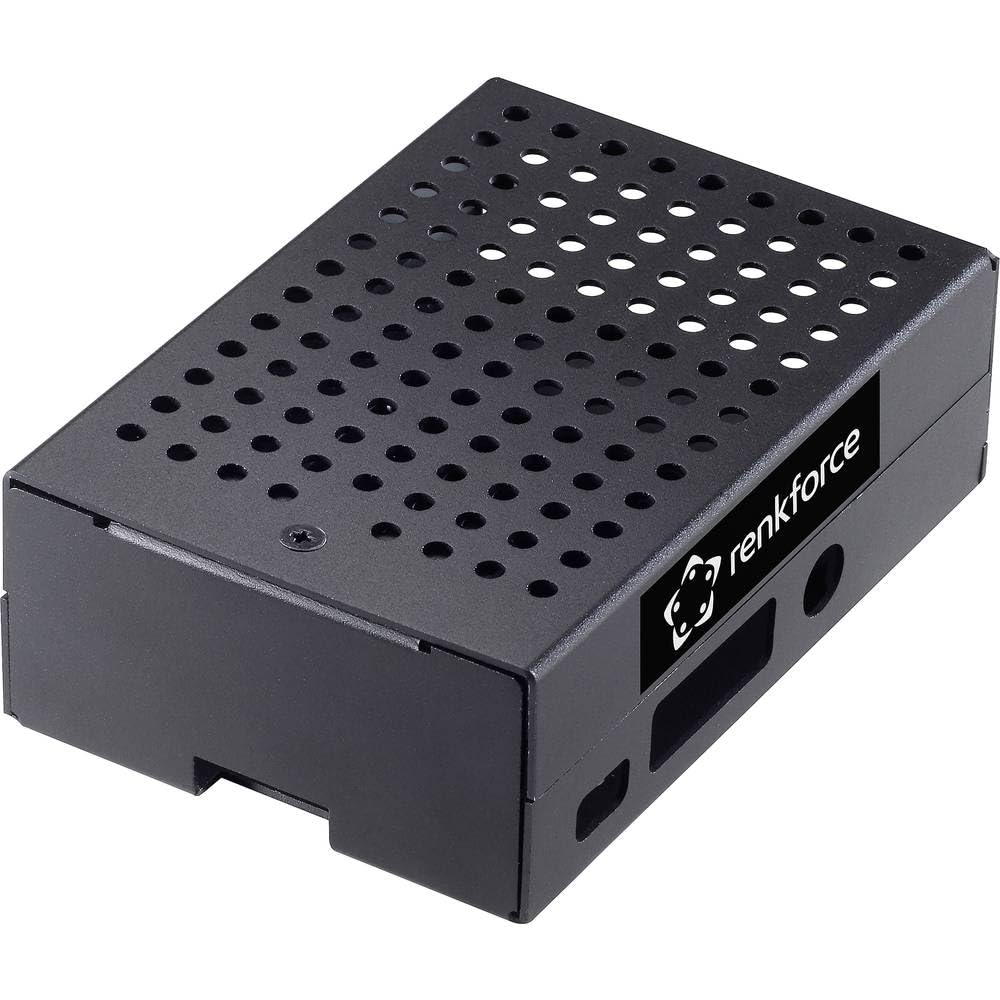
Figure 1: Renkforce RBP-ALC100 SBC Case, top-down view.
2. Коопсуздук маалыматы
- Always handle electronic components with care to prevent damage from static electricity.
- Ensure the Raspberry Pi is powered off and disconnected from all power sources before installation or removal from the case.
- Do not expose the case or your Raspberry Pi to moisture, extreme temperatures, or direct sunlight.
- Тумчугуп калуу коркунучун болтурбоо үчүн кичинекей бөлүктөрүн балдар жетпеген жерде сактаңыз.
- Use only appropriate tools for assembly to avoid stripping screws or damaging components.
3. Пакеттин мазмуну
Пакетиңизде бардык буюмдар бар экенин текшериңиз:
- 1x Renkforce RBP-ALC100 SBC Case (Aluminum enclosure with integrated active cooling fan)
- 1x Set of assembly screws
- 1x Thermal pad (if included separately for CPU contact)
Note: Raspberry Pi board is not included and must be purchased separately.
4. Орнотуу жана орнотуу
Follow these steps for easy and quick assembly of your Raspberry Pi into the Renkforce RBP-ALC100 case.
- Prepare your Raspberry Pi: Ensure your Raspberry Pi is clean and free of any existing heatsinks that might interfere with the case's cooling system.
- Apply Thermal Pad (if applicable): If a thermal pad is provided separately, carefully peel off the protective films from both sides and place it onto the CPU of your Raspberry Pi. This ensures efficient heat transfer to the case's cooling mechanism.
- Position the Raspberry Pi: Gently slide your Raspberry Pi board into the bottom half of the case, aligning the mounting holes and the port cutouts. Ensure all ports (USB, Ethernet, HDMI, etc.) are correctly aligned with the case openings.

Figure 2: Case showing port cutouts for Raspberry Pi.
- Желдеткичти туташтыруу: Locate the 2-pin fan connector on the active cooling fan within the case. Carefully connect this to the appropriate 5V and GND GPIO pins on your Raspberry Pi. Refer to your Raspberry Pi's documentation for exact pinout.
- Secure the Top Cover: Place the top half of the case onto the bottom half, ensuring it aligns perfectly.
- Бурама менен бекитүү: Use the provided screws to secure the two halves of the case together. Do not overtighten the screws.
Your Raspberry Pi is now securely housed and ready for operation with active cooling.
5. Операция
Once assembled, the Renkforce RBP-ALC100 case provides continuous active cooling for your Raspberry Pi. The integrated fan will operate whenever the Raspberry Pi is powered on, drawing air through the ventilation holes to dissipate heat generated by the CPU and other components. This helps maintain optimal operating temperatures, especially during intensive tasks, preventing thermal throttling and ensuring stable performance.
6. Техникалык тейлөө
- Ишти тазалоо: Periodically wipe the exterior of the aluminum case with a soft, dry cloth to remove dust and fingerprints.
- Желдеткичти тейлөө: Over time, dust may accumulate on the fan blades. Use a can of compressed air to gently clear any dust from the fan and ventilation holes. Ensure the Raspberry Pi is powered off before performing this.
- Суюктуктардан алыс болуңуз: Do not use liquid cleaners directly on the case or fan, as this can damage electronic components.
7. Кыйынчылыктарды
- желдеткич айланбай жатат:
- Check if the fan's 2-pin connector is securely attached to the correct 5V and GND GPIO pins on the Raspberry Pi.
- Ensure the Raspberry Pi is powered on.
- Verify that the fan blades are not obstructed by any debris.
- Ашыкча ысып кетүү маселелери:
- Confirm that the thermal pad (if used) is correctly placed between the Raspberry Pi's CPU and the case's cooling surface.
- Вентиляция тешиктери жабылбаганын текшериңиз.
- Check if the fan is spinning correctly.
8. Техникалык шарттар
- Бренд: Renkforce
- Модель аты: RF-4507494
- Case түрү: Raspberry Pi SBC Enclosure
- Түсү: Кара
- Материал: Алюминий
- Муздатуу ыкмасы: Active Air Cooling (Integrated Fan)
- Продукт Салмагы: 50 грамм
- Өлчөмдөрү (болжолдуу): 14 см (Узундук) x 7 см (Туурасы) x 3 см (Бийиктик)
- Accessible Ports: Provides cutouts for standard Raspberry Pi ports (e.g., USB, Ethernet, HDMI, Audio, MicroSD).
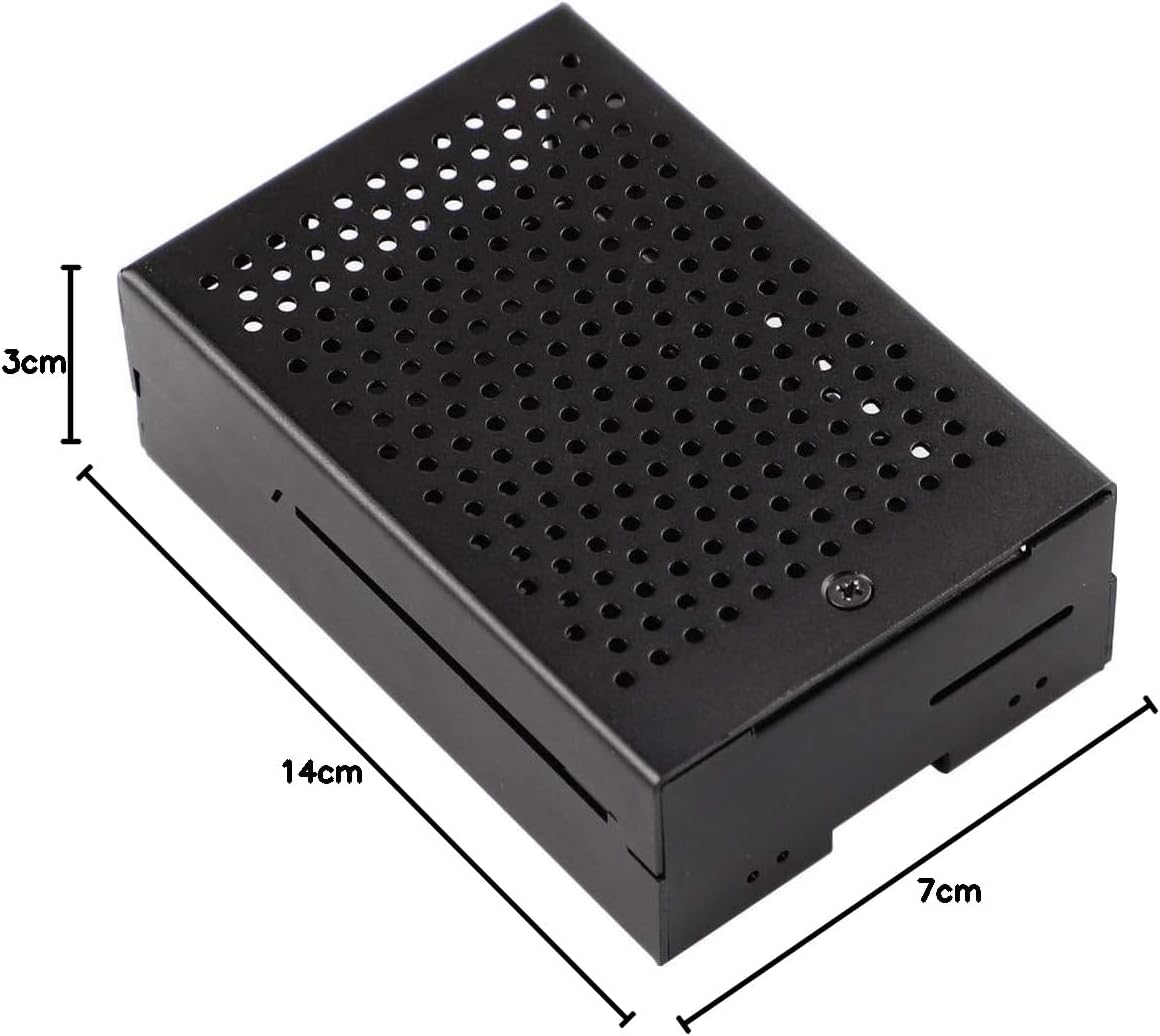
Figure 3: Renkforce RBP-ALC100 SBC Case with approximate dimensions.
9. Кепилдик жана колдоо
Renkforce provides a warranty for this product. Spare parts availability in the EU is guaranteed for 1 year from the date of purchase. For technical support, warranty claims, or further assistance, please contact your retailer or visit the official Renkforce webбайланыш маалыматы үчүн сайт.