
1. Киришүү
The ICOMTOFIT G3 Bluetooth Headset is a wireless earpiece designed for hands-free communication and audio playback. Featuring Bluetooth 5.0 technology and a QCC chipset, it offers stable connectivity and clear sound quality, making it suitable for driving, business, and office use. This manual provides detailed instructions for setting up, operating, and maintaining your headset.

Image: The ICOMTOFIT G3 Bluetooth Headset, showcasing анын кооз дизайны.
2. Кутуда эмне бар
Сураныч, кутудан чыкканда пакеттин мазмунун текшериңиз:
- ICOMTOFIT G3 Bluetooth Headset
- USB Type-C кубаттоочу кабель
- Multiple Sizes of Ear Gels (S, M, L)
- Ташуу кутусу
- User Manual
3. Орнотуу жана жупташтыруу
3.1 Баштапкы жупташтыруу
- Күйгүзүү: Press and hold the Multi-Function Button (MFB) on the headset until the LED indicator flashes blue and red, indicating pairing mode.
- Bluetooth иштетүү: Смартфонуңузда же түзмөгүңүздө Bluetooth жөндөөлөрүнө өтүп, Bluetooth'ту күйгүзүңүз.
- Издөө жана туташуу: Look for "ICOMTOFIT G3" in the list of available devices and select it to connect. Once connected, the LED indicator will flash blue slowly.
3.2 Dual-Device Pairing
The headset supports connecting to two Bluetooth devices simultaneously:
- Pair the headset with the first device as described in Section 3.1.
- Биринчи түзмөктө Bluetooth'ду өчүрүңүз.
- Put the headset back into pairing mode (LED flashes blue and red).
- Гарнитураны экинчи аппарат менен жупташтырыңыз.
- Биринчи түзмөктө Bluetooth'ту кайра иштетиңиз. Гарнитура эки түзмөккө тең автоматтык түрдө туташышы керек.

Image: The headset connected to two devices, illustrating dual Bluetooth functionality.
4. Гарнитураны иштетүү
4.1 Негизги функциялар
- Күйгүзүү/өчүрүү: Press and hold the MFB for 3 seconds to power on, 7 seconds to power off.
- Чалууга жооп берүү/аяктоо: MFB бир жолу басыңыз.
- Чакырууну четке кагуу: MFBди 2 секунд басып туруңуз.
- Музыканы ойнотуу/тындыруу: MFB бир жолу басыңыз.
- Үнүн жогорулатуу/төмөндөтүү: Use the dedicated volume buttons on the headset.
- Кийинки / Мурунку трек: Long press the volume up/down buttons.
4.2 Үнсүз кылуу функциясы
During a call, press the dedicated mute button to mute or unmute your microphone. This feature helps protect your privacy and ensures clear communication.
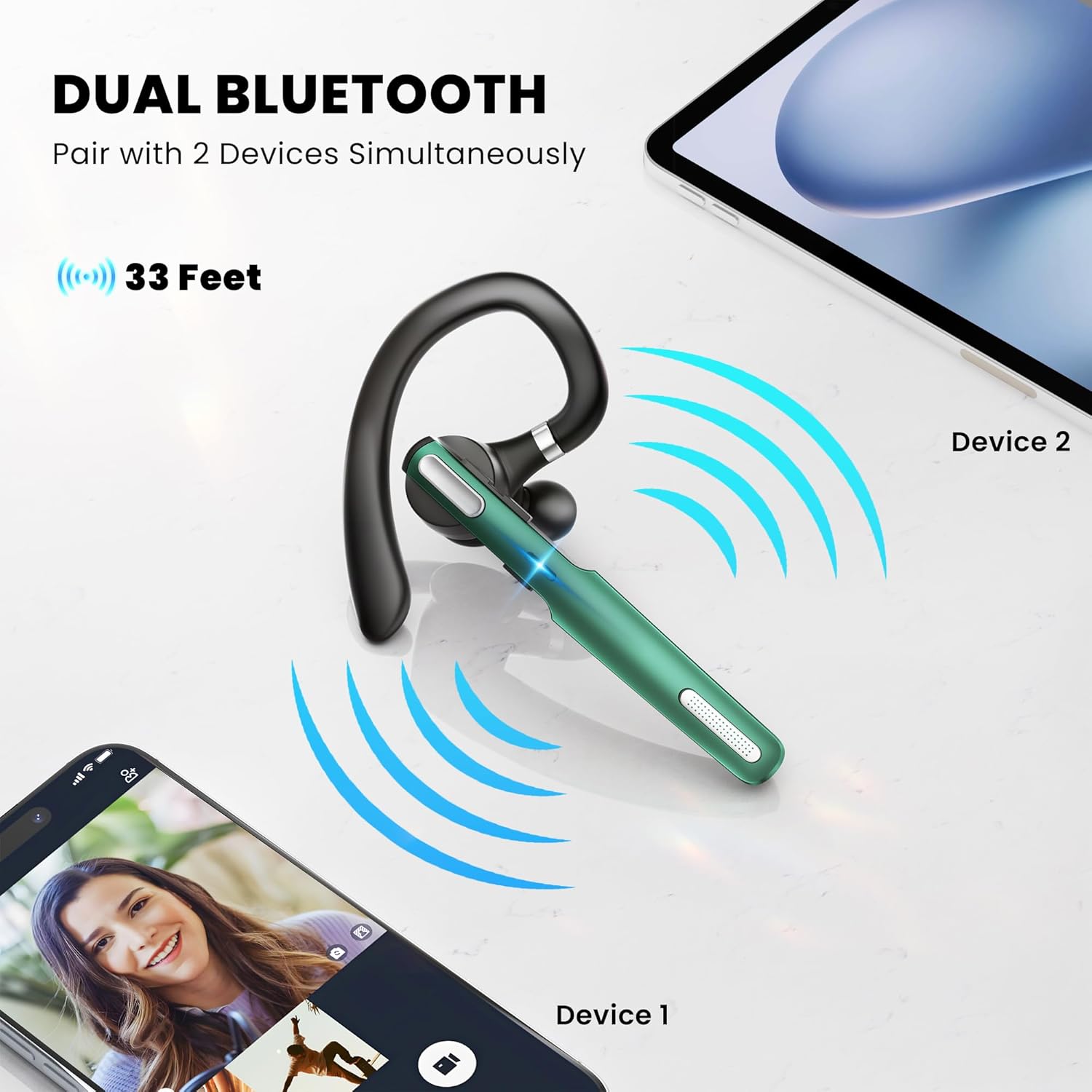
Image: The headset highlighting the one-button mute functionality for calls.
4.3 Үн жардамчысы
Double-click the mute switch in standby mode to activate your device's voice assistant (e.g., Siri, Google Assistant).
4.4 Үн чакырыктары
The headset provides voice alerts for battery level, connection status, and mute/unmute status. It can also announce the phone number of incoming callers.
5. Ыңгайлуулук жана туурасы
The ICOMTOFIT G3 is designed for ergonomic comfort and a secure fit. The retractable ear hook and flip-boom arm swivel and rotate, allowing you to wear the headset on either ear. Three different sizes of ear gels (S, M, L) are included to ensure a snug and tailored fit for extended wear.

Image: Diagrams illustrating the 180° and 360° rotation of the ear hook and the three ear gel sizes.
6. Заряддоо жана батареянын иштөө мөөнөтү
The headset features a long-lasting battery and charges via a Type-C port.
- Сүйлөшүү убактысы: 8-10 саатка чейин
- Музыка ойнотуу убактысы: 8 саатка чейин
- Күтүү убактысы: 180 саатка чейин
- Заряддоо убактысы: Болжол менен 1.5 саат
Connect the provided USB Type-C cable to the headset's charging port and a compatible USB power source. The LED indicator will show charging status.

Image: The headset being charged via its Type-C port, with battery life indicators.
7. Техникалык шарттар
| Бренд | ICOMTOFIT |
| Модель номери | G3 |
| Bluetooth версиясы | 5.0 |
| Bluetooth диапазону | 10 метр (33 фут) |
| Noise Control | Активдүү ызы-чууну жокко чыгаруу (CVC6.0) |
| Кулак жайгаштыруу | Кулакта |
| Форма фактору | Кулакта |
| Башкаруу түрү | Button Control (Push Button) |
| Батареянын иштөө мөөнөтү (баяндашуу) | 8-10 саат |
| Батареянын иштөө мөөнөтү (Музыка) | 8 саат |
| Батареянын иштөө мөөнөтү (күтүү режими) | 180 саат |
| Заряддоо убактысы | 1.5 саат |
| Заряддоо порту | Type-C |
| Шайкеш түзмөктөр | Cellphones (iOS and Android), Tablets, Laptops, MP3 Players |
| Материал | Пластик |
8. Кыйынчылыктарды
8.1 Гарнитура күйбөй жатат
- Гарнитура толук заряддалганын текшериңиз. Type-C кабелин колдонуп, аны кубат булагына туташтырыңыз.
- Press and hold the MFB for at least 3 seconds.
8.2 Түзмөк менен жупташуу мүмкүн эмес
- Гарнитура жупташтыруу режиминде экенин текшериңиз (LED көк жана кызыл түстө күйүп-өчүп турат).
- Ensure Bluetooth is enabled on your device and it is within 10 meters of the headset.
- Forget/remove previous pairings on your device and try pairing again.
- Гарнитураны да, түзмөгүңүздү да өчүрүп күйгүзүңүз.
8.3 Poor Sound Quality or Microphone Issues
- Гарнитура толук заряддалганын текшериңиз.
- Check the connection stability; move closer to your paired device.
- Verify that the microphone boom is positioned correctly near your mouth.
- Clean the ear gels and speaker mesh to remove any debris.
- Confirm that the mute function is not activated during calls.
9. Техникалык тейлөө
- Тазалоо: Use a soft, dry cloth to clean the headset. For ear gels, remove them and clean with mild soap and water, then dry thoroughly before reattaching.
- Сактагыч: Store the headset in its carrying case when not in use to protect it from dust and damage.
- Нымдуулуктан качыңыз: Гарнитураны суудан жана ашыкча нымдуулуктан алыс кармаңыз.
- Температура: Гарнитураны экстремалдык температурага дуушар кылбаңыз.
10. Кепилдик жана колдоо
10.1 Кепилдик маалыматы
The ICOMTOFIT G3 Bluetooth Headset comes with a 1 жылдык кепилдик сатып алынган күндөн тартып. Бул кепилдик өндүрүштүн кемчиликтерин жана нормалдуу колдонуудагы чеберчиликти камтыйт. Бул туура эмес колдонуудан, кырсыктардан, уруксатсыз өзгөртүүлөрдөн же кадимки эскирүүдөн келип чыккан зыянды камтыбайт.
10.2 Кардарларды колдоо
For technical assistance, warranty claims, or any questions regarding your ICOMTOFIT G3 Bluetooth Headset, please contact ICOMTOFIT customer support through the retailer where you purchased the product or visit the official ICOMTOFIT store on Amazon: ICOMTOFIT Amazon Store.