
1. Киришүү
This manual provides instructions for the setup, operation, maintenance, and troubleshooting of your ROCCAT Vulcan TKL Mechanical PC Gaming Keyboard. The Vulcan TKL is a tenkeyless mechanical keyboard designed for PC gaming, featuring Linear Titan Switches, per-key AIMO RGB lighting, an anodized aluminum top plate, and a detachable USB-C cable.
Негизги өзгөчөлүктөр төмөнкүлөрдү камтыйт:
- Tenkeyless form factor for increased desk space and mouse movement.
- Titan Switch Mechanical with linear actuation for responsive keystrokes.
- Durable construction with a 50 million keystroke lifecycle.
- Өтө төмөн проfile design to reduce wrist strain.
- Key stabilizer technology for solid and sturdy keys.
- AIMO intelligent lighting engine for customizable RGB effects.
- Mixer-style volume dial and dedicated media controls.
2. Кутуда эмне бар
Таңгакта бардык компоненттер бар экенин текшериңиз:
- ROCCAT Vulcan TKL Mechanical PC Gaming Keyboard
- Алынуучу USB-C кабели
- Ыкчам баштоо колдонмосу (бул колдонмодо камтылган эмес)
3. Орнотуу
Follow these steps to set up your ROCCAT Vulcan TKL keyboard:
- USB-C кабелин туташтыруу: Locate the USB-C port on the back of the keyboard. Connect the smaller end of the provided USB-C cable to this port.
- Компьютерге туташуу: Кабелдин стандарттуу USB-A учун компьютериңиздеги жеткиликтүү USB портуна сайыңыз.

Image 3.1: Connecting the detachable USB-C cable to the keyboard.

Image 3.2: Close-up of the USB-C port on the keyboard.
- Драйверди орнотуу: Сиздин иштөө тутумуңуз керектүү драйверлерди автоматтык түрдө таап, орнотууга тийиш.
- Install ROCCAT Swarm Software: For full customization of lighting, key assignments, and macros, download and install the ROCCAT Swarm software from the official ROCCAT website. This software allows you to configure advanced features and update firmware.
4. Иштөө нускамалары
The ROCCAT Vulcan TKL keyboard offers a range of functions for gaming and general use.
4.1 Ачкычтын жайгашуусу жана функциялары
The keyboard features a UK layout with standard alphanumeric keys, function keys (F1-F12), and dedicated media controls.

Сүрөт 4.1: Бүттүview of the ROCCAT Vulcan TKL keyboard layout.
- Функция баскычтары (F1-F12): These keys can have secondary functions when pressed in combination with the FN key. Refer to the keycaps for specific secondary functions (e.g., media playback, volume, lighting adjustments).
- Үндү терүү: Located in the upper right corner, this dial allows for quick adjustment of system volume. Rotate clockwise to increase volume, counter-clockwise to decrease.

Image 4.2: The mixer-style volume dial for audio control.
4.2 AIMO RGB жарыктандыруу
The keyboard features per-key AIMO intelligent RGB lighting. This lighting system can be customized extensively using the ROCCAT Swarm software. AIMO reacts to your input and other compatible ROCCAT devices to create dynamic lighting effects.
- Ыңгайлаштыруу: Use the ROCCAT Swarm software to select from various lighting effects, adjust brightness, and create custom lighting profiles.
- Борттогу сактагыч: The keyboard supports on-board profile storage, allowing you to save your preferred settings directly to the keyboard for use on different systems without the Swarm software.
4.3 Titan Switch Mechanical
The Vulcan TKL utilizes ROCCAT's Titan Switch Mechanical with linear actuation. This design provides a smooth and consistent keystroke, optimized for speed and responsiveness in gaming scenarios.

Сүрөт 4.3: Детальдуу view of the Titan Switch Mechanical.
4.4 Эргономикалык дизайн
The keyboard features an ultra-low profile design, which helps to reduce wrist strain during extended use by allowing a more natural hand position.
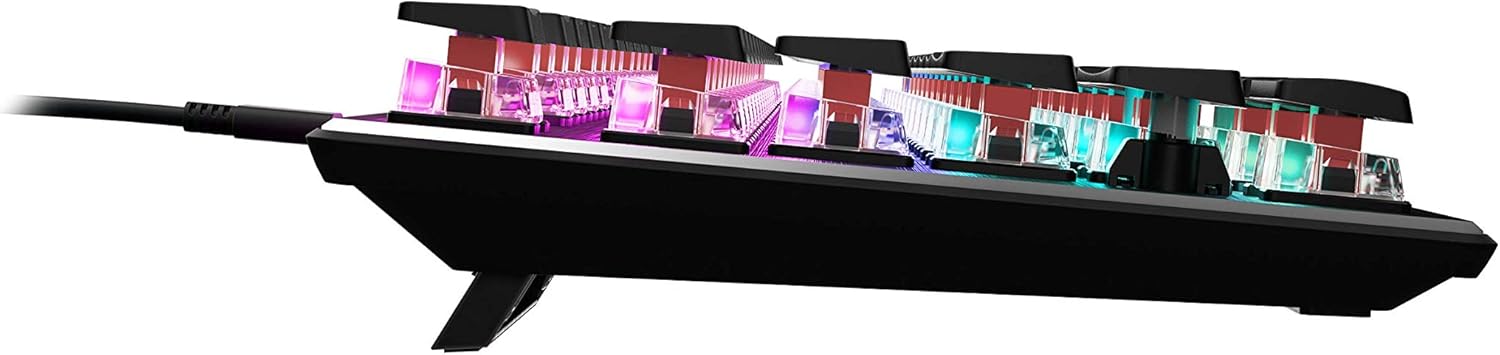
Сүрөт 4.4: Side profile of the keyboard demonstrating its low-profile дизайн.
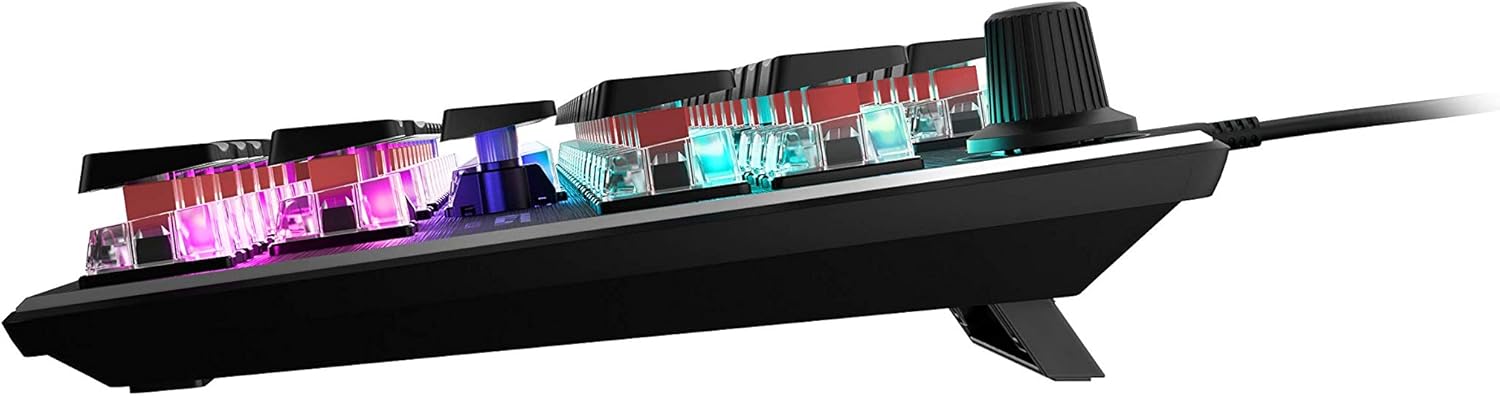
Сүрөт 4.5: Каптал view showing the keyboard's adjustable feet for ergonomic tilt.
5. Техникалык тейлөө
Туура тейлөө клавиатураңыздын узак мөөнөттүү жана оптималдуу иштешин камсыз кылат.
- Баскычтопту тазалоо: Regularly clean the keyboard surface and between keycaps to prevent dust and debris buildup. Use a soft, lint-free cloth, slightly dampened with water or a mild cleaning solution. For deeper cleaning, you may carefully remove keycaps (refer to online guides for safe keycap removal for your specific switch type) and use compressed air to clear debris. Ensure the keyboard is disconnected from your PC before cleaning.
- Кабельге кам көрүү: The detachable USB-C cable should be handled with care. Avoid sharp bends or excessive pulling to prevent damage to the cable or the keyboard's port.
- Сактагыч: Узак мөөнөткө колдонулбаганда, клавиатураны өтө температурадан алыс, таза, кургак чөйрөдө сактаңыз.
6. Кыйынчылыктарды
If you encounter issues with your ROCCAT Vulcan TKL keyboard, try the following troubleshooting steps:
- Баскычтоп жооп бербейт:
- USB-C кабелинин клавиатурага жана компьютериңизге бекем туташтырылганын текшериңиз.
- Баскычтопту компьютериңиздеги башка USB портуна туташтырып көрүңүз.
- Test the keyboard on another computer to determine if the issue is with the keyboard or your PC.
- Компьютериңизди өчүрүп күйгүзүңүз.
- Keys Double-Typing or Not Registering:
- Ensure the keyboard firmware is up to date via the ROCCAT Swarm software.
- Clean the affected key switches using compressed air to remove any debris.
- If the issue persists, it may indicate a hardware fault. Refer to the Warranty and Support section.
- RGB жарыктандыруу маселелери:
- Verify that the ROCCAT Swarm software is running and the keyboard is detected.
- Check lighting settings within Swarm to ensure desired effects are enabled.
- Update the keyboard's firmware through Swarm.
- ROCCAT Swarm Software Not Detecting Keyboard:
- Ensure the keyboard is properly connected to your PC.
- Restart the Swarm software.
- ROCCAT Swarm программасын кайра орнотуңуз.
- Check for any conflicting software or drivers.
7. Техникалык шарттар
| Бренд | ROCCAT |
| Модель аты | Vulcan TKL |
| Модель номери | ROC-12-274 |
| Байланыш технологиясы | USB-C (ажыратылуучу) |
| Keyboard Description | Механикалык оюн баскычтобу |
| Которуу түрү | Titan Switch Mechanical (Linear) |
| Жарыктандыруу | Per-key AIMO RGB Lighting |
| Материал | Anodized Aluminum Top Plate |
| Өлчөмдөрү (LxWxH) | 14.17 x 5.25 x 1.34 дюйм (36 x 13.3 x 3.4 см) |
| Элемент Салмагы | 2.2 фунт (1 кг) |
| Шайкеш түзмөктөр | PC |
| Өзгөчө өзгөчөлүк | Ergonomic, Tenkeyless Design |
8. Кепилдик маалыматы
ROCCAT products are covered by a manufacturer's warranty against defects in materials and workmanship. The specific terms and duration of your warranty may vary by region and product. Please retain your proof of purchase for warranty claims.
For detailed warranty information, please visit the official ROCCAT support webсайт.
9. Колдоо
For further assistance, technical support, or to download the latest drivers and software, please visit the official ROCCAT support webсайт:
Ошондой эле колдоо баракчасынан көп берилүүчү суроолорду жана коомдук форумдарды таба аласыз.