
1. Киришүү
This manual provides instructions for the installation, operation, and maintenance of your GIM KB-23 RGB Case Fan. Please read this manual thoroughly before installation and use to ensure proper function and safety.
The GIM KB-23 is a 120mm case fan designed to enhance airflow within your computer chassis while providing customizable RGB lighting effects.
2. Коопсуздук маалыматы
Ар дайым төмөнкү коопсуздук чараларын сактаңыз:
- Орнотуудан же техникалык тейлөөдөн мурун компьютериңиздин өчүрүлгөнүн жана розеткадан суурулганын текшериңиз.
- Discharge any static electricity from your body by touching a grounded metal object before handling components.
- Do not force connectors. Ensure proper alignment before connecting.
- Бурамалар сыяктуу майда бөлүктөрүн балдардан алыс кармаңыз.
- Avoid touching the fan blades while the fan is operating.
3. Пакеттин мазмуну
Пакетиңизде бардык буюмдар бар экенин текшериңиз:
- 1 x GIM KB-23 120mm RGB Case Fan
- 4 x Монтаждоо бурамалар
4. Орнотуу жана орнотуу
Follow these steps to install your GIM KB-23 RGB Case Fan:
4.1 Даярдоо
- Power off your computer and unplug the power cable from the wall outlet.
- Вентиляторлорду орнотуучу жерлерге жетүү үчүн компьютериңиздин корпусун ачыңыз.
- Identify an appropriate 120mm fan mounting position within your case. Consider airflow direction (intake or exhaust).
4.2 Желдеткичти орнотуу
Position the fan in the desired mounting location. Use the four included mounting screws to secure the fan to the case. Ensure the screws are tightened firmly but do not overtighten to avoid damaging the fan frame or case.
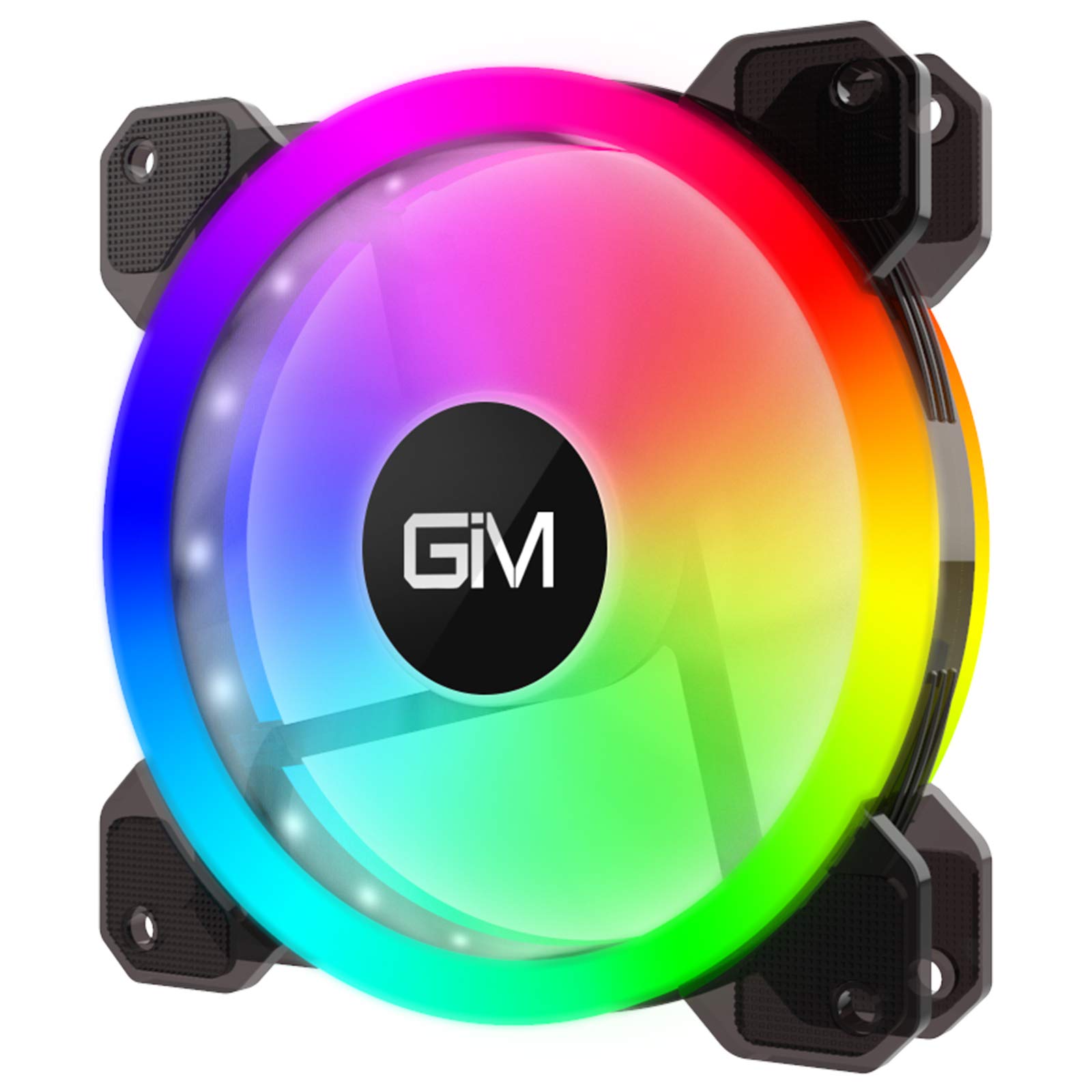
Image 1: GIM KB-23 RGB Case Fan. This image shows the fan's design and typical appearance when installed.
4.3 Күйөрманды туташтыруу
Locate the 6-pin power connector on the GIM KB-23 fan cable. Connect this cable to a compatible GIM RGB fan controller (sold separately or included with multi-pack fan kits). The fan will not function or light up without a compatible controller.
Ensure the connector is fully seated. Route the cables neatly to maintain good airflow and aesthetics within your case.
5. Иштөө нускамалары
Once installed and connected to a compatible GIM RGB fan controller, the fan will begin operating when your computer is powered on.
- желдеткич ылдамдыгы: The fan speed is typically controlled by the GIM RGB fan controller or motherboard software, depending on the controller's capabilities and how it's connected to your system.
- RGB жарыктандыруу: The RGB lighting effects are managed through the GIM RGB fan controller. Refer to your GIM controller's manual for specific instructions on changing lighting modes, colors, and brightness.
6. Техникалык тейлөө
Үзгүлтүксүз техникалык тейлөө желдеткичиңиздин оптималдуу иштешин жана узак мөөнөттүү иштешин камсыз кылууга жардам берет.
- Тазалоо: Periodically clean the fan blades and frame to remove dust buildup. Use a can of compressed air or a soft, dry cloth. Ensure the computer is powered off and unplugged before cleaning.
- Текшерүү: Кабелдердин эскирүү же бузулуу белгилерин текшериңиз. Бардык туташуулардын бекем экенин текшериңиз.
7. Кыйынчылыктарды
If you encounter issues with your GIM KB-23 RGB Case Fan, refer to the following common problems and solutions:
| Көйгөй | Мүмкүн себеп | Чечим |
|---|---|---|
| желдеткич айланбай жатат |
|
|
| RGB жарыктары иштебейт |
|
|
| Ашыкча ызы-чуу |
|
|
8. Техникалык шарттар
| Өзгөчөлүк | Деталь |
|---|---|
| Модел | KB-23 |
| Өлчөмдөрү (L x W x Y) | 4.72" x 0.98" x 4.72" (120 мм x 25 мм x 120 мм) |
| Кубат туташтыргычынын түрү | 6-Pin (Proprietary GIM) |
| Тtage | 12 вольт |
| Ватtage | 1.96 Ватт |
| Муздатуу ыкмасы | Аба |
| Шайкеш түзмөктөр | Үстөл компьютерлери |
| Ызы-чуу деңгээли | 25 децибел (дБ) |
| Максималдуу айлануу ылдамдыгы | 1300 RPM |
9. Кепилдик жана колдоо
For warranty information or technical support, please contact GIM customer service through their official webсайтына же продукт сатып алынган сатуучуга кайрылыңыз. Кепилдик талаптары үчүн сатып алгандыгыңызды тастыктаган документти сактап коюңуз.