
1. Киришүү
This manual provides instructions for the EBTOOLS Ultra Slim Bluetooth Keyboard with Touchpad. This device is designed for portability and compatibility with various operating systems, enhancing productivity across multiple devices.
2. Продукт бүтүп калдыview
2.1 Пакеттин мазмуну
- EBTOOLS Ultra Slim Bluetooth Keyboard with Touchpad
- USB заряддоо кабели
- Колдонуучунун Колдонмосу (бул документ)
2.2 Негизги өзгөчөлүктөрү
- Ultra Slim Дизайн: Measures 6.2mm (0.24 inches) thick for enhanced portability.
- Интегралдык сенсордук такта: Provides mouse functionality for navigation.
- Кеңири шайкештик: Supports Android, iOS, and Windows operating systems.
- Батареянын узак иштөө мөөнөтү: Built-in 280mAh rechargeable Li-polymer battery offers up to 90 hours of continuous working time on a full charge.
- Натыйжалуу колому: Operates wirelessly up to 10 meters (33 feet) via Bluetooth 3.0.
- "X" Scissor Switch Mechanism: Designed for quiet and comfortable typing with responsive keys.
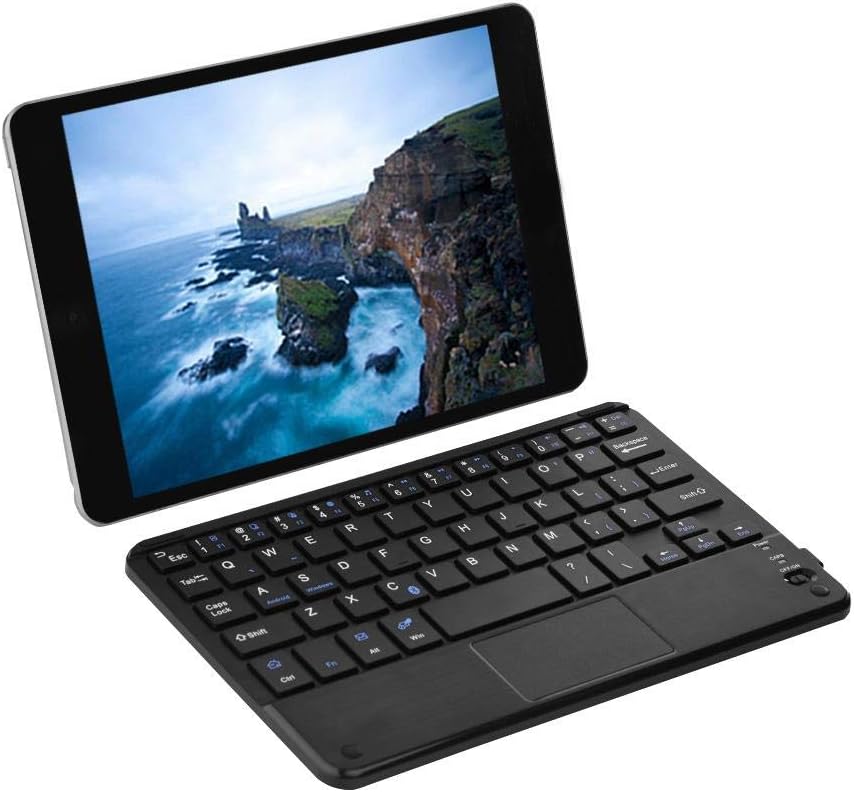
Figure 1: EBTOOLS Ultra Slim Bluetooth Keyboard paired with a tablet.
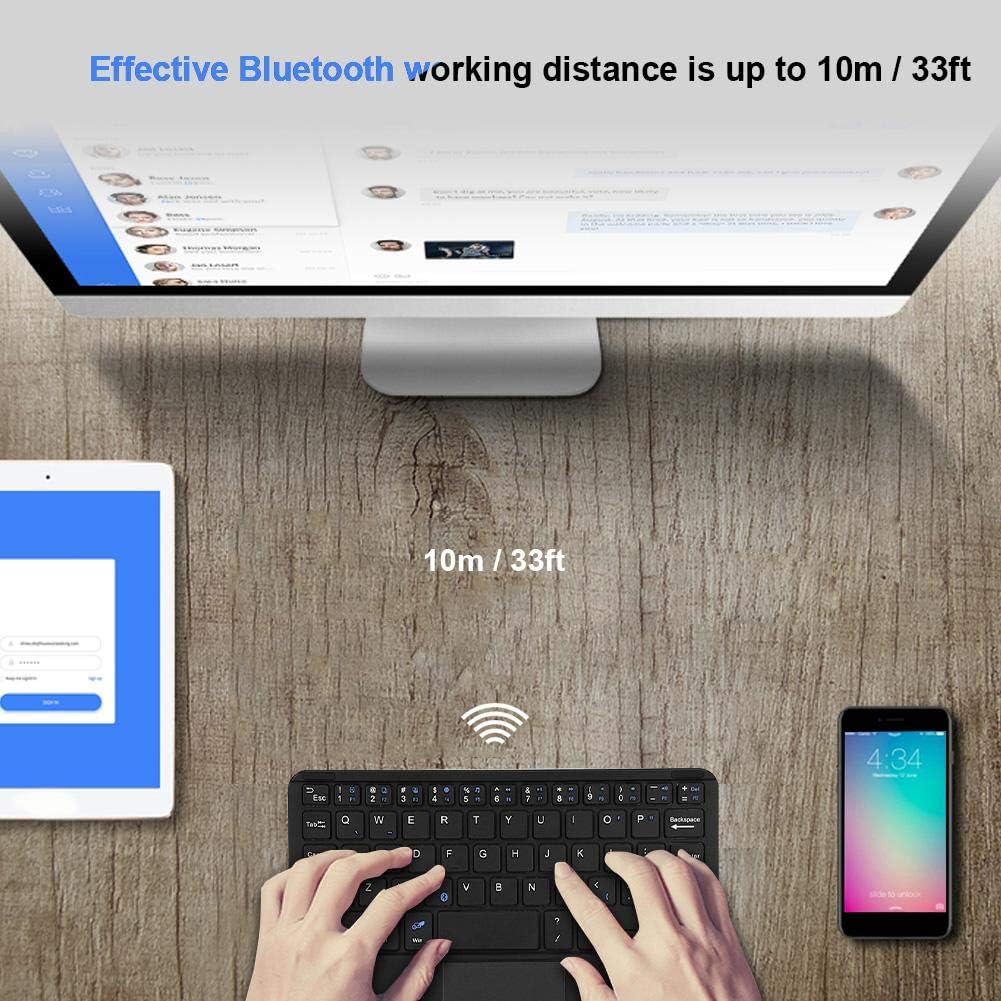
2-сүрөт: жогорудан ылдыйга view of the EBTOOLS Bluetooth keyboard, highlighting the layout and integrated touchpad.

3-сүрөт: Каптал view of the EBTOOLS Bluetooth keyboard showing its ultra-thin 6.2mm profile.
3. Орнотуу
3.1 Баскычтопту заряддоо
- Locate the micro USB charging port on the keyboard.
- Connect the provided USB charging cable to the keyboard and a USB power source (e.g., computer USB port, USB wall adapter).
- The charging indicator light will illuminate. Once fully charged, the light will typically change color or turn off.
- A full charge provides approximately 90 hours of continuous use.
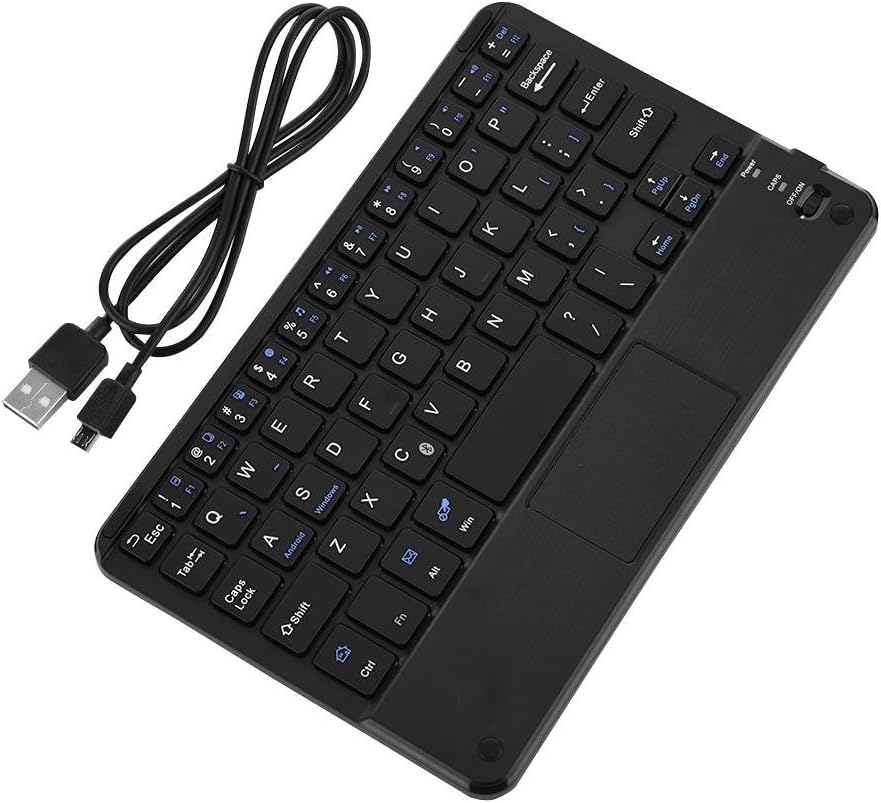
Figure 4: Keyboard battery and charging indication.
3.2 Bluetooth жупташтыруу
Follow these steps to pair your EBTOOLS Bluetooth Keyboard with your device:
- Күйгүзүү: Slide the power switch on the keyboard to the 'ON' position. The power indicator light will turn on briefly.
- Жупташтыруу режимине кирүү: басыңыз Fn + C keys simultaneously. The Bluetooth indicator light will start blinking, indicating the keyboard is in pairing mode.
- Түзмөгүңүздө Bluetooth иштетүү: On your PC, tablet, or smartphone, go to the Bluetooth settings and ensure Bluetooth is enabled.
- Издөө Түзмөктөр: Your device will scan for available Bluetooth devices. Look for 'Bluetooth Keyboard' or a similar name in the list.
- Туташуу: Select the keyboard from the list. Your device may prompt you to enter a pairing code displayed on your screen. Type this code on the EBTOOLS keyboard and press Кириңиз.
- Ырастоо: Once successfully paired, the Bluetooth indicator light on the keyboard will stop blinking and turn off, and your device will show the keyboard as connected.

Figure 5: Keyboard in use, demonstrating effective Bluetooth range.
4. Иштөө нускамалары
4.1 Негизги терүү
The keyboard functions like a standard QWERTY keyboard. Simply type as you would on any other keyboard.
4.2 Сенсордук тактаны колдонуу
The integrated touchpad allows for cursor control. Use standard gestures for navigation:
- Бир манжа менен таптоо: Сол чыкылдатуу.
- Эки манжа менен таптоо: Right-click (functionality may vary by operating system).
- Эки манжа менен жылдыруу: Өйдө же ылдый жылдырыңыз.
4.3 Функционалдык ачкыч
The keyboard includes function keys (F1-F12) and multimedia keys. To activate the secondary functions printed in blue on the keys, press and hold the Fn баскычын басып, андан кийин каалаган функция баскычын басыңыз.
4.4 Системаны которуу
The keyboard supports multiple operating systems. To optimize key functions for your specific OS, use the following combinations:
- Fn + Android: Android түзмөктөрү үчүн.
- Fn + Windows: Windows түзмөктөрү үчүн.
- Fn + iOS: For iOS devices (iPad, iPhone).

Figure 6: Compatibility with various operating systems and devices.
5. Техникалык шарттар
| Өзгөчөлүк | Спецификация |
|---|---|
| Модель номери | EBTOOLSrua15pxtdg |
| Байланыш технологиясы | Bluetooth 3.0 |
| Операциялык аралык | 10 метрге чейин (33 фут) |
| Батарея түрү | Кайра заряддалуучу Li-полимер |
| Батарея сыйымдуулугу | 280mAh |
| Үзгүлтүксүз иштөө убактысы | Болжол менен 90 саат |
| Шайкеш системалар | Android, iOS, Windows |
| Продукциянын өлчөмдөрү | 7.87 x 4.96 x 0.24 дюйм (20 x 12.6 x 0.62 см) |
| Элемент Салмагы | 6.6 унция (187 грамм) |
| Материал | Пластик |
6. Кыйынчылыктарды
6.1 Баскычтоп туташпай жатат
- Күчтү текшерүү: Баскычтоптун күйгүзүлгөнүн жана батареясынын заряды жетиштүү экенин текшериңиз.
- Жупташтыруу режимине кайра кириңиз: Turn off the keyboard, then turn it on and press Fn + C жупташтыруу режимине кайра кирүү үчүн.
- Түзмөктүн Bluetooth: Түзмөгүңүздө Bluetooth күйгүзүлгөнүн жана ал табыла турганын текшериңиз.
- Түзмөктү унут: If previously paired, try 'forgetting' or 'unpairing' the keyboard from your device's Bluetooth settings and then re-pair.
- Аралык: Ensure the keyboard is within the 10-meter operating range of your device.
6.2 Ачкычтар жооп бербейт
- Батарея деңгээли: The battery might be low. Charge the keyboard fully.
- Кайра туташуу: Bluetooth байланышын ажыратып, кайра туташтырыңыз.
- Система режими: Ensure the correct system mode (Android, Windows, iOS) is selected using Fn + OS key.
6.3 Touchpad Not Working
- Системанын шайкештиги: Touchpad functionality can sometimes be limited or behave differently on certain operating systems or applications.
- Кайра жүктөө: Try restarting both the keyboard and the connected device.
7. Техникалык тейлөө
- Тазалоо: Use a soft, dry cloth to clean the keyboard surface. For stubborn dirt, slightly dampчүпүрөктү суу же жумшак тазалоо эритмеси менен жууп салыңыз. Ашыкча нымдуулуктан сактаныңыз.
- Сактагыч: Клавиатураны күн нурунан жана экстремалдык температурадан алыс, салкын, кургак жерде сактаңыз.
- Суюктуктардан алыс болуңуз: Do not expose the keyboard to liquids, as this can cause damage.
- Этияттык менен мамиле кылуу: Баскычтопту түшүрүүдөн же катуу таасирлерге дуушар кылуудан качыңыз.
8. Кепилдик жана колдоо
EBTOOLS products are designed for reliability and performance. For any questions, technical support, or warranty inquiries, please refer to the contact information provided with your purchase or visit the official EBTOOLS webсайт. Кепилдик дооматтары үчүн сатып алганыңыздын далилин сактап коюңуз.