
Introduction
Thank you for choosing the JELLICO TWS-3 True Wireless Earbuds. These earbuds are designed to provide a superior audio experience with advanced features such as Bluetooth 5.0 connectivity, smart touch controls, and IPX5 waterproofing. This manual will guide you through the setup, operation, and maintenance of your new earbuds.
The TWS-3 earbuds offer uncompromising sound quality with a graphene diaphragm, delivering clear midrange and bass for an immersive stereo sound experience. Their waterproof and sweatproof IPX5 technology ensures durability during workouts and various physical activities.
Пакеттин мазмуну
- JELLICO TWS-3 True Wireless Earbuds (Left and Right)
- Заряддоо кутусу
- USB Charging Cable (may vary by region)
- User Manual
Жайгашуу
1. Кулакчындарды жана кутуну кубаттоо
Before first use, fully charge the earbuds and the charging case. Place the earbuds into the charging case. Connect the charging case to a power source using the provided USB cable. The LED indicators on the case will show the charging status. The charging case has a 400mAh battery capacity.

Image: Product specifications highlighting battery capacity and playtime.
A full charge provides up to 6 hours of music playtime for the earbuds and up to 15 hours total with the charging case. Standby time is approximately 100 hours.
2. Түзмөгүңүз менен жупташтыруу
The TWS-3 earbuds feature instant pairing technology for a seamless connection.
- Кулакчындардын кубатталганын текшериңиз.
- Заряддоо кутучасын ачыңыз. Кулакчындар автоматтык түрдө күйүп, жупташтыруу режимине өтөт.
- Смартфонуңузда же Bluetooth иштетилген түзмөгүңүздө Bluetooth жөндөөлөрүнө өтүңүз.
- Издөө available devices and select 'TWS3 Wireless' from the list.
- Туташкандан кийин аудио сигналын угасыз жана кулакчындар колдонууга даяр болот.
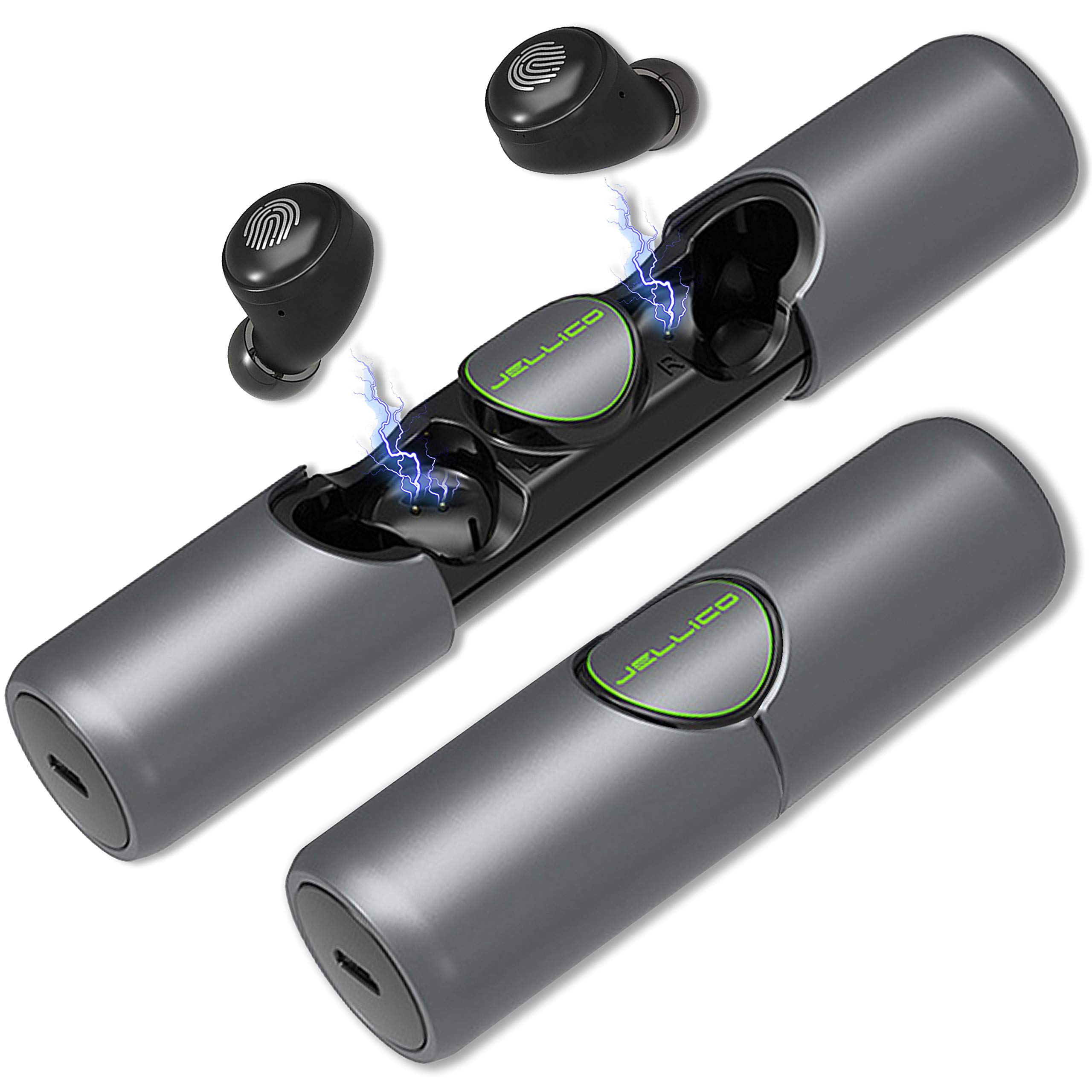
Image: Illustration of instant pairing technology with a smartphone's Bluetooth settings.
Иштөө нускамалары
Smart Touch Controls
The TWS-3 earbuds are equipped with smart touch controls for easy management of music playback and calls. The touch sensitive area is located on the outer surface of each earbud.

Image: Diagram illustrating the smart touch control functions of the earbuds.
- Ойнотуу/тындыруу: Short press either earbud.
- Чакырууга жооп берүү: Short press either earbud.
- Чакырууну четке кагуу: Кулакчындын бирин көпкө басып коюңуз.
- Summon Voice Assistant (e.g., Siri): Кулакчындын бирин 2 секунд басып туруңуз.
- Кийинки ыр: Оң кулакчынды эки жолу чыкылдатыңыз.
- Мурунку ыр: Сол кулакчынды эки жолу чыкылдатыңыз.
- Көлөмү: Оң кулакчынды үч жолу чыкылдатыңыз.
- Үнүн азайтуу: Сол кулакчынды үч жолу чыкылдатыңыз.
Үн жардамчысы
Activate your device's voice assistant (e.g., Siri) by long-pressing either earbud for 2 seconds. This allows for hands-free control of various functions like making calls, setting reminders, or opening apps, depending on your device's capabilities.
Кулакчын тагынуу
Insert the earbuds gently into your ears. Adjust them for a comfortable and secure fit. The lightweight design ensures comfort during extended use and various activities.

Image: A person wearing the earbuds, demonstrating their comfortable and lightweight design.
Техникалык тейлөө
Тазалоо
Regularly clean your earbuds and charging case with a soft, dry, lint-free cloth. Avoid using abrasive materials or harsh chemicals. Ensure the charging contacts on both the earbuds and the case are clean and dry to prevent charging issues.
Сактагыч
When not in use, store the earbuds in their charging case to protect them from dust, moisture, and physical damage. Store in a cool, dry place away from direct sunlight and extreme temperatures.
Проблемаларды чечүү
- Үн жок же үн сапаты начар:
- Кулакчындар түзмөгүңүзгө туура жупташып, туташып турганын текшериңиз.
- Кулакчындардын жана туташкан түзмөгүңүздүн үн деңгээлин текшериңиз.
- Ensure the earbuds are clean and free from debris, especially the speaker mesh.
- Түзмөгүңүздү өчүрүп-күйгүзүп, кулакчындарды кайра жупташтырып көрүңүз.
- Кулакчындар жупташкан жок:
- Эки кулакчындын тең кубатталганын текшериңиз.
- Make sure Bluetooth is enabled on your device and the earbuds are within range.
- Түзмөгүңүздүн Bluetooth'ун өчүрүп, күйгүзүп, кайра жупташтырып көрүңүз.
- If issues persist, place the earbuds back into the charging case, close the lid, wait a few seconds, then open the lid and try pairing again.
- кубаттоо маселелери:
- Заряддоо кабели корпуска да, кубат булагына да бекем туташтырылганын текшериңиз.
- Кубат булагы активдүү экенин текшериңиз.
- Кулакчындардагы жана заряддоо кутусунун ичиндеги заряддоо контакттарын кургак кебез тампон менен тазалаңыз.
Техникалык шарттар
| Модел | TWS-3 |
| Байланыш технологиясы | Зымсыз |
| Зымсыз байланыш технологиясы | Bluetooth |
| Bluetooth версиясы | 5.0 |
| Заряддоо корпусунун батареясынын сыйымдуулугу | 400mAh |
| Музыка ойнотуу убактысы | 6 саатка чейин (кулакчындар) |
| Talk Time | 5 саатка чейин |
| Күтүү убактысы | Болжол менен 100 саат |
| Сууга туруктуулук деңгээли | IPX5 суу өткөрбөйт |
| Башкаруу ыкмасы | Тийүү, Үн |
| Микрофон форматы | Камтылган |
| Продукциянын өлчөмдөрү | 10.41 x 2.97 x 2.97 см |
| Элемент Салмагы | 195 г |
Кепилдик жана колдоо
For warranty information, technical support, or any inquiries regarding your JELLICO TWS-3 True Wireless Earbuds, please refer to the product packaging or contact JELLICO customer service directly through their official webсайт же байланыш каналдары.