
1. Киришүү
This manual provides detailed instructions for the Delton 10X Bluetooth Computer Headset. This wireless headset is designed for clear communication and extended use, featuring Bluetooth 5.0 connectivity, a noise-canceling microphone, and a USB dongle for versatile compatibility. Please read this manual thoroughly to ensure proper setup and operation of your device.

Сүрөт 1.1: The Delton 10X Bluetooth Computer Headset and its accompanying USB dongle. This image displays the headset's over-the-head design, single ear cup, adjustable microphone boom, and the compact USB dongle.
2. Пакеттин мазмуну
Пакетиңизде бардык буюмдар бар экенин текшериңиз:
- Delton 10X Bluetooth Headset
- USB Dongle
- Заряддоо кабели
- Колдонуучунун Колдонмосу (бул документ)
3. Продукциянын өзгөчөлүктөрү
The Delton 10X headset offers a range of features designed for optimal performance and user comfort:
- Bluetooth 5.0 туташуусу: Ensures stable and efficient wireless connection up to 30 feet.
- Ызы-чууну жокко чыгаруучу микрофон: Reduces background noise for clear voice transmission.
- 270° айлануучу микрофон: Allows for flexible positioning and use on either ear.
- Узартылган батареянын иштөө мөөнөтү: Up to 15 hours talk time, 18 hours play time, and 160 hours standby time.
- Тез кубаттоо: Болжол менен 1.5 саатта толук заряддалат.
- Adjustable Headband & Plush Ear Cushion: Provides comfort for prolonged wear.
- Ear Gripper T-Pad: Ensures secure fit during movement.
- Жалпы шайкештик: Works with smartphones, tablets, desktop PCs, laptops, and supports iOS and Windows platforms.

Сүрөт 3.1: A visual summary of the Delton 10X headset's key features, including 15 hours talk time, Bluetooth 5.0, adjustable headband, high fidelity sound, noise-canceling mic, rotatable mic, long battery backup, voice assistant support, and plush cushions.
3.1 Батареянын иштеши
The Delton 10X headset is equipped with a long-lasting battery to support your daily communication needs.
- Сүйлөшүү убактысы: 15 саатка чейин
- Ойнотуу убактысы: 18 саатка чейин
- Күтүү убактысы: 160 саатка чейин
- Заряддоо убактысы: Болжол менен 1.5 саат
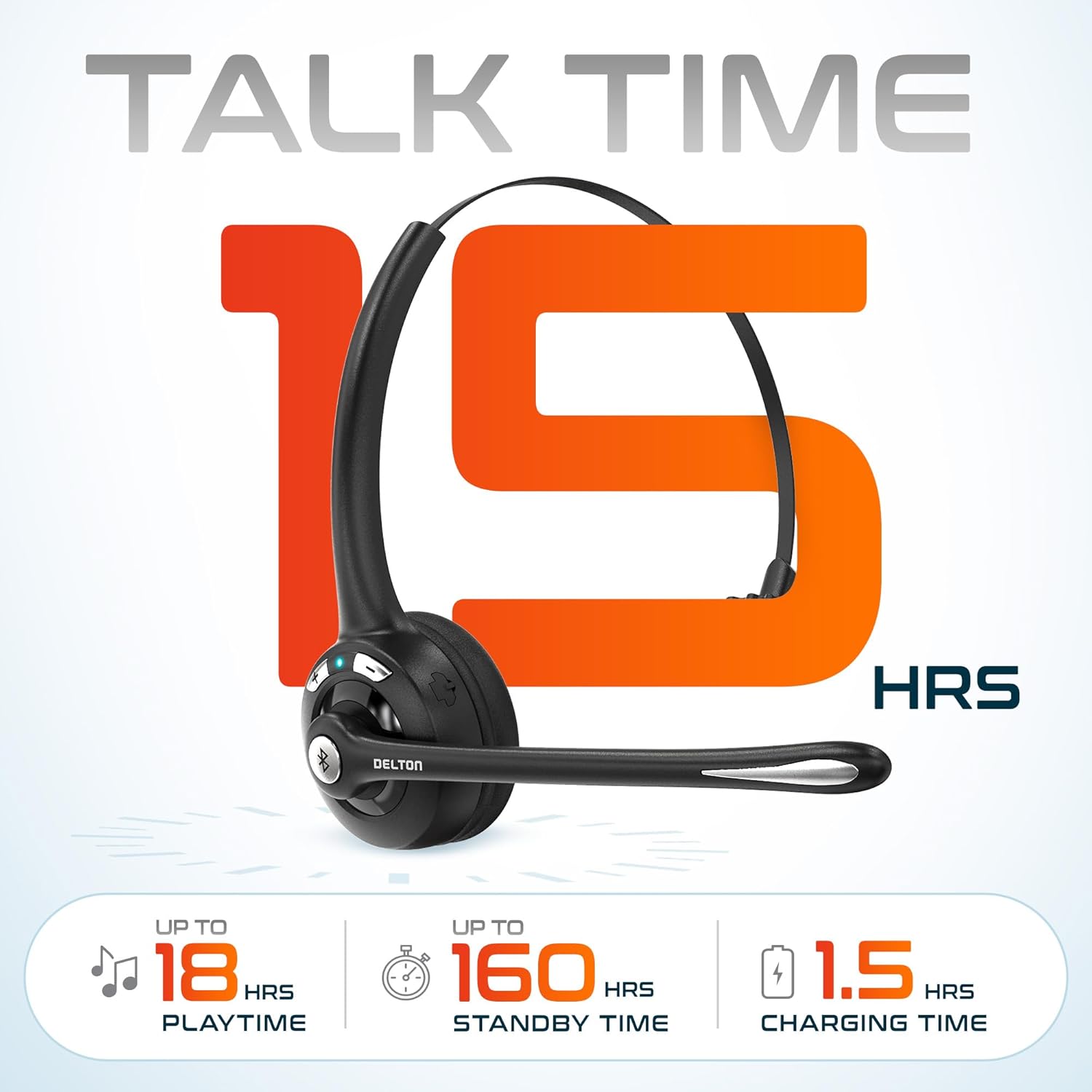
Сүрөт 3.2: An infographic detailing the battery performance of the Delton 10X headset, highlighting 15 hours of talk time, 18 hours of play time, 160 hours of standby time, and a 1.5-hour charging time.
3.2 Өркүндөтүлгөн технология
The headset incorporates an advanced chipset for seamless connectivity and improved power efficiency.

Сүрөт 3.3: Жакын план view of the headset's internal components, illustrating the advanced Bluetooth 5.0 chipset. This image emphasizes the technology that reduces outside noise, improves power efficiency, and provides seamless connectivity up to 30 feet.
4. Орнотуу
4.1 Гарнитураны заряддоо
- Берилген кубаттоочу кабелди гарнитуранын кубаттоо портуна туташтырыңыз.
- Plug the other end of the cable into a USB power source (e.g., computer USB port, wall adapter).
- LED индикатору кубаттоо абалын көрсөтөт. Толук кубаттоо болжол менен 1.5 саатты талап кылат.
4.2 Күйгүзүү/өчүрүү
- Күйгүзүү үчүн: Press and hold the Multi-Function Button (MFB) until the LED indicator flashes blue.
- Өчүрүү үчүн: Press and hold the MFB until the LED indicator flashes red and then turns off.
4.3 Bluetooth Pairing (Direct)
To connect the headset directly to a Bluetooth-enabled device (e.g., smartphone, tablet):
- Гарнитура өчүрүлгөнүн текшериңиз.
- Press and hold the MFB for approximately 5-7 seconds until the LED indicator flashes red and blue alternately, indicating pairing mode.
- Түзмөгүңүздө Bluetooth иштетиңиз жана жеткиликтүү түзмөктөрдү издеңиз.
- Select "Delton 10X" from the list of found devices.
- Туташкандан кийин гарнитурадагы LED индикатору жай көк түстө күйөт.
4.4 USB Dongle Connection
For computers without native Bluetooth or for a more stable connection, use the included USB dongle. The dongle provides instant auto-pairing.
- Plug the USB dongle into an available USB port on your computer. The dongle's LED will blink.
- Power on your Delton 10X headset.
- The headset and dongle will automatically pair. The dongle's LED will turn solid blue, and the headset's LED will flash blue slowly once connected.
- Ensure the Delton 10X is selected as the audio input and output device in your computer's sound settings.

Сүрөт 4.1: A visual representation of the USB dongle being inserted into a laptop's USB port. The image highlights the 'Auto-Pair USB Dongle' feature and 'Plug & Play' functionality, indicating no driver installation is required.
4.5 Шайкештик
The Delton 10X headset is designed for broad compatibility:
- Түзмөктөр: Smartphones, Tablets, Desktop PCs, Laptops.
- Операциялык системалар: iOS, Windows, Linux, Mac.
- Тиркемелер: MS Teams, Zoom, Google Meet, Slack, Skype.

Сүрөт 4.2: Иллюстрациялык көрсөтүүasing the wide compatibility of the Delton 10X headset with various devices, including phones, tablets, iOS & Windows laptops, and desktop computers/iMacs. This emphasizes its versatility across different platforms.
5. Иштөө нускамалары
5.1 Гарнитураны башкаруу элементтери
The headset features intuitive controls for managing calls and audio playback:
- Көп функциялуу баскыч (MFB):
- Press once to Answer/End Call.
- Press and hold for 2 seconds to Redial.
- Музыканы ойнотуу/тындыруу үчүн бир жолу басыңыз.
- Үнүн жогорулатуу (+) баскычы:
- Үнүн жогорулатуу үчүн бир жолу басыңыз.
- Press and hold for 2 seconds for Next Track.
- Үндү азайтуу (-) баскычы:
- Үндү азайтуу үчүн бир жолу басыңыз.
- Press and hold for 2 seconds for Previous Track.

Сүрөт 5.1: A detailed diagram of the Delton 10X headset's controls, showing the Volume Down (-), Volume Up (+), and Multi-Function Button (MFB) with their respective functions for call management, track control, and power.
5.2 Микрофонду колдонуу
The microphone is designed for clear voice pickup and can be adjusted for optimal positioning.
- Микрофонду тууралоо: The microphone boom can rotate 270 degrees. Position the microphone approximately 1-2 inches from your mouth for best voice clarity.
- Ызы-чууну жокко чыгаруу: The integrated noise-canceling technology helps filter out ambient sounds, ensuring your voice is heard clearly by others.
5.3 Гарнитураны тагынуу
The Delton 10X headset is designed for comfort and can be worn on either ear.
- Жөнгө салынуучу баш боосу: Башыңыздын өлчөмүнө ыңгайлуу болушу үчүн баш боону узартыңыз же тартыңыз.
- Ear Gripper T-Pad: This feature helps secure the headset in place.
- Left or Right Ear: Rotate the microphone boom to position the ear cup on your preferred ear.

Сүрөт 5.2: An image illustrating the comfort and adjustability features of the Delton 10X headset. It shows the adjustable headband, the Ear Gripper T-Pad, the plush ear cushion, and the 270° rotation of the flexible microphone, demonstrating its usability on both left and right ears.
6. Техникалык тейлөө
Тийиштүү техникалык тейлөө гарнитураңыздын узак мөөнөттүү иштешин жана оптималдуу иштешин камсыз кылат.
- Тазалоо: Гарнитураны тазалоо үчүн жумшак, кургак чүпүрөктү колдонуңуз. Кулак жаздыкчалары үчүн бир аз гamp кездемени колдонсо болот, бирок колдонуудан мурун алардын толугу менен кургак экенин текшериңиз. Катуу химиялык заттардан же абразивдүү материалдардан алыс болуңуз.
- Сактагыч: Гарнитураны күн нурунан жана экстремалдык температурадан алыс салкын, кургак жерде сактаңыз.
- Батареяга кам көрүү: Батареянын иштөө мөөнөтүн узартуу үчүн, гарнитураны бат-баттан толук зарядсыздандырбаңыз. Узак мөөнөткө колдонулбаса да, аны үзгүлтүксүз заряддаңыз.
- Суудан качуу: Гарнитура суу өткөрбөйт. Суюктуктарга тийгизбеңиз.
7. Кыйынчылыктарды
If you encounter issues with your Delton 10X headset, refer to the following common solutions:
| Көйгөй | Мүмкүн себеп | Чечим |
|---|---|---|
| Гарнитура күйбөйт. | Батарея заряды аз же жок. | Гарнитураны кеминде 1.5 саат кубаттаңыз. |
| Түзмөк менен жупташтыруу мүмкүн эмес. | Гарнитура жупташтыруу режиминде эмес; түзмөктө Bluetooth өчүк; аппарат өтө алыс. | Ensure headset is in pairing mode (flashing red/blue). Turn on device Bluetooth. Move headset closer to device (within 30 feet). Try using the USB dongle. |
| Poor microphone audio quality (others cannot hear me clearly). | Microphone position; computer audio settings; environmental noise. | Adjust the microphone closer to your mouth (1-2 inches). Check your computer's sound settings to ensure the Delton 10X is selected as the input device and microphone volume is adequate. Ensure the noise-canceling mic is facing the correct direction. |
| No sound or low sound from headset. | Headset volume too low; device volume too low; incorrect audio output device. | Increase headset volume using the '+' button. Increase volume on your connected device. Verify that the Delton 10X is selected as the audio output device in your computer's sound settings. |
| Байланыш тез-тез үзүлөт. | Аралыктан тышкары; тоскоолдук. | Ensure you are within 30 feet of the connected device or USB dongle. Minimize obstacles between the headset and device. |
8. Техникалык шарттар
Detailed technical specifications for the Delton 10X Bluetooth Computer Headset:
| Өзгөчөлүк | Спецификация |
|---|---|
| Модель аты | 10X Monoaural Headset + Dongle |
| Байланыш технологиясы | Зымсыз (Bluetooth 5.0) |
| Bluetooth диапазону | 30 метрге чейин |
| Noise Control | Sound Isolation (Noise-Canceling Mic) |
| Frequency Response | 20 Гц - 20 000 Гц |
| Батареянын иштөө мөөнөтү (сүйлөшүү убактысы) | 15 саатка чейин |
| Battery Life (Play Time) | 18 саатка чейин |
| Батареянын иштөө мөөнөтү (күтүү режими) | 160 саатка чейин |
| Заряддоо убактысы | 1.5 саат |
| Наушник уясы | USB (заряддоо үчүн) |
| Башкаруу түрү | Call Control, Volume Control, Track Control |
| Элемент Салмагы | 1.5 унция |
| Продукциянын өлчөмдөрү | 6 x 6 x 2 дюйм |
| Материал | Пластик |
| Кулак жайгаштыруу | Over Ear (Monoaural) |
9. Кепилдик жана колдоо
For warranty information or technical assistance, please contact Delton customer support. Details can typically be found on the official Delton website or through your purchase documentation. Please retain your proof of purchase for warranty claims.