
CyberpowerPC GMA2130CC
CyberpowerPC Gamer Master Gaming PC
Model: GMA2130CC
Introduction
This instruction manual provides essential information for setting up, operating, maintaining, and troubleshooting your new CyberpowerPC Gamer Master Gaming PC, model GMA2130CC. Please read this manual thoroughly before using your computer to ensure proper function and longevity. The Gamer Master series is designed for high-performance computing, featuring an AMD Ryzen 5 3600 processor and NVIDIA GeForce RTX 2060 graphics for an optimal gaming experience.
Кутуда эмне бар
Төмөндө тизмеленген нерселердин баары пакетиңизге камтылганын текшериңиз:
- Desktop PC (CyberpowerPC Gamer Master GMA2130CC)
- Баскычтоп
- Чычкан
- Электр кабели

Image: The CyberpowerPC Gamer Master Gaming PC tower, accompanied by the included keyboard and mouse, ready for setup.
Орнотуу колдонмосу
Пакеттен чыгаруу жана жайгаштыруу
Carefully remove the PC and all accessories from the packaging. Place the PC on a stable, flat surface with adequate ventilation. Ensure there is enough space around the PC for airflow, especially at the rear and top vents.
Перифериялык түзүлүштөрдү туташтыруу
- Монитор: Connect your monitor to the graphics card (NVIDIA GeForce RTX 2060) ports located at the lower rear of the PC. Use either the HDMI or DisplayPort connection.
- Баскычтоп жана чычкан: Connect the included keyboard and mouse to any available USB ports on the rear or top of the PC.
- Күч: Connect the power cord to the power supply unit (PSU) at the rear of the PC, then plug the other end into a wall outlet or surge protector.
- Тармак (милдеттүү эмес): For a wired internet connection, connect an Ethernet cable to the RJ-45 network port on the rear of the PC.

Сүрөт: жакын план view of the top panel ports, including USB and audio jacks, for convenient peripheral connection.
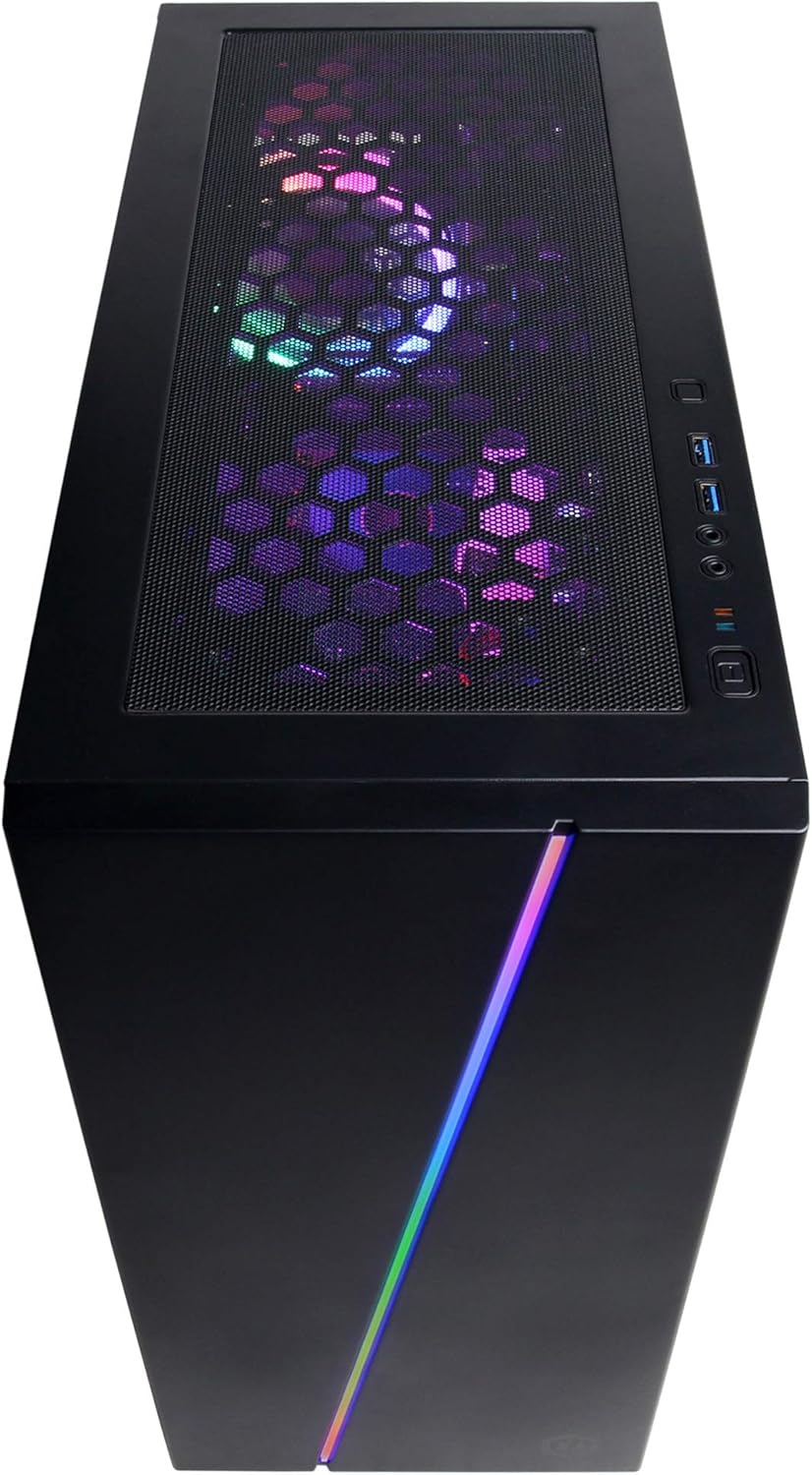
Сүрөт: үстүнкү view of the PC case, showing the top mesh panel for ventilation and accessible front I/O ports.
Баштапкы күйгүзүү
Press the power button located on the top front of the PC. The system will boot up, and you should see the CyberpowerPC logo on your monitor.
Операциялык системаны орнотуу
Follow the on-screen instructions to complete the Windows 10 Home setup process. This typically involves selecting your region, language, creating a user account, and accepting the license agreement.
Компьютериңизди иштетүү
Windows 10 Home
Your CyberpowerPC comes pre-installed with genuine Windows 10 Home 64-bit. Familiarize yourself with the Windows interface, Start Menu, and taskbar for efficient navigation.
Connecting to the Internet (Wi-Fi)
Зымсыз тармакка туташуу үчүн:
- Тутум тактасындагы Wi-Fi сөлөкөтүн чыкылдатыңыз (экрандын ылдыйкы оң жагында).
- Тизмеден каалаган тармакты тандаңыз.
- "Туташуу" баскычын чыкылдатып, суралса, тармактын коопсуздук ачкычын (сырсөздү) киргизиңиз.
Аудио орнотуу
Connect your speakers or headphones to the appropriate audio jacks on the rear or top of the PC. Windows 10 will typically detect and configure the audio device automatically. You can adjust volume and sound settings via the sound icon in the system tray.
RGB жарык көзөмөлдөө
Your PC features custom RGB case lighting and RGB fans. Control software for these features may be pre-installed or available for download from the CyberpowerPC website. Refer to the software's documentation for specific instructions on customizing lighting effects.

Image: The sleek front panel of the PC case, featuring a vibrant RGB light strip that can be customized.

Сүрөт: ички view of the PC, showcasing the illuminated RGB cooling fans and the neatly arranged internal components.
Техникалык тейлөө
Жалпы тазалоо
- Сырткы: жумшак колдонуу, damp Корпустун сыртын сүртүү үчүн чүпүрөк колдонуңуз. Абразивдүү тазалоочу каражаттардан алыс болуңуз.
- Чаң чыпкалары: Periodically clean the dust filters (if present) on the case to maintain optimal airflow. These are typically located on the top, front, or bottom of the case and can be removed for cleaning.
- Ички компоненттери: For internal cleaning, power off and unplug the PC. Use compressed air to gently remove dust from fans, heatsinks, and other components. Exercise caution to avoid damaging sensitive parts.
Программалык камсыздоо жаңыртуулары
Regularly update your Windows operating system, graphics drivers (NVIDIA GeForce), and other software to ensure system stability, security, and optimal performance. Windows Update can be accessed via Settings > Update & Security.
Проблемаларды чечүү
This section addresses common issues you might encounter. For more complex problems, refer to the CyberpowerPC support webсайт.
- Кубат жок:
- Ensure the power cord is securely connected to both the PC and the wall outlet.
- Check if the power switch on the back of the PSU is in the 'ON' position.
- Башка аспапка туташтыруу менен розетка иштеп жатканын текшериңиз.
- Монитордо дисплей жок:
- Confirm the monitor's power cable is connected and the monitor is turned on.
- Ensure the video cable (HDMI/DisplayPort) is securely connected to the graphics card ports on the PC and the monitor.
- Verify the monitor input source is correctly selected (e.g., HDMI 1, DisplayPort).
- System is Slow or Unresponsive:
- Фондо иштеген керексиз программаларды жабыңыз.
- Антивирустук программаны колдонуп кесепеттүү программаларды же вирустарды текшериңиз.
- Windows жана драйверлер жаңыртылганын текшериңиз.
- Monitor system temperatures to prevent overheating.
- Peripherals (Keyboard/Mouse) Not Working:
- Перифериялык түзүлүштү башка USB портуна туташтырууга аракет кылыңыз.
- Компьютерди өчүрүп күйгүзүңүз.
- Windows Түзмөк башкаргычында түзмөк драйверлерин текшериңиз.
Техникалык мүнөздөмөлөр
| Компонент | Спецификация |
|---|---|
| Процессор | AMD Ryzen 5 3600 3.6GHz (6-core) |
| Графикалык карта | NVIDIA GeForce RTX 2060 6 ГБ |
| RAM | 8 ГБ DDR4 |
| Сактагыч | 240GB SSD, 1TB HDD |
| Операция системасы | Windows 10 Home 64-бит |
| Чипсет | AMD B450 |
| Байланыш | 802.11ac Wi-Fi, 10/100/1000 Ethernet |
| USB порттору | 6 х USB 3.1, 2 х USB 2.0 |
| Аудио | 7.1 Аудио каналы |
| Өлчөмдөрү (LxWxH) | 17.91 x 8.5 x 19.29 дюйм |
| Салмагы | 36 фунт |

Сүрөт: бир тарап view of the PC case, highlighting the mesh panel design for enhanced airflow and cooling.
Кепилдик жана колдоо
Your CyberpowerPC Gamer Master Gaming PC (GMA2130CC) includes a Тетиктерге жана эмгекке 1 жылдык кепилдик. Additionally, CyberpowerPC provides өмүр бою акысыз техникалык колдоо бул продукт үчүн.
For technical assistance, warranty claims, or further inquiries, please visit the official CyberpowerPC support website or contact their customer service. Keep your purchase receipt and product serial number readily available when contacting support.
Note: Opening the PC case may void the warranty if not performed by authorized personnel or according to specific instructions. Consult CyberpowerPC support before attempting internal modifications.