
Introduction
The Verizon G3100 Router is designed to provide high-speed internet connectivity using Wi-Fi 6 technology. It supports both 2.4GHz and 5GHz bands with 11ax 4x4 capabilities, offering extended Wi-Fi range and efficient network performance. This manual will guide you through the installation, operation, and maintenance of your G3100 router to ensure optimal performance.
Кутуда эмне бар
Upon unboxing your Verizon G3100 Router, verify that all components are present.
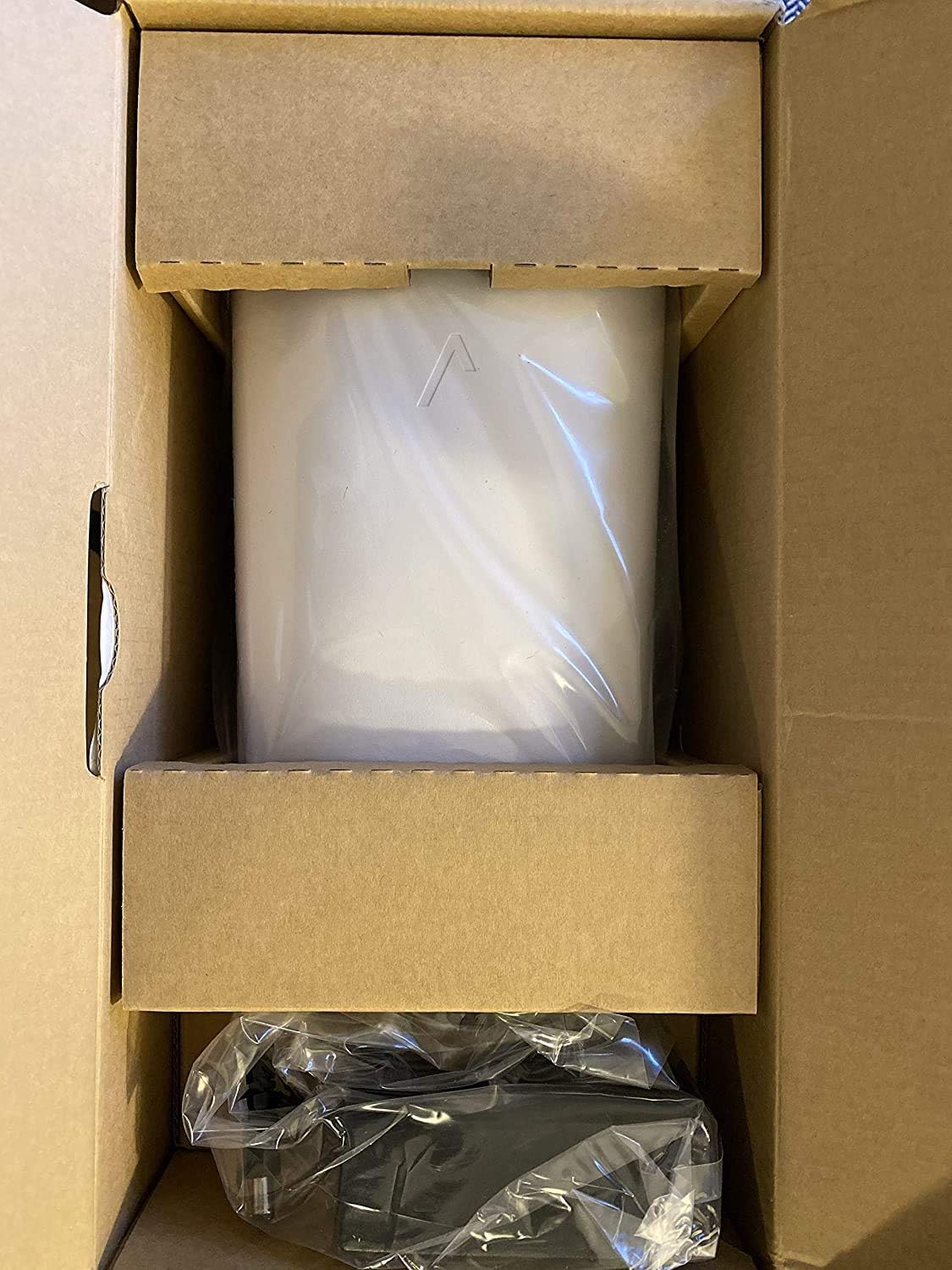
Image: The Verizon G3100 Router securely packaged in its cardboard box, wrapped in protective plastic.
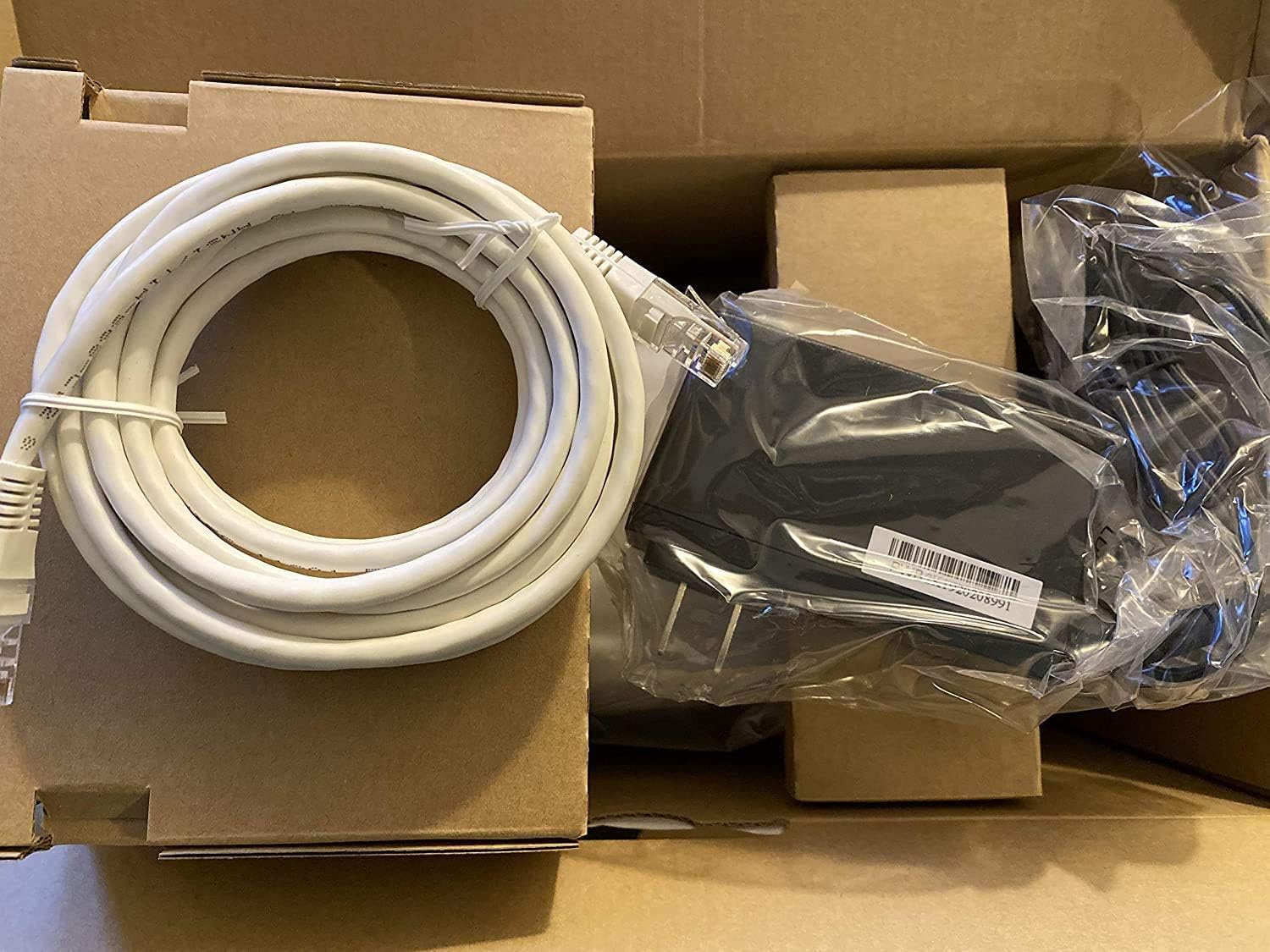
Image: The Verizon G3100 Router unboxed, showing the main unit, a coiled white Ethernet cable, and the power adapter.
- Verizon G3100 Router Unit
- Кубаттуу адаптер
- Ethernet кабели
Орнотуу колдонмосу
Follow these steps to set up your Verizon G3100 Router:
- Жайгашкан жери: Choose a central location in your home, away from obstructions and other electronic devices that may cause interference.
- Туташуу кубаты: Кубат адаптерин роутердин кубат портуна, андан кийин розеткага сайыңыз.
- Интернет булагына туташыңыз:
- If using an Ethernet connection from your Optical Network Terminal (ONT) or modem, connect one end of the provided Ethernet cable to the WAN port (usually labeled "WAN" or "Internet") on the router and the other end to your ONT/modem.
- If using a Coaxial (MoCA) connection, connect a coaxial cable from your wall outlet to the MoCA port on the router.
- Түзмөктөрдү туташтыруу (кошумча): For wired connections, use Ethernet cables to connect your devices (computers, gaming consoles, etc.) to any of the four Gigabit LAN ports on the back of the router.
- Күйгүзүү: Wait for the router to power on and initialize. The indicator light on the front of the router will typically turn solid white or green when it's ready.
- Wi-Fi'га туташуу:
- Locate the Wi-Fi network name (SSID) and password on the label on the bottom or back of your router.
- On your device (smartphone, tablet, computer), select the Wi-Fi network name and enter the password.
- Кызматты иштетүү: Follow any specific activation instructions provided by Verizon, which may involve visiting a website or using a mobile app.
Иштөө нускамалары
The Verizon G3100 Router is designed for ease of use and high performance.
- Автоматтык тилке которуу: The router automatically switches between the 2.4GHz and 5GHz Wi-Fi bands to provide the best connection for your devices, optimizing speed and range.
- Wi-Fi 6 (802.11ax): This advanced Wi-Fi standard offers faster speeds, lower latency, and increased capacity for multiple devices compared to older Wi-Fi standards.
- Гигабит Ethernet порттору: Utilize the four Gigabit LAN ports for high-speed wired connections to devices requiring maximum bandwidth, such as desktop computers or network-attached storage (NAS).
- MoCA 2.5: The router supports MoCA 2.5 for high-speed data transmission over coaxial cables, which can be useful for extending network coverage in your home.
- Router Interface: Access the router's administrative interface via a web browser (usually by typing
192.168.1.1into the address bar) to customize settings, manage connected devices, and view network status. Refer to your router's label for default login credentials. - Мобилдик колдонмону башкаруу: Manage your router settings and network from your smartphone using the official Verizon Fios app.
Техникалык тейлөө
Үзгүлтүксүз тейлөө сиздин роутериңиздин узак иштөөсүн жана оптималдуу иштешин камсыз кылууга жардам берет.
- Программалык камсыздоонун жаңыртуулары: The router typically receives automatic firmware updates from Verizon. Ensure your router remains connected to the internet to receive these updates, which provide security enhancements and performance improvements.
- Тазалоо: Periodically clean the exterior of the router with a soft, dry cloth. Ensure ventilation slots are free from dust to prevent overheating. Do not use liquid cleaners or abrasive materials.
- Кайра иштетилүүдө: If you experience minor network issues, a simple restart of the router can often resolve them. Unplug the power adapter, wait 30 seconds, and then plug it back in.
- Коопсуздук: Regularly change your Wi-Fi password and router administration password to strong, unique combinations to protect your network from unauthorized access.
Проблемаларды чечүү
If you encounter issues with your Verizon G3100 Router, refer to the following common solutions:
- Интернет байланышы жок:
- Check all cable connections (power, WAN/Internet, MoCA). Ensure they are securely plugged in.
- Restart your router and ONT/modem.
- Verify that your Verizon service is active.
- Жай Wi-Fi ылдамдыгы:
- Ensure your router is placed centrally and away from interference sources.
- Confirm your devices are connected to the appropriate Wi-Fi band (5GHz generally offers faster speeds over shorter distances).
- Perform a speed test to verify your internet speed.
- Consider reducing the number of active devices or upgrading your internet plan if speeds are consistently below expectations.
- Wi-Fi Signal Drops:
- Relocate the router to improve signal coverage.
- Микропрограмма жаңыртууларын текшериңиз.
- If you have a large home, consider adding a Wi-Fi extender compatible with the G3100.
- Маршрутизатор орнотууларына кирүү мүмкүн эмес:
- Түзмөгүңүз роутердин Wi-Fi тармагына же Ethernet кабели аркылуу туташкандыгын текшериңиз.
- Verify you are typing the correct IP address (e.g.,
192.168.1.1) браузериңизге киргизиңиз. - Use the correct username and password. If forgotten, a factory reset may be necessary (refer to the router's documentation for reset procedures, which will erase all custom settings).
Техникалык шарттар
| Өзгөчөлүк | Деталь |
|---|---|
| Бренд | Verizon |
| Модель аты | G3100 |
| Жыштык тилкесинин классы | Кош диапазондуу (2.4 ГГц, 5 ГГц) |
| Зымсыз байланыш стандарты | 802.11ax (Wi-Fi 6) |
| LAN порттору | 4 гигабит LAN |
| WAN порт | 1 Gigabit WAN |
| MoCA Support | MoCA 2.5 + LAN MoCA 1.1 WAN |
| Антенна түрү | Internal (4 antennas) |
| Automatic Band Switching | Ооба |
| Элемент Салмагы | 3 фунт |
| Башкаруу ыкмасы | Колдонмо |
| Маалыматтарды өткөрүү ылдамдыгы | 1 Gigabits Per Second (LAN) |
| Коопсуздук протоколу | WPS |
| Router Firewall Security Level | Негизги |
| UPC | 600164709797 |
Кепилдик жана колдоо
For warranty information, technical support, or to access additional resources, please refer to the official Verizon documentation included with your product or visit the Verizon support webсайт. Кепилдик дооматтары үчүн сатып алуу дүмүрчөгүңүздү сактаңыз.
кире аласыз Verizon Store on Amazon көбүрөөк маалымат алуу үчүн.