
1. Киришүү
Thank you for choosing the iClever GK08 Wireless Keyboard and Mouse Combo. This full-size keyboard with a numeric keypad and a silent mouse offers a stable 2.4 GHz connection, USB-C recharging, and dual-layout compatibility for Mac and Windows systems. This manual provides detailed instructions to help you set up, operate, and maintain your new device.
2. Коопсуздук маалыматы
- Аппаратты суудан, оттон жана жогорку температурадан алыс кармаңыз.
- Аппаратты ажыратууга же өзгөртүүгө аракет кылбаңыз.
- Заряддоо үчүн берилген USB-C кабелин гана колдонуңуз.
- Аппаратты түшүрүүдөн же катуу таасирлерден сактаныңыз.
- Батареяларды жана электрондук тетиктерди жергиликтүү эрежелерге ылайык таштаңыз.
3. Орнотуу колдонмосу
3.1 Пакеттин мазмуну
- iClever GK08 Wireless Keyboard
- iClever Wireless Mouse
- USB-A Nano Receiver (stored inside the mouse)
- USB-C заряддоо кабели
- Washable Dust Cover
- User Manual
3.2 Алгачкы заряддоо
Биринчи жолу колдонуудан мурун, клавиатура менен чычкандын экөө тең толук заряддалганын текшериңиз.
- Connect the provided USB-C charging cable to the keyboard's USB-C port (located on the top edge).
- Кабелдин экинчи учун USB кубат булагына туташтырыңыз (мисалы, компьютердин USB порту, USB дубал адаптери).
- The charging indicator light on the keyboard will illuminate during charging and turn off when fully charged.
- For the mouse, connect the USB-C cable to its charging port. The mouse also has an indicator light.
- A full charge takes approximately 2 hours and provides up to 45 days of use for the keyboard.
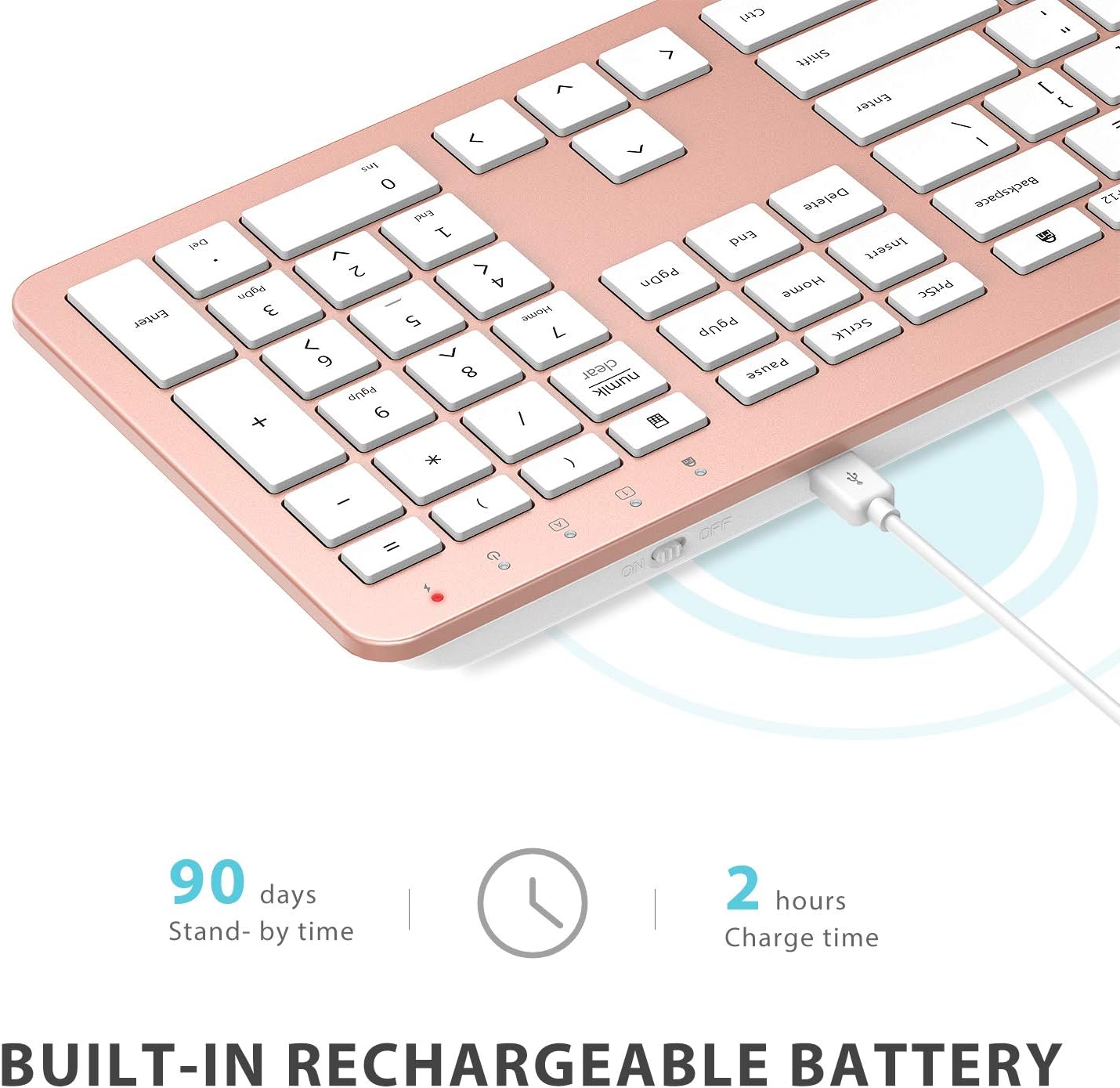
Image: The iClever GK08 keyboard connected to a USB-C charging cable, illustrating the charging process and battery life indicators.
3.3 Connecting to Your Computer (2.4 GHz Wireless)
The keyboard and mouse connect via a single 2.4 GHz USB-A nano receiver.
- Locate the USB-A nano receiver. It is typically stored in a compartment on the underside of the mouse.
- Plug the nano receiver into an available USB-A port on your computer.
- Turn on the keyboard using the ON/OFF switch (usually on the top edge).
- Turn on the mouse using the ON/OFF switch (located on the underside).
- Your computer should automatically detect and install the necessary drivers. The devices are ready for use once recognized.
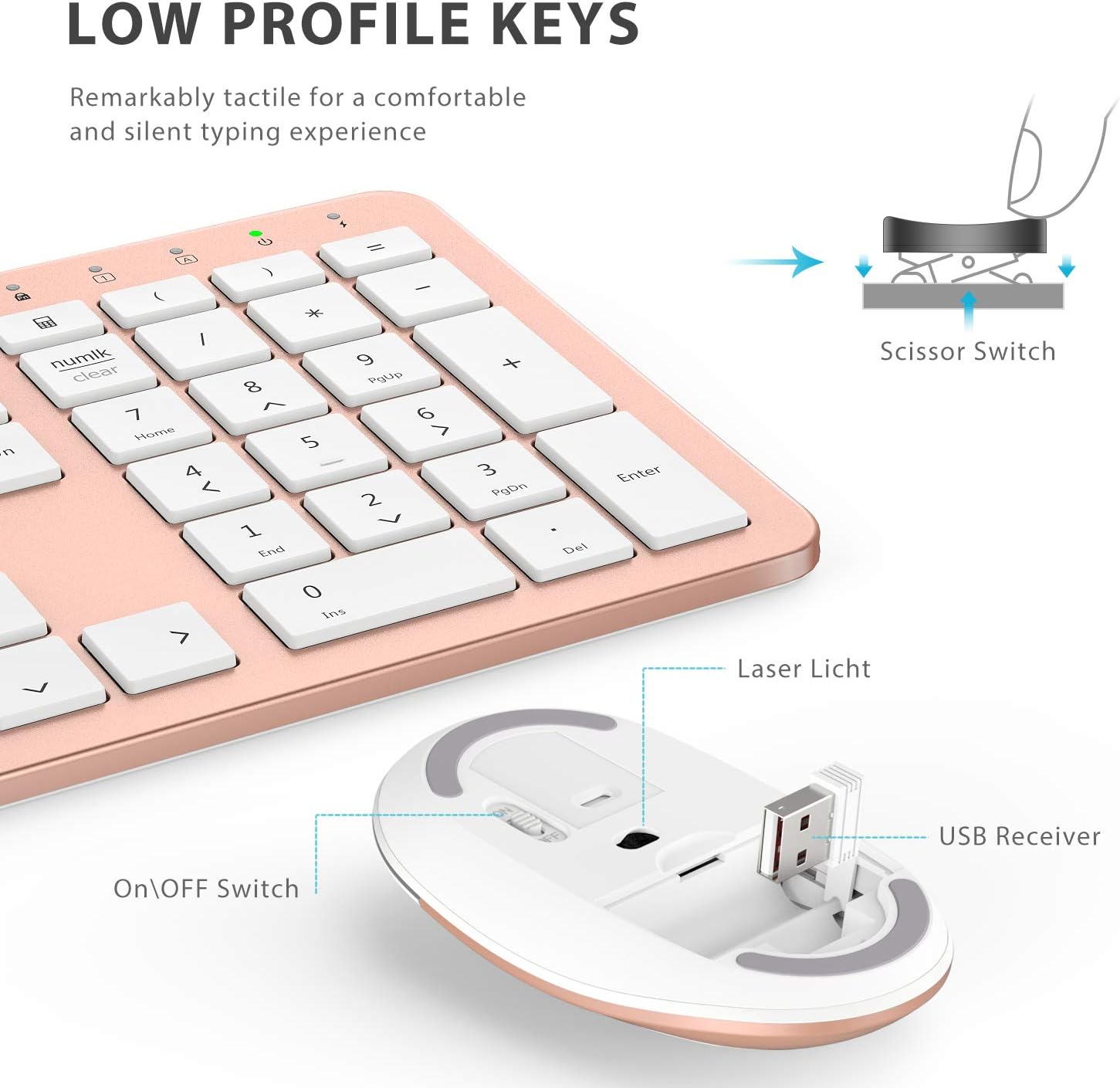
Сүрөт: жакын план view of the iClever mouse, highlighting the compartment where the USB nano receiver is stored for convenience.
3.4 Шайкештикти текшерүү
This combo requires an available USB-A port for the nano receiver. For newer Macs with only USB-C ports, a USB-C to USB-A adapter (not included) is required. It is compatible with:
- Windows 10/11 PC & laptop
- macOS desktops / notebooks with USB-A port (e.g., iMac Retina 4K/5K, MacBook Air/Pro ≤ 2017)
- Chrome OS

Image: A visual representation emphasizing the requirement of a USB-A port for the 2.4G wireless receiver, with a note about USB-C adapters for newer devices.
4. Иштөө нускамалары
4.1 Баскычтоптун функциялары
- Толук өлчөмдөгү макет: The keyboard features a 110-key layout with a dedicated numeric keypad for efficient data entry.
- Quiet Scissor-Switch Keys: Enjoy a comfortable and quiet typing experience with low-profile keys that produce less than 50 dB of sound.
- Media Shortcuts: Access common media functions directly from the keyboard.
- Dual-Layout Compatibility: The keyboard has clearly printed Mac and PC legends.
Switching Between Mac and Windows Layouts:
- үчүн Windows: Басыңыз Fn + W to activate Win, Alt, NumLK functions.
- үчүн Mac OS: Басыңыз Fn + Q to activate Alt (Option), Cmd, Clear functions.

Image: The iClever GK08 keyboard displaying the dual Mac and Windows key legends, with instructions for switching between operating system layouts using the Fn key combinations.
4.2 Чычкан функциялары
- Унчукпай чыкылдатуу: The mouse is designed for quiet operation, minimizing distractions.
- Жөнгө салынуучу DPI: The mouse features 3 adjustable DPI levels (800/1200/1600) to customize cursor sensitivity. Press the DPI button (usually located near the scroll wheel) to cycle through the settings.

Image: A visual demonstrating the quiet operation of the iClever mouse and the three adjustable DPI settings (800, 1200, 1600) for varied precision needs.
4.3 Автоматтык түрдө уйку функциясы
To conserve battery life, both the keyboard and mouse will enter an auto-sleep mode after 10 minutes of inactivity. To wake them up, simply press any key on the keyboard or move the mouse.
Video: A seller-provided video demonstrating the plug-and-play functionality and long battery life of the iClever Wireless Keyboard and Mouse. This video highlights the ease of setup and extended usage between charges.
5. Техникалык тейлөө
- Тазалоо: жумшак колдонуу, damp cloth to clean the surfaces of the keyboard and mouse. Avoid harsh chemicals.
- Чаң капкагы: Utilize the included washable dust cover to protect the keyboard from dust and spills when not in use.
- Сактагыч: When not in use for extended periods, turn off both devices to conserve battery. Store the USB receiver inside the mouse.
6. Кыйынчылыктарды
- Байланыш жок:
- Ensure both keyboard and mouse are turned ON.
- Verify the USB nano receiver is securely plugged into a working USB-A port on your computer.
- Try plugging the receiver into a different USB-A port.
- Check if the devices are charged.
- Кечүү же үзгүлтүктүү туташуу:
- Ensure the devices are within the 33 ft / 10 m operating range of the receiver.
- Кабыл алгычты күчтүү тоскоолдук булактарынын (мисалы, башка зымсыз түзмөктөр, чоң металл буюмдар) жанына койбоңуз.
- Re-pair the devices by unplugging and re-plugging the receiver.
- Keyboard Not Typing Correctly (Mac/Windows):
- Ensure you have selected the correct operating system layout using Fn + W Windows үчүн же Fn + Q Mac үчүн.
- Чычкан курсору секирүүдө же так эмес:
- Чычкандагы DPI баскычын колдонуп DPI жөндөөсүн тууралаңыз.
- Чычкан сенсорунун таза жана тоскоолдуксуз экенин текшериңиз.
- Чычканды ылайыктуу бетте колдонуңуз (өтө жарык чагылдырбаган же тунук эмес).
7. Техникалык шарттар
| Өзгөчөлүк | Деталь |
|---|---|
| Бренд | iClever |
| Модель номери | GK08 |
| Түс | Rose Gold |
| Байланыш технологиясы | 2.4 GHz wireless (USB-A nano receiver) |
| Зымсыз диапазон | 33 фут / 10 м чейин |
| Баскычтоптун жайгашуусу | QWERTY, Full-size 110-key with Numpad |
| Ачкыч түрү | Scissor Switch (Quiet typing < 50 dB) |
| Power Source | Rechargeable Lithium Ion Battery (Keyboard) |
| Заряддоо порту | USB-C |
| Заряддоо убактысы | Болжол менен 2 саат |
| Батареянын иштөө мөөнөтү (Батарея) | 45 күнгө чейин (типтүү колдонуу) |
| Чычкандын DPI жөндөөлөрү | 800 / 1200 / 1600 DPI |
| Шайкеш операциялык системалар | Windows 8/10/11, macOS, Chrome OS |
| Өзгөчөлүктөр | Dual Mac/Windows layout, 10-min auto-sleep, Washable dust cover |
8. Кепилдик жана колдоо
iClever products typically come with a standard manufacturer's warranty. Please refer to the warranty card included in your product packaging or visit the official iClever webдеталдуу кепилдик шарттары жана шарттары үчүн сайт.
For technical support, troubleshooting assistance, or any product-related inquiries, please contact iClever customer service through their official webсайт же продукт документациясында көрсөтүлгөн байланыш маалыматы.
Онлайн колдоо: www.iclever.com/support