
Introduction
Thank you for choosing the MEDION E11909 (MD 20059) 19-inch HD TV. This television features an integrated DVD player, a 12V car adapter for mobile use, and a triple tuner for receiving cable, satellite, or DVB-T2 HD signals. This manual provides essential information for the safe and efficient use of your new device. Please read it thoroughly before operation and keep it for future reference.
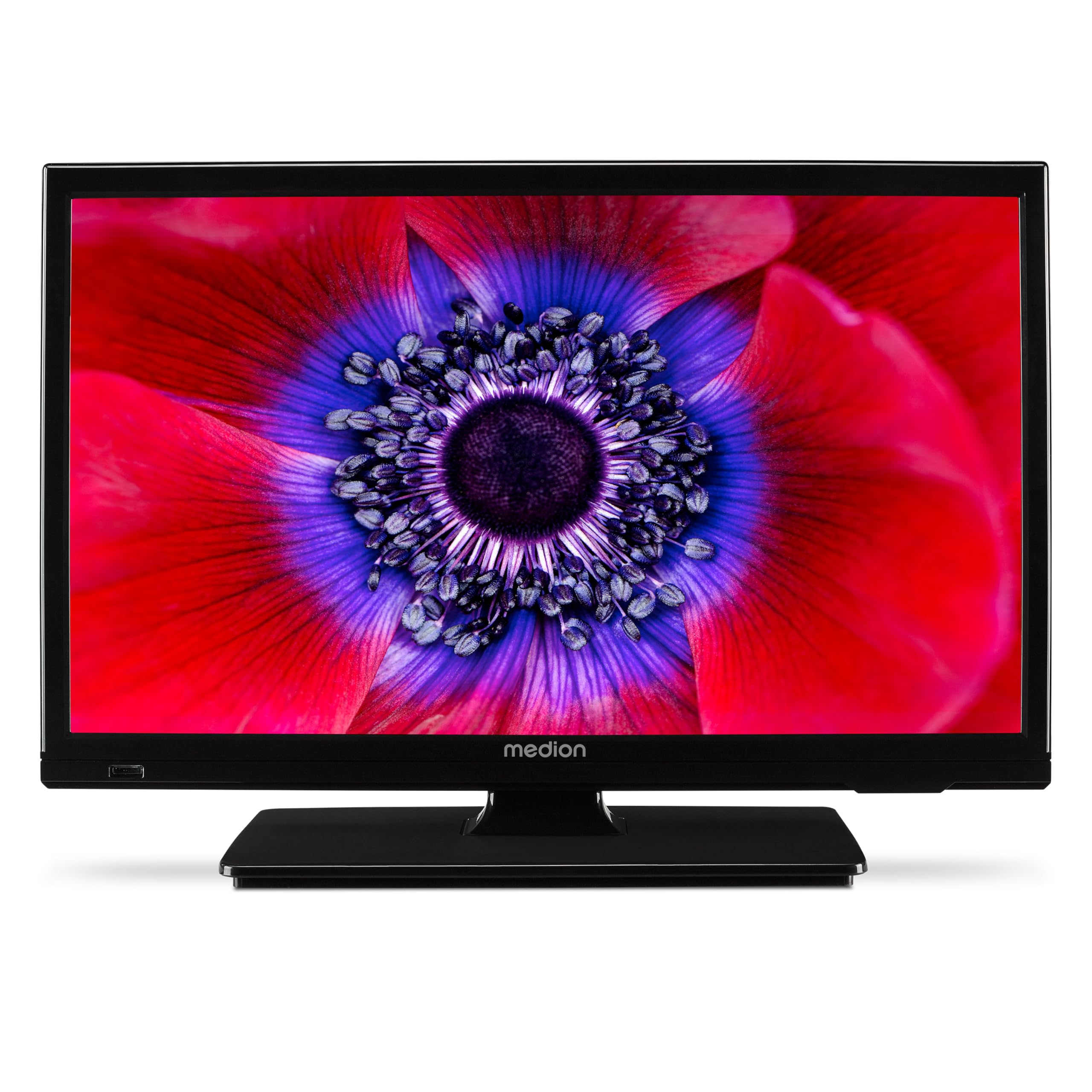
1-сүрөт: MEDION E11909 19-inch HD TV. This image shows the front view of the television, highlighting its compact design suitable for various environments.
Коопсуздук маалыматы
Please observe the following safety instructions to prevent damage to the device or injury to yourself:
- Телевизорду жамгырга же нымга тийгизбеңиз.
- туура желдетүүнү камсыз кылуу; желдетүү тешиктерин жаап албаңыз.
- Аппарат менен берилген кубат адаптерин гана колдонуңуз.
- Телевизорду ачпаңыз casing; бардык тейлөөлөрдү квалификациялуу кызматкерлерге тапшырыңыз.
- Телевизорду жылуулук булактарынан жана түз күн нурунан алыс кармаңыз.
- When using the 12V car adapter, ensure the vehicle's power outlet is clean and provides stable power.
Пакеттин мазмуну
Пакетте бардык буюмдар бар экенин текшериңиз:
- MEDION E11909 MD20059 LCD TV
- Remote control with batteries (AAA)
- Тышкы кубат адаптери
- Car adapter (12V)
- DVB-T антеннасы
- AV адаптер
- Бурама менен туруңуз
- Колдонуучунун колдонмосу
- Кепилдик китепчеси
Жайгашуу
1. Стендди бекитүү
- Телевизордун экранын этияттык менен жумшак, таза бетке коюңуз.
- Стендди телевизордун астындагы монтаждоо тешиктери менен тууралаңыз.
- Берилген бурамалар менен стендди бекитиңиз.
2. Кубатты туташтыруу
- Үй шартында колдонуу үчүн: Connect the external power adapter to the TV's DC IN port and then plug it into a standard wall outlet.
- For Mobile Use (Car/Caravan): Connect the 12V car adapter to the TV's DC IN port and then plug it into your vehicle's 12V DC power socket.
3. Connecting Antennas and External Devices
Refer to the connection diagram below for port locations.

2-сүрөт: Rear panel connections. This image illustrates the various input and output ports on the back of the television, including HDMI, USB, SCART, VGA, AV In, YPbPr, PC Audio In, Headphone Jack, Digital Audio Out, and the 12V DC power input.
- Антенна/кабель: Connect your DVB-T antenna (included), cable, or satellite dish to the appropriate RF IN port.
- HDMI түзмөктөрү: Connect devices like Blu-ray players or game consoles to the HDMI ports.
- USB түзмөктөрү: Insert USB drives for media playback into the USB port.
- Older Devices: Use the SCART, VGA, or AV IN ports for older equipment.
4. Баштапкы орнотуу
After connecting power and turning on the TV for the first time, an initial setup wizard will guide you through language selection, country, and channel scanning. Follow the on-screen instructions.
Иштеп жатат
1. Күйгүзүү/өчүрүү
басыңыз КҮЧ түзмөктү күйгүзүү же өчүрүү үчүн алыстан башкаруу пультундагы же телевизордогу баскычты басыңыз.
2. Алыстан башкаруу функциялары
The remote control allows you to navigate menus, change channels, adjust volume, and select input sources. Refer to the remote control diagram in your separate warranty booklet for specific button functions.
3. Channel Selection and Volume
- колдонуу CH +/- каналдарды өзгөртүү үчүн баскычтар.
- колдонуу VOL +/- үнүн тууралоо үчүн баскычтар.
4. Киргизүү булагын тандоо
басыңыз БУЛАК button on the remote control to cycle through available input sources (TV, HDMI1, HDMI2, AV, USB, DVD).
5. Using the Integrated DVD Player
- Insert a DVD disc into the disc slot on the side of the TV.
- Телевизор автоматтык түрдө DVD режимине өтүшү керек. Эгер андай болбосо, баскычын басыңыз БУЛАК button and select DVD.
- Use the remote control's playback buttons (ОЙНОТУУ, ТЫНДЫРУУ, ТОКТОТУУ, FF, REW) to control DVD playback.

3-сүрөт: TV with integrated DVD player. This image shows the television screen displaying high-definition content, with a DVD disc partially visible, indicating the integrated DVD player functionality.
6. Using the Media Player (USB)
- USB сактагычты USB портуна салыңыз.
- басыңыз БУЛАК button and select USB.
- Сиздин аркылуу чабыттоо files (photos, music, videos) using the remote control and press OK ойноо.

4-сүрөт: Easy playback of photos, videos, and more. This image highlights the USB port on the TV's side and icons representing music, photos, and video files, indicating the TV's multimedia playback capabilities.
Техникалык тейлөө
1. Экранды тазалоо
Экранды жумшак, түксүз чүпүрөк менен акырын сүртүңүз. өжөр белгилери үчүн, бир аз гampчүпүрөккө суу же атайын экран тазалоочу каражат. Суюктукту экранга түз чачпаңыз.
2. Агрегатты тазалоо
Телевизорду сүртүңүз casing жумшак, кургак чүпүрөк менен. Абразивдүү тазалагычтарды же эриткичтерди колдонуудан алыс болуңуз.
3. Сактоо
Эгер телевизорду узак убакытка сактап койсоңуз, аны электр кубатынан сууруп, пульттан батареяларды алып чыгып, салкын, кургак жерде, мүмкүн болсо, баштапкы таңгагында сактаңыз.
Проблемаларды чечүү
If you encounter problems with your TV, please refer to the following common issues and solutions:
- Кубат жок:
- Check if the power adapter is securely connected to both the TV and the power outlet.
- Ensure the power outlet is functional. - Сүрөт/үн жок:
- Verify that the correct input source is selected (e.g., HDMI1, TV, DVD).
- Check all cable connections (antenna, HDMI, AV).
- Perform a channel scan if using TV mode. - DVD Not Playing:
- Ensure the disc is inserted correctly with the label facing up.
- Check if the disc is clean and free from scratches.
- Try a different DVD to rule out disc issues. - Алыстан башкаруу иштебейт:
- Replace the batteries (AAA).
- Пульт менен телевизордун инфракызыл сенсорунун ортосунда эч кандай тоскоолдуктар жок экенин текшериңиз.
Бул чечимдерди колдонуп көргөндөн кийин көйгөй чечилбесе, кардарларды колдоо менен байланышыңыз.
Техникалык шарттар
- Бренд: MEDION
- Модел: E11909 (MD 20059)
- Экрандын өлчөмү: 18.5 дюйм (47 см)
- Дисплей технологиясы: LED-LCD
- Чечим: 768p (HD)
- Жаңыртуу ылдамдыгы: 60 Гц
- Аспект катышы: 1.77:1
- Байланыш технологиясы: HDMI, USB
- Өзгөчөлүктөр: Built-in DVD player, 12V Car Adapter, Triple Tuner for HD reception (Cable, Satellite, DVB-T2)
- Камтылган компоненттер: LCD TV (MD 20059)
- Продукциянын өлчөмдөрү: 16D x 44W x 31H см
- Аудио чыгаруу: 2 x 3 W RMS Stereo Speakers
Кепилдик жана колдоо
Your MEDION E11909 (MD 20059) TV comes with a manufacturer's warranty. Please refer to the included warranty booklet for detailed terms and conditions, including the warranty period and coverage.
For technical support, service, or further inquiries, please visit the official MEDION website or contact their customer service department. Contact information can typically be found in your warranty booklet or on the MEDION support page.