
Introduction
Thank you for choosing the MAMBASNAKE USB Powered 2.0 Computer Speakers. This manual provides essential information for the safe and efficient use of your new speakers. Please read it thoroughly before operation and retain it for future reference.

Image: MAMBASNAKE USB Powered 2.0 Computer Speakers with dynamic RGB lighting, showcasing their stereo multimedia capabilities.
Коопсуздук маалыматы
- Динамиктерди сууга же ашыкча нымдуулукка дуушар кылбаңыз.
- Динамиктерди жылуулук булактарынын жанына же күндүн түз тийген жерине койбоңуз.
- Динамиктерди өз алдынча бөлүктөргө бөлүүгө же оңдоого аракет кылбаңыз. Бардык тейлөө иштерин квалификациялуу адистерге тапшырыңыз.
- Ensure the USB power source is 5V to prevent damage.
- Балдар жетпеген жерде сактаңыз.
Пакеттин мазмуну
Сураныч, төмөнкү нерселер үчүн кутучаны белгилеңиз:
- 1 x Left Speaker
- 1 x Right Speaker
- 1 х Инструкция (бул документ)
Продукт өзгөчөлүктөрү
- Superb Stereo Sound Quality: Integrated 2 x 5W balanced stereo speakers deliver clear audio without distortion, even at higher volumes.
- Brilliant RGB LED Backlight: Features 6 rainbow color lighting effects, enhancing your music listening or gaming experience. Lighting effects can also be turned off.
- Компакт дизайн: Each speaker measures 86 x 91 x 146 mm, making them suitable for narrow desk spaces.
- Simple Connectivity: USB powered, no additional drivers required. Connects via a 3.5mm audio jack.
- Жеңил башкаруу: Dedicated switches on the speaker wire for adjusting volume and changing/turning off backlight effects.
- Кеңири шайкештик: Compatible with most devices featuring a 3.5mm audio output, such as PCs, laptops, tablets, and music players.
Орнотуу нускамалары
- Туташуу кубаты: Plug the USB cable from the speakers into an available USB port on your computer, laptop, or a 5V USB power adapter.
- Аудио туташтыруу: Plug the 3.5mm audio jack into the audio output port of your device (e.g., computer, laptop, tablet, smartphone).
- Спикерлер: Place the left and right speakers on your desk or desired surface, ensuring they are stable.

Image: Diagram illustrating USB power and 3.5mm audio connections for the speakers, compatible with PC, power bank, 5V adapter, CD player, MP3, phone, tablet, and laptop.
Иштөө нускамалары
Үндү көзөмөлдөө
The speakers feature an inline control on the cable for volume adjustment. Rotate the knob to increase or decrease the audio output.
RGB LED Backlight Control
Use the dedicated button on the inline control to cycle through the 6 available RGB lighting effects. Pressing the button will change the effect, and one of the options allows you to turn the lighting off completely.

Image: MAMBASNAKE USB Powered 2.0 Computer Speakers with RGB lighting active, positioned on a desk next to a monitor, illustrating their aesthetic appeal.
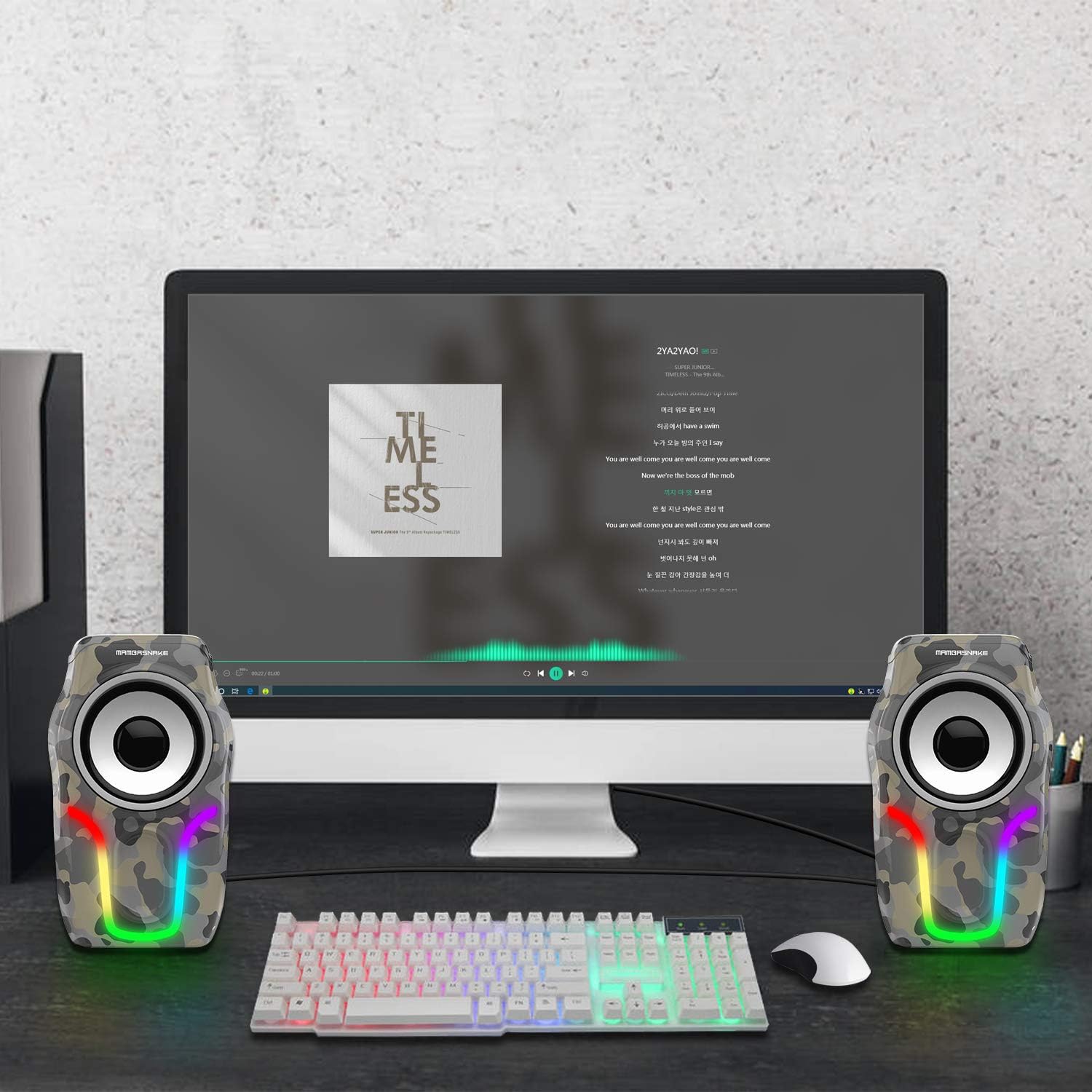
Сүрөт: Жакын план view of the MAMBASNAKE USB Powered 2.0 Computer Speakers integrated into a gaming setup, highlighting the vibrant RGB backlight effects.
Техникалык тейлөө
- Тазалоо: Use a soft, dry cloth to wipe the speaker surfaces. Do not use liquid cleaners or aerosols.
- Сактагыч: Динамиктерди көпкө чейин колдонбогондо, салкын, кургак жерде, күндүн нуру түз тийбеген жерде сактаңыз.
- Кабельге кам көрүү: Ички зыян келтирбөө үчүн кабелдерди өтө ийип же кысып албаңыз.
Проблемаларды чечүү
| Көйгөй | Мүмкүн себеп | Чечим |
|---|---|---|
| Үн жок |
|
|
| RGB жарыктары иштебейт |
|
|
| Бурмаланган үн |
|
|
Техникалык шарттар
| Модель номери | 8314862114402 |
| Бренд | MAMBASNAKE |
| Өлчөмдөрү (L x W x Y) | 8.6 x 9.1 x 14.6 cm (per speaker) |
| Салмагы | 600 грамм (жалпы) |
| Спикердин максималдуу чыгаруу күчү | 2 х 5 Ватт |
| Байланыш технологиясы | USB (for power), 3.5mm Audio Jack (for signal) |
| Аудио чыгаруу режими | Stereo (2.0 Channels) |
| Киргизүү көлөмүtage | 5 Вольт (USB) |
| Башкаруу түрү | Button (Inline control for volume and RGB) |
| Динамик өлчөмү | 2.25 дюйм |
| Ызы-чуунун катышы | 75 дБ |
| Шайкеш түзмөктөр | Personal Computer, Laptop, Tablet, Smartphones, MP3 Players |
| Material (Internal) | Жыгач |

Сүрөт: деталдуу view of the MAMBASNAKE USB Powered 2.0 Computer Speakers, showing their compact dimensions (90mm width, 85mm depth, 146mm height) and the speaker connection and data/power cables.
Кепилдик жана колдоо
MAMBASNAKE products are designed for reliability and performance. For warranty information or technical support, please refer to the contact details provided on the product packaging or visit the official MAMBASNAKE website. Please have your model number (8314862114402) ready when contacting support.
Кошумча маалымат алуу үчүн, сиз иш сапары менен болот MAMBASNAKE Brand Store.