
1. Киришүү
This manual provides detailed instructions for the setup, operation, and maintenance of your Laxihub O1 Full HD 1080p WiFi Outdoor Security Camera. Please read this manual thoroughly before using the product to ensure correct installation and optimal performance. Keep this manual for future reference.
2. Продукт бүтүп калдыview
2.1 Пакеттин мазмуну
- Laxihub O1 Camera
- Кубаттуу адаптер
- USB кабели
- Cling Clamp
- Бурамалар
- Колдонуучунун Колдонмосу (бул документ)
2.2 Негизги өзгөчөлүктөрү
- Full HD 1080p токтому: Provides clear and stable video footagкүнү-түнү.
- Инфракызыл түнкү көрүнүш: Integrated sensor supports recordings and streaming in low-light conditions.
- Кыймыл жана үндү аныктоо: Receives warning notifications and automatically records 60-second video clips upon detection.
- Эки тараптуу аудио: Communicate with visitors or deter intruders using the built-in microphone and noise-reduction speaker.
- Smart Home интеграциясы: Compatible with Alexa and Google Assistant for voice control and live view.
- Жергиликтүү сактагыч: Supports local recording via an included 32GB SD card.
- Тышкы туруктуулук: Designed for outdoor use (note: not waterproof, ensure protected installation).
2.3 Камеранын компоненттери
Familiarize yourself with the physical components of your Laxihub O1 camera.
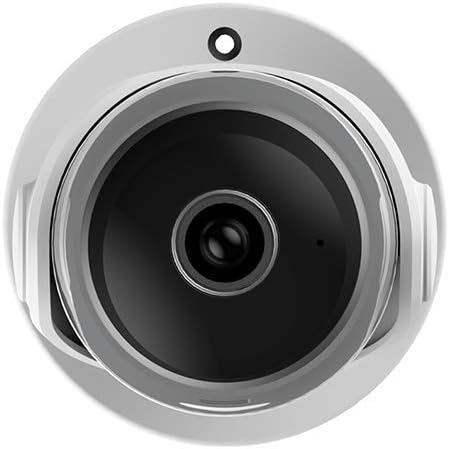
Сүрөт 1: Фронт view of the Laxihub O1 camera, showing the lens and indicator light.
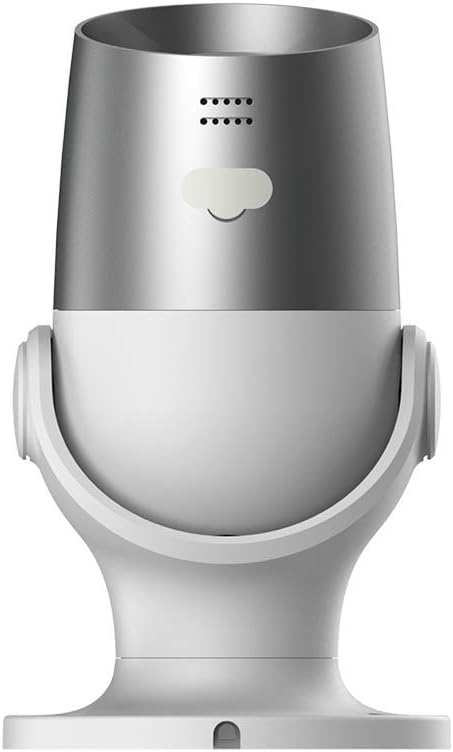
Сүрөт 2: Арткы view of the Laxihub O1 camera, highlighting the power input and reset button.
3. Орнотуу
3.1 Колдонмону жүктөп алуу жана каттоо эсебин каттоо
- Download the 'Laxihub' app from the App Store (iOS) or Google Play Store (Android).
- Колдонмону ачып, жаңы аккаунт түзүңүз же бар аккаунт менен кириңиз.
3.2 Камераны орнотуу
The Laxihub O1 camera is designed for wall mounting. Choose a location that provides the desired viewing angle and is within range of your Wi-Fi network and a power outlet. Ensure the camera is protected from direct heavy rain as it is not fully waterproof.
- Mark the drilling positions on the wall using the mounting clamp шаблон катары.
- Тешиктерди бургула жана зарыл болсо, дубал анкерлерин салгыла.
- Монтаждоо clamp берилген бурамалар аркылуу дубалга.
- Attach the camera to the mounting clamp and adjust its angle.
3.3 Күйгүзүү жана жупташтыруу
- Connect the USB cable to the camera and the power adapter. Plug the power adapter into a power outlet.
- The camera's indicator light will flash, indicating it is ready for pairing.
- Open the Laxihub app, tap '+' to add a new device, and follow the on-screen instructions to connect the camera to your Wi-Fi network.
- Камера 5 ГГц тармактарды колдоого албагандыктан, Wi-Fi тармагыңыз 2.4 ГГц экенин текшериңиз.
4. Иштөө нускамалары
4.1 Live View жана Жаздыруу
Once paired, you can access the live video feed from your camera through the Laxihub app. Tap on the camera's name in the app to view the live stream. You can manually record video or take screenshots from this interface.
4.2 Эки тараптуу аудио
Камера эки тараптуу аудио байланышты колдойт. Түз эфирде микрофон сүрөтчөсүн басыңыз view interface to speak through the camera's speaker. Tap it again to end communication.

Сүрөт 3: Illustration of the two-way audio feature, showing a person communicating through the camera.
4.3 Кыймылды жана үндү аныктоо
Configure motion and sound detection settings within the app. You can adjust sensitivity levels and set detection zones to minimize false alarms. When an event is detected, the camera will automatically record a 60-second clip and send a notification to your smartphone.

Сүрөт 4: Depiction of AI-powered human motion and sound detection, showing alerts on a smartphone.
4.4 Түнкү көрүнүш
The Laxihub O1 camera automatically switches to infrared night vision in low-light conditions, providing clear black and white video footage.

Сүрөт 5: Comparison image showing the camera's clear 1080p video quality during both day and night.
4.5 Smart Home интеграциясы
The Laxihub O1 camera can be integrated with Amazon Alexa and Google Assistant. Follow the instructions in your smart home app to link your Laxihub account and enable voice commands or view камера шайкеш келген акылдуу дисплейлер аркылуу берилет.
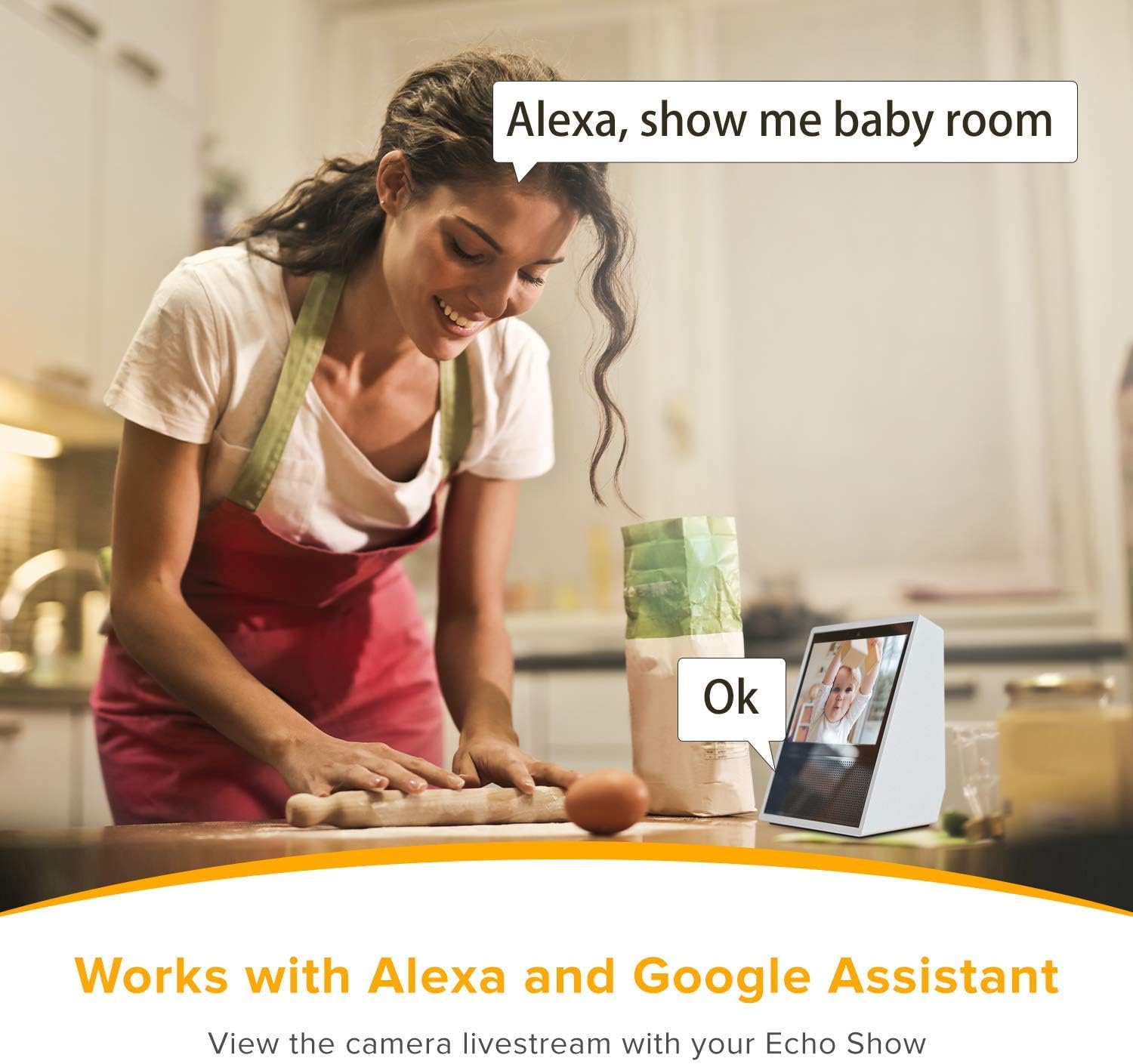
Сүрөт 6: Example of the camera working with Alexa, displaying the camera feed on an Echo Show device.
5. Техникалык тейлөө
5.1 Камераны тазалоо
To ensure optimal image quality, regularly clean the camera lens with a soft, dry cloth. Do not use harsh chemicals or abrasive cleaners.
5.2 Микропрограмма жаңыртуулары
Periodically check the Laxihub app for available firmware updates. Keeping your camera's firmware up-to-date ensures the latest features, security patches, and performance improvements.
5.3 SD картаны башкаруу
The camera supports local storage via a Micro SD card. Ensure the SD card is properly inserted. You can format the SD card and manage recordings through the Laxihub app. Replace the SD card if it becomes corrupted or reaches its end of life.
6. Кыйынчылыктарды
| Көйгөй | Мүмкүн себеп | Чечим |
|---|---|---|
| Камера Wi-Fi'га туташпай жатат | Туура эмес Wi-Fi сырсөзү; 5 ГГц тармак колдонулууда; камера роутерден өтө алыс. | Verify Wi-Fi password. Ensure you are connecting to a 2.4GHz network. Move camera closer to the router or use a Wi-Fi extender. Reset the camera and try pairing again. |
| Видео түрмөгү жок | Camera is offline; power issue; app malfunction. | Check if the camera is powered on and the indicator light is active. Restart the camera by unplugging and replugging. Restart the Laxihub app. Check internet connection. |
| Кыймылды аныктоо иштебей жатат | Detection settings disabled; sensitivity too low; incorrect detection zone. | Enable motion detection in the app settings. Increase sensitivity. Adjust detection zones to cover the desired area. |
| Түнкү көрүү сапаты начар | Lens obstruction; infrared sensor blocked. | Clean the camera lens. Ensure there are no objects directly in front of the camera blocking the infrared LEDs. |
| SD карта жаздырылбай жатат | SD карта толуп калган же бузулган; жаздыруу жөндөөлөрү туура эмес. | Format the SD card via the app. Check recording settings to ensure continuous or event-based recording is enabled. Replace the SD card if it is faulty. |
7. Техникалык шарттар
| Өзгөчөлүк | Деталь |
|---|---|
| Модель аты | O1 |
| Бренд | LAXIHUB |
| Video Resolution | 1080p толук HD |
| Байланыш технологиясы | Wi-Fi (2.4 ГГц гана) |
| Power Source | Зымдуу электр (4.5 Ватт) |
| Материал | Пластик |
| Өлчөмдөрү (L x W x Y) | 13.7 x 6.5 x 7.5 см |
| Салмагы | 440 грамм |
| Монтаж түрү | Дубалга орнотуу |
| Өзгөчөлүктөр | Local Recording, HD Resolution, Infrared Night Vision, Two-Way Audio, Motion Detection, Sound Detection |
| Controller Type | Google Assistant, Smartphone App |
| Ички/тышкы колдонуу | Outdoor (Note: Not waterproof, ensure protected installation) |
8. Кепилдик жана колдоо
Laxihub products come with a standard manufacturer's warranty. For specific warranty terms and conditions, please refer to the warranty card included in your product packaging or visit the official Laxihub website. For technical support, troubleshooting assistance, or to report any issues, please contact Laxihub customer service through their official webсайт же колдонмодо берилген байланыш маалыматы.

