
1. Киришүү
This manual provides detailed instructions for the installation, operation, and maintenance of your Overmax Camspot 3.7 Full HD Wireless Indoor Camera. Please read this manual thoroughly before using the product to ensure proper function and safety. Keep this manual for future reference.
2. Пакеттин мазмуну
Пакетте бардык компоненттер бар экенин текшериңиз:
- Overmax Camspot 3.7 Wireless Indoor Camera
- Адаптери бар кубат кабели
- Mounting Kit (screws, wall plugs, bracket)
- Колдонуучунун Колдонмосу (бул документ)
3. Продукт бүтүп калдыview
Familiarize yourself with the camera's components and interfaces.
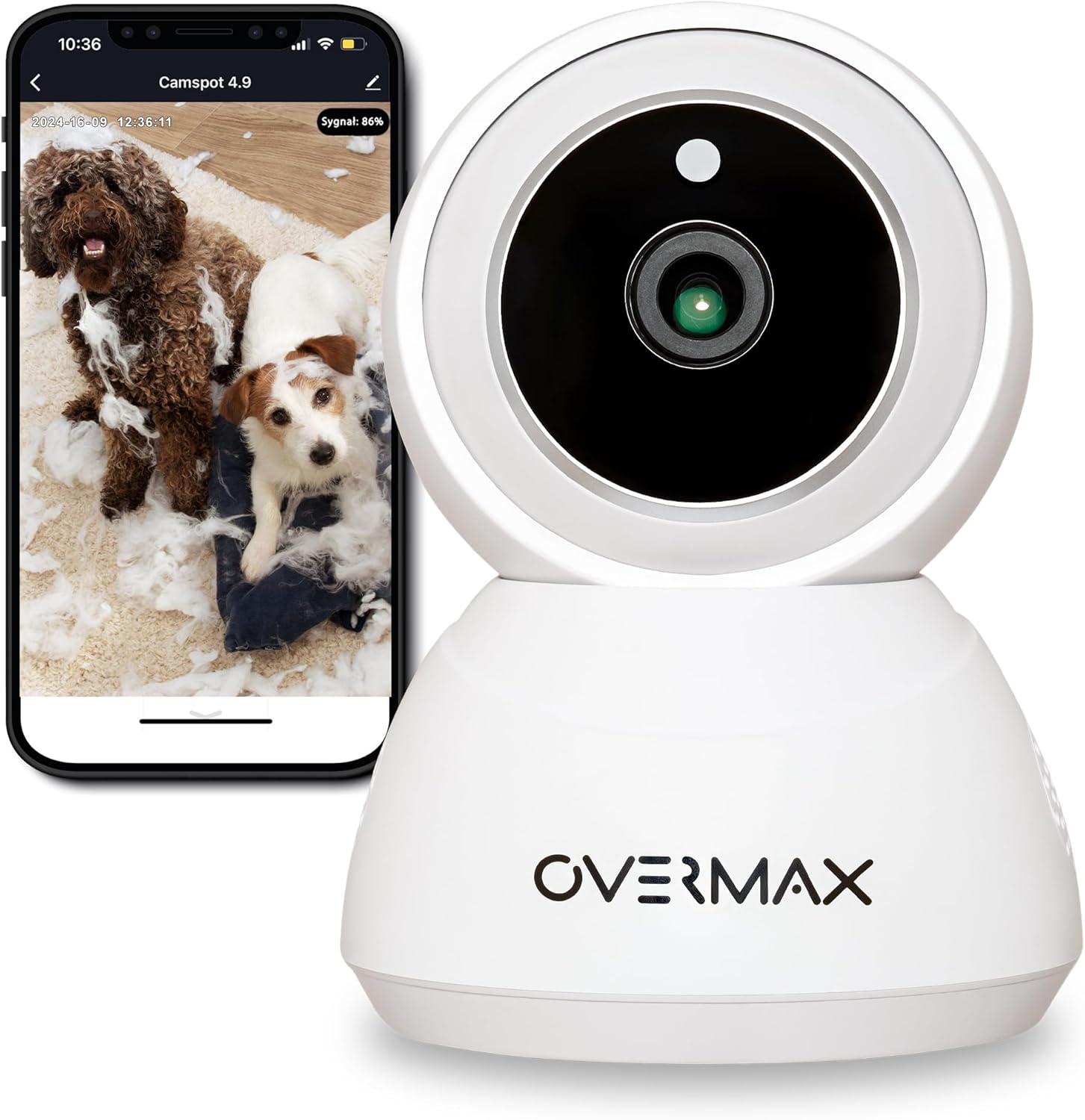
Сүрөт 3.1: Алдыңкы view of the Overmax Camspot 3.7 camera with a smartphone showing the live video feed.

3.2-сүрөт: Каптал view of the Overmax Camspot 3.7 camera, showing its dome shape and speaker grille.

3.3-сүрөт: Арткы view of the camera, highlighting the LAN port, Reset button, and DC 5V power input.

3.4-сүрөт: View of the camera with the microSD card slot visible, located beneath the lens assembly.
4. Орнотуу
4.1 Физикалык орнотуу
The Camspot 3.7 can be placed on a flat surface or mounted to a wall or ceiling.
- Жайгашкан жерди тандаңыз: Каалаган жерди тандаңыз viewбурчта жайгашкан жана Wi-Fi тармагыңыздын же Ethernet туташууңуздун диапазонунда.
- Монтаждоо (кошумча):
- Attach the mounting bracket to the desired surface using the provided screws and wall plugs.
- Secure the camera to the mounting bracket. Ensure it is firmly attached.

Figure 4.1: The Overmax Camspot 3.7 camera shown mounted on a wall bracket, illustrating a typical installation.
4.2 Колдонмону орнотуу жана аккаунт түзүү
The Overmax Control app is required to operate the camera.
- Колдонмону жүктөп алыңыз: Издөө "Overmax Control" in your smartphone's app store (iOS or Android) and download it.
- Эсеп түзүү: Колдонмону ачып, жаңы колдонуучу каттоо эсебин түзүү үчүн экрандагы нускамаларды аткарыңыз.

Figure 4.2: The Overmax Camspot 3.7 camera alongside a smartphone displaying the 'CONTROL' app logo, indicating the required application for setup and operation.
4.3 Power On and Network Connection
- Күйгүзүү: Connect the power cable to the camera's DC 5V port and plug the adapter into a power outlet. The camera will power on and initiate its startup sequence.
- Тармак туташуусу:
- Wi-Fi: Follow the in-app instructions to connect the camera to your 2.4GHz Wi-Fi network.
- Ethernet (милдеттүү эмес): Connect an Ethernet cable from your router to the camera's LAN port for a wired connection.
4.4 Камераны жупташтыруу
Once the camera is powered on and the app is installed, proceed with pairing:
- Түзмөк кошуу: In the Overmax Control app, tap the "Add Device" or "+" icon.
- Select Camera Type: Choose the appropriate camera model (Camspot 3.7).
- QR кодун сканерлөө: The app will prompt you to scan a QR code. Position your smartphone's screen with the QR code approximately 15-20 cm in front of the camera lens. The camera will emit a sound upon successful scanning.
- Толук орнотуу: Follow any remaining on-screen prompts in the app to finalize the pairing process.

Figure 4.3: The Overmax Camspot 3.7 camera positioned to scan a QR code displayed on a smartphone, a common method for device pairing.
5. Иштөө нускамалары
5.1 Live View
Access the live video feed from your camera through the Overmax Control app. This allows real-time monitoring of the camera's surroundings.
5.2 Pan/Tilt башкаруусу
The Camspot 3.7 features motorized pan and tilt capabilities.
- Горизонталдык айлануу: 355 градус
- Вертикалдуу айлануу: 120 градус
Use the directional controls within the Overmax Control app to adjust the camera's viewалыстан бурчу.

Figure 5.1: Diagram illustrating the camera's extensive pan (355°) and tilt (120°) rotation range.
5.3 Эки тараптуу аудио
The camera is equipped with a microphone and speaker, enabling two-way communication. You can listen to the camera's environment and speak through the camera using the app.
5.4 Motion Detection and Auto-Tracking
The camera can detect moving objects and automatically track their movement within its field of view. Configure motion detection sensitivity and alerts in the app settings.
5.5 Түнкү көрүнүш
The Camspot 3.7 features infrared technology for clear viewing in low-light or complete darkness, with a night vision range of up to 10 meters. The camera automatically switches to night mode when ambient light is insufficient.
5.6 Жазуу жана сактоо
The camera supports two primary storage methods for video recordings:
- MicroSD картасы: Insert a microSD card (up to 128GB, not included) into the designated slot for local storage. This allows for continuous recording for up to 3 weeks.
- Булуттагы сактагыч: The camera supports real-time cloud storage for recordings. Refer to the app for subscription details and options.
5.7 Smart Home интеграциясы
The Camspot 3.7 is compatible with Google Home and Amazon Alexa. Follow the instructions within the respective smart home apps to integrate your camera for voice control and automation.
5.8 Baby Monitor Function
Utilize the camera's features, including two-way audio and night vision, to monitor an infant. The app provides a comprehensive interface for this purpose.

Figure 5.2: The Overmax Camspot 3.7 camera shown with a smartphone displaying the app's control interface, including options for screenshot, speaking, recording, cloud storage, and direction control.
6. Техникалык тейлөө
- Тазалоо: Камеранын линзасын жана корпусун тазалоо үчүн жумшак, кургак чүпүрөктү колдонуңуз. Катуу химиялык заттарды же абразивдүү тазалагычтарды колдонбоңуз.
- Программалык камсыздоонун жаңыртуулары: Regularly check the Overmax Control app for available firmware updates to ensure optimal performance and security.
- Сактагычты башкаруу: Мезгил-мезгили менен кайраview and manage recordings on your microSD card or cloud storage to free up space if needed.
7. Кыйынчылыктарды
- Камера Wi-Fiга туташпай жатат:
- Wi-Fi тармагыңыз 2.4 ГГц экенин текшериңиз. Камера 5 ГГц тармактарды колдоого албайт.
- Wi-Fi сырсөзүн тууралыгын текшериңиз.
- Камераны роутерге жакыныраак жылдырыңыз.
- Камераны жана роутериңизди өчүрүп күйгүзүңүз.
- Live жок View:
- Verify internet connection on your smartphone and the camera.
- Check if the camera is powered on and connected to the network.
- Колдонмону өчүрүп күйгүзүңүз.
- Кыймылды аныктоо иштебей жатат:
- Колдонмонун жөндөөлөрүндө кыймылды аныктоо функциясы иштетилгенин текшериңиз.
- Сезгичтик жөндөөлөрүн тууралаңыз.
- Check for obstructions in the camera's view.
- MicroSD картасы жаздырылбай жатат:
- microSD картасы туура салынганын текшериңиз.
- microSD картасын тиркеме аркылуу форматтаңыз.
- Check if the card is full or corrupted.
- Камера жооп бербейт:
- Press and hold the Reset button (located at the back) for approximately 5-10 seconds to factory reset the camera. You will need to re-pair it after a reset.
8. Техникалык шарттар
| Өзгөчөлүк | Спецификация |
|---|---|
| Модель аты | Overmax Camspot 3.7 |
| Video Resolution | Full HD (1080p) |
| Объектив | 3.6 мм |
| секундасына кадр (FPS) | 25-30 |
| Видеону кысуу | H.264 |
| Horizontal Rotation | 355° |
| Тигинен айлануу | 120° |
| Түнкү көрүү диапазону | 10 метрге чейин (Инфракызыл) |
| MicroSD картаны колдоо | 128 ГБ чейин |
| Байланыш | Wi-Fi (2.4 ГГц), Ethernet |
| Колдоого алынган системалар | Windows XP/7/8/10, Android, iOS, Mac |
| Эки тараптуу аудио | Yes (Microphone, 1W Speaker) |
| Motion Detection | Yes (Automatic Detector) |
| Электр камсыздоо | 12 Volts, 1 Watt |
| Өлчөмдөрү (L x W x Y) | 8.5 x 8.2 x 10.5 см |
| Салмагы | 180 грамм |
| Материал | Металл |
| Түс | Ак |
9. Кепилдик жана колдоо
Overmax products are covered by a manufacturer's warranty. For specific warranty terms and conditions, please refer to the warranty card included in your package or visit the official Overmax webсайт.
For technical support, troubleshooting assistance, or any product-related inquiries, please contact Overmax customer service through the contact information provided on the official website or within the Overmax Control application.