
Introduction
Сатып алганыңыз үчүн рахматasing the Brifit 50g/0.001g Digital Pocket Scale. This precision instrument is designed for accurate weighing of small items, such as jewelry, powders, and other delicate materials. Please read this manual carefully to ensure proper operation and to maximize the lifespan of your scale.
This scale features a high-precision sensor, a maximum capacity of 50 grams with 0.001 gram readability, and a backlit LCD for clear readings. It supports 6 different weighing units and includes a convenient tare function for precise measurements.
Пакеттин мазмуну
- Brifit 50g/0.001g Digital Pocket Scale
- 50г Калибрлөө Салмагы
- Пинцет
- AAA батареялары (2 камтылган)
- User Manual
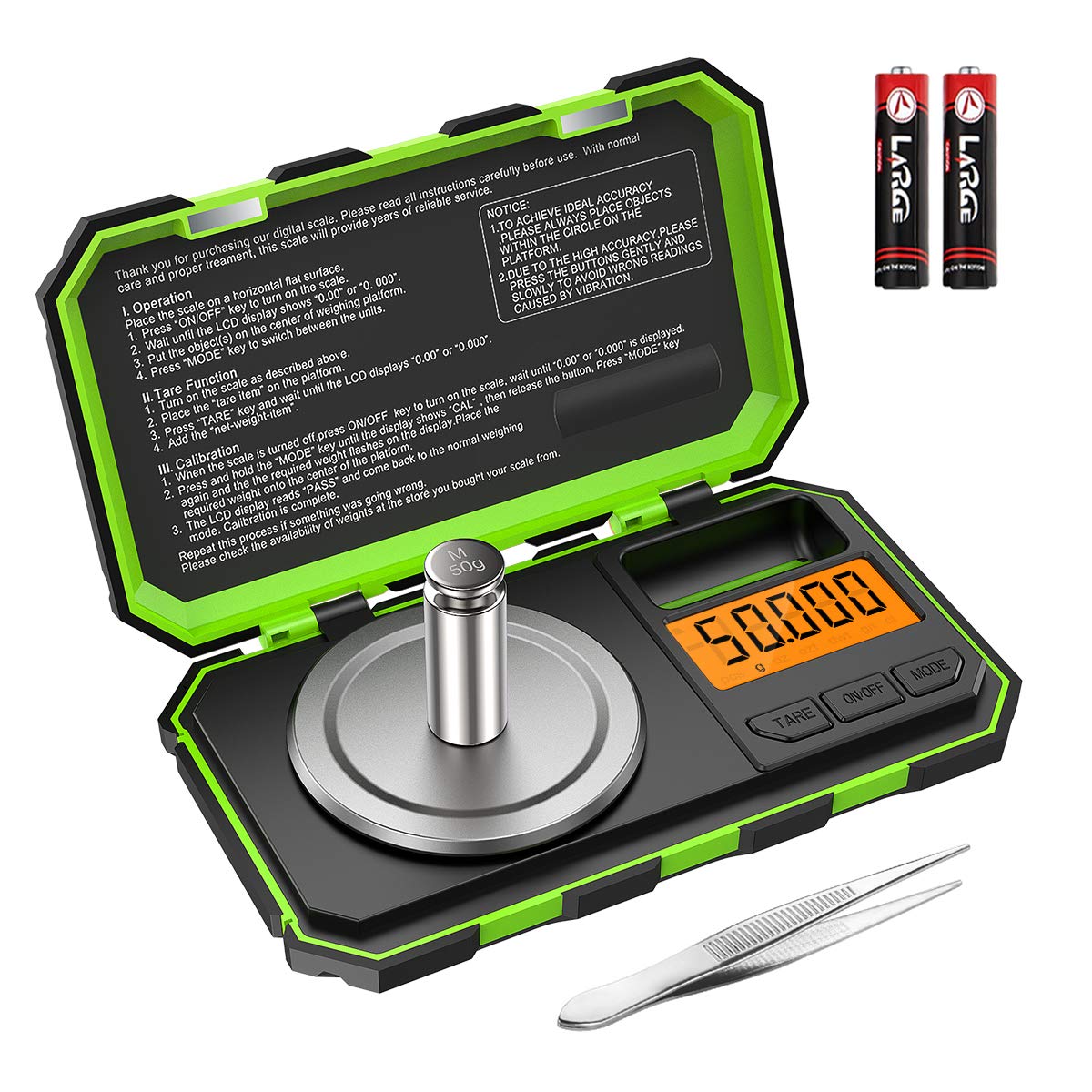
Image: The Brifit digital pocket scale, shown with its included 50g calibration weight and a pair of tweezers. Two AAA batteries are also visible, indicating the power source.
Жайгашуу
- Пакеттен чыгаруу: Бардык компоненттерди таңгактан кылдаттык менен алып салыңыз.
- Батарея орнотуу: Open the battery compartment on the underside of the scale and insert the two AAA batteries, ensuring correct polarity (+/-).
- Жайгашкан жери: Place the scale on a hard, flat, and stable surface, free from vibrations or drafts. Ensure the surface is level for accurate readings.
Иштөө нускамалары
Негизги операция
- Күйгүзүү/өчүрүү: басыңыз "КҮЙГҮЗҮҮ/ӨЧҮРҮҮ" button to turn the scale on. Press and hold the "КҮЙГҮЗҮҮ/ӨЧҮРҮҮ" button to turn it off.
- Бирдикти айландыруу: басыңыз "РЕЖИМ" button to cycle through the available weighing units: grams (g), ounces (oz), troy ounces (ozt), pennyweights (dwt), carats (ct), and grains (gn).
- Тараза: Place the item gently on the center of the weighing platform. Wait for the reading to stabilize on the LCD.

Image: The scale's LCD display showing the various unit options: grams (g), ounces (oz), troy ounces (ozt), pennyweights (dwt), carats (ct), and grains (gn). The "MODE" button is used to switch between these units.
Тара функциясы
The tare function allows you to subtract the weight of a container, so you can measure only the net weight of the contents.
- Бош идишти тараза платформасына коюңуз.
- басыңыз "идиштер" баскычы. Дисплей "0.000g" абалына кайтарылат.
- Таразалагыңыз келген буюмдарды контейнерге салыңыз. Дисплейде буюмдардын таза салмагы көрсөтүлөт.

Image: A visual guide demonstrating the tare function. Step 1 shows placing a container, Step 2 shows pressing TARE to zero the display, Step 3 shows adding items, and Step 4 shows the resulting net weight.
Калибрлөө
Calibration ensures the accuracy of your scale. It is recommended to calibrate the scale regularly, especially after moving it or if you suspect inaccurate readings.
- Turn the scale on. Ensure the display reads "0.000g".
- "басып, кармап туруңузРЕЖИМ" button until the display shows "CAL". Release the button.
- басыңыз "РЕЖИМ" button again. The display will flash "50.000g".
- Gently place the included 50g calibration weight on the center of the weighing platform.
- Wait for the display to show "PASS", then return to normal weighing mode. This indicates successful calibration.
- Калибрлөө салмагын алып салыңыз.
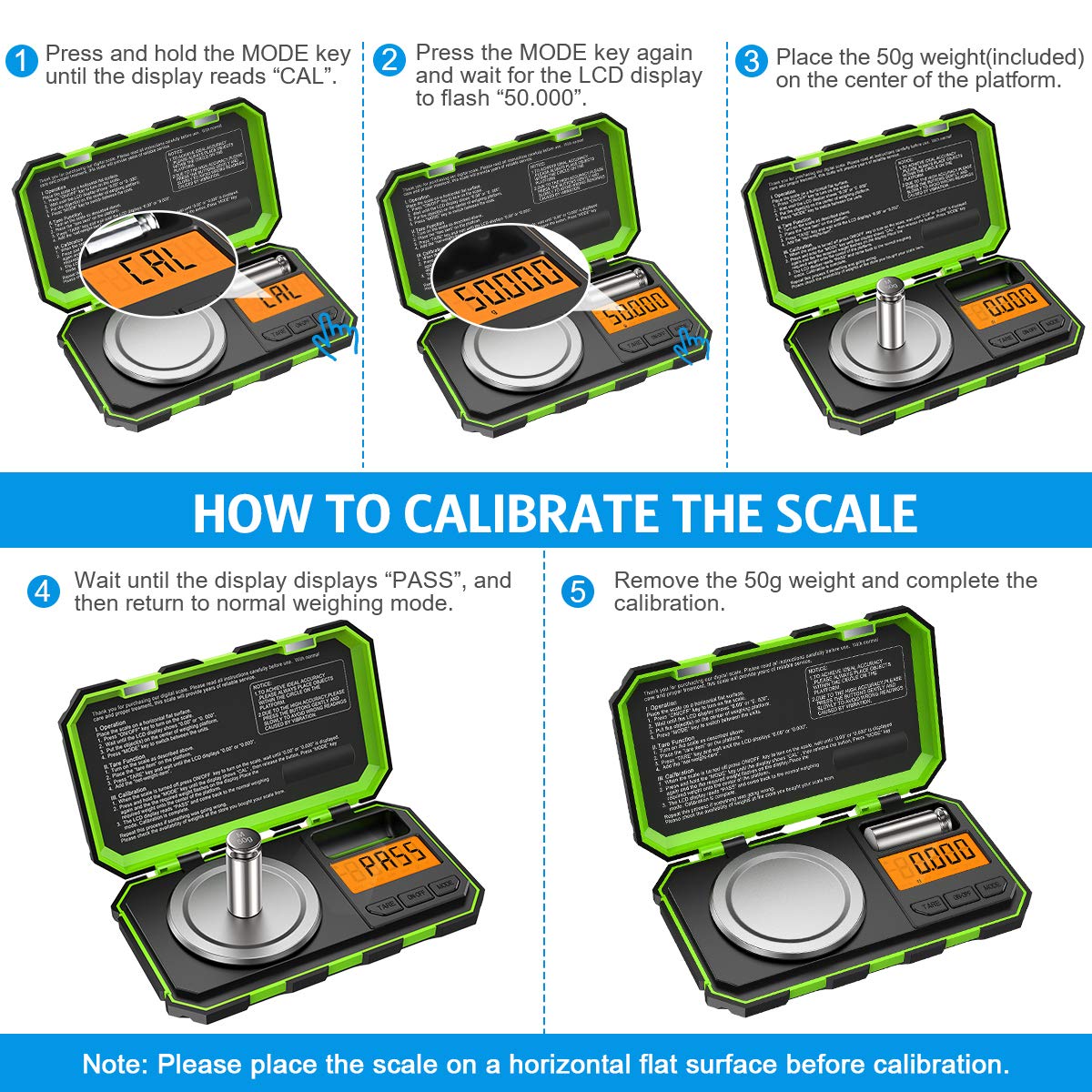
Image: A step-by-step visual guide illustrating the calibration process. It shows pressing MODE for "CAL", then pressing MODE again for "50.000", placing the 50g weight, waiting for "PASS", and finally removing the weight.
Техникалык тейлөө
- Тазалоо: Таразаны жумшак менен сүртүңүз, гamp cloth. Do not use abrasive cleaners or immerse the scale in water. The stainless steel weighing pan is easy to clean.
- Сактагыч: Store the scale in a clean, dry environment. The hinged cover protects the buttons and display during storage and transport.
- Батареяны алмаштыруу: Дисплейде батарейка аз индикатору пайда болгондо батарейкаларды алмаштырыңыз.
- Колдонуу: Handle the scale with care. Avoid dropping it or subjecting it to strong impacts, as this can affect its precision. The tough ABS housing provides enhanced durability.

Image: A composite image highlighting the scale's features: its compact size for portability (shown in a pocket), ease of cleaning (shown with a cloth), and general ease of use.
Проблемаларды чечүү
| Көйгөй | Мүмкүн себеп | Чечим |
|---|---|---|
| Масштаб күйбөйт. | Төмөн же өлүп калган батарейкалар; туура эмес батарея орнотуу. | Батареяларды алмаштыруу; туура полярдуулугун камсыз кылуу. |
| Туура эмес окуулар. | Scale not on a flat, stable surface; needs calibration; overloaded. | Place on a level surface; recalibrate the scale; ensure weight is within 50g capacity. |
| "O_LD" or "EEEE" error message. | Ашыкча жүктөө. | Remove excess weight immediately. |
| "UNST" or "LO" error message. | Unstable reading; low battery. | Ensure scale is on a stable surface, free from vibrations; replace batteries. |
Техникалык шарттар
- Сыйымдуулугу: 50г
- Окуу мүмкүнчүлүгү: 0.001г
- Бирдиктер: g, oz, ozt, dwt, ct, gn
- Дисплей: Арткы жарыктуу LCD
- Күч: 2 x AAA Батареялар (кошулган)
- Материал: Stainless Steel (weighing pan), ABS (housing)
- Өлчөмдөрү: 15 x 9.1 x 3.2 см (болжол менен 5.9 x 3.6 x 1.3 дюйм)
- Элемент Салмагы: 250 грамм
- Модель номери: Parent-KA61EU
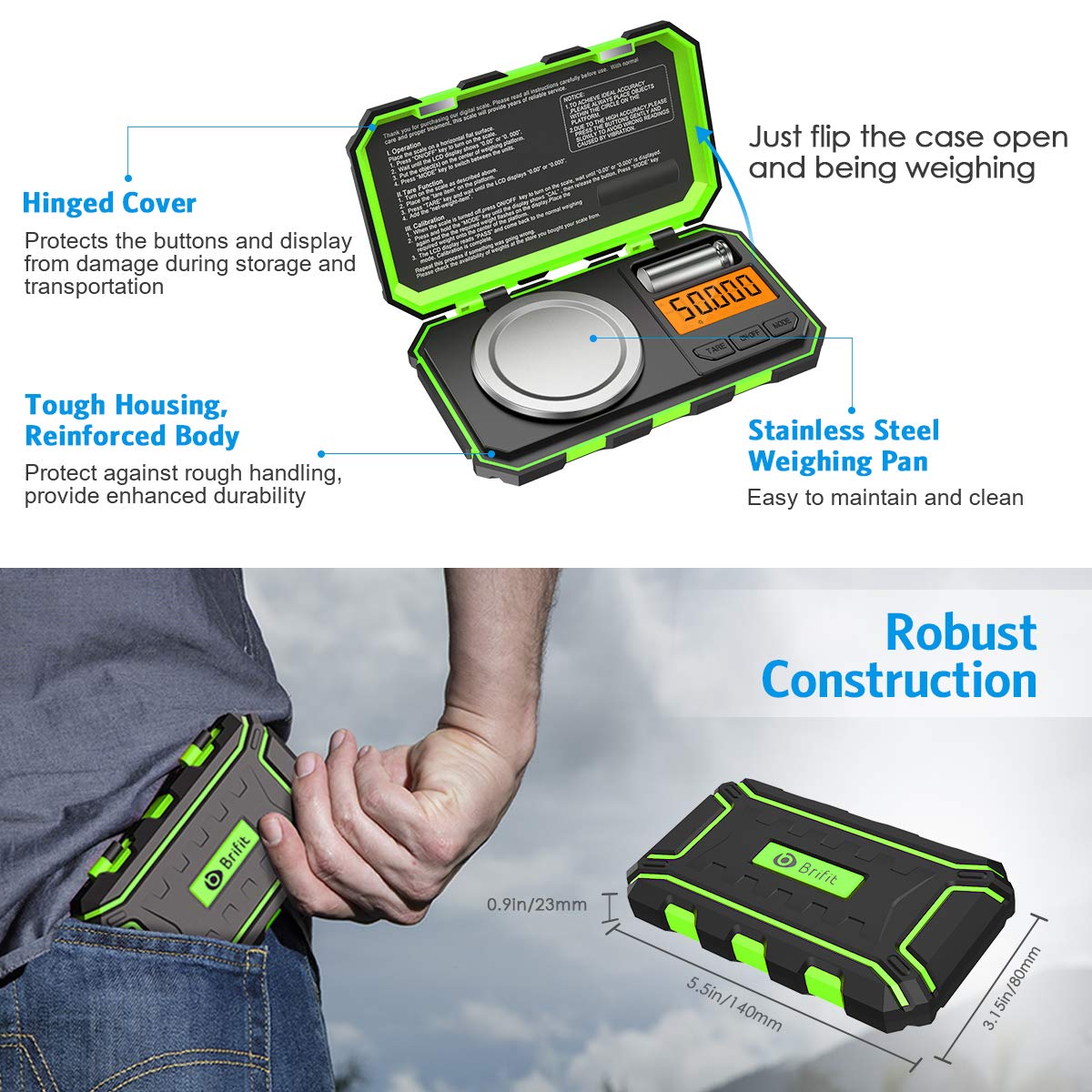
Image: The Brifit scale highlighting its robust construction, hinged cover for protection, tough housing, and stainless steel weighing pan. Dimensions are also indicated, showing its compact and portable design.
Кепилдик жана колдоо
Brifit products are designed for quality and reliability. For any questions, technical support, or warranty claims, please contact Brifit customer service through the retailer's platform or the official Brifit website. Please retain your purchase receipt as proof of purchase.
Көбүрөөк маалымат алуу үчүн төмөнкүгө кириңиз: Brifit Official Store on Amazon