
Introduction
This manual provides essential information for the safe and efficient operation of your MEDION P64145 All-in-One Audio System. Please read it thoroughly before using the device and keep it for future reference.
Маанилүү коопсуздук маалыматы
Өрт чыгуу, электр тогуна урунуу жана адамдардын жаракат алуу коркунучун азайтуу үчүн бул продуктуну колдонууда ар дайым негизги коопсуздук чараларын сактаңыз. Келечекте колдонуу үчүн бул колдонмону жаныңызда сактап коюңуз.
- Аппаратты жамгырга же нымга тийгизбеңиз.
- Эч кандай желдетүүчү тешиктерди жаап албаңыз.
- Өндүрүүчү белгилеген тиркемелерди/аксессуарларды гана колдонуңуз.
- Бардык тейлөөлөрдү квалификациялуу тейлөө кызматкерлерине тапшырыңыз.
Пакеттин мазмуну
Таңгактан чыгарууда бардык буюмдардын бар экенин жана жакшы абалда экендигин текшериңиз:
- MEDION Life MD44125 P64145 AiO Audio System
- Алыстан башкаруу (батареяны кошкондо)
- Электр зымы
- Колдонуучунун колдонмосу
Жайгашуу
1. Пакеттен чыгаруу жана жайгаштыруу
Carefully remove the audio system from its packaging. Place the unit on a stable, flat surface away from direct sunlight, heat sources, and excessive dust or moisture. Ensure adequate ventilation around the unit.
2. Connecting the Power and Antenna
Connect the provided power cord to the AC IN socket on the rear of the audio system, then plug the other end into a wall outlet. Extend the telescopic antenna on the rear of the unit for optimal FM and DAB+ radio reception. Adjust its position for the best signal quality.
Сүрөт: Арткы view of the MEDION P64145 audio system with the power cord connected and the telescopic antenna extended. This image demonstrates how to properly connect power and set up the antenna for improved radio signal reception.
3. Алыстан башкаруунун батареясын орнотуу
Open the battery compartment on the remote control and insert the provided battery, observing the correct polarity.
Иштөө нускамалары
1. Күйгүзүү/өчүрүү
басыңыз КҮЧ системаны күйгүзүү же өчүрүү үчүн түзмөктөгү же алыстан башкаруу пультундагы баскычты басыңыз.
2. Булак тандоо
басыңыз БУЛАК button repeatedly to cycle through available input sources: DAB+, FM, CD, USB, Bluetooth, AUX-in.
3. DAB+ радиосунун иштеши
- DAB+ режимин тандаңыз.
- The system will automatically scan for available DAB+ stations.
- колдонуу ТУНЕ +/- buttons or rotary knob to navigate through stations.
- Басыңыз OK бекет тандоо.
- To save a station, press and hold a preset number button (1-30).
Видео: This video demonstrates selecting DAB+ radio, adjusting volume, and other functions on a similar MEDION micro audio system. It illustrates the user interface and controls for various audio modes.
4. FM радиосунун иштеши
- FM режимин тандаңыз.
- колдонуу ТУНЕ +/- buttons to manually tune or press and hold to auto-scan for the next available station.
- To save a station, press and hold a preset number button (1-30).
5. CD ойнотуу
- CD режимин тандаңыз.
- Insert a CD (audio CD or MP3 CD) into the CD slot.
- The system will automatically begin playback.
- Колдонуу ОЙНОО/ТЫНЫТТЫРУ, ТОКТОТ, ӨТКӨРҮҮ +/- башкаруу үчүн баскычтар.

Сүрөт: Фронт view of the audio system highlighting the integrated CD player. This image shows where to insert CDs for playback.
6. USB ойнотуу
- MP3 камтыган USB флэш-дискти салыңыз fileUSB портуна киргизиңиз.
- USB режимин тандаңыз.
- Use the navigation buttons to browse and select tracks.
7. Bluetooth агымы
- Select Bluetooth mode. The display will show "Pairing".
- On your smartphone or tablet, enable Bluetooth and search for "MEDION P64145".
- Жупташтыруу үчүн түзмөктү тандаңыз. Туташтырылгандан кийин, аудиону зымсыз агылта аласыз.

Сүрөт: A smartphone displaying a music app connected via Bluetooth to the MEDION audio system. This image demonstrates wireless music streaming capability.
8. AUX-in Connection
Connect an external audio device (e.g., MP3 player) to the AUX-in port using a 3.5mm audio cable. Select AUX-in mode to play audio from the connected device.
9. Ойготкуч жана Уйку таймери
The system features an alarm function (wake via radio, alarm sound, CD, or USB) and a sleep timer. Refer to the detailed instructions in the full user manual for setting these features.
10. Үн орнотуулары
Үн профессионалын тууралаңызfile using the equalizer settings. The system offers five selectable sound settings (Pop, Rock, Jazz, Classic, Flat) to optimize your listening experience.

Сүрөт: Icons representing different sound equalizer presets (Pop, Rock, Jazz, Classic, Flat) available on the audio system. This image highlights the customizable sound options.
Техникалык тейлөө
- Тазалоо: Use a soft, dry cloth to clean the unit. Do not use liquid cleaners or aerosol sprays.
- CD Care: CDлерди четинен кармаңыз. Аларды таза жана чийиктен сактаңыз.
- Сактагыч: If not in use for an extended period, unplug the unit and store it in a cool, dry place.
Проблемаларды чечүү
| Көйгөй | Мүмкүн себеп | Чечим |
|---|---|---|
| Күч жок | Электр шнуру туура эмес туташтырылган; розетка иштебейт. | Электр шнурунун туташуусун текшерүү; Башка розеткадан аракет кылып көрүңүз. |
| Үн жок | Үн өтө төмөн; Үнсүз функция активдүү; Туура эмес булак тандалды. | Increase volume; Deactivate mute; Select correct source. |
| Радио кабыл алуу начар | Антенна узартылбаган же туура эмес жайгаштырылган; Интерференция. | Extend and adjust antenna; Move unit away from other electronic devices. |
| Bluetooth жупташуу көйгөйлөрү | Device not in pairing mode; Bluetooth disabled on external device. | Ensure system is in Bluetooth pairing mode; Enable Bluetooth on external device and retry pairing. |
Техникалык шарттар
- Модел: MEDION P64145 (MD44125)
- Аудио чыгаруу күчү: 15 Ватт
- Радио тюнер: DAB+, PLL-FM Stereo (30 presets each)
- CD ойноткуч: Supports Audio CD, MP3-CD
- Байланыш: Bluetooth, USB, AUX-ин
- Өзгөчөлүктөр: Alarm function, Sleep timer, Color display
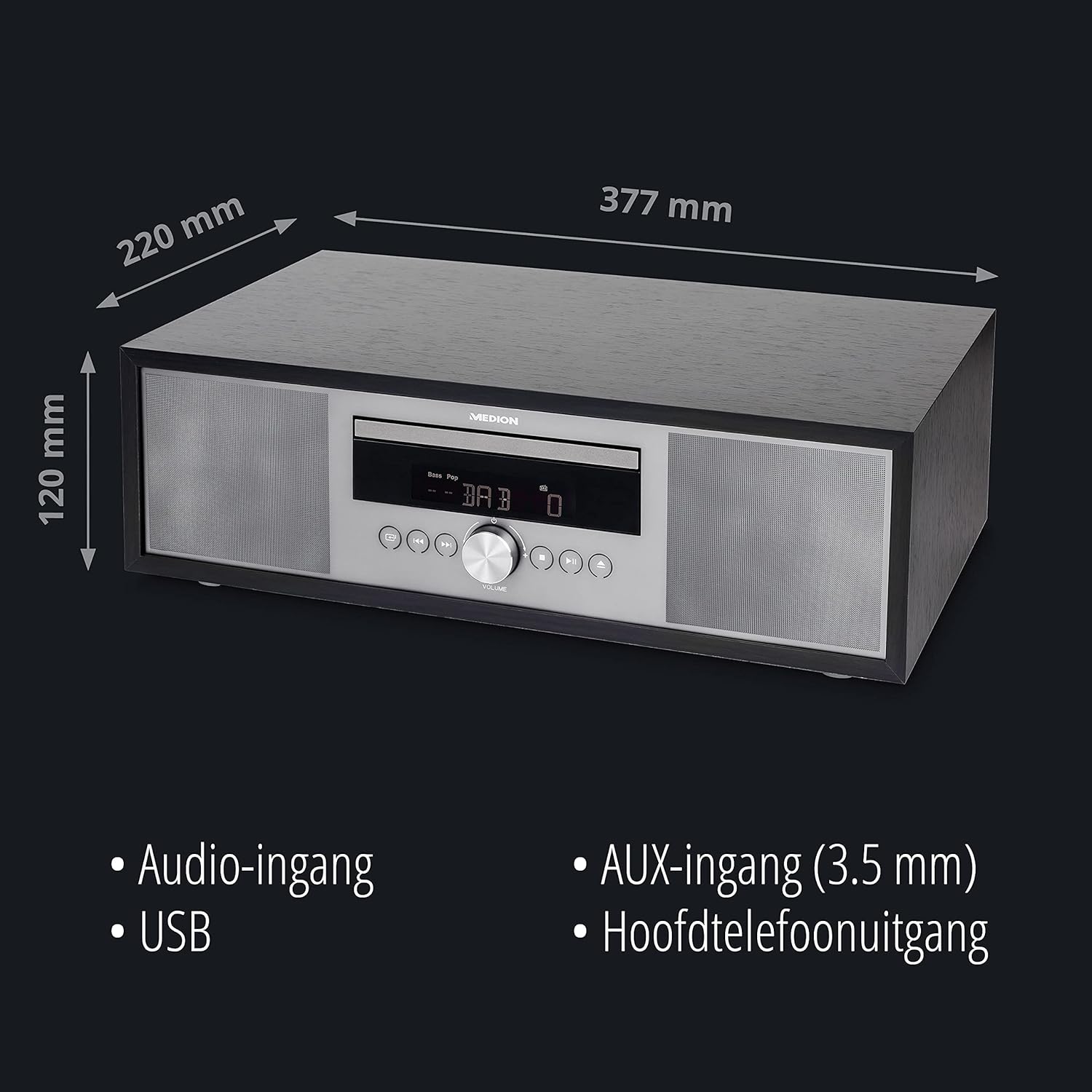
- Өлчөмдөрү (болжол менен): 41.8 x 27.3 x 15.5 см
- Салмагы (болжол менен): 3.95 кг

Сүрөт: The MEDION P64145 audio system with its dimensions indicated. This image provides a visual representation of the product's size.
Кепилдик жана колдоо
For warranty information, technical support, or service inquiries, please refer to the warranty card included in your package or visit the official MEDION webсайт. Кепилдик дооматтар үчүн сатып алганыңыздын далилин сактаңыз.