
1. Киришүү
This instruction manual provides essential information for the setup and operation of your CHUNGHOP Universal Remote. This remote is designed as a replacement for various LG Smart TV Magic Remote models. Please note that this is an infrared (IR) remote control and does not support voice control, gyro, mouse, or pointer functions.
2. Шайкештик
The CHUNGHOP Universal Remote is compatible with the following LG Smart TV Magic Remote Control models:
- AN-MR18BA, AN-MR19BA, AN-MR600G, AN-MR650, AN-MR650G, ANMR650A, ANMR600, AN-MR650B
- AKB75095307, AKB74475401, AKB74475433, AKB73975702, AKB75055701
- AKB73975711, AKB73715608, AKB74475401, AKB75375604, AGF76631064
- AKB74915324, AKB73715601, AKB75095308, AKB72915239

Image: The CHUNGHOP Universal Remote shown alongside a list of compatible LG Smart TV Magic Remote models.
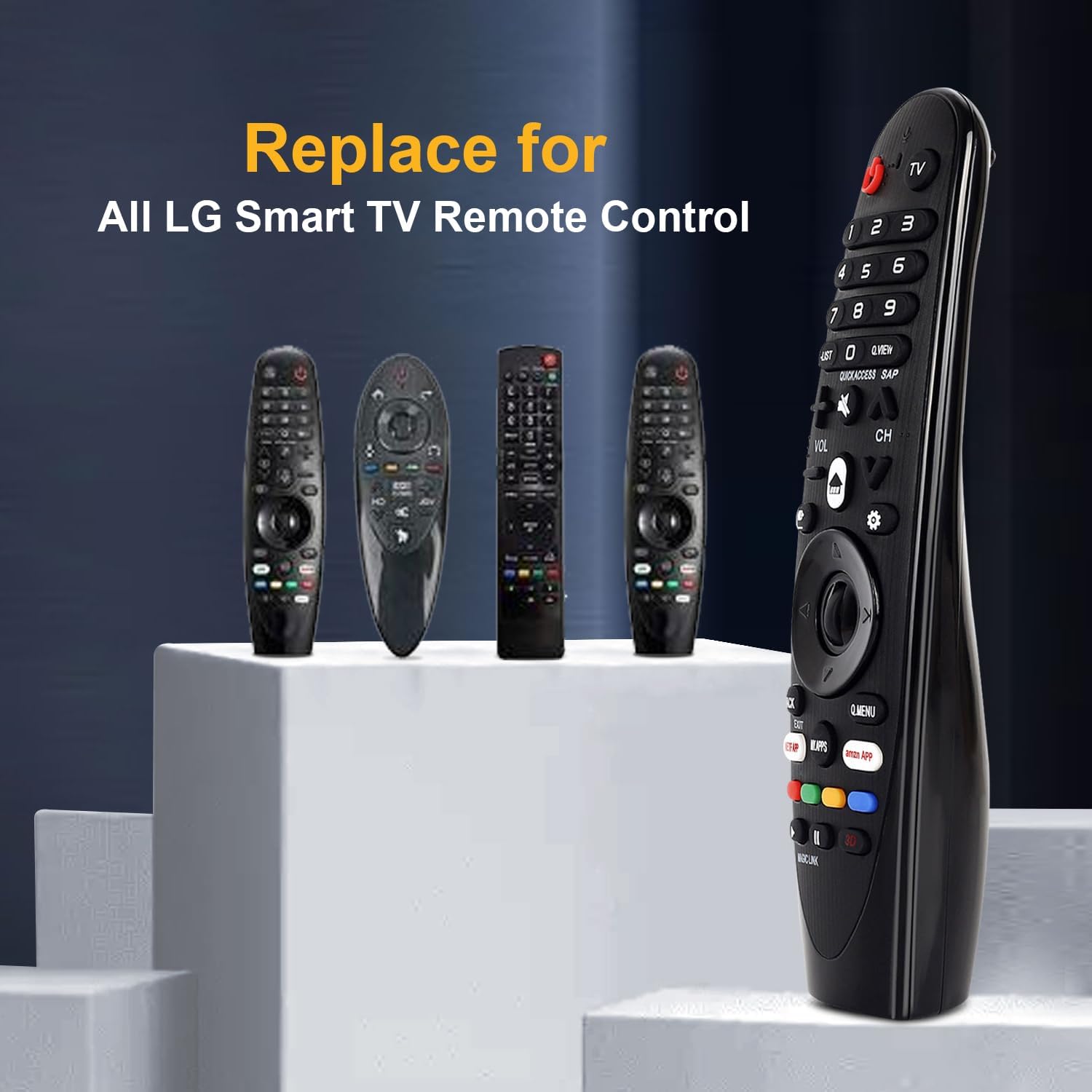
Image: The CHUNGHOP remote positioned as a replacement for several original LG Smart TV remotes.
3. Өзгөчөлүктөрү
- Атайын ысык баскычтар: Includes direct access buttons for 3D, Amazon, and Netflix for quick navigation to popular streaming services and features.
- Инфракызыл (IR) технологиясы: Operates using stable infrared signals.
- Узак аралыктан башкаруу: Effective control distance of up to 33 feet (10 meters).
- Эргономикалык дизайн: Ыңгайлуу кармоо жана колдонуунун жеңилдиги үчүн иштелип чыккан.

Image: A close-up of the remote control highlighting the dedicated hotkeys for Netflix, Amazon, and My Apps.

Image: A visual representation demonstrating the remote's effective long-distance control up to 33 feet.
4. Орнотуу
4.1 Батареяны орнотуу
This remote control requires 2 x 1.5V AA batteries (not included). No programming or additional setup is required after battery installation.
- Пульттун арт жагында жайгашкан батарея бөлүкчөсүнүн капкагын ачыңыз.
- Бөлүмдүн ичинде көрсөтүлгөндөй, туура полярдуулукту (+ жана -) текшерип, эки AA батарейкасын салыңыз.
- Батарея уясынын капкагын бекем жабыңыз.

Image: The remote's battery compartment is open, showing the correct placement for two AA batteries.
Video: A demonstration of installing batteries into the CHUNGHOP Universal Remote and a general overview of the remote's design and compatibility.
5. Иштөө нускамалары
Once batteries are installed, the remote is ready for use with your compatible LG Smart TV. Point the remote directly at your television for optimal performance.
5.1 Негизги функциялар
- Кубат баскычы: Телевизорду күйгүзөт же өчүрөт.
- Сан баскычтары (0-9): Түз канал тандоо үчүн.
- Үндү жогорулатуу/төмөндөтүү (VOL +/-): Телевизордун үнүн тууралайт.
- Канал өйдө/төмөн (CH +/-): Телеканалдарды өзгөртөт.
- Directional Pad (Up/Down/Left/Right) and OK Button: Менюларды багыттоо жана тандоолорду ырастоо.
5.2 Hotkeys and Special Buttons
- NETFLIX: Netflix колдонмосуна түздөн-түз жетүү.
- AMAZON: Direct access to the Amazon application.
- МЕНИН КОЛДОНМОЛОРУМ: Accesses your installed applications.
- С.МЕНЮ: Opens the Quick Menu for common settings.
- АРТКА/ЧЫГУУ: Returns to the previous screen or exits a menu/application.
- 3D: Activates or deactivates 3D mode (if supported by your TV).
5.3 Функциялар боюнча маанилүү эскертүү
This remote control operates via infrared (IR) signals only. It жок include the following functions found on some original LG Magic Remotes:
- Үн менен башкаруу
- Gyroscope (motion sensing)
- Чычкан функциясы
- Көрсөткүч функциясы
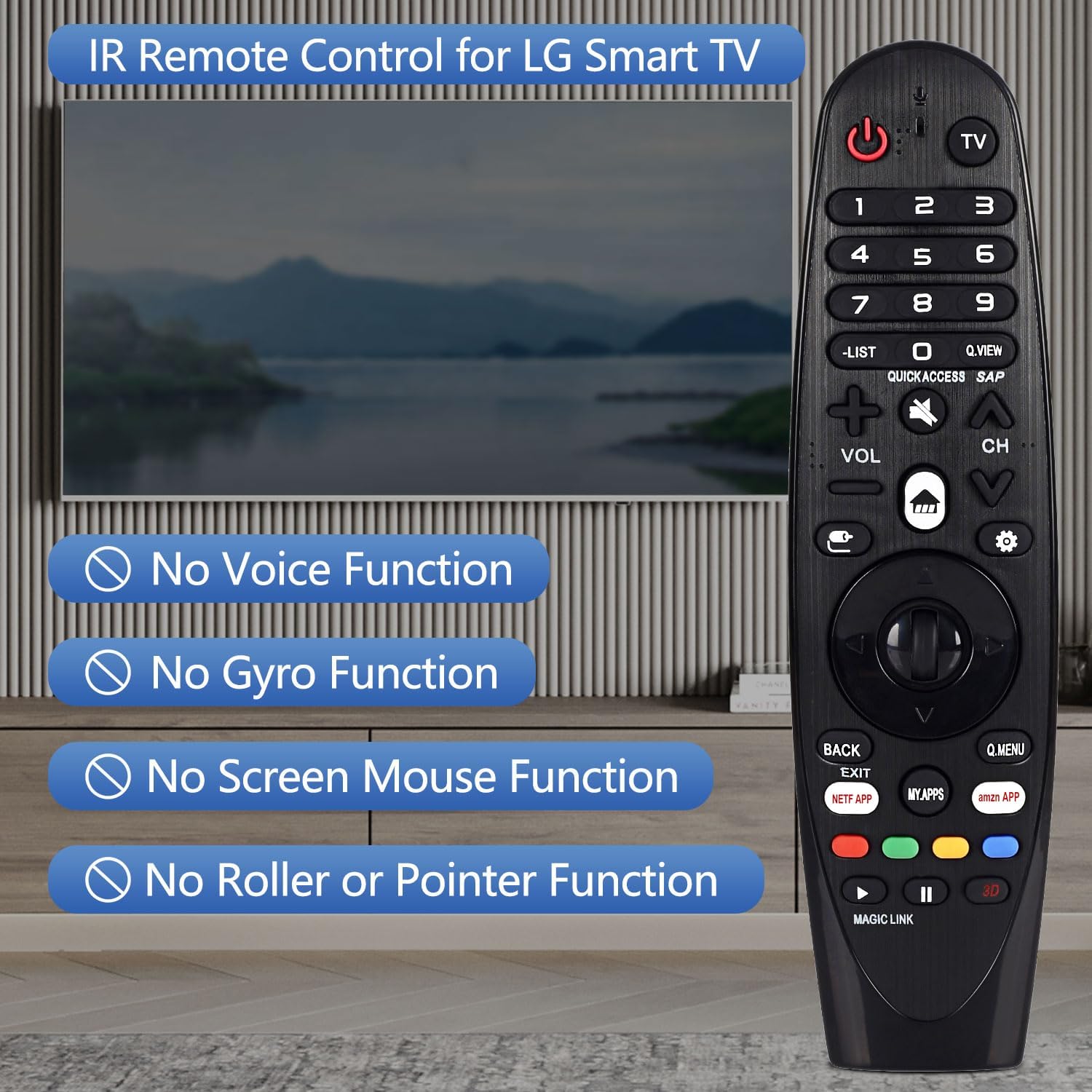
Image: The remote control displayed with text overlays explicitly stating the absence of voice, gyro, mouse, and pointer functions.

Сүрөт: деталдуу view of the remote control from both the front and side, highlighting its ergonomic shape and button arrangement.
6. Техникалык шарттар
| Спецификация | Деталь |
|---|---|
| Бренд | CHUNGHOP |
| Модель аты | AN-MR19BA |
| Байланыш технологиясы | Инфракызыл (IR) |
| Батарея түрү | 2 x AA (киргизилген эмес) |
| Максималдуу диапазон | 10 метр (33 бут) |
| Controller Type | Control Button |
| Button Quantity | 18 |
| Өзгөчө өзгөчөлүк | Эргономикалык дизайн |
7. Кыйынчылыктарды
- Пульт жооп бербей жатат:
- Батареялар туура полярдуулук менен туура орнотулганын текшериңиз.
- Эски батареяларды жаңы AA батареялары менен алмаштырыңыз.
- Пульт менен телевизордун инфракызыл кабыл алгычынын ортосундагы тоскоолдуктарды текшериңиз.
- Ensure you are within the maximum operating range of 33 feet (10 meters).
- Voice control, pointer, or mouse functions are not working:
- This CHUNGHOP Universal Remote is an infrared (IR) remote control and does not support voice, gyro, mouse, or pointer functions. These features are specific to certain original LG Magic Remote models and are not replicated by this replacement remote.
8. Кепилдик жана колдоо
For any questions, technical assistance, or warranty inquiries regarding your CHUNGHOP Universal Remote, please contact the manufacturer directly through their official support channels. Refer to the product packaging or the seller's information for specific contact details.