
1. Киришүү
The IDEAPLAY Jump Starter is a portable and powerful device designed to jump start vehicles with dead batteries, and also serves as a versatile power bank for charging electronic devices. It features advanced safety protections and a built-in LED flashlight for emergency situations.

Figure 1.1: The IDEAPLAY Jump Starter, showing the main unit, intelligent jumper cable clamps, USB-C fast charging cable, and carrying case.
This jump starter provides 1500A peak current with a 12000mAh capacity, capable of jump starting up to 7.0L Gas or 5.5L Diesel 12V vehicles, including hybrid and electric cars, motorcycles, ATVs, UTVs, RVs, boats, trucks, lawn mowers, and snowmobiles. A full charge supports up to 15 jump starts and maintains standby power for up to 6 months.
Видео 1.1: Бүттүview of the IDEAPLAY Jump Starter's features and capabilities.
2. Пакеттин мазмуну
Пакетти ачкандан кийин, төмөнкү нерселердин бардыгы бар экенин текшериңиз:
- 1 x Portable Battery Jump Starter Unit
- 1 x Акылдуу секиргич кабели Clamps
- 1 x USB-C тез кубаттоочу кабели
- 1 x Ташуу кутусу
- 1 x User Manual

Figure 2.1: Contents of the IDEAPLAY Jump Starter package, including the main unit, jumper cables, charging cable, and case.
3. Продукттун спецификациялары
| Өзгөчөлүк | Спецификация |
|---|---|
| Бренд | IDEPLAY |
| Модель номери | J10-Camo |
| Чыгуу токунун чокусу | 1500 Amps |
| Батарея сыйымдуулугу | 12000mAh |
| Мотор шайкештиги | 7.0 л бензин / 5.5 л дизелге чейин |
| USB-A чыгаруу | 2 x 18W тез кубаттоо |
| USB-C порту | 1 x 30W Two-way (In/Out) |
| Өлчөмдөр (D x W x H) | 3.4"D x 7.5"W x 1.4"H |
| Элемент Салмагы | 12 унция (340 грамм) |

3.1-сүрөт: Детальдуу view of the jump starter's ports and features, including indication display, outputs, and power button.
4. Баштапкы орнотуу жана заряддоо
Before first use, fully charge the IDEAPLAY Jump Starter. It is recommended to keep the unit charged above 60% for optimal performance when jump starting a vehicle.
4.1 Стартерди кубаттоо
Use the provided USB-C Fast Charging Cable to charge the unit. Connect the USB-C end to the "In (Out)" port on the jump starter and the USB-A end to a compatible USB wall adapter or power source. The digital display will show the charging progress.
Видео 4.1: Кыскача алдын алаview demonstrating the charging capability of the jump starter for mobile devices.
5. Колдонуу боюнча нускамалар: Унааны от алдыруу
Унааңызды коопсуз от алдыруу үчүн төмөнкү кадамдарды кылдаттык менен аткарыңыз:
- Ensure Sufficient Charge: Verify that the jump starter unit has at least 60% charge. The display will show the current battery percentage.
- Connect Jumper Cables to Unit: Insert the blue end of the intelligent jumper cable clamps into the designated port on the jump starter unit.
- Connect ClampБатареяга:
- туташтыруу кызыл (+) clamp унааңыздын аккумуляторунун оң терминалына.
- туташтыруу кара (-) clamp унааңыздын аккумуляторунун терс терминалына.
- Унааңызды от алдырыңыз: Once the indicator light on the intelligent clamps is solid green, start your car engine.
- Clamps: Унаа от алгандан кийин, дароо кулпуну алып салыңызampунаанын аккумуляторунан, алгач кара (-) клапанданamp, андан кийин кызыл (+) clamp. Then, disconnect the jumper cables from the jump starter unit.

Figure 5.1: Visual steps for using the jump starter: Insert, Connect, Start.
Video 5.1: Official guide on how to jump start your vehicle using the iDeaPlay J8PLUS.
6. Multifunctionality
6.1 Portable Power Bank
The IDEAPLAY Jump Starter doubles as a 12000mAh portable charger. It features two USB-A 18W Quick Charge ports and one 30W two-way USB-C port, allowing you to charge multiple devices such as phones, tablets, cameras, and Kindles. The two-way USB-C port provides faster charging for the jump starter itself.

Figure 6.1: The jump starter functioning as a power bank, charging a smartphone and a tablet simultaneously.
Video 6.1: A demonstration of the iDeaPlay Jump Starter J8 Plus's power bank capabilities and various ports.
6.2 Ultra-Brightness LED Flashlight
The unit includes a super bright LED flashlight with three modes: Flashlight (continuous light), SOS (strobe), and Strobe (continuous flash). This feature is useful for illuminating dark engine compartments, acting as a camp light, or signaling in emergency situations.

Figure 6.2: The LED flashlight feature, illustrating its continuous light, SOS strobe, and continuous flash modes for various uses.
7. Ultra-Safe Protection
The IDEAPLAY Jump Starter is UL2743 certified and incorporates advanced safety features to protect both the user and the vehicle. The intelligent jumper cables provide visual and audible notifications for incorrect operation.
Key safety protections include:
- Кыска туташуулардан коргоо
- Spark-Proof Technology
- Ашыкча ток коргоо
- Ашыкча кубаттан коргоо
- Ашыкча жүктөн коргоо
- Ашыкча разряддан коргоо
- Жогорку температурадан коргоо
- Полярдуулукту кайтаруу
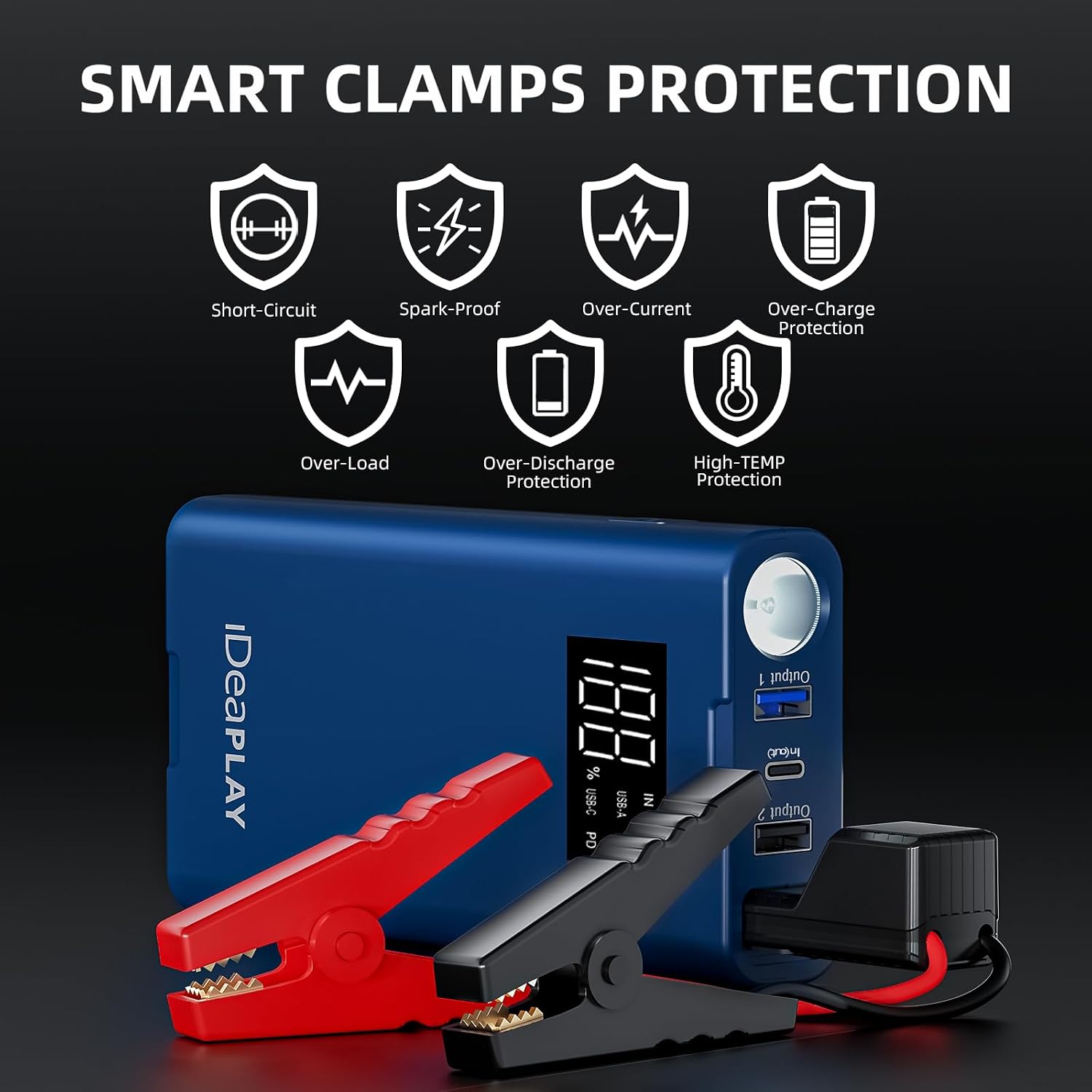
Figure 7.1: Icons representing the various smart clamp protections, ensuring safe operation.
8. Техникалык тейлөө
To ensure the longevity and readiness of your IDEAPLAY Jump Starter, observe the following maintenance guidelines:
- Кадимки заряддоо: Recharge the unit every 3-6 months, even if not used, to maintain battery health.
- Сактагыч: Store the jump starter in its carrying case in a cool, dry place away from direct sunlight and extreme temperatures.
- Тазалоо: Агрегатты тазалоо үчүн жумшак, кургак чүпүрөктү колдонуңуз. Катуу химиялык заттарды же абразивдүү материалдарды колдонбоңуз.
- Кабелдик текшерүү: Секиргич кабелдерди жана клапандарды мезгил-мезгили менен текшерип туруңузamps for any signs of damage, corrosion, or wear. Replace if necessary.
9. Кыйынчылыктарды
If you encounter issues with your IDEAPLAY Jump Starter, refer to the following common problems and solutions:
- Түзмөк күйбөй жатат: Ensure the power button is pressed firmly. If the battery is completely drained, it may take a few minutes of charging before the display activates.
- Унаа от албай жатат:
- Check if the jump starter has at least 60% charge.
- Verify that the intelligent clamps' indicator light is solid green. If it's red or flashing, re-check the connections to the battery terminals for proper polarity and secure contact.
- Унаанын аккумулятор терминалдарынын таза жана дат баспагандыгын текшериңиз.
- If the vehicle still doesn't start after a few attempts, the battery might be severely damaged or there might be another issue with the vehicle.
- Device Not Charging from USB Ports:
- Ensure the jump starter unit is powered on.
- Check the charging cable and the device being charged for compatibility and proper connection.
10. Кепилдик жана колдоо
The IDEAPLAY Jump Starter comes with a 2-Year Protection Plan. For any problems with the product or for technical assistance, please reach out to IDEAPLAY customer service. They provide 24/7 service to assist you.
For further support, visit the official IDEAPLAY store or contact their customer service through the details provided in your product packaging.