1. Продукт бүтүп калдыview
This manual provides instructions for the 180W 19.5V 9.2A AC Adapter Charger, model SL195334. This power supply is designed to provide reliable power to compatible laptops, specifically MSI GT60 and GT70 models. It features an input voltage range of 100-240V, making it suitable for worldwide use, and delivers a stable 19.5V output at 9.2A (180W).
The adapter is equipped with a 5.5mm x 2.5mm barrel tip connector to ensure proper fit with specified devices. It replaces part number ADP-180NB BC.
2. Коопсуздук маалыматы
Please read all safety instructions before using this product to prevent injury or damage to your device.
- Электр коопсуздугу: Do not expose the adapter to water, moisture, or extreme temperatures. Use only with compatible voltagд розеткалары.
- Вентиляция: Ensure adequate ventilation around the adapter during use. Do not cover it with cloth or place it in an enclosed space.
- Кабельге кам көрүү: Avoid bending, twisting, or pinching the power cord. Do not place heavy objects on the cord.
- Ажыратуу: Disconnect the power adapter from the wall outlet during lightning storms or when unused for extended periods.
- Сертификаттар: This adapter is designed with international safety features including Over Voltage Protection (OVP), Over Current Protection (OCP), and Short Circuit Protection (SCP). It is CE, FCC, ROHS, and UL certified.
- Оңдоо: Do not attempt to open or repair the adapter yourself. Refer all servicing to qualified personnel.
3. Пакеттин мазмуну
Пакетте бардык буюмдар бар экенин текшериңиз:
- 1 x 180W AC адаптер
- 1 x Power Cord (US plug, compatible with your country)

Сүрөт 1: Жогорку view of the AC Adapter with cables. This image shows the main adapter unit, the attached DC output cable with its barrel connector, and the detachable AC input power cord.
4. Орнотуу нускамалары
- Кубат кабелин туташтыруу: Insert the 3-prong end of the AC power cord into the AC input port on the adapter. Ensure it is firmly seated.
- Дубал розеткасына туташуу: Plug the other end of the AC power cord into a standard wall electrical outlet (100-240V).
- Ноутбукка туташуу: Insert the barrel tip connector of the DC output cable into the power input port on your compatible MSI GT60 or GT70 laptop.
- Байланышты текшерүү: Ensure all connections are secure. The laptop should indicate that it is receiving power or charging.
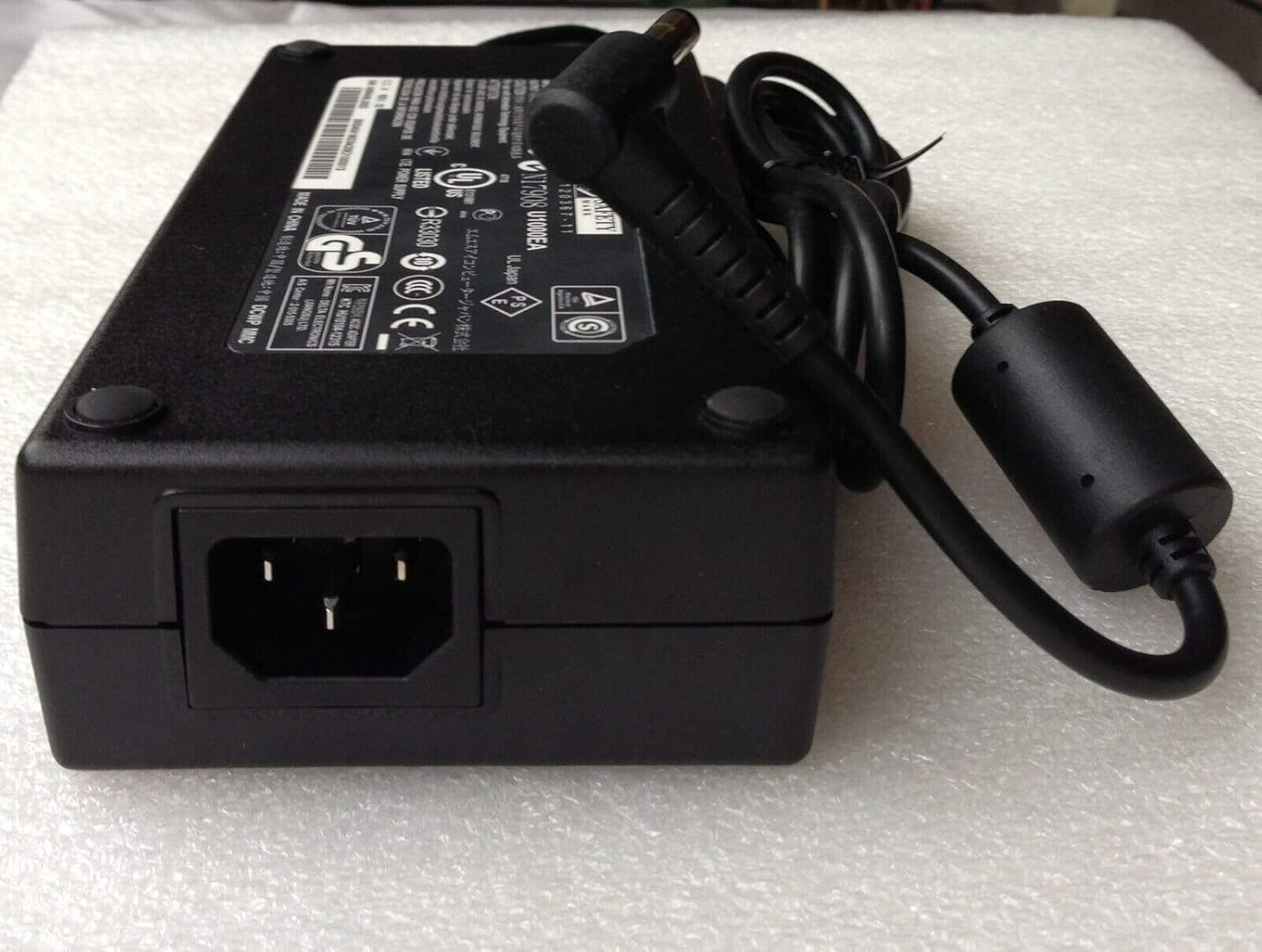
Сүрөт 2: Каптал view of the AC Adapter showing the AC input port. This image highlights where the detachable 3-prong power cord connects to the adapter unit.
5. Иштөө нускамалары
Once properly connected, the adapter will automatically supply power to your laptop and charge its battery. No additional user interaction is required for basic operation.
- Always ensure the adapter is connected to a functioning power outlet.
- If your laptop is not charging, verify all connections are secure and the power outlet is active.
- Avoid using the adapter in environments with excessive heat or humidity.
6. Техникалык тейлөө
- Тазалоо: Тазалоодон мурун адаптерди бардык кубат булактарынан ажыратыңыз. Сыртын сүртүү үчүн жумшак, кургак чүпүрөктү колдонуңуз. Суюк тазалагычтарды же аэрозолдорду колдонбоңуз.
- Сактагыч: When not in use, store the adapter in a cool, dry place. Avoid tightly wrapping the cables to prevent damage.
- Текшерүү: Periodically inspect the power cord and adapter for any signs of damage, such as frayed wires or cracks. If damage is found, discontinue use and replace the adapter.
7. Кыйынчылыктарды
| Көйгөй | Мүмкүн себеп | Чечим |
|---|---|---|
| Ноутбук заряддалбай жатат. | Loose connection, faulty outlet, incompatible adapter. | Ensure all cables are securely connected. Test the wall outlet with another device. Verify the adapter specifications match your laptop's requirements. |
| Адаптер өтө ысык сезилет. | Poor ventilation, overloaded circuit, internal fault. | Ensure the adapter is in a well-ventilated area. Disconnect and allow to cool. If overheating persists, discontinue use. |
| Sparking at outlet. | Loose plug, faulty outlet, damaged cord. | Immediately unplug the adapter. Do not use the outlet or adapter. Consult a qualified electrician or replace the adapter if damaged. |
Эгерде мүчүлүштүктөрдү оңдоо кадамдары көйгөйдү чечпесе, Кепилдик жана колдоо бөлүмүн караңыз.
8. Техникалык шарттар
| Модель номери | SL195334 |
| Киргизүү көлөмүtage | 100-240В AC |
| Киргизүү жыштыгы | 50-60 Гц |
| Output Voltage | 19.5V DC |
| Output Current | 9.2A |
| Чыгуу күчү | 180 Вт |
| Туташтыргычтын өлчөмү | 5.5mm x 2.5mm Barrel Tip |
| Шайкеш моделдер | MSI GT60, MSI GT70 |
| Replace Part Number | ADP-180NB BC |
| Сертификаттар | CE, FCC, ROHS, UL |
| Коргоо өзгөчөлүктөрү | OVP (Ашыкча томtage Коргоо), OCP (Ашыкча ток коргоо), SCP (Кыска туташуулардан коргоо) |
9. Кепилдик жана колдоо
Бул продукт менен келет 12 айлык кепилдик сатып алынган күндөн тартып. Бул кепилдик кадимки колдонуудагы өндүрүштүк кемчиликтерди жана материалдык кемчиликтерди камтыйт.
The warranty does not cover damage caused by misuse, accident, unauthorized modification, or improper installation. Please retain your proof of purchase for warranty claims.
For technical support or warranty inquiries, please contact your retailer or the manufacturer directly. Contact information is typically provided on the product packaging or the retailer's webсайт.