
1. Introduction and Overview
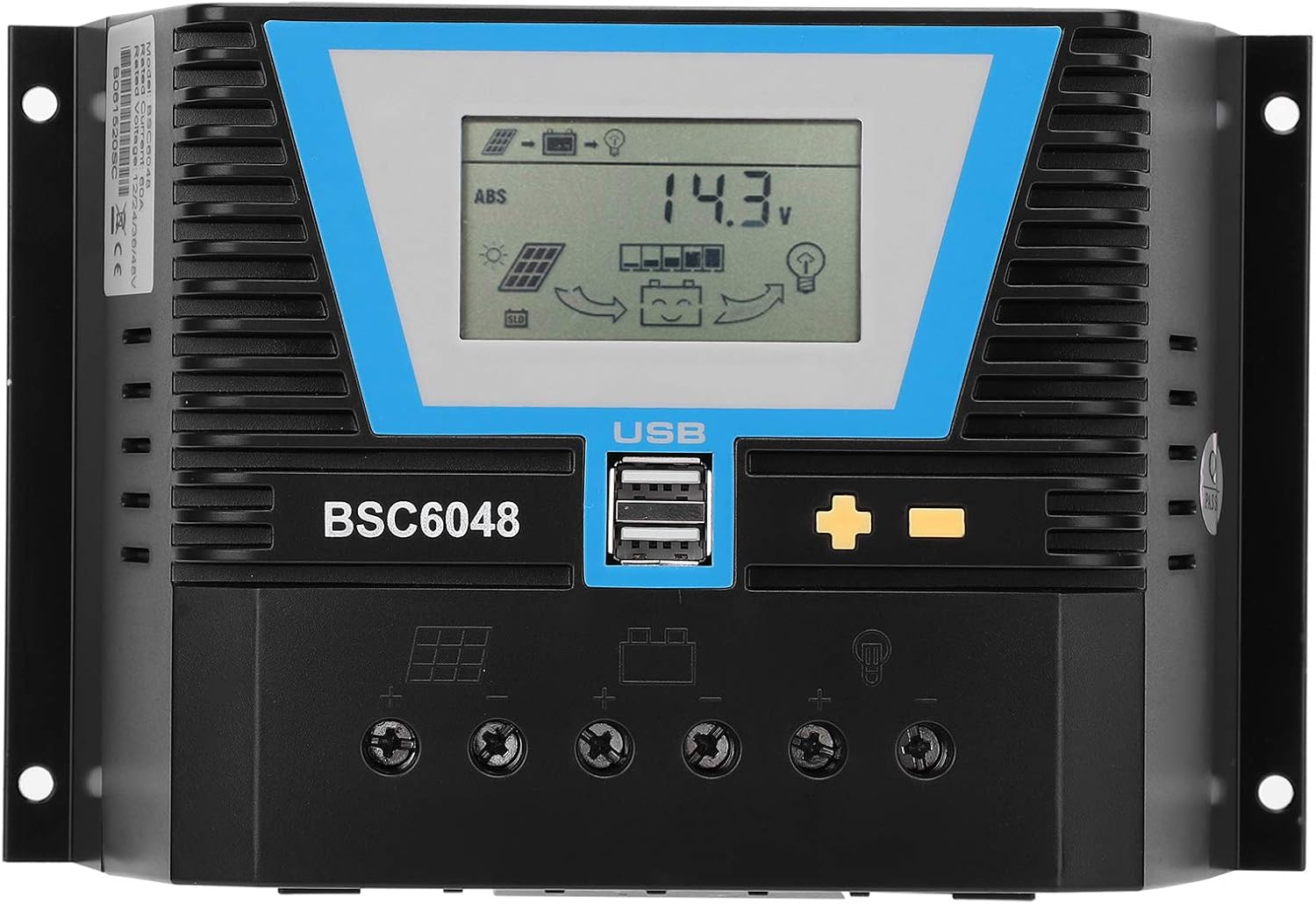
The Walfront BSC6048 Solar Controller is a multifunctional device designed to manage power flow from solar panels to various battery types. It supports 12V, 24V, 36V, and 48V battery systems, automatically identifying the voltage. This controller is suitable for sealed valve-regulated lead-acid, gel, liquid lead-acid, lithium iron, and ternary lithium batteries, with customizable parameters for other battery types. Its compact design ensures ease of use and storage.

Сүрөт 1.1: Алдыңкы view of the Walfront BSC6048 Solar Controller, showing the LCD display and USB ports.
2. Негизги өзгөчөлүктөрү
- Ар тараптуу Батарея шайкештиги: Supports sealed valve-regulated lead-acid, gel, liquid lead-acid, lithium iron, and ternary lithium batteries.
- Customizable Parameters: Allows for parameter customization to charge other battery types not listed by default.
- Universal Voltage Ыңгайлуулугу: Automatically adapts to 12V, 24V, 36V, and 48V battery systems without manual adjustment.
- Интеллектуалдык идентификация: Features intelligent recognition for truly automated control.
- Компакт жана көчмө: Small size for easy carrying and storage, ensuring good performance in various applications.

Figure 2.1: The Walfront BSC6048 Solar Controller depicted in various usage environments, including residential solar setups and portable applications.
3. Техникалык шарттар
| Параметр | Нарк |
|---|---|
| Элемент түрү | Күн башкаруучусу |
| Материал | Инженердик пластик |
| Номиналдуу ток | 60A |
| Rated Working Voltage | 12V/24V/36V/48V (Автоматтык сезүү) |
| Solar Panel Input Voltage | ≤100V |
| Статикалык жоготуу | ≤20mA |
| Loop Pressure Drop | ≤0.3V |
| USB чыгышы | 5V/2A x 2 |
| Иштөө температурасы | -20°Cден +55°Cге чейин |
| Коргоо деңгээли | IP30 |
| Салыштырмалуу нымдуулук | ≤95% (конденсатсыз) |
| Терминалдын көлөмү | 4AWG/25мм² |
| Элемент Салмагы | 1.83 фунт (828 грамм) |
| Дисплей түрү | LCD же LED |
4. Пакеттин мазмуну
Пакетти ачкандан кийин, бардык буюмдар бар экенин жана жакшы абалда экендигин текшериңиз:
- 1 x Walfront BSC6048 Solar Controller
- 1 х Колдонуучунун колдонмосу (Бул документ)
5. Орнотуу жана орнотуу
Proper installation is crucial for the safe and efficient operation of your solar controller. Please follow these steps carefully:
- Даярдоо: Ensure all components (solar panels, battery bank, load, and appropriate wiring) are available and in good condition. Disconnect any power sources before beginning installation.
- Монтаждоо: Mount the solar controller in a cool, dry, and well-ventilated area, away from direct sunlight and flammable materials. Ensure there is sufficient space around the controller for heat dissipation. The controller features mounting brackets for secure installation.
- Батарея туташуу: Connect the battery to the controller's battery terminals first. Ensure correct polarity (+ to + and - to -). The controller will automatically detect the battery voltage (12V/24V/36V/48V).
5.1-сүрөт: Арткы view of the controller highlighting the terminal connections for solar panels, battery, and load.
- Күн панелинин туташуу: Connect the solar panels to the controller's solar panel terminals. Again, observe correct polarity. Ensure the solar panel input voltage 100V ашпайт.
- Туташуу жүктөө: Connect your DC loads (e.g., lights, fans) to the controller's load terminals. Pay attention to polarity. The controller can manage the load output based on battery status.
- Текшерүү: Double-check all connections for tightness and correct polarity. Once verified, the controller's display should illuminate, indicating proper operation.
Маанилүү коопсуздук эскертүүсү: Always connect the battery to the controller BEFORE connecting the solar panels. Disconnect solar panels BEFORE disconnecting the battery. Failure to follow this order may damage the controller.
6. Иштөө нускамалары
The BSC6048 controller features an intuitive LCD display and control buttons for monitoring and adjusting settings.

6.1-сүрөт: Детальдуу view of the controller's LCD display and control buttons.
6.1. Маалыматты көрсөтүү
The LCD display provides real-time information about your solar system, including:
- Батарея көлөмүtage жана заряддын абалы
- Solar panel charging current
- Load discharge current
- System status indicators (charging, discharging, errors)
6.2. Баскыч функциялары
The controller typically has three buttons:
- Menu/Set Button: Used to enter the settings menu and confirm selections.
- Өйдө баскычы: Used to navigate through menu options or increase values.
- Төмөн баскычы: Used to navigate through menu options or decrease values.
Refer to the on-screen prompts and the detailed user manual (if provided separately) for specific navigation and parameter adjustment procedures. The controller's intelligent identification function means basic operation is largely automatic.
6.3. USB заряддоо порттору
The controller is equipped with two 5V/2A USB output ports, allowing you to charge compatible electronic devices directly from the controller.
7. Техникалык тейлөө
Regular maintenance ensures the longevity and optimal performance of your solar controller.
- Тазалык: Башкаргычты таза жана чаң менен таштандылардан таза кармаңыз. Тазалоо үчүн кургак, жумшак чүпүрөк колдонуңуз. Суюк тазалоочу каражаттарды колдонбоңуз.
- Байланыштары: Periodically check all wiring connections to ensure they are secure and free from corrosion. Loose connections can lead to power loss or overheating.
- Вентиляция: Ensure the ventilation fins are not obstructed to allow for proper heat dissipation.
- Экологиялык шарттар: Иштөө чөйрөсү белгиленген температура жана нымдуулук диапазондорунда калаарын текшериңиз.
8. Кыйынчылыктарды
This section addresses common issues you might encounter with your solar controller.
| Көйгөй | Мүмкүн себеп | Чечим |
|---|---|---|
| Контроллердин дисплейи өчүк. | No power from battery or incorrect battery connection. | Check battery connections and ensure battery has sufficient charge. Reconnect battery first, then solar panels. |
| Батарея заряддалбай жатат. | Solar panels not connected, insufficient sunlight, or incorrect panel polarity. | Verify solar panel connections and polarity. Ensure panels are receiving adequate sunlight. Check solar panel input voltage. |
| Жүктөө иштебей жатат. | Load disconnected, incorrect polarity, or battery voltage өтө төмөн. | Check load connections and polarity. Ensure battery has sufficient charge. Some controllers automatically disconnect load when battery is low. |
| Контроллердин ысып кетиши. | Poor ventilation or excessive load/current. | Ensure controller is in a well-ventilated area. Check if the total current draw exceeds the controller's rated capacity (60A). |
If the problem persists after attempting these solutions, please contact Walfront customer support for further assistance.
9. Кепилдик жана колдоо
Specific warranty details for the Walfront BSC6048 Solar Controller are typically provided with your purchase documentation or can be found on the official Walfront webсайт. Кепилдик дооматтары үчүн сатып алганыңыздын далилин сактап коюңуз.
For technical support, troubleshooting assistance beyond this manual, or warranty inquiries, please contact Walfront customer service through their official channels. You can often find contact information on the product packaging, the Walfront brand store on Amazon, or their official webсайт.
Visit the Walfront Store: Walfront Amazon Store