
РЕКСИНГ H6
REXING Woodlens H6 кош камералуу жол камерасынын колдонуучу колдонмосу
Модели: H6
1. Киришүү
REXING Woodlens H6 – жапайы жаратылыштын, мүлктүн же башка ачык асман алдындагы объектилердин жогорку сапаттагы видео жана сүрөттөрүн тартуу үчүн иштелип чыккан өркүндөтүлгөн кош камералуу жол камерасы. Күндүзгү жаздыруу үчүн 4K Ultra HD линзасы жана түнкүсүн көрүү үчүн FHD инфракызыл линзасы менен H6 ар кандай жарык шарттарында так визуалдык көрүнүштөрдү камсыз кылат. Анын бекем, аба ырайынын шарттарына туруктуу дизайны жана узак күтүү убактысы аны узак убакыт бою сырткы байкоо жүргүзүү үчүн идеалдуу чечимге айлантат.
2. Продукт бүтүп калдыview жана Негизги өзгөчөлүктөрү
- Кош камера системасы: Күндүз 4K Ultra HD видеосун, ал эми түнкүсүн FHD инфракызыл видеосун тартып, бир эле учурда аудио жаздырат. Жапайы жаратылышты бузушу мүмкүн болгон IR CUT которуштуруу үндөрүн алдын алуу үчүн иштелип чыккан.
- Жогорку чечилиштеги сүрөттөр: 20 мегапикселге чейинки сүрөттөрдү жана кинематографиялык видео сапатын колдойт.
- Интеграцияланган LCD жана динамик: Түздөн-түз угуу үчүн орнотулган 2.4 дюймдук LCD экран жана динамик бар viewтышкы түзмөктөрсүз жаздырууларды жазуу жана түзөтүү.
- Өркүндөтүлгөн түнкү көрүнүш: 35M инфракызыл жаркылдоо жана кош 850 нм жогорку кубаттуулуктагы инфракызыл чырактар менен жабдылган, түнкүсүн даана сүрөттөрдү тартуу үчүн 65 фут алыстыктагы объектилерди жарыктандырат.
- Тез триггер ылдамдыгы: 110° PIR сенсорлору (Алдыңкы + Каптал сенсор) аркылуу 0.2 секунданын ичинде кыймылга жооп берет.
- Ийкемдүү жаздыруу параметрлери: Жаздырууну баштоо/аяктоо убакыттарын кол менен пландаштырууга мүмкүндүк берет жана убакыттын өтүшү менен тартылган видеолорду жана сүрөттөрдү колдойт.
- Бышык жана коопсуз дизайн: IP66 рейтинги боюнча бекем ачылып/жабылат. Камераны жамгырдан жана чаңдан коргойт.
- Узартылган күтүү режими: 512 ГБ чейинки SD картаны колдойт жана 12 айга чейин күтүү убактысын сунуштайт.
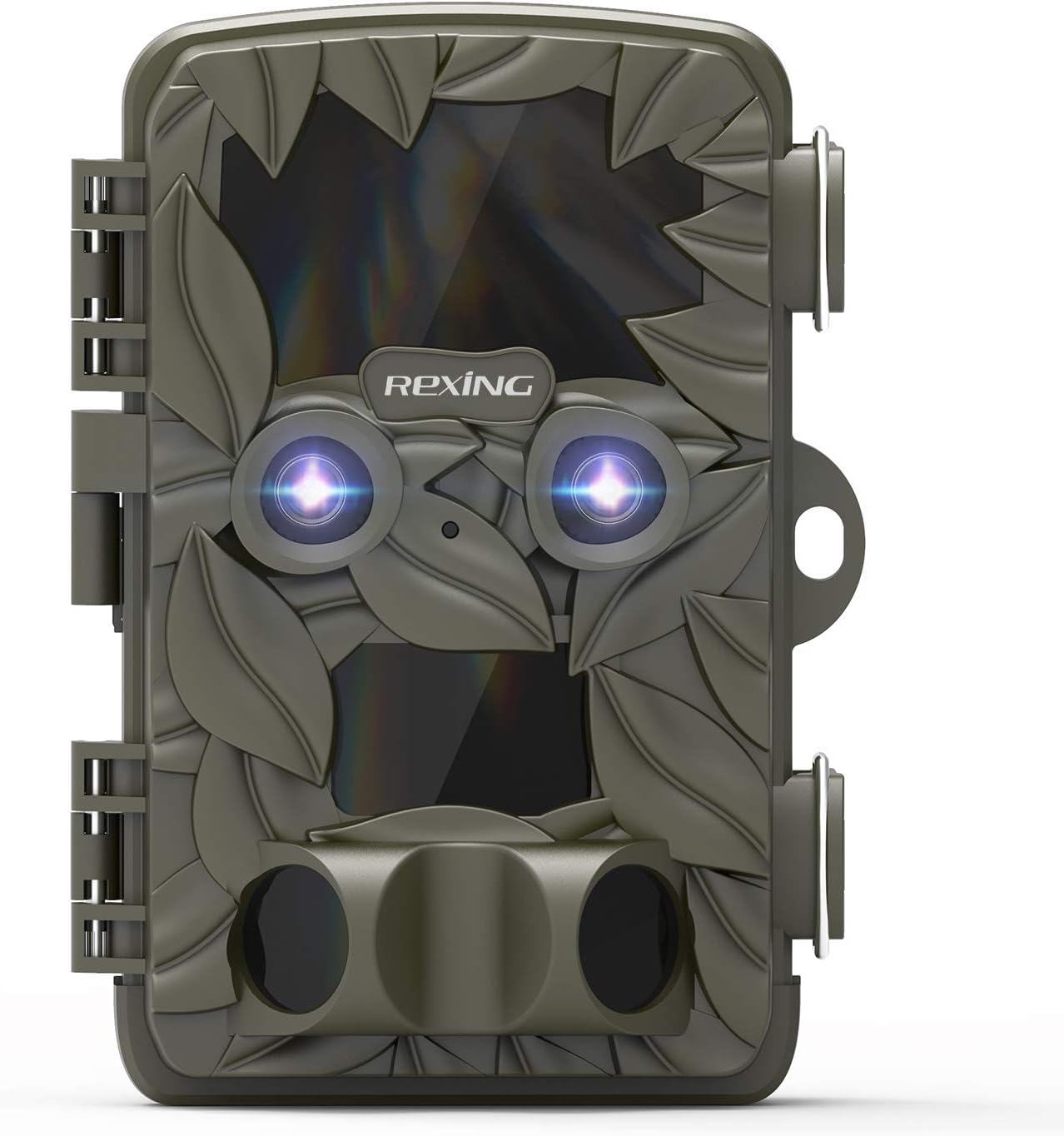
Сүрөт 2.1: Алдыңкы view REXING Woodlens H6 Trail камерасынын, көрсөтүүasinанын камуфляж дизайны жана кош линзалары бар.
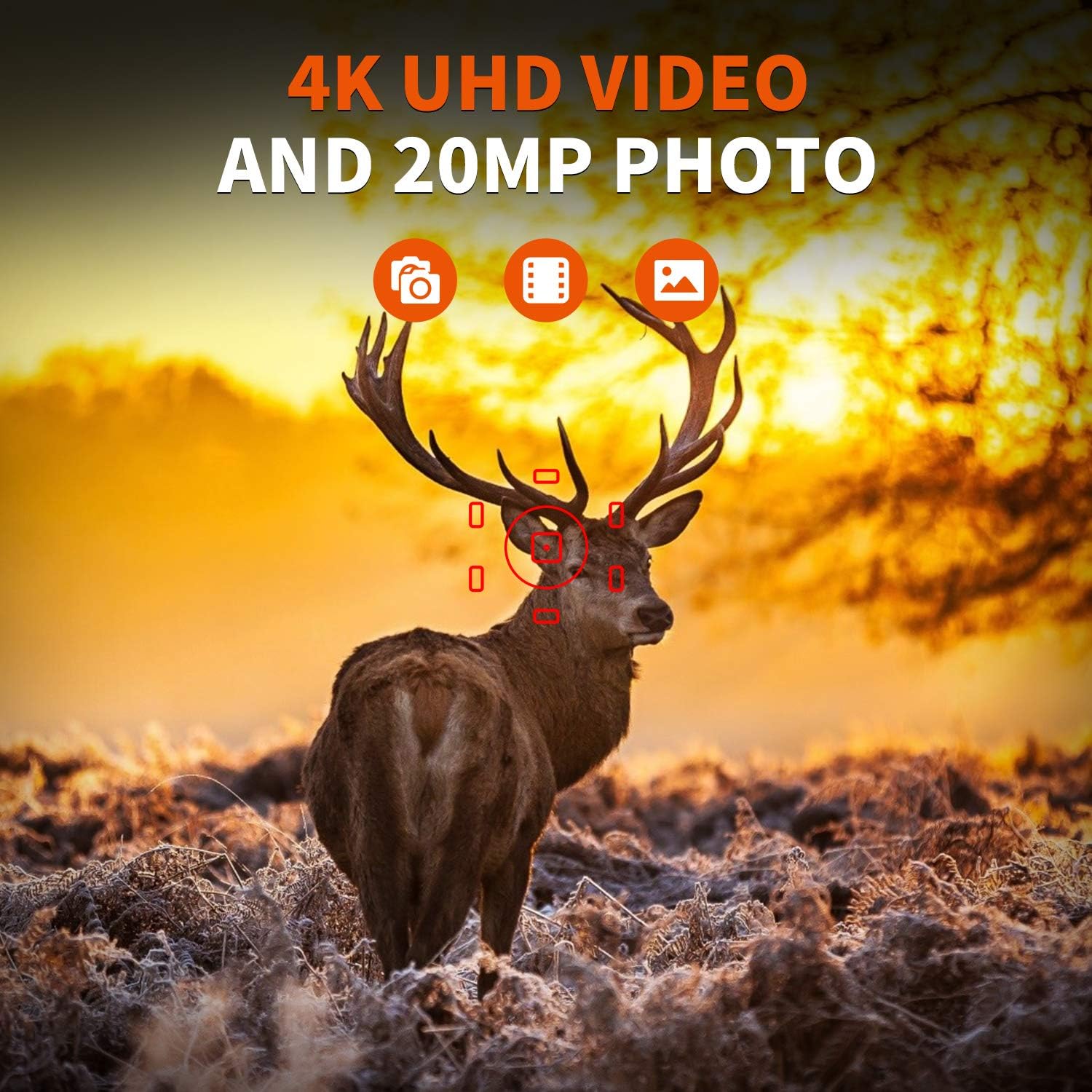
2.2-сүрөт: REXING Woodlens H6 укмуштуудай 4K UHD видео жана 20 мегапикселдүү сүрөттөрдү тартат, муну бугунун табигый жашоо чөйрөсүндөгү бул сүрөттөн көрүүгө болот.
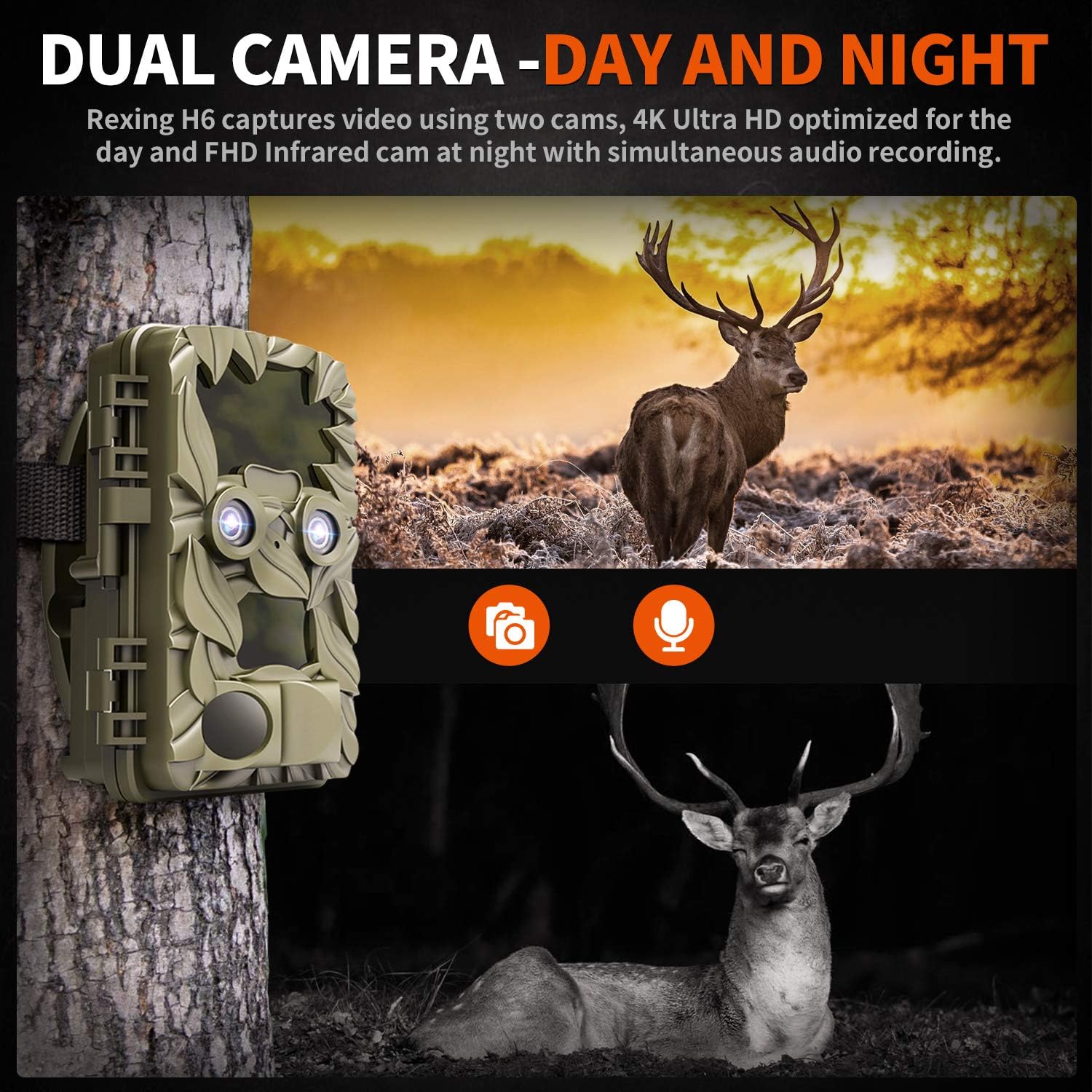
2.3-сүрөт: H6 күндүзгү (4K) жана түнкү (FHD инфракызыл) жаздыруу үчүн оптималдаштырылган кош камера системасы менен жабдылган, бул күнү-түнү комплекстүү байкоо жүргүзүүнү камсыз кылат.

2.4-сүрөт: H6 камерасынын түнкү көрүү мүмкүнчүлүктөрү жакшыртылган, ал жапайы жаныбарлардын сүрөттөрүн 35 метрге чейинки аралыкта, жарык аз шарттарда, тынчын алуучу үндөрсүз так тартат.

2.5-сүрөт: H6 120 градустук аныктоо бурчуна жана 0.2 секунддук өтө тез иштетүү ылдамдыгына ээ, бул эч кандай кыймылдын өткөрүп жиберилбешин камсыздайт.

2.6-сүрөт: Аба ырайынын шарттарына туруштук бере тургандай кылып курулган H6 IP56 рейтингине ээ, бул аны катуу жамгырга, музга, карда, чаңга жана баткакка туруктуу кылат.

2.7-сүрөт: H6 аз энергия керектөө үчүн иштелип чыккан, 8x AA батарейкалары менен шайкеш келет жана 12 айга чейин күтүү режиминде иштөөнү камсыз кылат.

2.8-сүрөт: REXING Woodlens H6 көп функциялуу, жапайы жаратылышты көзөмөлдөө, фермаларды көзөмөлдөө жана коопсуздук сыяктуу бир нече колдонмолор үчүн ылайыктуу.
3. Пакеттин мазмуну
Сураныч, пакеттин мазмунун текшерип, бардык буюмдар бар экенин текшериңиз:
- REXING Woodlens H6 жол камерасы
- Монтаждоо боосу
- USB кабели
- AV Cable
- User Manual
- (Милдеттүү эмес: 8x AA батарейкалары - продуктунун таңгагын текшериңиз)
4. Орнотуу
4.1 Батареяны орнотуу
- Камеранын сырткы капкагын ачыңызasing каптал клипсаларды чечүү менен.
- Батарея бөлүкчөсүн табыңыз.
- Бөлүмдүн ичинде көрсөтүлгөндөй, туура полярдуулукту (+/-) камсыз кылып, 8 даана AA батарейкасын салыңыз.
- Батарея уясынын капкагын бекем жабыңыз.
4.2 SD картаны киргизүү
- Камера ачык турганда, SD карта уячасын табыңыз.
- Шайкеш келген SD картаны (512 ГБ чейин) ордуна чыкылдаганча уячага салыңыз. Карта туура багытта салынганын текшериңиз.
- Биринчи жолу колдонуудан мурун SD картаны камеранын менюсу аркылуу форматтоо сунушталат.
4.3 Камераны орнотуу
- Камера үчүн ылайыктуу жерди, мисалы, даракты же мамычаны тандап, ачыктыкты камсыз кылыңыз view каалаган аймактын.
- Берилген бекитүүчү боону камеранын арткы жагындагы уячалардан өткөрүңүз.
- Боону дарактын же мамынын айланасына бекем бекитип, камеранын бурчун зарылчылыкка жараша тууралаңыз.
- Же болбосо, камераны орнотуучу чекит аркылуу тиешелүү жабдыктарды (кошулмага кирбейт) колдонуп дубалга орнотсо болот.
4.4 Баштапкы күйгүзүү
- Батареяларды жана SD картаны орноткондон кийин, камераны "ON" абалына коюңуз.
- LCD экран күйөт жана сиз жөндөөлөрдү конфигурациялай баштасаңыз болот.
5. Иштөө нускамалары
5.1 Менюда навигация
Камеранын жөндөөлөрү жана режимдери аркылуу өтүү үчүн LCD экранынын жанында жайгашкан башкаруу баскычтарын (МЕНЮ, ЖОГОРУ, ТӨМӨН, СОЛ, ОҢ, OK, SHOT) колдонуңуз.
- МЕНЮ: Негизги жөндөөлөр менюсуна кирет.
- ЖОГОРУ / ТӨМӨН: Меню параметрлери боюнча чабыттайт.
- СОЛ ОҢ: Маанилерди тууралайт же кошумча параметрлерди тандайт.
- OK: Тандоону ырастайт.
- АТЫШ: Алдын ала көрүү режиминде кол менен сүрөткө тартат же видео жаздырууну баштайт/токтототview режими.
5.2 Жазуу режимдери
H6 ар кандай жаздыруу режимдерин колдойт:
- Сүрөт режими: Сүрөттөрдү тартат (20 МП чейин).
- Видео режими: Видео жаздырат (4K UHD күндүз, FHD түнкүсүн).
- Сүрөт + видео режими: Аныкталганда кыймылсыз сүрөткө тартып, андан кийин видеоклип тартат.
- Time Lapse режими: Убакыттын өтүшү менен тартылган сүрөттөрдү же видеолорду белгиленген аралыкта тартып, убакыттын өтүшү менен тартылган сүрөттөрдү же видеолорду түзөт.
5.3 Пландалган жаздырууну орнотуу
Камеранын иштеши үчүн белгилүү бир убакытты коюу үчүн:
- МЕНЮга кириңиз.
- "Таймер" же "График" жөндөөсүнө өтүңүз.
- Жаздыруу үчүн каалаган баштоо жана аяктоо убакыттарын коюңуз. Камера ушул мезгилдерде гана активдүү болот.
5.4 Viewжаздырууларды жазуу жана башкаруу
Жазуулар болушу мүмкүн viewтүздөн-түз камерага же тышкы түзмөккө тартылган:
- Камерада ойнотуу: Кайра иштетүү үчүн орнотулган 2.4 дюймдук LCD экранды жана навигация баскычтарын колдонуңузview тартылган сүрөттөр жана видеолор.
- TV туташуу: Камераны берилген AV кабели аркылуу телевизорго туташтырыңыз view жаздыруулар чоңураак экранда.
- Компьютерге туташуу: Камераны USB кабели аркылуу компьютерге туташтырыңыз же SD картаны алып чыгып, карта окугучка салыңыз, өткөрүп берүү жана view files.
5.5 Сырсөздү коргоо
Камераңыздын жөндөөлөрүнө жана жаздырууларына уруксатсыз кирүүнүн алдын алуу үчүн:
- МЕНЮга кириңиз.
- "Сырсөз" же "Коопсуздук" жөндөөсүнө өтүңүз.
- 4 орундуу PIN кодду коюңуз. Бул PIN кодду эстеп калыңыз, анткени ал камерага кирүү үчүн керек болот.
Видео 5.1: REXING Woodlens H6 Trail камерасынын функцияларын жана иштешин, анын ичинде кош линза мүмкүнчүлүктөрүн, түнкү көрүүсүн жана колдонуучу интерфейсин көрсөткөн расмий продукт видеосу.
6. Техникалык тейлөө
- Тазалоо: Камера корпусун жана линзаларын тазалоо үчүн жумшак, кургак чүпүрөктү колдонуңуз. Абразивдүү тазалоочу каражаттарды же эриткичтерди колдонбоңуз.
- Батареяны алмаштыруу: Батареянын заряды аз деген индикатор пайда болгондо, оптималдуу иштөөнү камсыз кылуу жана агып кетүүнүн алдын алуу үчүн бардык батареяларды бир убакта алмаштырыңыз.
- SD Card башкаруу: Оптималдуу жаздыруу иштешин сактоо жана маалыматтардын бузулушунун алдын алуу үчүн маанилүү жаздыруулардын камдык көчүрмөсүн үзгүлтүксүз сактап, SD картаны мезгил-мезгили менен форматтап туруңуз.
- Сактагыч: Камераны көпкө чейин колдонбогон учурда, батареяларды алып чыгып, салкын, кургак жерде, күндүн нуру түз тийбеген жерде сактаңыз.
7. Кыйынчылыктарды
| Көйгөй | Мүмкүн себеп | Чечим |
|---|---|---|
| Камера күйбөйт. | Төмөн же өлүп калган батарейкалар; туура эмес батарея орнотуу. | Бардык батареяларды жаңыларына алмаштырыңыз, полярдуулукту туура сактаңыз. |
| Орнотуудан кийин камера иштебей калат / Эч кандай маалымат жаздырылган жок. | SD карта толуп калган же бузулган; SD карта туура эмес салынган; камеранын жөндөөлөрү жаздырууга тоскоол болууда. | SD картаны форматтаңыз (алдын ала камдык көчүрмөсүн жасаңыз); SD карта туура салынганын текшериңиз; жаздыруу режимин жана график жөндөөлөрүн текшериңиз. Батареянын кубаттуулугу жетиштүү экенин текшериңиз. |
| Түнкүсүн сүрөттүн/видеонун сапаты начар. | Инфракызыл жарыктар тосулуп калган; объект өтө алыс жайгашкан; батареянын заряды аз болгондуктан, инфракызыл жарыктын иштешине таасир этет. | Инфракызыл жарыктар үчүн көрүнөө сызыкты так камсыз кылыңыз; камераны объектилерге жакыныраак (65 фут аралыкта) коюңуз; батареяларды алмаштырыңыз. |
| Камера кыймылды иштетпейт. | PIR сенсору тосулуп калган; сезгичтик жөндөөсү өтө төмөн; субъект аныктоо диапазонунан тышкары. | PIR сенсорлорунан тоскоолдуктарды алып салыңыз; жөндөөлөрдө PIR сезгичтигин жогорулатыңыз; субъекттердин 110° аныктоо бурчунун ичинде өтүшүн камсыз кылыңыз. |
| Камера экраны тескери санап, өчөт. | Бул камеранын кыска убакытка дисплейден кийин мониторинг режимине өтүшү үчүн кадимки көрүнүш. | Эч кандай аракет талап кылынбайт. Камера долбоор боюнча иштеп жатат. |
| Wi-Fi байланышы жок. | REXING Woodlens H6 моделинде Wi-Fi байланышы жок. | Бул модель маалыматтарды өткөрүү үчүн AV/USB кабели же SD картаны алып салуу аркылуу түз туташууну талап кылат. |
8. Техникалык шарттар
| Өзгөчөлүк | Деталь |
|---|---|
| Бренд | РЕКСИНГ |
| Модел | H6 |
| Видео тартуунун резолюциясы | 2160p (4K UHD) |
| Натыйжалуу дагы эле чечим | 20 депутат |
| Фото сенсор технологиясы | CMOS |
| Түнкү көрүнүш | 35M инфракызыл жаркылдоо, кош 850нм жогорку кубаттуулуктагы инфракызыл жарык |
| PIR аныктоо бурчу | 110° (Алдыңкы + Каптал сенсор) |
| Триггер ылдамдыгы | 0.2 секунд |
| Дисплей | Орнотулган 2.4 дюймдук LCD дисплей |
| Сактагыч | SD карта (512 ГБ чейин) |
| Power Source | 8x AA батарейкалары (12 ай күтүү режиминде) |
| Байланыш | AV чыгаруу, USB |
| Эл аралык коргоо рейтинги | IP66 |
| Элементтин пакетинин өлчөмдөрү | 7.68 x 4.92 x 3.9 дюйм |
| Пакет Салмагы | 0.61 килограмм |
| UPC | 810046601815 |
9. Кепилдик жана колдоо
Кепилдик жөнүндө маалымат жана техникалык колдоо алуу үчүн, расмий REXING сайтына кайрылыңыз webсайтка же түздөн-түз кардарларды тейлөөгө кайрылыңыз. Сатып алуу квитанциясын кепилдик дооматтары үчүн сатып алуунун далили катары сактаңыз.
Байланыш маалыматы:
- Webсайт: www.rexingusa.com (Сураныч, расмий түрдө текшериңиз webэң акыркы маалымат алуу үчүн сайт)
- Электрондук почта: караңыз webколдоо электрондук почта үчүн сайт.
- Телефон: караңыз webколдоо телефонунун номери үчүн сайт.
Ask a question about this manual
Ask about setup, troubleshooting, compatibility, parts, safety, or missing instructions. Manuals+ will review the question and use this page’s manual context to help answer it.