
Introduction
Thank you for choosing the PALOVUE iSound True Wireless Earbuds. These earbuds are designed to provide a superior audio experience with advanced features such as Qualcomm CSR Bluetooth 5.0, aptX HD sound quality, CVC 8.0 noise cancellation, and intuitive touch controls. This manual will guide you through the setup, operation, and maintenance of your new earbuds to ensure optimal performance.
Кутуда эмне бар
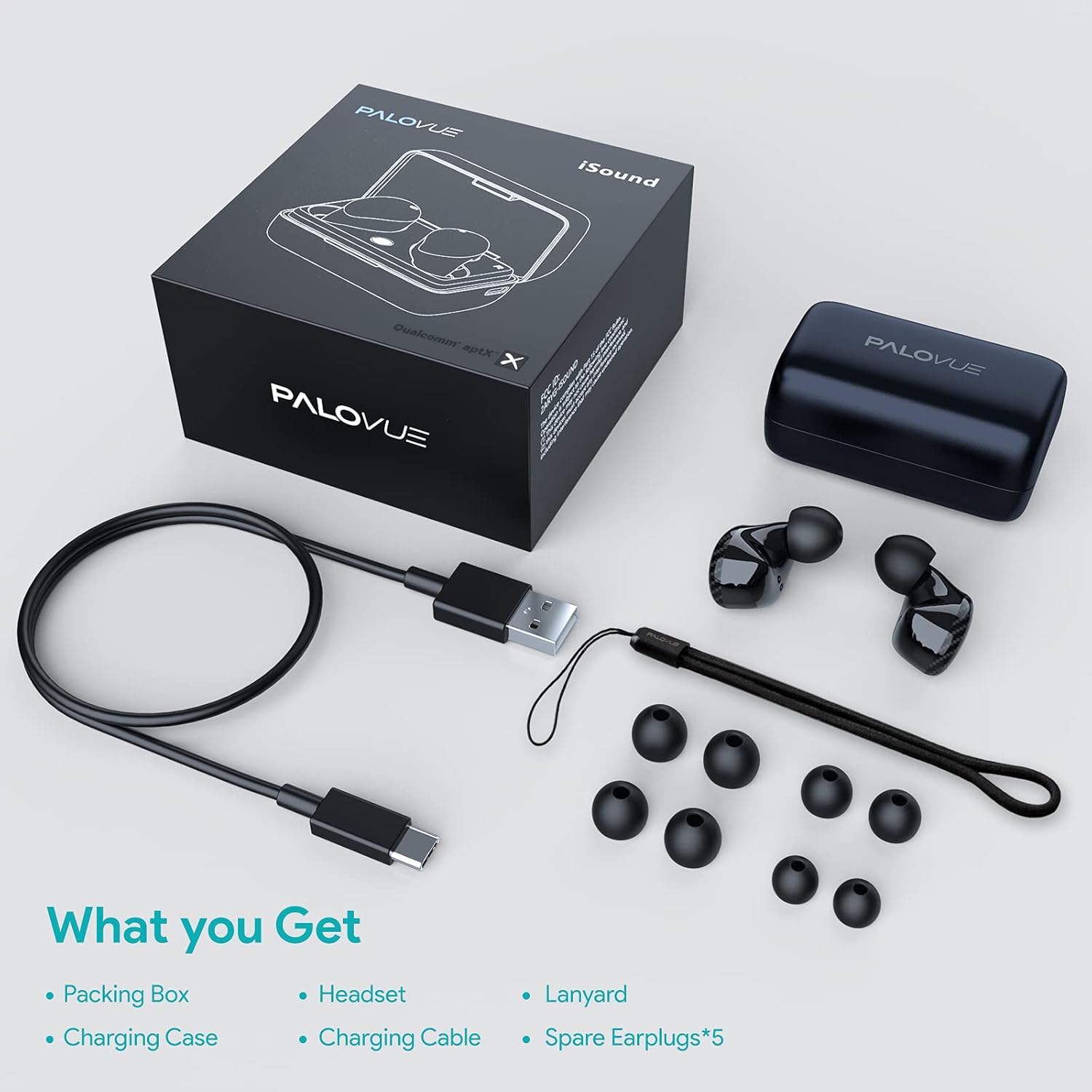
Upon unboxing your PALOVUE iSound True Wireless Earbuds, please verify that all components are present:
- PALOVUE iSound Earbuds (Left and Right)
- Заряддоо кутусу
- USB-C заряддоо кабели
- Lanyard
- 5 Pairs of Silicone Ear Tips (XS, S, M, L, XL)
- Колдонуучунун Колдонмосу (бул документ)
Продукт бүттүview
Familiarize yourself with the key components of your PALOVUE iSound Earbuds.


Жайгашуу
1. Кулакчындарды жана кутуну кубаттоо
Before first use, fully charge the earbuds and the charging case. Place the earbuds into the charging case. Connect the USB-C charging cable to the case and a power source. The indicator lights on the case will show the charging status.
- A full charge provides up to 24 hours of playback with the charging case.
2. Түзмөгүңүз менен жупташтыруу
- Түзмөгүңүздүн Bluetooth күйгүзүлгөнүн текшериңиз.
- Open the charging case. The earbuds will automatically enter pairing mode (if it's the first time or if they are not connected to a previously paired device).
- On your device, search for Bluetooth devices and select "PALOVUE iSound" from the list.
- Туташкандан кийин, сиз ырастоо обонун угасыз.
Автоматтык кайра туташуу: After the initial pairing, simply open the charging case, and the earbuds will automatically connect to your last paired device.
3. Кулакчын тагынуу
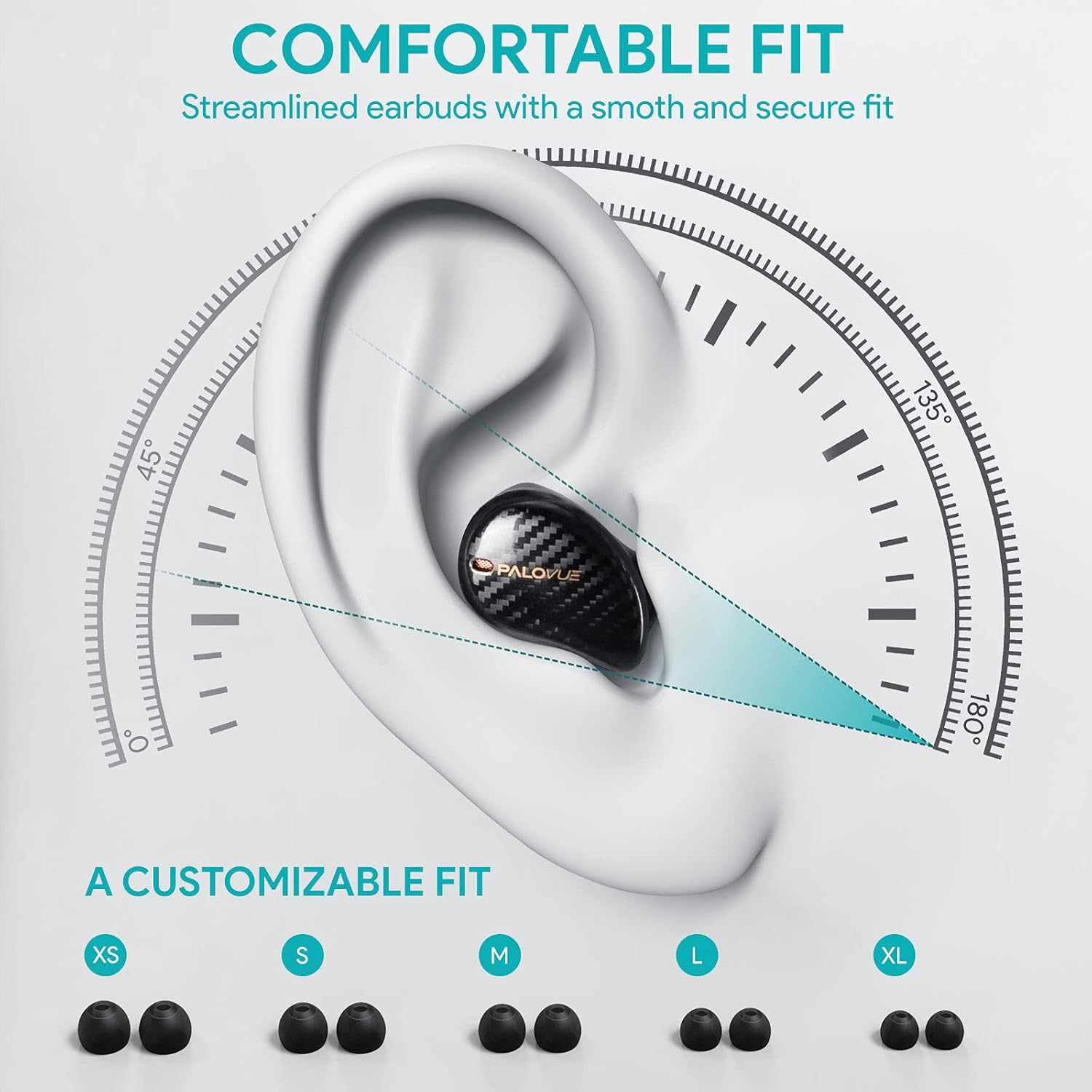
For optimal sound quality and comfort, select the correct ear tip size and ensure a secure fit.
- Choose from the 5 provided ear tip sizes (XS, S, M, L, XL) to find the best fit for your ears.
- Gently insert the earbuds into your ear canal and rotate them slightly until they feel secure and comfortable.
Иштөө нускамалары
Touch Controls
The PALOVUE iSound earbuds feature multi-function touch panels on each earbud for easy control of audio playback and calls. Specific touch functions can be customized via the PALOVUE iSound app.
- Ойнотуу/тындыруу: Кулакчындарды бир жолу таптаңыз.
- Кийинки трек: Оң кулакчынды эки жолу таптаңыз.
- Мурунку трек: Сол кулакчынды эки жолу таптаңыз.
- Чалууга жооп берүү/аяктоо: Кулакчындарды бир жолу таптаңыз.
- Чакырууну четке кагуу: Кулакчындардын бирин 2 секунд басып туруңуз.
- Үн Жардамчысын жандыруу: Кулакчындарды үч жолу таптаңыз.
- Үндү көзөмөлдөө: Customizable via the PALOVUE iSound app (e.g., tap and hold left for volume down, right for volume up).

Чалууларды башкаруу жана ызы-чууну жокко чыгаруу
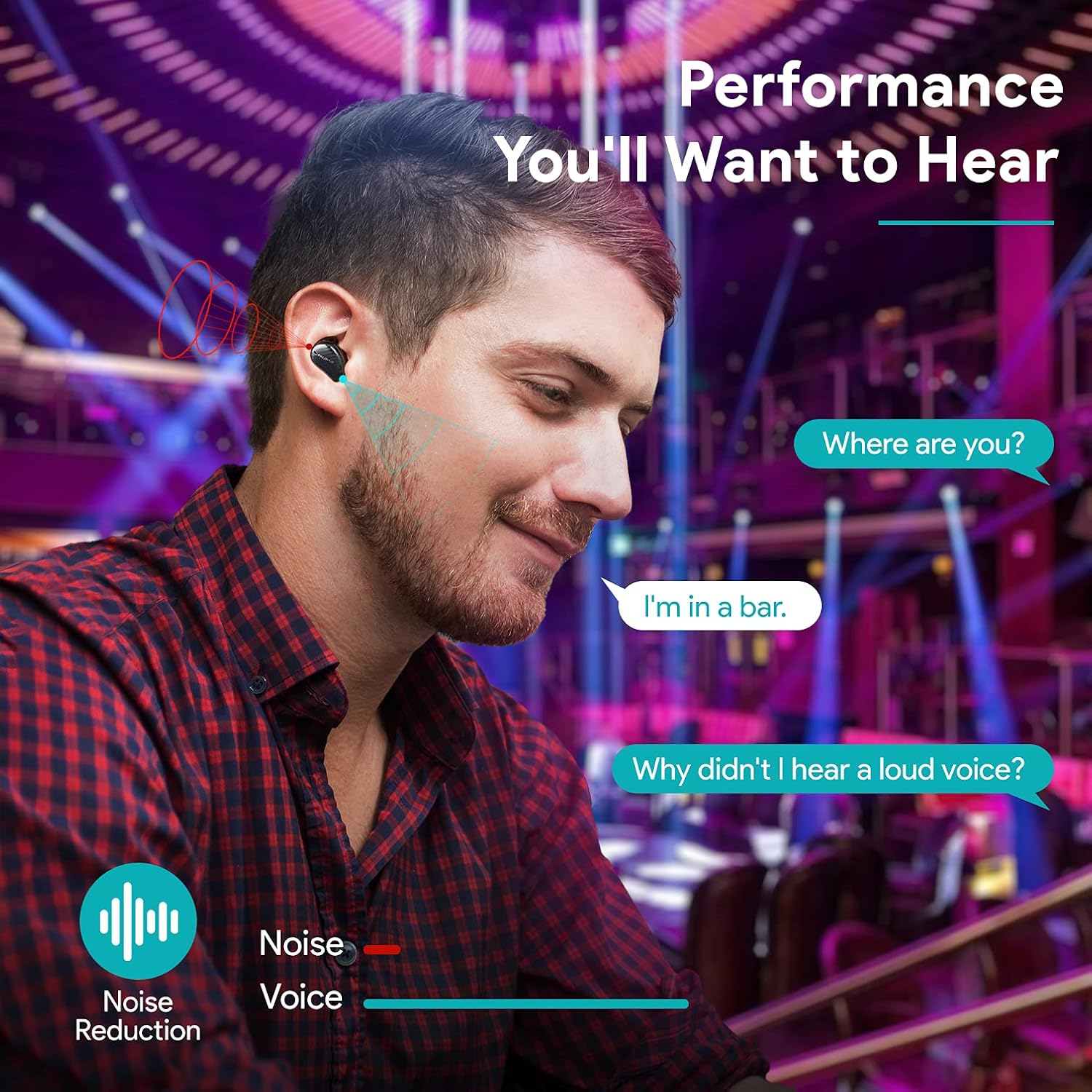
The earbuds are equipped with 4 microphones and CVC 8.0 noise cancellation technology to ensure clear calls even in noisy environments.
PALOVUE iSound App
Download the PALOVUE iSound app to customize touch controls, check battery status, and access additional features for your earbuds.
Техникалык тейлөө
Туура тейлөө кулакчындарыңыздын узак иштөөсүн жана оптималдуу иштешин камсыз кылат.
- Тазалоо: Кулакчындарды жана заряддоо кутусун жумшак, кургак, түксүз чүпүрөк менен дайыма тазалап туруңуз. Катуу химиялык заттарды же абразивдүү материалдарды колдонбоңуз.
- Кулак кеңештери: Remove and clean the silicone ear tips with mild soap and water. Ensure they are completely dry before reattaching.
- Сактагыч: Колдонулбаганда, кулакчындарды чаңдан жана бузулуудан коргоо үчүн кубаттоочу кутуга салып сактаңыз.
- Суудан качуу: While the earbuds may have some water resistance, avoid submerging them in water or exposing them to excessive moisture.
Проблемаларды чечүү
If you encounter issues with your PALOVUE iSound earbuds, refer to the following common solutions:
- Кулакчындар жупташкан жок:
- Эки кулакчындын тең кубатталганын текшериңиз.
- Кулакчындарды кайра кутуга салып, жаап, анан жупташтыруу режимине кайра кирүү үчүн кайра ачыңыз.
- Forget "PALOVUE iSound" from your device's Bluetooth settings and try pairing again.
- Бир гана кулакчын иштейт:
- Эки кулакчындын тең кубатталганын текшериңиз.
- Кулакчындарды баштапкы абалга келтирип көрүңүз (колдонмону же өндүрүүчүнү караңыз webконкреттүү калыбына келтирүү нускамалары үчүн сайт).
- Эки кулакчынды тең кубаттоочу кутуга салып, капкагын жаап, бир нече секунд күтүп, андан кийин кайра ачыңыз.
- Үн сапаты начар:
- Ensure the ear tips provide a secure seal in your ear canal. Try different sizes.
- Кулакчын түтүктөрүндөгү калдыктарды тазалаңыз.
- Түзмөгүңүз Bluetooth диапазонунда (10 метрге чейин) экенин текшериңиз.
- Кулакчындар кубатталбай жатат:
- Заряддоо кабели корпуска да, кубат булагына да бекем туташтырылганын текшериңиз.
- Кулакчындардагы жана корпустун ичиндеги заряддоо контакттары таза жана сыныктары жок экенин текшериңиз.
- Башка USB-C кабелин жана кубат адаптерин колдонуп көрүңүз.
For further assistance, please contact PALOVUE customer support.
Техникалык шарттар
| Бренд | ПАЛОВУЕ |
| Модель номери | 012000125 |
| Наушник түрү | In-Ear |
| Байланыш технологиясы | Зымсыз (Bluetooth 5.0) |
| Зымсыз байланыш технологиясы | Bluetooth |
| Өзгөчөлүктөр | Noise Reduction (CVC 8.0), Wireless |
| Чипсет | Qualcomm CSR QCC3020 |
| Аудио кодек | aptX HD |
| Батареянын курамы | Литий полимери |
| Заряддалуучу батарея | Ооба |
| Ойнотуу убактысы | Кубаттоочу кутучасы менен 24 саатка чейин |
| Материал | Пластик |
Кепилдик жана колдоо
PALOVUE products are designed for reliability and performance. For warranty information, please refer to the warranty card included in your product packaging or visit the official PALOVUE webсайт.
If you require technical support or have questions regarding your PALOVUE iSound True Wireless Earbuds, please contact PALOVUE customer service through their official webсайт же продукт документациясында көрсөтүлгөн байланыш маалыматы.
Колдоо кызматына кайрылганда моделиңиздин номери (012000125) жана сатып алуу чоо-жайы даяр болсун.