
1. Продукт бүтүп калдыview
The Inandon KV-V5 Max is a professional home entertainment karaoke system designed for an immersive singing experience. It features a capacitive touch screen, wireless microphones, and a dual operating system (Android and KTV). This system supports cloud song downloads and offers a vast library of songs in multiple languages.
Маанилүү эскертүү: This karaoke machine requires an external amplifier and speakers for audio output. These components are not included in the package.
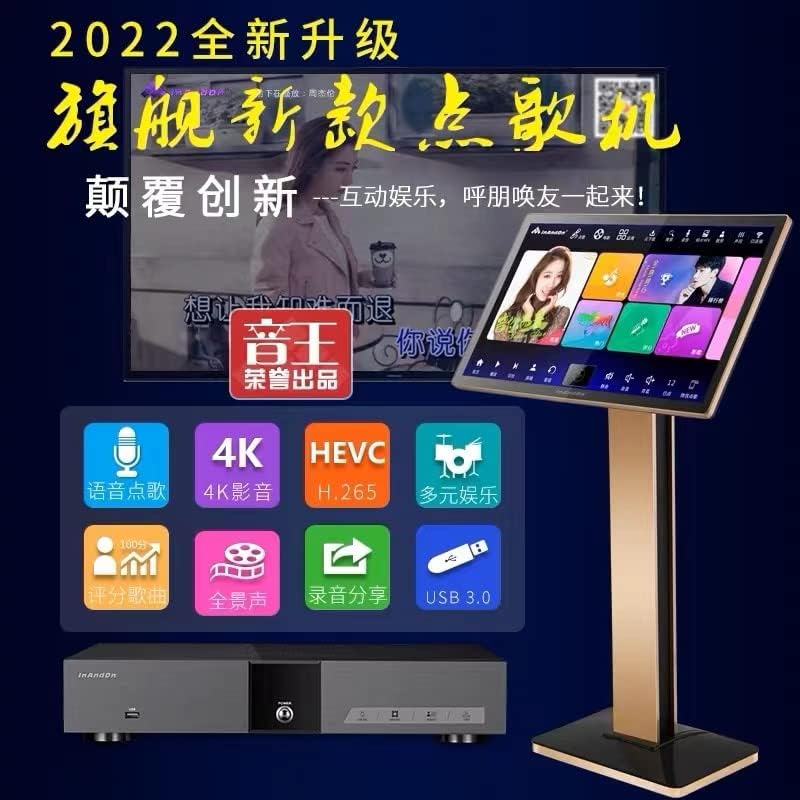
Figure 1: Inandon KV-V5 Max Karaoke System, showing the main unit and the touchscreen display.
2. Орнотуу нускамалары
2.1 Пакеттен чыгаруу жана компоненттерди текшерүү
Carefully unpack all components. Ensure the following items are present:
- Inandon KV-V5 Max Main Unit
- Touchscreen Display Unit
- Зымсыз микрофондор (2)
- Зымсыз микрофон кабылдагыч
- Кубаттуу адаптер
- Алыстан башкаруу (эгер камтылган болсо)
- User Manual
2.2 Системаны туташтыруу
Follow these steps to connect your karaoke system:
- Кубат туташуу: Connect the power adapter to the DC IN 12V 4A port on the rear of the main unit and plug it into a power outlet.
- Видео чыгаруу: Connect the main unit to your TV or display using an HDMI cable (HD OUT port) or a VGA cable (VGA port).
- Аудио чыгаруу: Connect the main unit's AUDIO OUT (RCA L/R) ports to your amplifier's audio input. Alternatively, use the COAXIAL or OPTICAL audio outputs if your amplifier supports them.
- Микрофон туташуу: Connect the wireless microphone receiver to the MIC OUT 1 or MIC OUT 2 ports on the main unit. Ensure the microphones are paired with the receiver.
- Тармак туташуусу: For cloud song downloads and online features, connect the main unit to your network via the LAN port with an Ethernet cable or use the built-in Wi-Fi receiver.
- Touchscreen Connection: Connect the touchscreen display unit to the main unit using the dedicated TOUCHSCREEN port.
- USB түзмөктөрү: Use the USB ports on the front or rear for connecting external storage or other compatible USB devices.
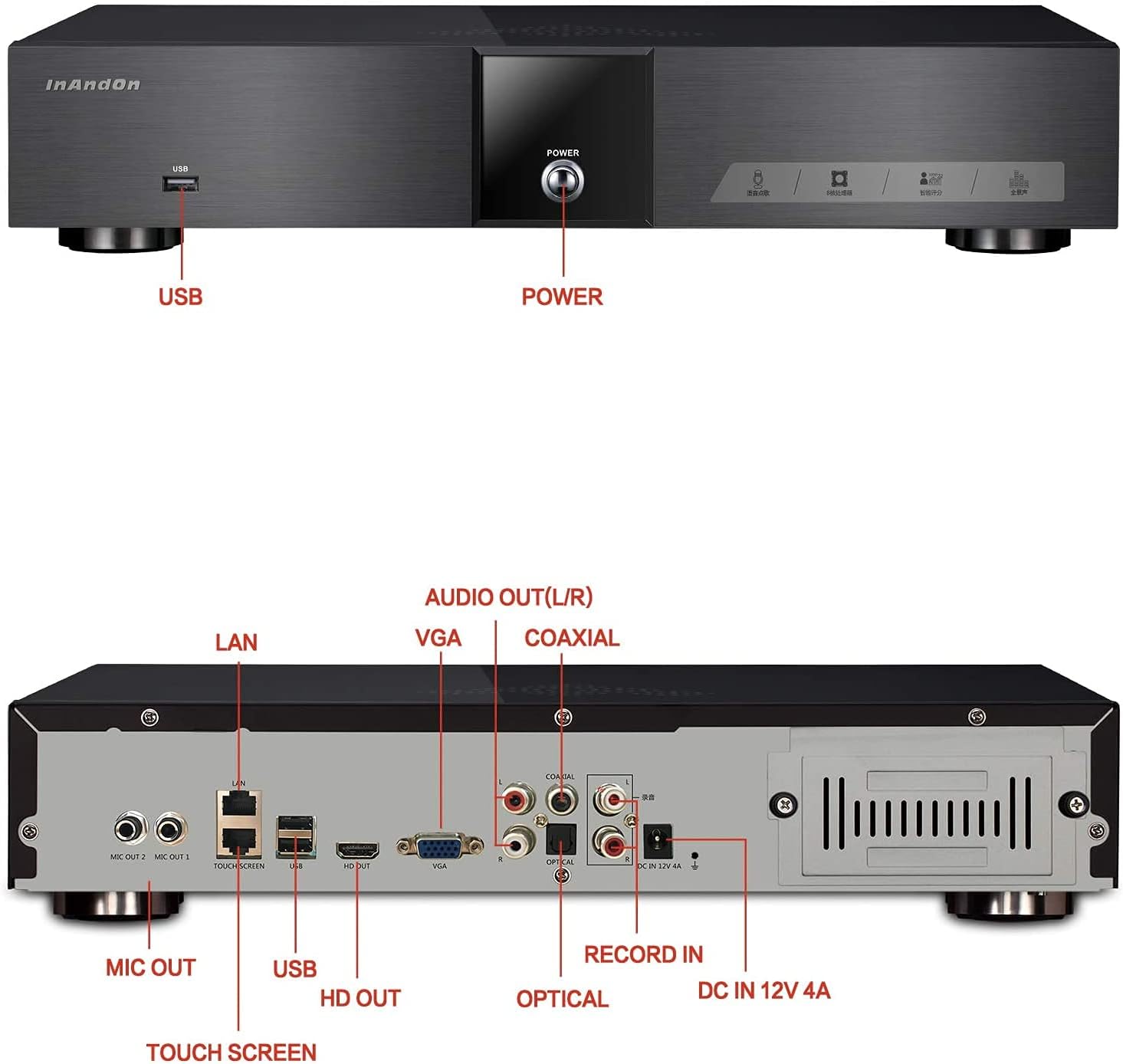
Figure 2: Rear panel connections, including HDMI, VGA, RCA, USB, LAN, and microphone inputs.
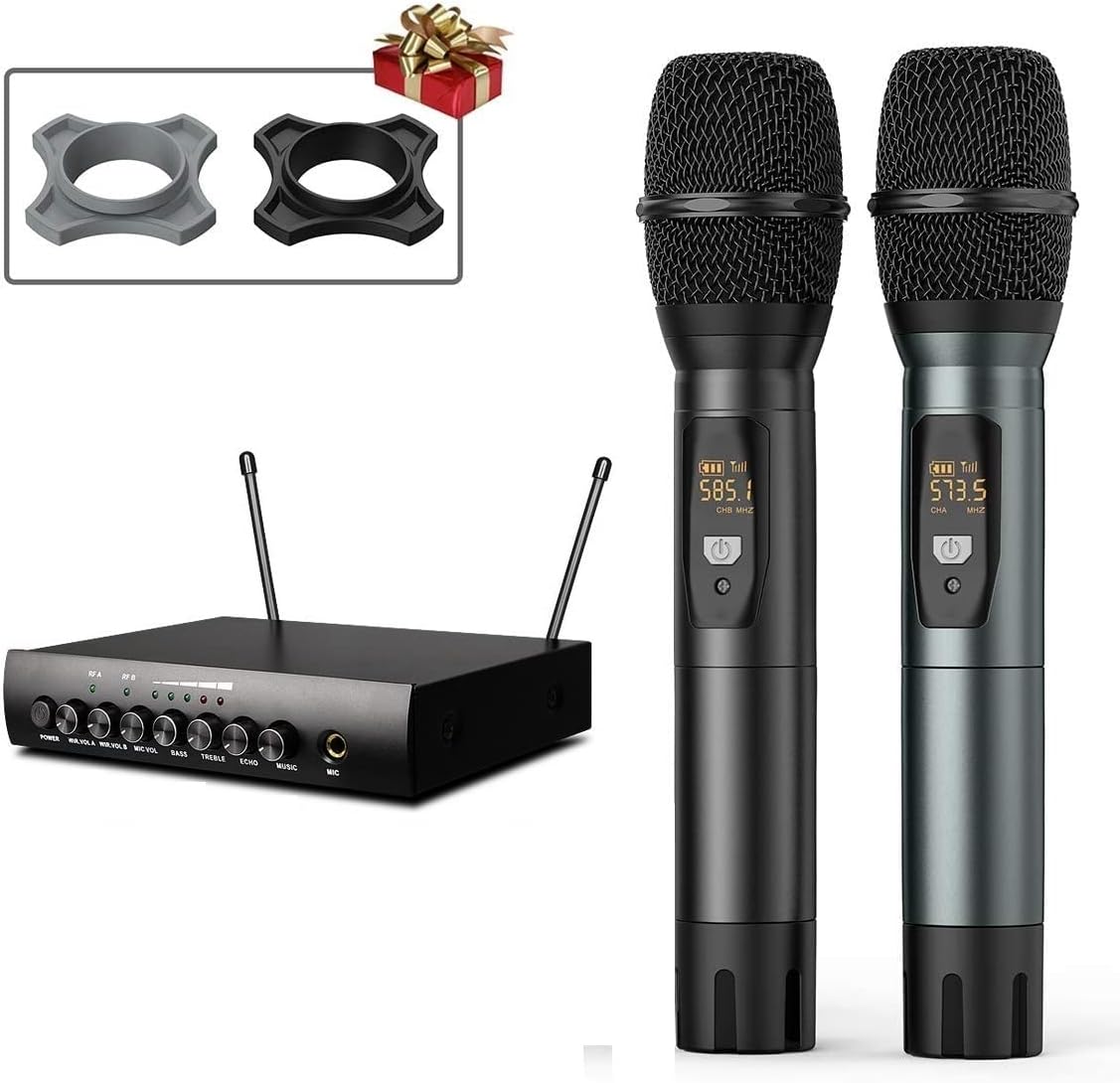
Figure 3: Wireless microphones and their receiver unit.
3. Иштөө нускамалары
3.1 Күйгүзүү жана баштапкы жүктөө
Press the POWER button on the front of the main unit. The system will boot up, displaying the dual Android and KTV operating systems. Select the KTV system for karaoke functions.
3.2 Интерфейсте навигация
The system features a capacitive touch screen for intuitive navigation. You can browse songs, adjust settings, and control playback directly from the display.

Figure 4: The touchscreen display unit for song selection and system control.
3.3 Song Selection and Cloud Downloads
The system includes a 4TB hard drive pre-loaded with approximately 90,000 songs. When connected to the internet, you can access a cloud song library with about 320,000 songs for free download. The cloud library updates every two weeks.
- Серептөө: Use the touchscreen to browse songs by artist, title, genre, or language.
- Cloud Download: Connect to Wi-Fi or LAN. Select songs from the cloud library to download them to the hard drive.
- Тилдер: The system supports Chinese, English, Cantonese, Japanese, and Korean songs, among others. Note that the English song library is smaller than the Chinese library.
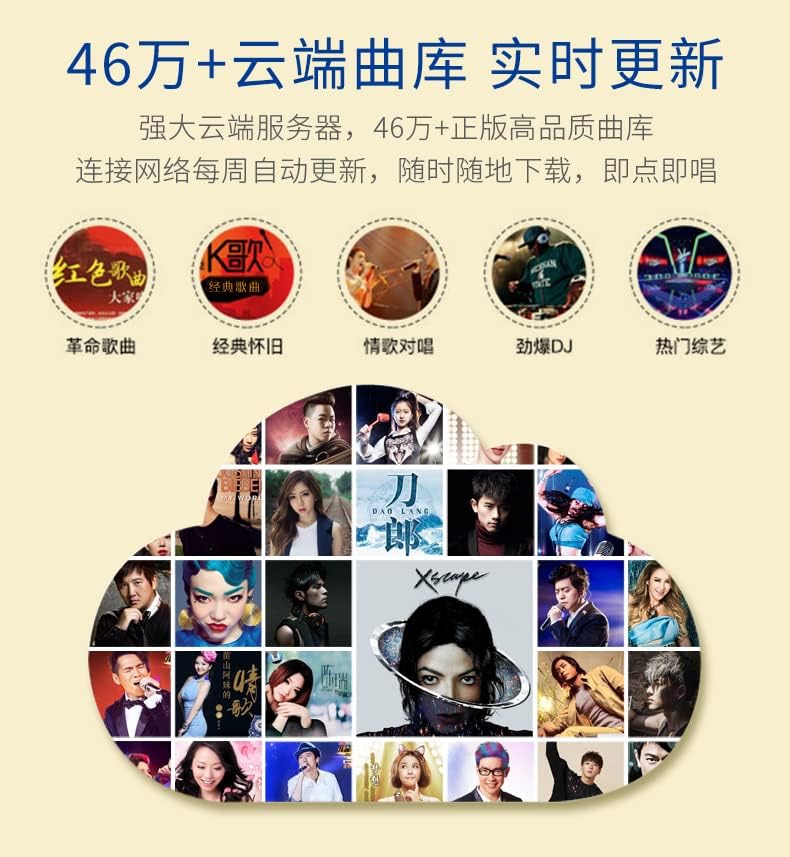
Figure 5: Representation of the cloud song library interface, indicating a large collection of songs.
3.4 Өркүндөтүлгөн функциялар
The KV-V5 Max offers various advanced functionalities:
- Intelligent Song Deletion: To manage storage, the system automatically deletes songs with low or no click-through rates when the hard drive memory falls below 10GB. These songs can be re-downloaded from the cloud if needed.
- APP Live Broadcast & Online Video: Utilize the Android system for live broadcasting, online video streaming, and TV play functions.
- Колдоого алынган форматтар: The system supports various file formats including CD, DVD, AVI, DAT, MPG, MP3, JPEG, and BMP.
- Аудио иштетүү: Features a professional audio decoder chip and supports 7.1 surround music.

Figure 6: ашыкview of various core functions and features supported by the system, including voice control, 4K video, H.265 decoding, and Wi-Fi connectivity.
4. Техникалык тейлөө
To ensure the longevity and optimal performance of your Inandon KV-V5 Max Karaoke System, follow these maintenance guidelines:
- Тазалоо: Regularly wipe the touchscreen and main unit with a soft, dry, anti-static cloth. Avoid using harsh chemicals or abrasive cleaners.
- Вентиляция: Ensure the main unit's ventilation openings are clear and unobstructed to prevent overheating.
- Сактагыч: Узак мөөнөткө колдонулбаганда, системаны түз күн нурунан жана өтө температурадан алыс салкын, кургак жерде сактаңыз.
- Программалык камсыздоо жаңыртуулары: Periodically check for system software updates to ensure you have the latest features and performance enhancements.
5. Кыйынчылыктарды
This section addresses common issues you might encounter with your Inandon KV-V5 Max Karaoke System.
| Көйгөй | Мүмкүн себеп | Чечим |
|---|---|---|
| Аудио чыгышы жок | System not connected to amplifier/speakers; incorrect audio settings. | Ensure the karaoke machine is connected to an amplifier and speakers. Check audio cable connections and system audio output settings. |
| Songs are automatically deleted | Intelligent song deletion feature activated due to low storage. | This is a normal function when hard drive memory is below 10GB. Re-download desired songs from the cloud library if needed. |
| Limited English songs available | The system's primary library has more Chinese content. | While the system supports English songs, the quantity is less than Chinese songs. Utilize the cloud download feature for a wider selection. |
| Difficulty navigating the interface | Initial learning curve for new users. | Spend time familiarizing yourself with the touchscreen interface and menu options. Practice will improve navigation speed. |
| Видео чыгаруу жок | Incorrect video cable connection; TV input not selected. | Verify HDMI or VGA cable connections. Ensure your TV is set to the correct input source (e.g., HDMI 1, VGA). |
If you encounter issues not covered here, please refer to the support section for contact information.
6. Техникалык шарттар
Key technical specifications for the Inandon KV-V5 Max Karaoke System:
| Өзгөчөлүк | Деталь |
|---|---|
| Модел | KV-V5 Max |
| Элемент Салмагы | 28.4 фунт |
| Пакеттин өлчөмдөрү | 27.3 x 20.3 x 12.5 дюйм |
| Сактагычтын көлөмү | 4TB (approx. 90,000 songs) |
| Cloud Song Library | Approx. 320,000 songs (free download, updates every 2 weeks) |
| Шайкеш түзмөктөр | Ampөмүрлүү |
| Туташтыргычтын түрлөрү | HDMI, RCA, USB, VGA, LAN, Coaxial, Optical |
| Power Source | Электр розеткасына сайыңыз |
| Өзгөчө өзгөчөлүк | Wireless Microphones, Capacitive Touch Screen, Dual System (Android/KTV), Wi-Fi Receiver |
| Камтылган компоненттер | Микрофондор |
| Сунушталган Колдонуулар | Home parties, Recreational/entertainment purposes, Live performances |
7. Колдоо
For technical assistance or further inquiries regarding your Inandon KV-V5 Max Karaoke System, please contact the seller or manufacturer directly.
Wechat Technical Support: 17727581630
When contacting support, please have your product model (KV-V5 Max) and any relevant purchase information ready.