
Introduction
This manual provides instructions for the proper setup, operation, maintenance, and troubleshooting of your Lazmin112 USB Wired Stereo Soundbar. Please read this manual thoroughly before using the product to ensure optimal performance and longevity.
Сүрөт: алдыңкы view of the Lazmin112 USB Wired Stereo Soundbar.
Продукт өзгөчөлүктөрү
- 3D стерео үн: Equipped with two speakers and DSP bass sound technology for clear audio output.
- Кеңири шайкештик: Connects to various devices including desktops, laptops, smartphones, tablets, MP3, and MP4 players via a 3.5mm audio port. Powered by USB.
- Туруктуу жана портативдик дизайн: Constructed from high-quality plastic, making it lightweight and suitable for various indoor settings.
- Интеграцияланган үн башкаруусу: Features a volume knob on the cable for easy sound adjustment.
- Көк LED жарыктандыруу: Incorporates a blue LED breathing light for visual indication.

Image: Soundbar displaying the blue LED breathing light.

Image: Illustration of the soundbar's 3D stereo sound capability with two speakers.
Пакеттин мазмуну
Пакетте бардык буюмдар бар экенин текшериңиз:
- Lazmin112 USB Wired Stereo Soundbar
- USB кабели (интеграцияланган)
Орнотуу колдонмосу
- USB кубатын туташтыруу: Insert the USB plug into an available USB port on your computer, laptop, or a compatible USB power adapter. This provides power to the soundbar.
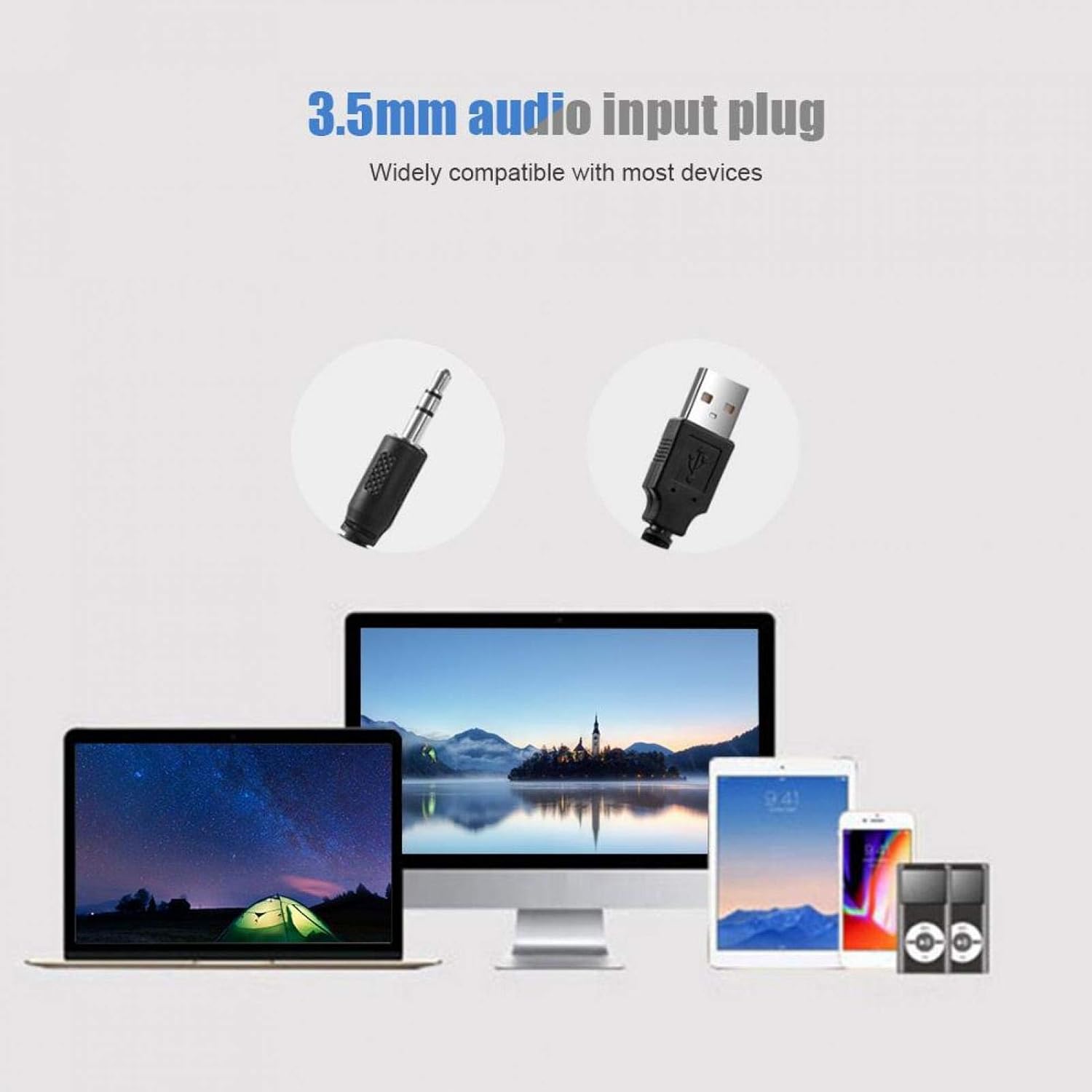
- Аудио туташтыруу: Insert the 3.5mm audio plug into the audio output jack (headphone jack) of your device (PC, laptop, smartphone, tablet, etc.).
- Position the Soundbar: Place the soundbar on a stable surface, such as a desk or shelf, ensuring it is not obstructed for optimal sound projection.
- Байланышты текшерүү: Ensure both the USB and 3.5mm audio plugs are securely connected.

Image: Illustration of connecting the 3.5mm audio input plug and USB power plug to various devices.
Иштөө нускамалары
- Күйгүзүү: Once the USB cable is connected to a power source, the soundbar will power on automatically, indicated by the blue LED light.
- Үндү тууралоо: Use the inline volume knob located on the cable to increase or decrease the sound output. Rotate clockwise to increase volume and counter-clockwise to decrease.
- Аудио ойнотуу: Begin playing audio from your connected device. The sound will be routed through the soundbar.
- Өчүрүү: Disconnect the USB cable from the power source to turn off the soundbar.

Image: A hand adjusting the inline volume knob on the soundbar's cable.
Техникалык тейлөө
- Тазалоо: Use a soft, dry cloth to clean the exterior of the soundbar. Avoid using liquid cleaners or abrasive materials.
- Сактагыч: Саундбарды көпкө чейин колдонбогон учурда, аны салкын, кургак жерде, күндүн түз нурунан жана өтө жогорку температурадан алыс сактаңыз.
- Кабельге кам көрүү: Зыяндын алдын алуу үчүн кабелдерди өтө ийилип же бурмалоодон алыс болуңуз.
Проблемаларды чечүү
| Көйгөй | Мүмкүн себеп | Чечим |
|---|---|---|
| Үн чыгышы жок |
|
|
| Бурмаланган үн |
|
|
| Көк LED күйбөйт | USB power not connected or faulty. | Ensure the USB cable is securely connected to a functional USB port. Try a different USB port or power adapter. |
Техникалык шарттар
| Өзгөчөлүк | Деталь |
|---|---|
| Бренд | Lazmin112 |
| Модель аты | Lazmin112o71kzmndxi6060-01 |
| Динамик түрү | Саундбар |
| Байланыш технологиясы | USB (for power), 3.5mm Audio Jack (for signal) |
| Аудио чыгаруу режими | Стерео, айлана |
| Динамиктин максималдуу чыгаруу күчү | 3 Ватт |
| Материал | Пластик |
| Түс | Ак |
| Продукциянын өлчөмдөрү (L x W x Y) | 12.6" x 2.5" x 2.7" (32см x 6.4см x 6.8см) |
| Элемент Салмагы | 1.32 фунт |
| Башкаруу ыкмасы | Volume Knob (inline) |
| Шайкеш түзмөктөр | Smartphone, Tablet, MP3 Player, Desktop, Laptop |

Image: Diagram illustrating the physical dimensions of the soundbar.
Кепилдик жана колдоо
This product comes with a limited warranty. For detailed warranty information or technical support, please refer to the product packaging or contact Lazmin112 customer service through the retailer where the product was purchased.