
1. Киришүү
Thank you for choosing the Hoco HC2 Wireless Speaker. This manual provides essential information for setting up, operating, and maintaining your device. Please read it carefully before use to ensure optimal performance and longevity of your speaker.
2. Өзгөчөлүктөрү
- туруктуу жана натыйжалуу зымсыз байланыш үчүн Bluetooth 5.0.
- Dual 52mm speaker units with 5W x 2 power output for rich, clear audio.
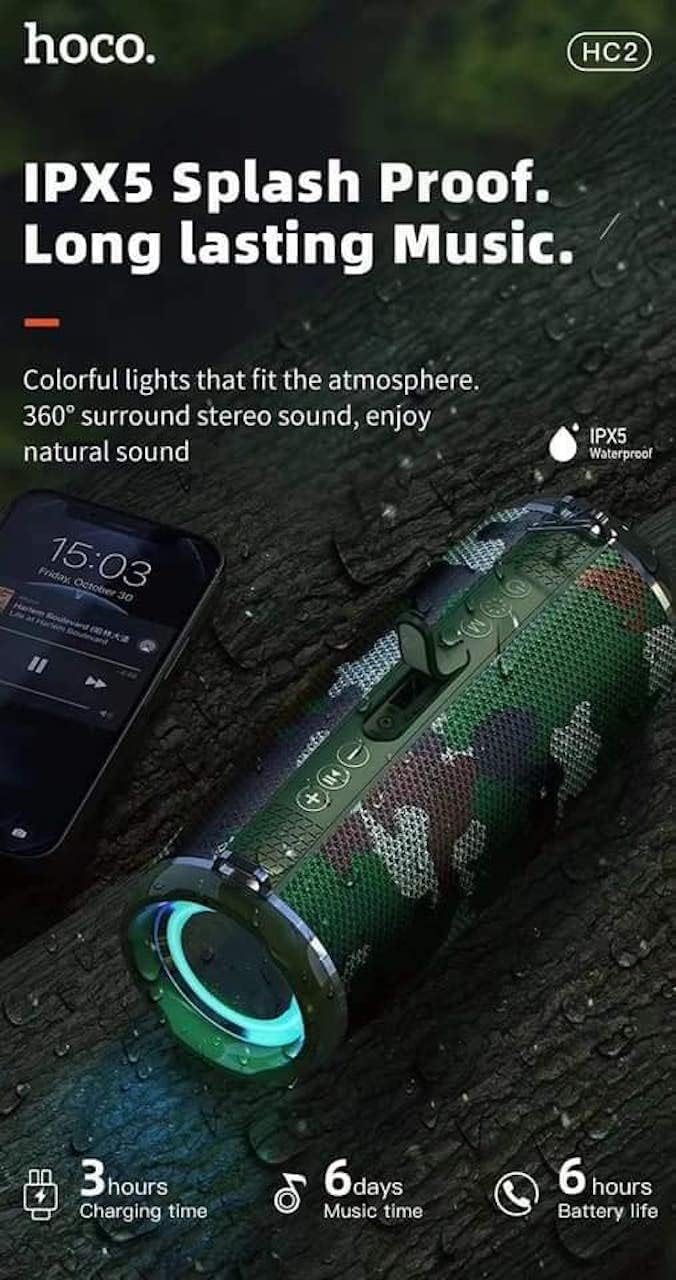
- Built-in 2400 mAh battery providing approximately 6 hours of talk/music playback time.
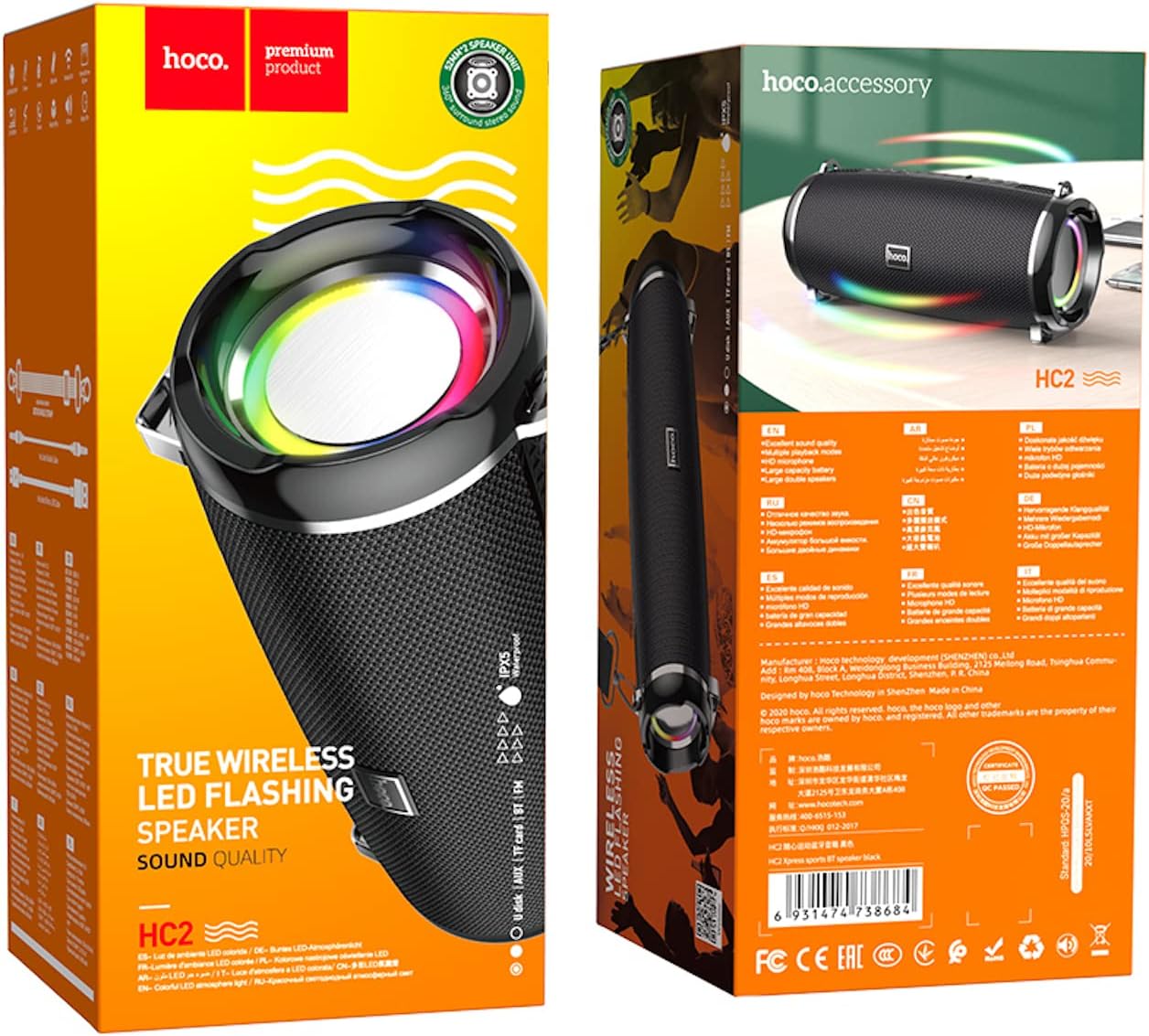
- Versatile playback options: Supports Bluetooth, TF card, USB, AUX, and FM radio modes.
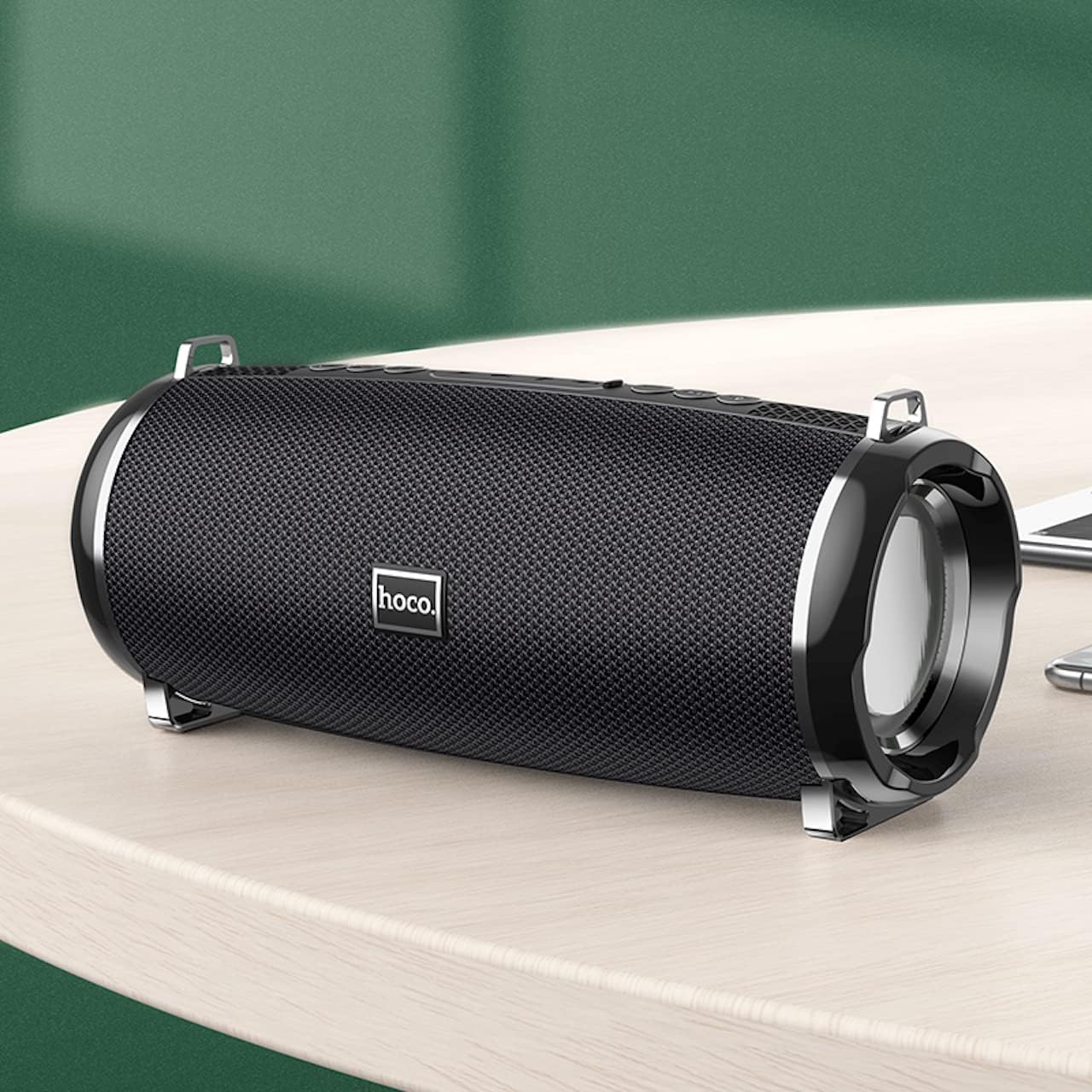
- Compact and portable design with dimensions of 194.4 x 81 x 82 mm and a weight of 598 grams.
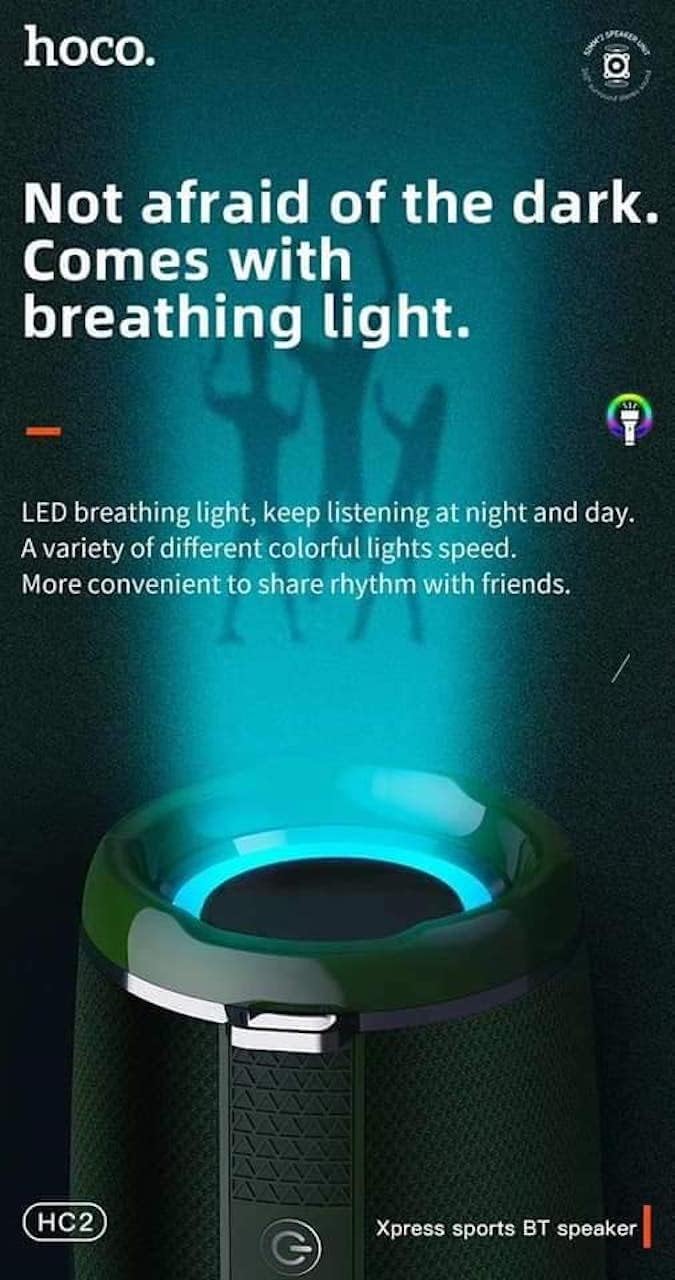
- Features LED breathing light for enhanced visual experience.
- IPX5 splash-proof rating for outdoor use.
3. Пакеттин мазмуну
Сураныч, пакетте төмөнкү нерселерди текшериңиз:
- Hoco HC2 Wireless Speaker
- USB заряддоо кабели
- User Manual
- Shoulder Strap (may vary by package)
4. Орнотуу
4.1 Динамикти заряддоо
Before first use, fully charge the speaker. Connect the provided USB charging cable to the speaker's charging port and the other end to a USB power adapter (not included) or a computer's USB port. The charging indicator light will illuminate during charging and turn off when fully charged. Charging takes approximately 3 hours.
4.2 Күйгүзүү/өчүрүү
Press and hold the power button for a few seconds to turn the speaker on or off. A voice prompt will indicate the power status.
4.3 Bluetooth жупташтыруу
- Динамикти күйгүзүңүз. Ал автоматтык түрдө Bluetooth жупташтыруу режимине кирет, жаркыраган LED жарыгы менен көрсөтүлөт.
- Смартфонуңузда, планшетиңизде же башка түзмөгүңүздө Bluetooth'ду иштетиңиз.
- Издөө "HC2" in the list of available Bluetooth devices.
- Select "HC2" to connect. Once connected, a voice prompt will confirm the successful pairing, and the LED light will stop flashing.
- Эгер сырсөз суралса, "0000" киргизиңиз.
Эгерде түзмөктүн Bluetooth функциясы активдүү болсо жана анын диапазонунда болсо, динамик күйүп турганда акыркы жупташтырылган түзмөккө автоматтык түрдө кайра туташат.
5. Иштөө нускамалары
5.1 Режимди алмаштыруу
Press the 'M' (Mode) button to cycle through available modes: Bluetooth, TF Card, USB, AUX, and FM Radio.
5.2 Music Playback (Bluetooth/TF Card/USB)
- Ойнотуу/тындыруу: Play/Pause баскычын басыңыз.
- Кийинки трек: Short press the 'Next' button.
- Мурунку трек: Short press the 'Previous' button.
- Көлөмү: "Үндү катуулатуу" баскычын көпкө басып туруңуз.
- Үнүн азайтуу: "Үндү азайтуу" баскычын көпкө басып туруңуз.
5.3 FM радиосунун иштеши
- 'M' баскычын колдонуп, FM радио режимине которулуңуз.
- Press the Play/Pause button to automatically scan and save available radio stations.
- Use the 'Next' and 'Previous' buttons to switch between saved stations.
5.4 AUX режими
Connect an external audio device (e.g., MP3 player, computer) to the speaker's AUX port using a 3.5mm audio cable. The speaker will automatically switch to AUX mode. Control playback from your connected device.
5.5 LED жарыгын башкаруу
The speaker features an LED breathing light. Refer to the specific button on your speaker (often a dedicated light button or a long press on a volume button) to cycle through light modes or turn the light on/off.
6. Техникалык тейлөө
- Тазалоо: Динамикти тазалоо үчүн жумшак, кургак чүпүрөктү колдонуңуз. Абразивдүү тазалагычтарды же эриткичтерди колдонбоңуз.
- Сактагыч: Динамикти түз күн нурунан жана өтө температурадан алыс салкын, кургак жерде сактаңыз.
- Батареяга кам көрүү: To prolong battery life, charge the speaker regularly, even if not in use. Avoid fully discharging the battery frequently.
- Суу каршылык: The speaker is IPX5 splash-proof, meaning it can resist light splashes of water. Do not submerge it in water or expose it to heavy rain. Ensure all ports are securely covered when exposed to moisture.
7. Кыйынчылыктарды
| Көйгөй | Мүмкүн себеп | Чечим |
|---|---|---|
| Динамик күйбөйт. | Батарея аз. | Динамикти толук заряддаңыз. |
| Үн жок. | Үнү өтө төмөн; туура эмес режим; түзмөк туташкан эмес. | Increase volume; switch to correct mode; ensure device is paired/connected. |
| Bluetooth жупташуусу болбой жатат. | Динамик жупташтыруу режиминде эмес; түзмөк өтө алыс; тоскоолдук бар. | Ensure speaker is in pairing mode; move devices closer; restart both devices. |
| FM радиосун кабыл алуу начар. | Алсыз сигнал. | Relocate the speaker to an area with better signal. |
8. Техникалык шарттар
| Спецификация | Деталь |
|---|---|
| Модель аты | HC2 |
| Продукциянын өлчөмдөрү | 19.44 x 8.2 x 8.1 см |
| Салмагы | 598 грамм |
| Байланыш технологиясы | Bluetooth, FM, TF Card, USB Disk, AUX, TWS |
| Bluetooth версиясы | 5.0 |
| Чипсет | JLAC6928B |
| Батарея сыйымдуулугу | 2400 мАч |
| Заряддоо убактысы | Болжол менен 3 саат |
| Talk/Music Playback Time | Болжол менен 6 саат |
| Динамик бирдиги | 52 мм × 2 |
| Динамиктердин максималдуу чыгаруу күчү | 5Вт × 2 |
| Аудио чыгаруу режими | Курчап |
| Өзгөчө өзгөчөлүк | Bluetooth, TF Card, USB, AUX, FM Radio support |
| Сунушталган Колдонуулар | Smartphones, Tablets, Music Players, Surround Sound Systems |
| Шайкеш түзмөктөр | Smartphone, Laptop, MP3 Player, Tablet, Desktop Computer |
| Монтаж түрү | Стол үстү |
9. Продукциянын сүрөттөрү




10. Кепилдик жана колдоо
Hoco products are manufactured to the highest quality standards. This product is covered by a standard manufacturer's warranty against defects in materials and workmanship. Please refer to the warranty card included in your package for specific terms and conditions, including the warranty period.
For technical support, troubleshooting assistance, or warranty claims, please contact Hoco customer service through their official website or the retailer from whom you purchased the product. Keep your purchase receipt as proof of purchase for warranty purposes.
Extended protection plans may be available from your retailer. These plans offer additional coverage beyond the standard manufacturer's warranty.