
Introduction
Сатып алганыңыз үчүн рахматasing the Hoco HC4 5.0 Wireless Bluetooth Sport Speaker. This manual provides detailed instructions for the proper setup, operation, and maintenance of your device. Please read this manual thoroughly before use to ensure optimal performance and to prevent damage.
Продукт бүттүview
The Hoco HC4 is a portable wireless speaker designed for outdoor and sport use, featuring Bluetooth 5.0 connectivity, multiple playback options, and a robust design.
Пакеттин мазмуну:
- Hoco HC4 Wireless Bluetooth Speaker
- USB заряддоо кабели
- User Manual
Башкаруу каражаттары жана порттор:
Familiarize yourself with the speaker's buttons and connection ports:

Сүрөт: Close-up of the Hoco HC4 speaker showing the AUX port, DC-5V charging port, USB port, TF card slot, and control buttons.
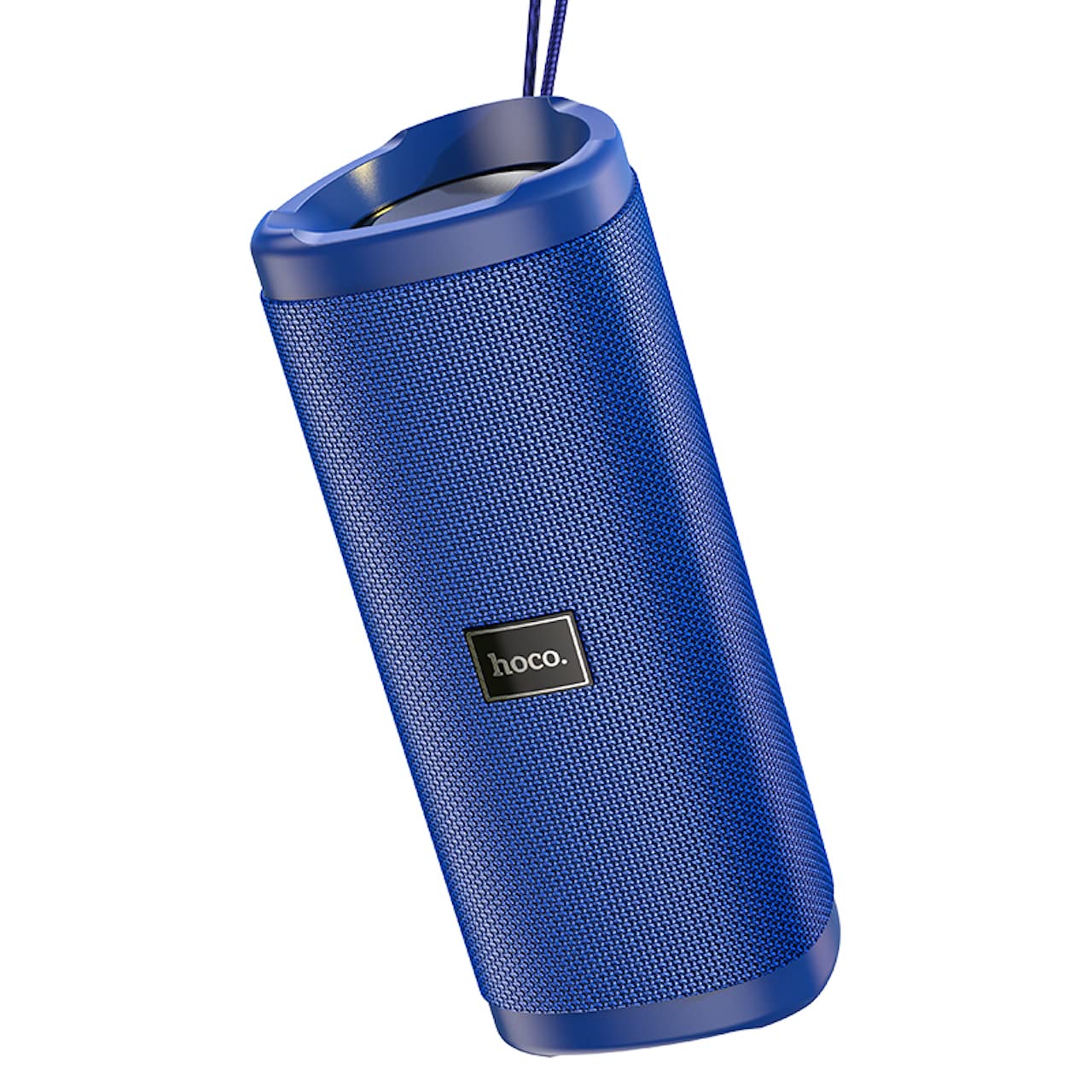
Сүрөт: Бурчтуу view of the Hoco HC4 blue wireless speaker, highlighting its cylindrical design and fabric mesh.
- Кубат баскычы: Күйгүзүү/өчүрүү үчүн басып туруңуз. Ойнотуу/тындыруу үчүн кыска басыңыз.
- Режим баскычы (M): Short press to switch between Bluetooth, FM Radio, TF Card, USB, and AUX modes.
- Үндү азайтуу / Мурунку трек баскычы (-): Мурунку трек үчүн кыска басыңыз, үндү азайтуу үчүн көпкө басыңыз.
- Үндү катуулатуу / Кийинки трек баскычы (+): Кийинки трек үчүн кыска басыңыз, үнүн катуулатуу үчүн көпкө басыңыз.
- AUX порту: For wired audio connection using a 3.5mm audio cable.
- DC-5V порт: Берилген USB кабелин колдонуп, динамикти кубаттоо үчүн.
- USB порт: USB флэш-дискинен аудио ойнотуу үчүн.
- TF карта уячасы: TF (MicroSD) картасынан аудио ойнотуу үчүн.
Жайгашуу
Алгачкы заряддоо:
- Биринчи колдонуудан мурун динамикти толук заряддаңыз.
- Connect the small end of the USB charging cable to the DC-5V port on the speaker.
- Connect the larger end of the USB cable to a USB power adapter (5V/1A recommended) or a computer's USB port.
- Заряддоо индикатору кубаттоо учурунда күйөт жана толук заряддалганда өчөт.
Иштөө нускамалары
Күйгүзүү/өчүрүү:
- Күйгүзүү үчүн: Кубат баскычын болжол менен 3 секунд басып, кармап туруңуз. Үндүү сигнал угасыз.
- Өчүрүү үчүн: Кубат баскычын болжол менен 3 секунд басып, кармап туруңуз. Үндүү сигнал угасыз.
Bluetooth жупташууда:
- Ensure the speaker is powered on and in Bluetooth mode (indicated by a flashing blue LED and an audible prompt). If not, short press the 'M' (Mode) button to switch to Bluetooth mode.
- Мобилдик түзмөгүңүздө Bluetooth'ду иштетиңиз (смартфон, планшет ж.б.).
- Издөө available Bluetooth devices. Select "HC4" from the list.
- Once paired, the blue LED will stop flashing and remain solid, and you will hear a confirmation sound.
- Эми сиз түзмөгүңүздөн аудиону динамик аркылуу ойной аласыз.
FM радио режими:
- Short press the 'M' (Mode) button until you hear the FM radio prompt.
- To auto-scan and save available stations, short press the Power button. The speaker will scan and store stations automatically.
- Use the '-' and '+' buttons to navigate between saved stations.
TF Card / USB Playback:
- Insert a TF (MicroSD) card or USB flash drive into the respective slot.
- The speaker will automatically switch to TF card or USB mode and begin playing audio files. If not, short press the 'M' (Mode) button to select the correct mode.
- Use the Power button to play/pause, and the '-' and '+' buttons for track navigation and volume control.
AUX режими:
- 3.5 мм аудио кабелинин бир учун (киргизилген эмес) динамиктеги AUX портуна туташтырыңыз.
- Connect the other end to the audio output of your device (e.g., laptop, MP3 player).
- Short press the 'M' (Mode) button to switch to AUX mode.
- Audio will now play through the speaker. Volume can be controlled via the speaker or your connected device.
Чыныгы зымсыз стерео (TWS) функциясы:
The TWS function allows you to pair two Hoco HC4 speakers together for a stereo sound experience.
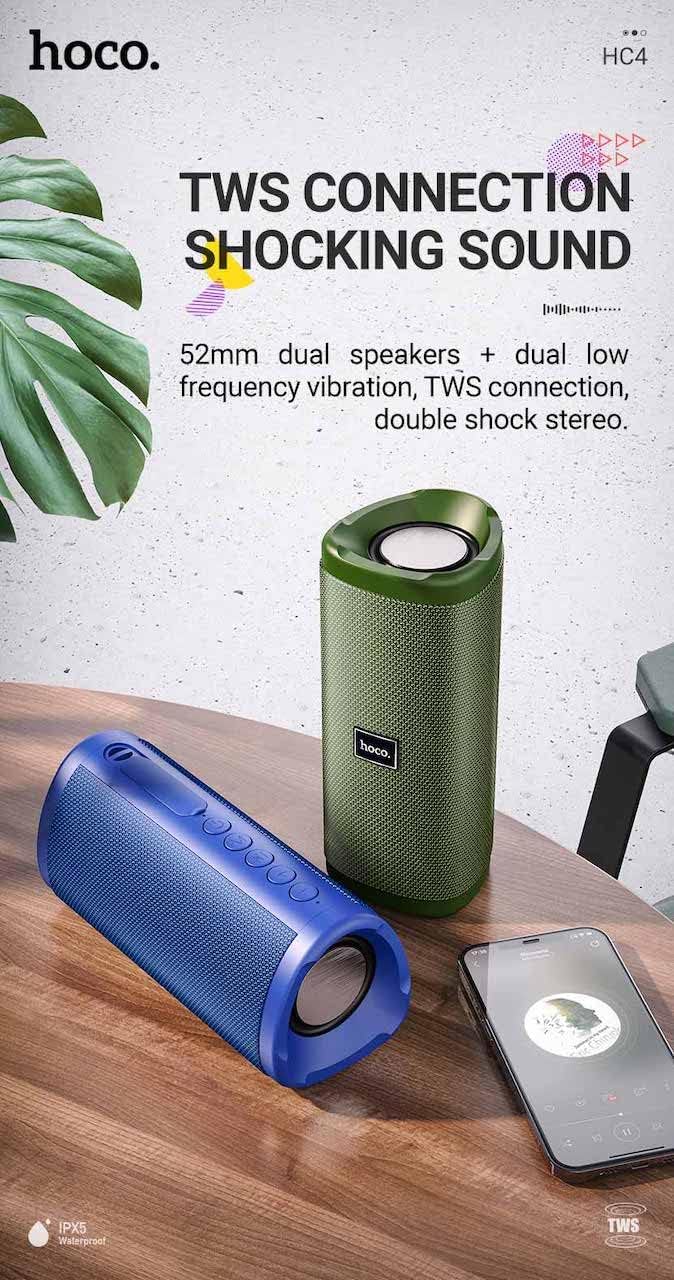
Сүрөт: A promotional image showing two Hoco HC4 speakers (blue and green) connected via TWS, with a smartphone playing music. The image also highlights 'IPX5 Waterproof'.
- Ensure both HC4 speakers are powered on and in Bluetooth pairing mode (flashing blue LED).
- On one of the speakers (this will be the primary speaker), double-press the Power button. You will hear a tone indicating it is searching for another speaker.
- The two speakers will automatically connect to each other. Once connected, you will hear a confirmation sound, and the LED on the primary speaker will flash, while the secondary speaker's LED will be solid.
- Эми, "Bluetooth жупташтыруу" бөлүмүндө сүрөттөлгөндөй, мобилдик түзмөгүңүздү негизги динамикке Bluetooth аркылуу туташтырыңыз.
- Аудио эми эки динамиктен тең стерео режиминде ойнотулат.
Заряддоо
When the battery is low, the speaker will emit an audible warning. Connect the speaker to a power source using the provided USB cable to recharge. A full charge takes approximately 2-3 hours. The speaker provides up to 3 hours of playtime on a full charge, depending on volume level and usage.
Техникалык тейлөө
Тазалоо:
Динамикти жумшак, кургак чүпүрөк менен сүртүңүз. Абразивдүү тазалоочу каражаттарды, спиртти же башка химиялык эриткичтерди колдонбоңуз, анткени алар бетине зыян келтириши мүмкүн.
Сактагыч:
Store the speaker in a cool, dry place away from direct sunlight and extreme temperatures. If storing for an extended period, charge the battery at least once every three months to prolong its lifespan.
Суу туруктуулугу (IPX5):
The Hoco HC4 speaker features an IPX5 water resistance rating, meaning it is protected against low-pressure water jets from any direction. This makes it suitable for outdoor use and resistant to splashes and light rain. Динамикти сууга батырбаңыз. Ensure the port cover is securely closed to maintain water resistance.
Проблемаларды чечүү
| Көйгөй | Мүмкүн себеп | Чечим |
|---|---|---|
| Динамик күйбөйт | Аз батарея; Кубат баскычы жетишерлик көпкө басылган жок | Динамикти кубаттаңыз; Күйгүзүү баскычын 3 секунд басып туруңуз |
| Үн жок | Үнү өтө төмөн; Туура эмес режим; Түзмөк туташкан эмес | Increase volume; Switch to correct mode (Bluetooth, AUX, etc.); Ensure device is paired/connected |
| Bluetooth жупташтыруу ишке ашпай калды | Динамик жупташтыруу режиминде эмес; Түзмөктүн Bluetooth өчүк; Спикерден өтө алыс | Ensure speaker is in Bluetooth mode (flashing LED); Turn on device Bluetooth; Move device closer (within 10m) |
| TWS жупташтыруу ишке ашпай калды | Speakers not in TWS pairing mode; Too far apart | Ensure both speakers are in Bluetooth mode, then double-press Power button on one; Keep speakers close during TWS pairing |
Техникалык шарттар

Сүрөт: The Hoco HC4 speaker with its dimensions clearly marked: 20 cm in length, 8.8 cm in height, and 8.1 cm in width.
- Бренд: Hoco
- Модел: HC4
- Bluetooth версиясы: 5.0
- Чыгуу күчү: 10 Вт
- Динамик өлчөмү: 52мм
- Батарея сыйымдуулугу: 1500mAh
- Оюн убактысы: Болжол менен 3 саат (80% көлөмдө)
- Заряддоо убактысы: Болжол менен 2-3 саат
- Өлчөмдөрү: 200 x 88 x 81 mm (Length x Height x Width)
- Салмагы: 540 грамм
- Туташуу параметрлери: Bluetooth, FM Radio, TF Card, USB, AUX
- Суу каршылык: IPX5 (чачууга каршы)
- Башкаруу түрү: баскыч
Коопсуздук маалыматы
- Динамикти экстремалдык температурага же түз күн нуруна узак убакытка калтырбаңыз.
- Спикерди түшүрүүдөн же катуу таасирлерге дуушар кылуудан качыңыз.
- Keep the speaker away from water and liquids, especially when ports are open.
- Динамикти өз алдынча бөлүктөргө бөлүүгө, оңдоого же өзгөртүүгө аракет кылбаңыз. Бул кепилдикти жокко чыгарат жана зыян келтириши мүмкүн.
- Көрсөтүлгөн кубаттоо көлөмүн гана колдонуңузtage (DC 5V) and the provided charging cable.
- Балдар жетпеген жерде сактаңыз.
Кепилдик жана колдоо
This product is covered by a standard manufacturer's warranty. For specific warranty terms and conditions, please refer to the warranty card included with your purchase or contact your local retailer. For technical support or service inquiries, please contact Hoco customer service or the authorized distributor in your region.