
1. Киришүү
This manual provides essential instructions for the proper setup, operation, and maintenance of your Easytry123 Replacement Remote Control. This remote is designed to function with various Pioneer car audio systems. Please read this manual thoroughly before use.
2. Орнотуу
2.1 Батареяны орнотуу
Алыстан башкаруу пульту үчүн эки (2) AAA батарейкасы керек (кошулмага кирбейт). Батарейкаларды орнотуу үчүн төмөнкү кадамдарды аткарыңыз:
- Пульттун артындагы батарея бөлүкчөсүнүн капкагын табыңыз.
- Press down on the tab and slide the cover off in the direction indicated by the arrow.
- Оң (+) жана терс (-) терминалдары бөлүмдүн ичиндеги белгилер менен туура дал келишин камсыз кылып, эки AAA батарейкасын салыңыз.
- Батарея бөлүкчөсүнүн капкагын бекем чыккыча ордуна жылдырыңыз.

Image 1: Back of the remote control with the battery cover removed, revealing the AAA battery slots.
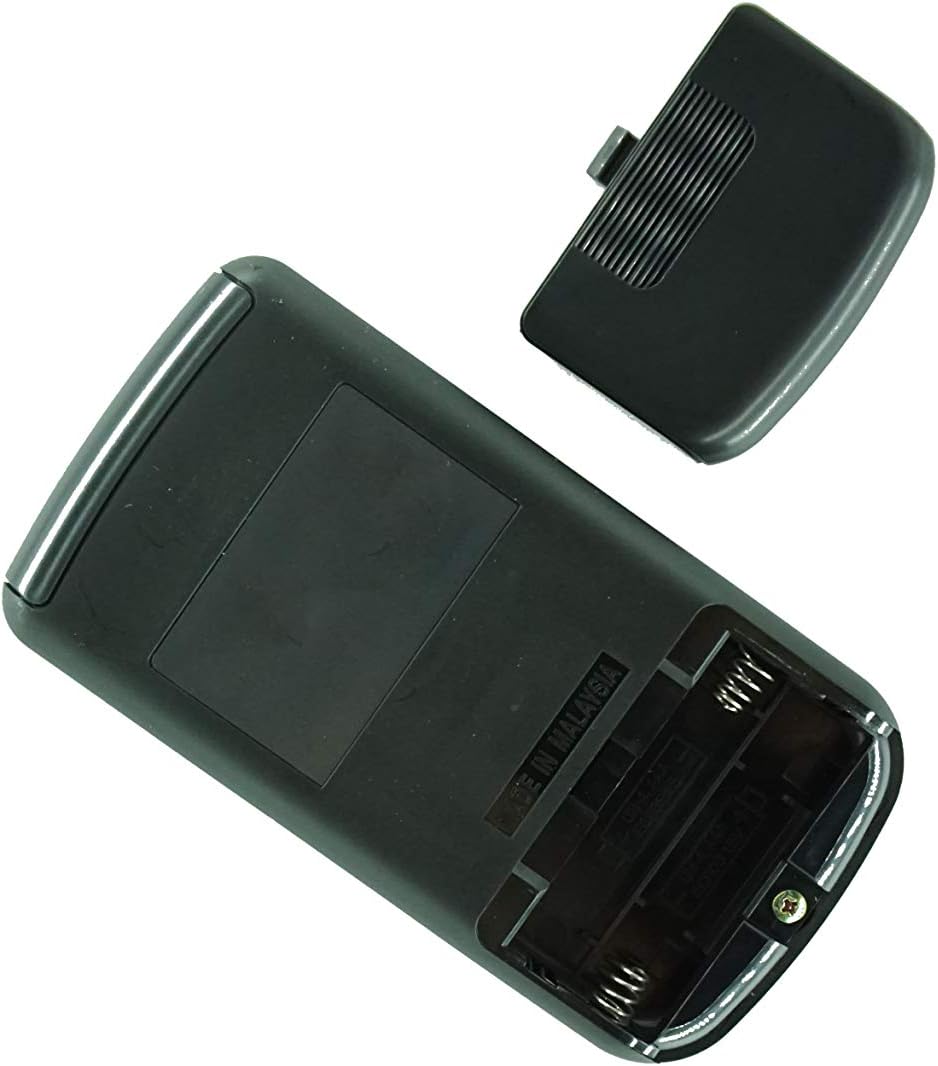
Сүрөт 2: Бурчтуу view of the remote control's back, showing the battery compartment and manufacturing origin.
Маанилүү: Ensure batteries are inserted with correct polarity. Incorrect installation can damage the remote control.
3. Иштөө нускамалары
This remote control operates via infrared (IR) technology. For optimal performance, ensure a clear line of sight between the remote's IR emitter and the IR receiver on your Pioneer car audio system.
3.1 Негизги функциялар
- Күйгүзүү/өчүрүү: басыңыз КҮЧ button to turn your audio system on or off.
- Үндү көзөмөлдөө: колдонуу VOL+ жана VOL - үн деңгээлин тууралоо үчүн баскычтар.
- Булак тандоо: басыңыз БУЛАК or РЕЖИМ button to cycle through available audio sources (e.g., Radio, CD, USB, AUX).
- Track/Station Navigation: колдонуу ӨТКӨРҮҮ or КОНУН buttons to change tracks, skip chapters, or tune radio stations.
- Үнсүз: басыңыз БАСУУ button to temporarily silence the audio. Press again to restore sound.
Эскертүү: The exact functionality of each button may vary slightly depending on your specific Pioneer car audio system model. Refer to your Pioneer system's original manual for detailed function descriptions.
4. Техникалык тейлөө
4.1 Батареяны алмаштыруу
Алыстан башкаруу пульту жай жооп берсе же иштебей калса, батареяларды алмаштырыңыз. Ар дайым эки батареяны тең бир эле учурда жаңы AAA батареялары менен алмаштырыңыз. Эски жана жаңы батареяларды, же ар кандай типтеги батареяларды аралаштырбаңыз.
4.2 Тазалоо
Алыстан башкаруу пультун тазалоо үчүн аны жумшак, кургак чүпүрөк менен сүртүңүз. Абразивдүү тазалоочу каражаттарды, момдорду же эриткичтерди колдонбоңуз, анткени алар капталына же ички компоненттерине зыян келтириши мүмкүн.
5. Кыйынчылыктарды
- Пульт жооп бербей жатат:
- Батареялардын туура полярдуулукта жана туура орнотулганын текшериңиз.
- Батареяларды жаңыларына алмаштырыңыз.
- Ensure there is a clear line of sight between the remote and the car audio system's IR receiver. Obstructions can block the signal.
- Make sure you are within the effective operating range (typically 15-20 feet).
- Айрым функциялар иштебейт:
- This replacement remote may not offer all the exact same functions as your original remote. Refer to the product listing for compatibility details.
- Ensure your Pioneer audio system is powered on and in the correct mode for the function you are trying to use.
6. Техникалык шарттар
- Бренд: Easytry123
- Байланыш технологиясы: Инфракызыл (IR)
- Батареялар талап кылынат: 2 x AAA (Щелочтуу колдонуу сунушталат)
- Колдоого алынган түзмөктөрдүн максималдуу саны: 1
- Өзгөчө өзгөчөлүгү: Ergonomic, Replacement remote
- Compatible Pioneer Models: CXA6155, CXA5961, CXA6606, CXA5856, KEH-P770, CXC2668, DEH-P1Y, CXA8336, DEH-503, CXA4026, FH-M70, KEH-M8300, DEX-M88RDS, DEH-P703
7. Колдоо
If you encounter any issues not covered in this manual or have questions regarding the compatibility or functionality of your Easytry123 Replacement Remote Control, please contact the seller directly for assistance. It is recommended to verify your specific Pioneer model number before contacting support.