
1. Киришүү
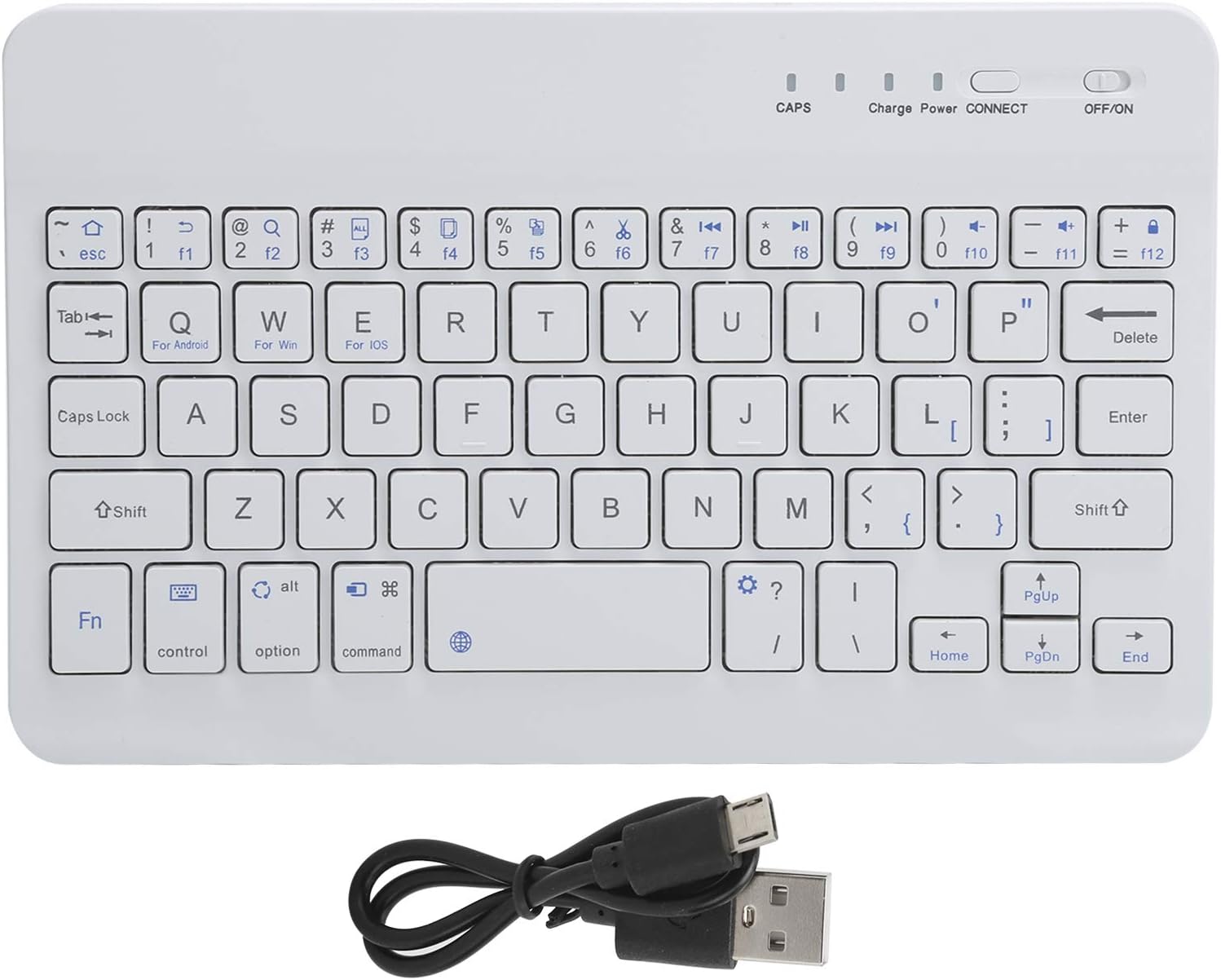
The VBESTLIFE Mini Bluetooth Keyboard is a compact and portable input device designed for convenience and efficiency. Featuring 59 keys and a Broadcom Bluetooth 3.0 chip, it offers stable and high-speed wireless connectivity for various devices. Its lightweight design makes it suitable for students, home, office, and school environments.

2. Пакеттин мазмуну
Төмөндө тизмеленген нерселердин баары пакетиңизге камтылганын текшериңиз:
- 1 x VBESTLIFE Mini Bluetooth Keyboard
- 1 x Micro USB заряддоо кабели
- 1 x Англис колдонуучу колдонмо
3. Техникалык шарттар
| Өзгөчөлүк | Деталь |
|---|---|
| Элемент түрү | Мини клавиатура |
| Модел | HB028 |
| Түс | Ак |
| Негизги материал | ABS пластик |
| баскычтардын саны | 59 |
| Bluetooth Chip & Version | Broadcom Bluetooth 3.0 |
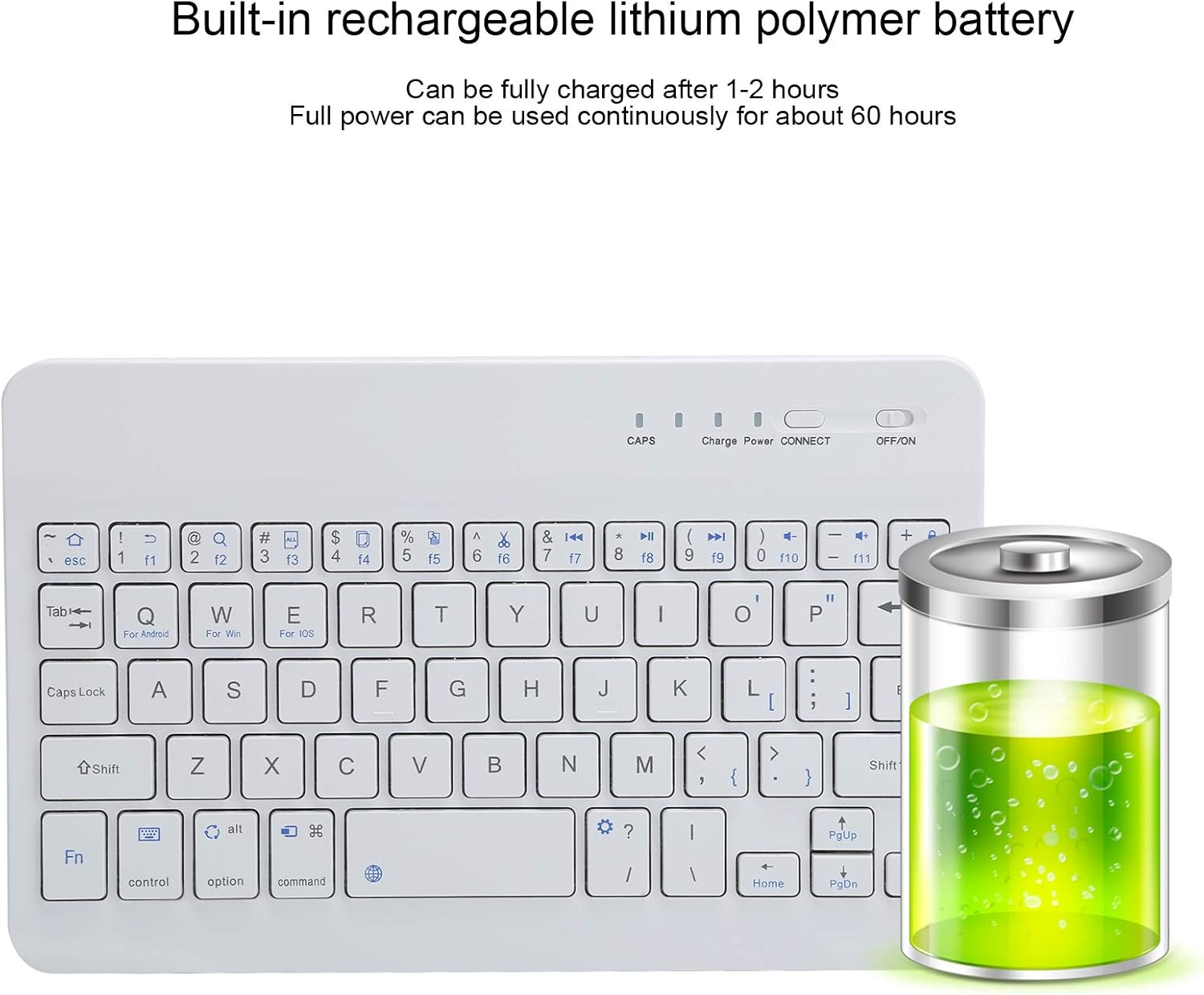
| Батарея сыйымдуулугу | 150 mAh (Polymer Lithium) |
| Заряддоо интерфейси | Микро USB |
| Заряддоо убактысы | 1-2 саат |
| Үзгүлтүксүз колдонуу убактысы | Болжол менен 60 саат (толук заряддалган) |
| Күтүү убактысы | 30 күн |
| Operating Voltage | 3.0 ~ 5.0 В. |
| Баскычтын иштөө мөөнөтү | 100 миллион пресс |
| Натыйжалуу колдонуу аралыгы | Болжол менен 10 метр (32.8 фут) |
| Шайкеш түзмөктөр | Laptop, Smartphone, Tablet (OS X Air5/Samsung and others) |

4. Орнотуу
4.1 Баскычтопту заряддоо
- Locate the Micro USB charging port on the side of the keyboard.
- Connect the provided Micro USB cable to the keyboard's charging port.
- USB кабелинин экинчи учун стандарттуу USB кубат булагына туташтырыңыз (мисалы, компьютердин USB порту, USB дубал адаптери).
- Кубаттоо учурунда клавиатурадагы "Заряддоо" индикатору күйөт.
- Charging typically takes 1 to 2 hours. The 'Charge' indicator will turn off or change color once fully charged.
4.2 Күйгүзүү/өчүрүү
- To power on the keyboard, slide the 'OFF/ON' switch located on the top right side of the keyboard to the 'ON' position. The 'Power' indicator light will briefly illuminate.
- To power off the keyboard, slide the 'OFF/ON' switch to the 'OFF' position.

4.3 Bluetooth жупташтыруу
- Клавиатура толугу менен заряддалганын жана күйүп турганын текшериңиз.
- басыңыз БАЙЛАНЫШ button on the keyboard. The 'CONNECT' indicator light will start blinking, indicating it is in pairing mode.
- On your device (tablet, smartphone, laptop), enable Bluetooth and search for available devices.
- Select 'Bluetooth Keyboard' or a similar name from the list of found devices.
- Your device may prompt you to enter a pairing code displayed on its screen. Type this code on the VBESTLIFE keyboard and press Кириңиз.
- Once paired successfully, the 'CONNECT' indicator light on the keyboard will stop blinking and remain solid or turn off, depending on the keyboard's status indication.
5. Иштөө нускамалары
5.1 Негизги функциялар
The keyboard features 59 keys, including standard alphanumeric keys, function keys (F1-F12), and 13 shortcut keys for enhanced productivity. Specific keys are optimized for different operating systems:
- Fn + Q: For Android devices
- Fn + W: For Windows devices
- Fn + E: For iOS devices
To use the function keys (F1-F12) or other secondary functions printed on the keys, press and hold the Fn key simultaneously with the desired key.
5.2 Индикатор жарыктары
- CAPS: Indicates when Caps Lock is active.
- Заряддоо: Illuminates during charging.
- Күч: Briefly illuminates when the keyboard is turned on.
- БАЙЛАНЫШ: Blinks during pairing mode, indicates connection status.
6. Техникалык тейлөө
To ensure the longevity and optimal performance of your VBESTLIFE Mini Bluetooth Keyboard, follow these maintenance guidelines:
- Тазалоо: Use a soft, dry, lint-free cloth to clean the keyboard surface. For stubborn dirt, slightly dampчүпүрөктү суу же жумшак тазалоо эритмеси менен жууп салыңыз. Ашыкча нымдуулуктан сактаныңыз.
- Сактагыч: Store the keyboard in a cool, dry place away from direct sunlight and extreme temperatures.
- Батареяга кам көрүү: To preserve battery life, avoid fully discharging the keyboard frequently. Charge it regularly, especially if it will be stored for an extended period.
- Суюктуктардан алыс болуңуз: Do not expose the keyboard to liquids, as this can cause internal damage.
- Абайлагыла: Avoid dropping the keyboard or subjecting it to strong impacts.
7. Кыйынчылыктарды
If you encounter issues with your VBESTLIFE Mini Bluetooth Keyboard, refer to the following common problems and solutions:
7.1 Баскычтоп туташпайт/жупташтырылбайт
- Power текшерүү: Ensure the keyboard is turned on and has sufficient battery charge.
- Жупташтыруу режимин кайра киргизиңиз: басыңыз БАЙЛАНЫШ button on the keyboard to re-enter pairing mode.
- Device Bluetooth: Ensure Bluetooth is enabled on your device and it is discoverable.
- Түзмөктү унут: If previously paired, try 'forgetting' or 'unpairing' the keyboard from your device's Bluetooth settings and then attempt to pair again.
- Дистанция: Ensure the keyboard is within the effective range (approx. 10 meters) of your device.
- Интерференция: Тоскоолдук жаратышы мүмкүн болгон башка зымсыз түзмөктөрдөн алыс туруңуз.
7.2 Ачкычтар жооп бербейт
- Батарея деңгээли: Check if the keyboard battery is low. Charge the keyboard if necessary.
- Кайра туташуу: Turn the keyboard off and then on again. Reconnect it to your device.
- Operating System Mode: Ensure you have selected the correct operating system mode (Fn+Q for Android, Fn+W for Windows, Fn+E for iOS).
7.3 Заряддоо маселелери
- Кабель текшерүү: Ensure the Micro USB cable is securely connected to both the keyboard and the power source. Try a different Micro USB cable if available.
- Power Source: Try a different USB power source (e.g., a different USB port on your computer or a different wall adapter).
8. Кепилдик жана колдоо
Information regarding specific warranty terms and customer support contact details for the VBESTLIFE Mini Bluetooth Keyboard is not provided in this manual. Please refer to the product packaging or the retailer's webкепилдик жөнүндө маалымат жана колдоо байланыштары үчүн сайт.