
1. Киришүү
Thank you for choosing the HBN Digital Timer Plug. This device is designed to automatically control the power supply to your indoor appliances, helping you save energy and enhance convenience. It features weekly programming with up to 8 ON/OFF programs per day and a random function for added security. Please read this manual carefully before use to ensure proper operation and safety.
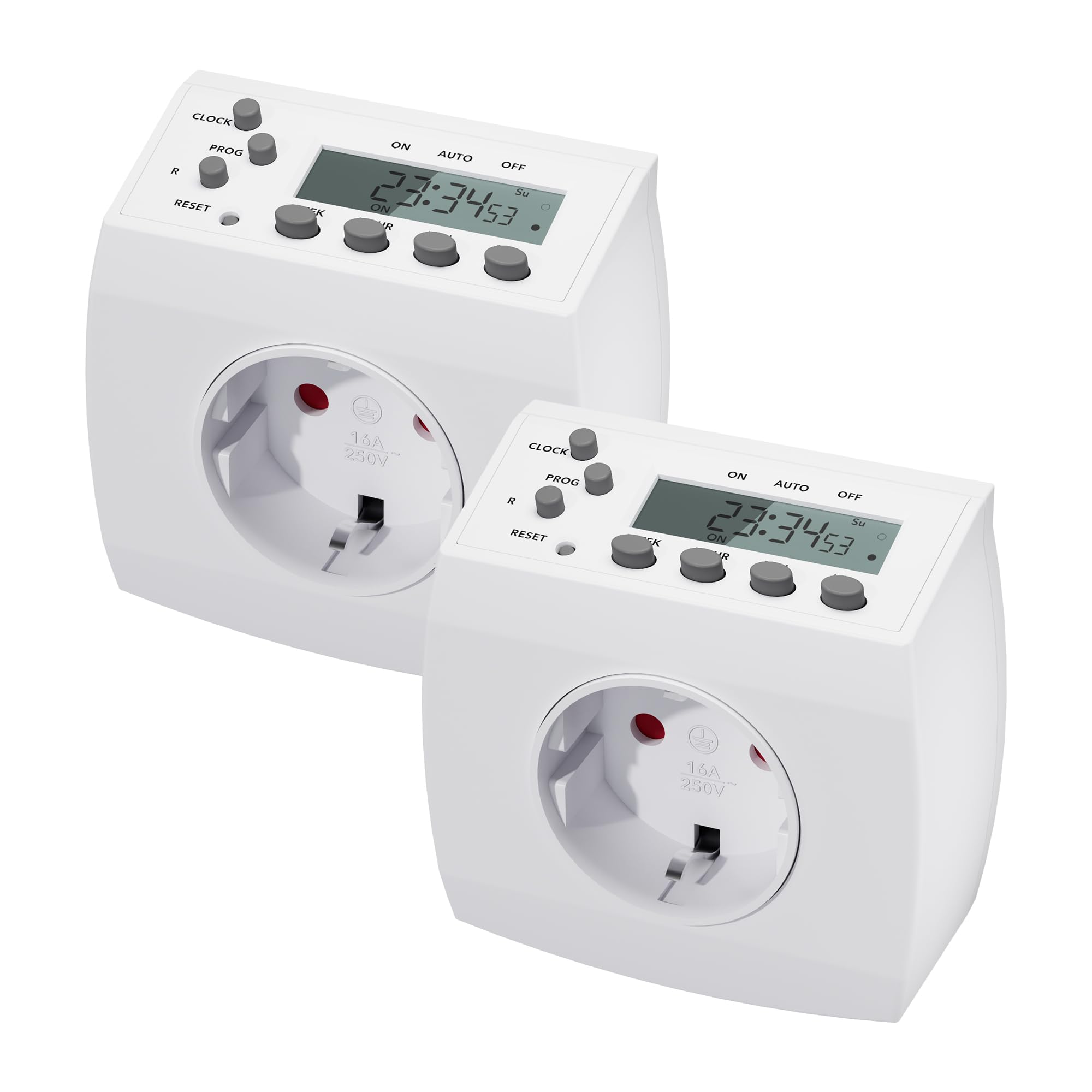
Image 1.1: HBN Digital Timer Plug in use with a coffee machine, highlighting key features.
2. Коопсуздук нускамалары
- Имараттын ичинде гана колдонуу үчүн. Нымдуулукка же өтө жогорку температурага дуушар кылбаңыз.
- 16A / 3680W максималдуу жүктөмүнөн ашпаңыз.
- Ensure the timer is fully inserted into the wall socket.
- Do not connect multiple timers in series.
- Always unplug the timer from the wall socket before cleaning.
- Балдар жетпеген жерде сактаңыз.
3. Продукт бүтүп калдыview
3.1 Компоненттер жана дисплей
The HBN Digital Timer Plug features a clear LCD display and intuitive buttons for easy programming. The device is compact and designed for discreet integration into your home.

Сүрөт 3.1: алдыңкы жана каптал view of the timer, highlighting buttons and display.
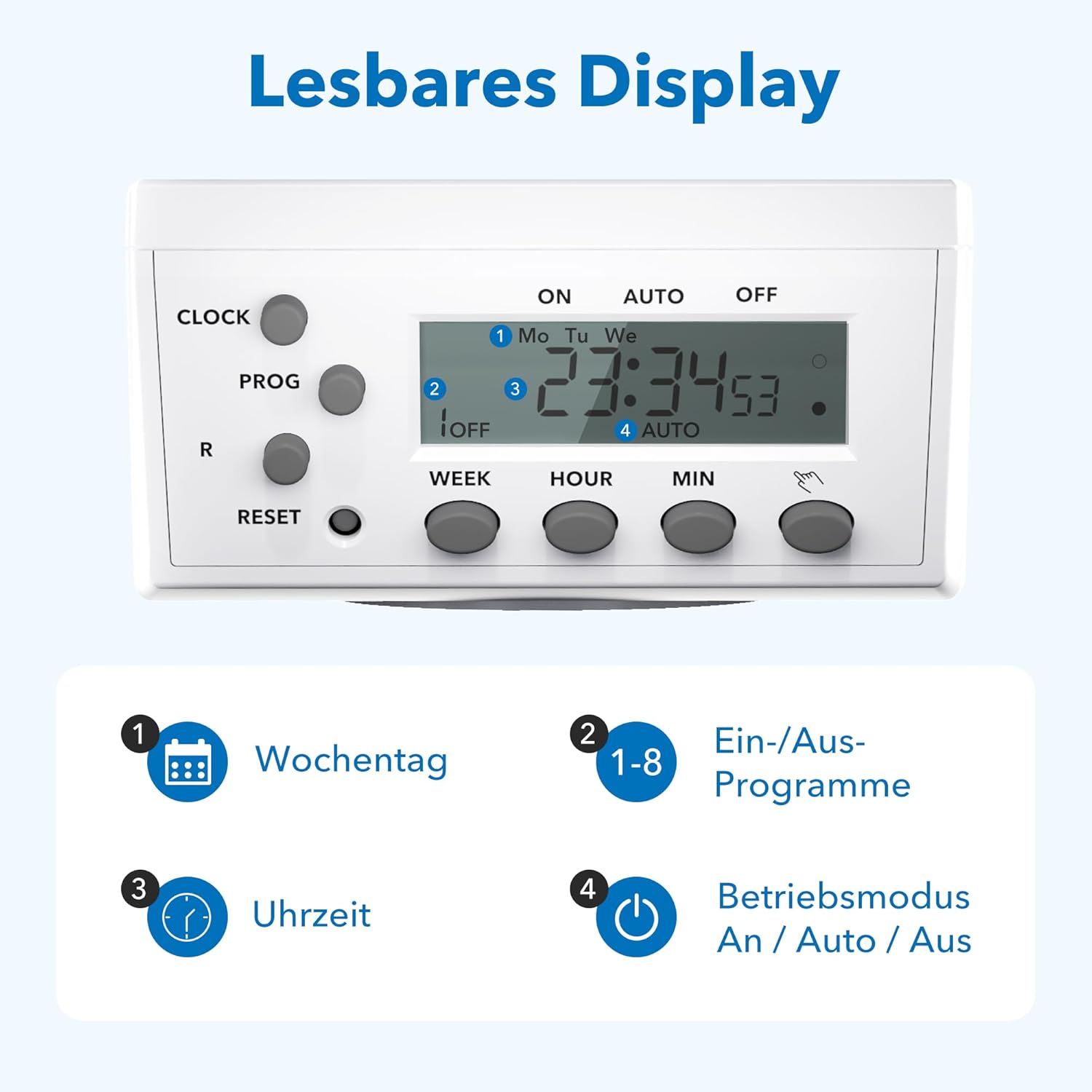
Сүрөт 3.2: Детальдуу view of the readable display, showing weekday, program, time, and mode indicators.
3.2 Technical Data and Dimensions

Image 3.3: Technical specifications and dimensions of the timer.
- Өлчөмдөрү: Approximately 7.5cm x 7.5cm x 8cm
- Max. Programs: 8 ON/OFF programs per day
- Weekly Combinations: 15 different weekly settings
- Макс. Жүктөө: 3680Вт / 16А
- Min. Switching Time: 1 мүнөт
- Өзгөчөлүктөрү: Manual ON/OFF, Summer/Winter time, Power failure memory
4. Орнотуу
4.1 Initial Setup and Charging
- Plug the timer into a wall socket for at least 30 minutes to charge the internal battery. This battery maintains settings during power outages.
- басыңыз RESET button with a pointed object (e.g., a pen tip) to clear all previous settings. The display will show "0:00" and all segments will flash.
4.2 Учурдагы убакытты орнотуу
- басыңыз СААТ баскычын басып, кармап туруңуз.
- Кармап жатканда СААТ, басыңыз ЖУМА button repeatedly to select the current day of the week (Mo, Tu, We, Th, Fr, Sa, Su).
- Кармап жатканда СААТ, басыңыз HOUR Учурдагы саатты (0-23) орнотуу үчүн баскычын кайра-кайра басыңыз.
- Кармап жатканда СААТ, басыңыз MIN Учурдагы мүнөттү (0-59) коюу үчүн баскычын кайра-кайра басыңыз.
- бошотуңуз СААТ баскычын басыңыз. Учурдагы убакыт эми коюлду.
5. Иштөө нускамалары
5.1 Программалоо КҮЙГҮЗҮҮ/ӨЧҮРҮҮ убакыттары
The timer allows for up to 8 ON/OFF programs. Each program can be set for specific days or combinations of days.
- басыңыз ПРОГ button once. The display will show "1 ON" and the time will flash.
- Басыңыз ЖУМА to select the desired day(s) for the first ON program. Options include individual days, weekdays, weekends, or all days.
- Басыңыз HOUR жана MIN каалаган КҮЙГҮЗҮҮ убакытын коюу үчүн.
- Басыңыз ПРОГ again. The display will show "1 OFF" and the time will flash.
- Басыңыз ЖУМА to select the desired day(s) for the first OFF program (usually the same as the ON program).
- Басыңыз HOUR жана MIN каалаган ӨЧҮРҮҮ убакытын коюу үчүн.
- Repeat steps 1-6 for programs 2 through 8.
- Бардык керектүү программаларды орноткондон кийин, баскычын басыңыз СААТ Учурдагы убакытты көрсөтүүгө кайтуу үчүн баскычты басыңыз.
5.2 Manual Override (ON/AUTO/OFF)
басыңыз КОЛ button (often labeled with a hand icon or similar) to cycle through the operating modes:
- КҮЙҮК: The connected appliance will remain continuously ON, overriding all programs.
- АВТО: The timer will operate according to the programmed ON/OFF times.
- ӨЧҮК: The connected appliance will remain continuously OFF, overriding all programs.
5.3 Random Function
The random function can simulate presence in your home by turning appliances ON and OFF at irregular intervals, typically between 6:00 PM and 6:00 AM. This feature is useful for deterring potential intruders when you are away.
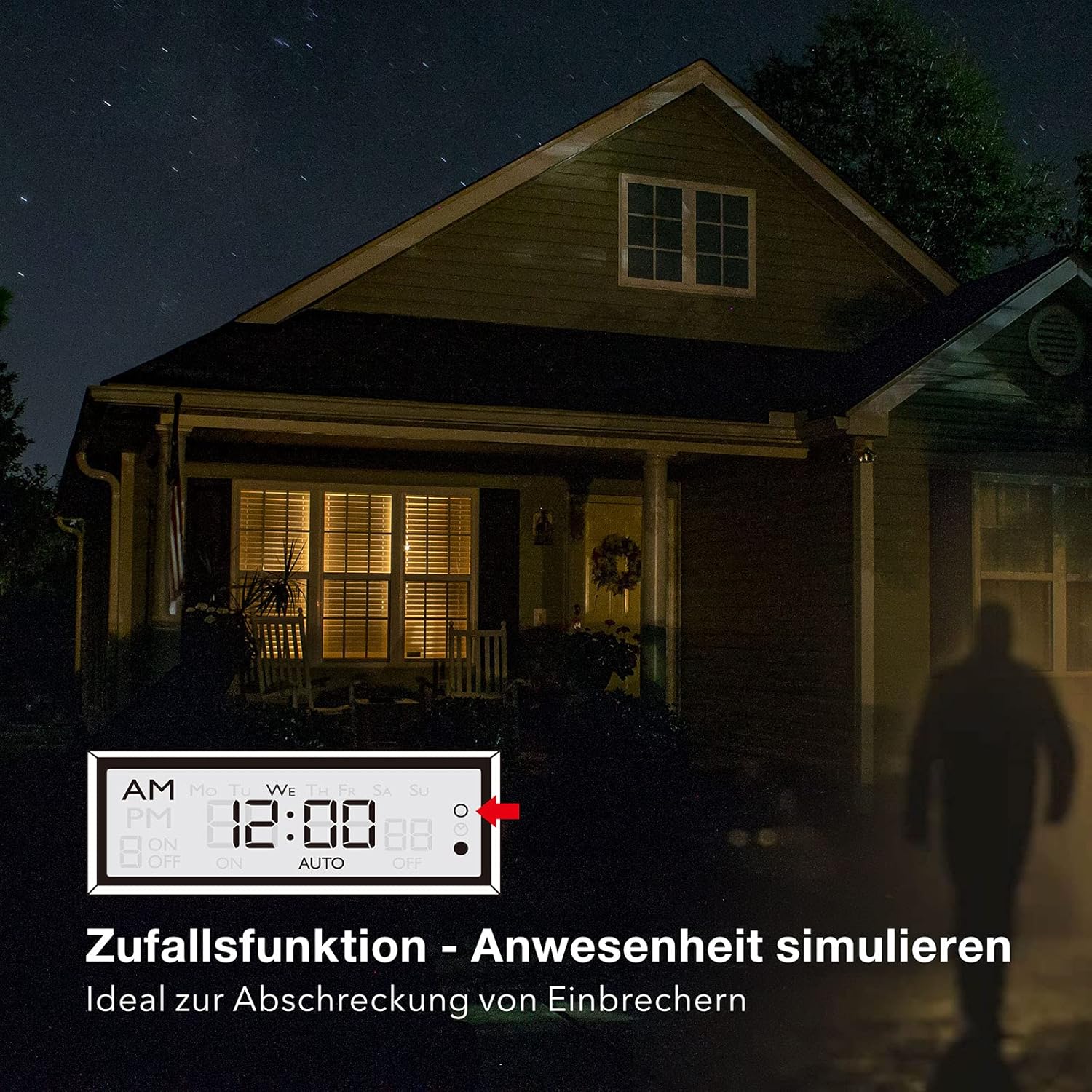
Image 5.1: Random function simulating presence for security.
- Кокустук функцияны иштетүү үчүн, баскычын басыңыз R (Random) button. The display will show "R" or a similar indicator.
- Өчүрүү үчүн басыңыз R кайра баскычын.
6. Техникалык тейлөө
The HBN Digital Timer Plug requires minimal maintenance.
- Ensure the timer is unplugged from the power outlet before cleaning.
- Сыртын жумшак, кургак чүпүрөк менен сүртүңүз. Абразивдүү тазалагычтарды же эриткичтерди колдонбоңуз.
- Колдонулбаганда салкын, кургак жерде сактаңыз.

Image 6.1: The timer operates silently, suitable for bedrooms.

Image 6.2: Versatile applications for the HBN Digital Timer Plug.
7. Кыйынчылыктарды
- Дисплей бош: Ensure the timer is plugged into a live socket. If it has been unplugged for a long time, the internal battery might be depleted. Plug it in for 30 minutes to charge.
- Appliance does not turn ON/OFF as programmed:
- Check if the timer is in "AUTO" mode.
- Verify that the ON/OFF programs are set correctly for the desired days and times.
- Ensure the appliance itself is switched ON.
- Check if the random function is accidentally activated.
- Таймер жооп бербей жатат: басыңыз RESET button with a pointed object to restore factory settings. You will need to reprogram the time and schedules.
8. Техникалык шарттар
| Спецификация | Нарк |
|---|---|
| Модель номери | 2xBND-50/SG3-VC |
| Тtage | 230V~50Hz |
| Макс. Учурдагы | 16(3)А |
| Макс. Күч | 3680 Вт |
| Программалардын саны | 8 күйгүзүү/өчүрүү программалары |
| Минималдуу орнотуу убактысы | 1 мүнөт |
| Түс | Ак |
| Продукт Салмагы | 150 грамм |
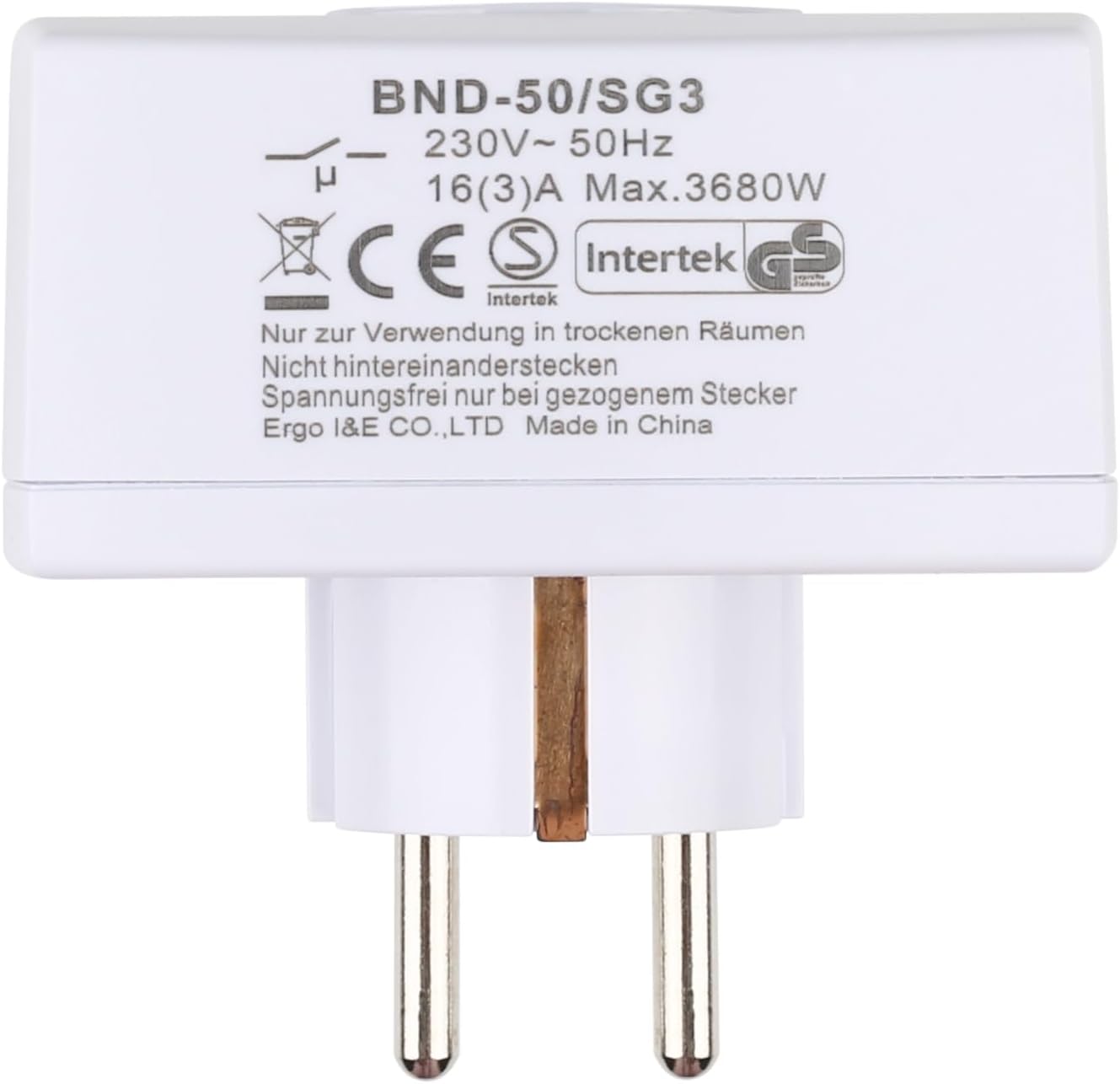
Сүрөт 8.1: Арткы view of the timer with electrical specifications and certifications.
9. Кепилдик жана колдоо
HBN products are designed for reliability and performance. For warranty information or technical support, please refer to the contact details provided with your purchase or visit the official HBN webсайт. Сатып алганыңыздын далили катары сатып алуу дүмүрчөгүңүздү сактаңыз.