
Introduction
Thank you for choosing the LENRUE Bluetooth Speaker. This portable wireless speaker delivers loud stereo sound with rich bass and offers up to 12 hours of playtime. Featuring advanced Bluetooth 5.0 technology and a built-in microphone, it is designed for a superior audio experience and convenient hands-free communication. This manual provides essential information for setting up, operating, and maintaining your speaker.
Пакеттин мазмуну
Сураныч, төмөнкү нерселер үчүн кутучаны белгилеңиз:
- LENRUE Bluetooth Speaker (Model: yun-dong-199)
- USB заряддоо кабели
- Көмөкчү аудио кабель
- User Manual
Продукт бүттүview
The LENRUE Bluetooth Speaker is designed for portability and high-quality audio. It features:
- Үндүн жогорку сапаты: Dual high-performance drivers and enhanced bass for clear, powerful audio.
- Узартылган ойноо убактысы: Бир кубаттоо менен 12 саатка чейин үзгүлтүксүз музыка ойнотуу.
- Өркүндөтүлгөн байланыш: Bluetooth 5.0 for stable, fast wireless connections. Supports USB, Micro SD card (up to 32GB), and AUX input.
- Камтылган микрофон: Enables hands-free calling with clear stereo sound.
- Портативдик дизайн: Lightweight (0.66 lb) and compact, making it ideal for travel and outdoor use.

Image: The LENRUE Bluetooth Speaker, showcasing its compact and sleek design in blue.
Жайгашуу
1. Динамикти кубаттоо
Before first use, fully charge the speaker. Connect the provided USB charging cable to the speaker's charging port and to a USB power source (e.g., computer, wall adapter). The charging indicator light will show the charging status (refer to LED indicator section for details). A full charge typically takes 2-3 hours.

Сүрөт: Арткы view of the speaker highlighting the USB, TF card, DC 9V charging, Reset pinhole, and AUX input ports.
2. Күйгүзүү / Өчүрүү
- To Power On: Press and hold the Power/Mode button (often marked 'M' or with a power icon) until you hear an audible prompt or see the LED indicator light up.
- To Power Off: Press and hold the Power/Mode button again until you hear an audible prompt or the LED indicator turns off.
3. Bluetooth Жупташтыруу
- Ensure the speaker is powered on and in Bluetooth pairing mode (the LED indicator will usually flash blue).
- Түзмөгүңүздө (смартфон, планшет ж.б.) Bluetooth иштетиңиз жана жеткиликтүү түзмөктөрдү издеңиз.
- Select "LENRUE Speaker" (or similar name) from the list.
- Once paired, the speaker will emit an audible confirmation, and the LED indicator will turn solid blue.

Image: The LENRUE speaker positioned on a desk, wirelessly connected to a laptop, tablet, and smartphone, illustrating its versatile Bluetooth 5.0 connectivity.
4. Connecting via AUX, USB, or Micro SD Card
- AUX киргизүү: Connect one end of the provided auxiliary audio cable to the speaker's AUX port and the other end to your audio device's headphone jack. The speaker will automatically switch to AUX mode.
- USB ойнотуу: Аудио камтыган USB дискти салыңыз files USB портуна туташтырыңыз. Динамик дисктен музыканы автоматтык түрдө аныктап, ойнотот.
- Micro SD картаны ойнотуу: Аудио менен Micro SD картаны (32 ГБ чейин) салыңыз files'ти TF карта уячасына салыңыз. Динамик картадан музыканы автоматтык түрдө аныктап, ойнотот.
Иштөө нускамалары
Баскыч функциялары
Динамиктин үстүнкү панелинде интуитивдик башкаруу элементтери бар:

Сүрөт: Жогорку view of the LENRUE speaker, displaying the control buttons for power, mode, volume, and track navigation.
- Power/Mode Button (M):
- Күйгүзүү/өчүрүү үчүн басып туруңуз.
- Short press to switch between input modes (Bluetooth, AUX, USB, Micro SD).
- Ойнотуу/тындыруу баскычы:
- Музыканы ойнотуу же тындыруу үчүн кыска басыңыз.
- Short press to answer/end a phone call.
- Кирүүчү чалууну четке кагуу үчүн басып туруңуз.
- Үндү азайтуу / Мурунку трек баскычы (-):
- Үндү азайтуу үчүн кыска басыңыз.
- Мурунку трекке өтүү үчүн басып туруңуз.
- Үндү катуулатуу / Кийинки трек баскычы (+):
- Үнүн жогорулатуу үчүн кыска басыңыз.
- Кийинки трекке өтүү үчүн басып туруңуз.
Чыныгы зымсыз стерео (TWS) туташуу
For an enhanced stereo experience, you can connect two LENRUE Bluetooth Speakers together:
- Эки динамик тең өчүрүлгөнүн текшериңиз.
- Эки динамикти тең күйгүзүңүз. Алар автоматтык түрдө Bluetooth жупташтыруу режимине өтөт.
- On one speaker, double-press the Power/Mode button. It will search for another speaker to pair with.
- Once connected, you will hear an audible confirmation, and both speakers will play in stereo.
- Now, connect your device to one of the speakers via Bluetooth as described in the "Bluetooth Pairing" section.
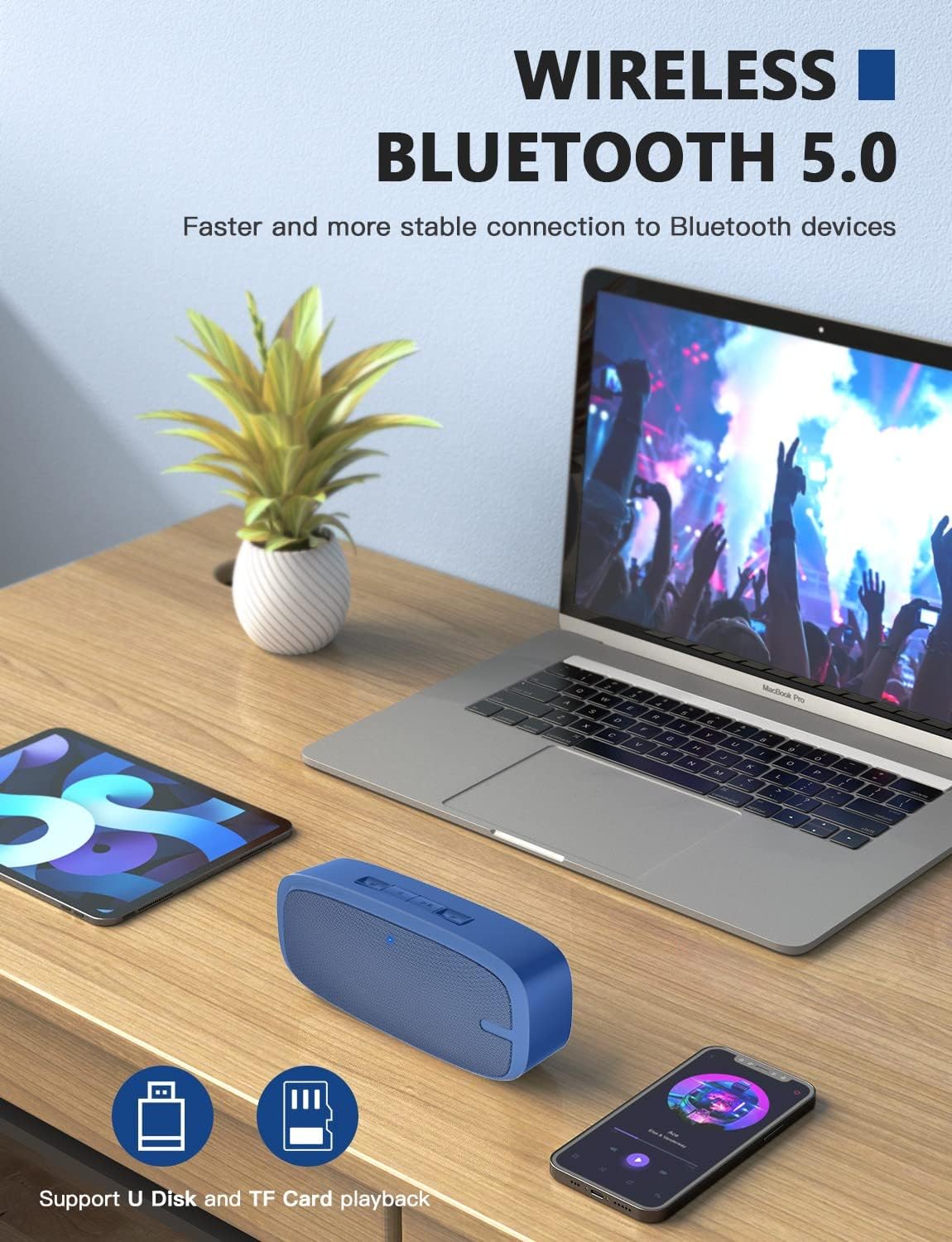
Image: Two LENRUE Bluetooth Speakers shown side-by-side, illustrating the True Wireless Stereo (TWS) connection capability for a wider soundstage.
Техникалык тейлөө
- Тазалоо: Динамиктин бетин тазалоо үчүн жумшак, кургак чүпүрөктү колдонуңуз. Катуу химиялык заттарды же абразивдүү тазалоочу каражаттарды колдонбоңуз.
- Сактагыч: Динамикти түз күн нурунан жана өтө температурадан алыс салкын, кургак жерде сактаңыз.
- Батареяга кам көрүү: Батареянын иштөө мөөнөтүн узартуу үчүн динамикти бат-баттан толук кубаттап турбаңыз. Узак мөөнөткө колдонулбаса да, аны үзгүлтүксүз заряддаңыз.
- Суу каршылык: Бул динамик суу өткөрбөйт. Суунун же ашыкча нымдуулуктун таасиринен алыс болуңуз.
Проблемаларды чечүү
| Көйгөй | Мүмкүн себеп | Чечим |
|---|---|---|
| Динамик күйбөйт. | Батарея аз. | Берилген USB кабелин колдонуп динамикти толугу менен заряддаңыз. |
| Bluetooth аркылуу жупташтыруу мүмкүн эмес. | Динамик жупташтыруу режиминде эмес; түзмөк Bluetooth өчүк; аппараттан өтө алыс. | Ensure speaker is in pairing mode (flashing blue LED). Turn Bluetooth on your device. Move speaker closer to device (within 10 meters). Forget previous pairings on your device and try again. |
| Үн жок. | Үн өтө төмөн; туура эмес киргизүү режими; түзмөк ойнобой жатат. | Increase speaker and device volume. Check if the correct input mode (Bluetooth, AUX, USB, TF) is selected. Ensure your device is playing audio. |
| Үн сапаты начар. | Батареянын заряды аз; тоскоолдук; түзмөк өтө алыс. | Charge the speaker. Move away from other wireless devices. Move speaker closer to your device. |
| Micro SD card or USB drive not recognized. | Туура эмес file format; card/drive not inserted correctly; unsupported capacity. | аудиону камсыз кылуу files are in a supported format (e.g., MP3). Reinsert the card/drive. Ensure Micro SD card is 32GB or less. |
Техникалык шарттар
| Өзгөчөлүк | Деталь |
|---|---|
| Бренд | ЛЕНРУ |
| Модель номери | yun-dong-199 |
| Байланыш технологиясы | Bluetooth 5.0, Көмөкчү, USB |
| Аудио чыгаруу режими | Стерео |
| Динамиктин максималдуу чыгаруу күчү | 3 Ватт |
| Батареянын орточо иштөө мөөнөтү | 12 саат |
| Bluetooth диапазону | 10 метр (33 бут) |
| Элемент Салмагы | 0.47 килограмм (0.66 фунт) |
| Микрофон | Built-in (1 microphone) |
| Колдоого алынган медиа | USB, Micro SD Card (up to 32GB), AUX |
| Башкаруу ыкмасы | Сенсордук баскычтар |
| Суу өткөрбөйт | ЖАЛГАН |
Кепилдик жана колдоо
The LENRUE Bluetooth Speaker comes with a limited warranty. For detailed warranty information, please refer to the product packaging or contact LENRUE customer support.
If you encounter any issues or have questions about your speaker, please contact our customer support team:
- Онлайн колдоо: Visit the official LENRUE webКөп берилүүчү суроолор жана колдоо булактары үчүн сайт.
- Электрондук почта: Refer to your product packaging for customer service email address.