
1. Продукт бүтүп калдыview
This manual provides instructions for the uxcell 20g F1 Precision Calibration Weight. This weight is designed for calibrating digital balance scales requiring high accuracy.
Негизги өзгөчөлүктөрү:
- Nominal Mass: 20 grams (g).
- Precision Class: F1, suitable for balances with readability from 0.01g to 0.001g.
- Материал: Constructed from high-quality stainless steel for durability and corrosion resistance.
- Колдонмо: Ideal for re-calibrating digital scales and testing the accuracy of various weighing instruments.
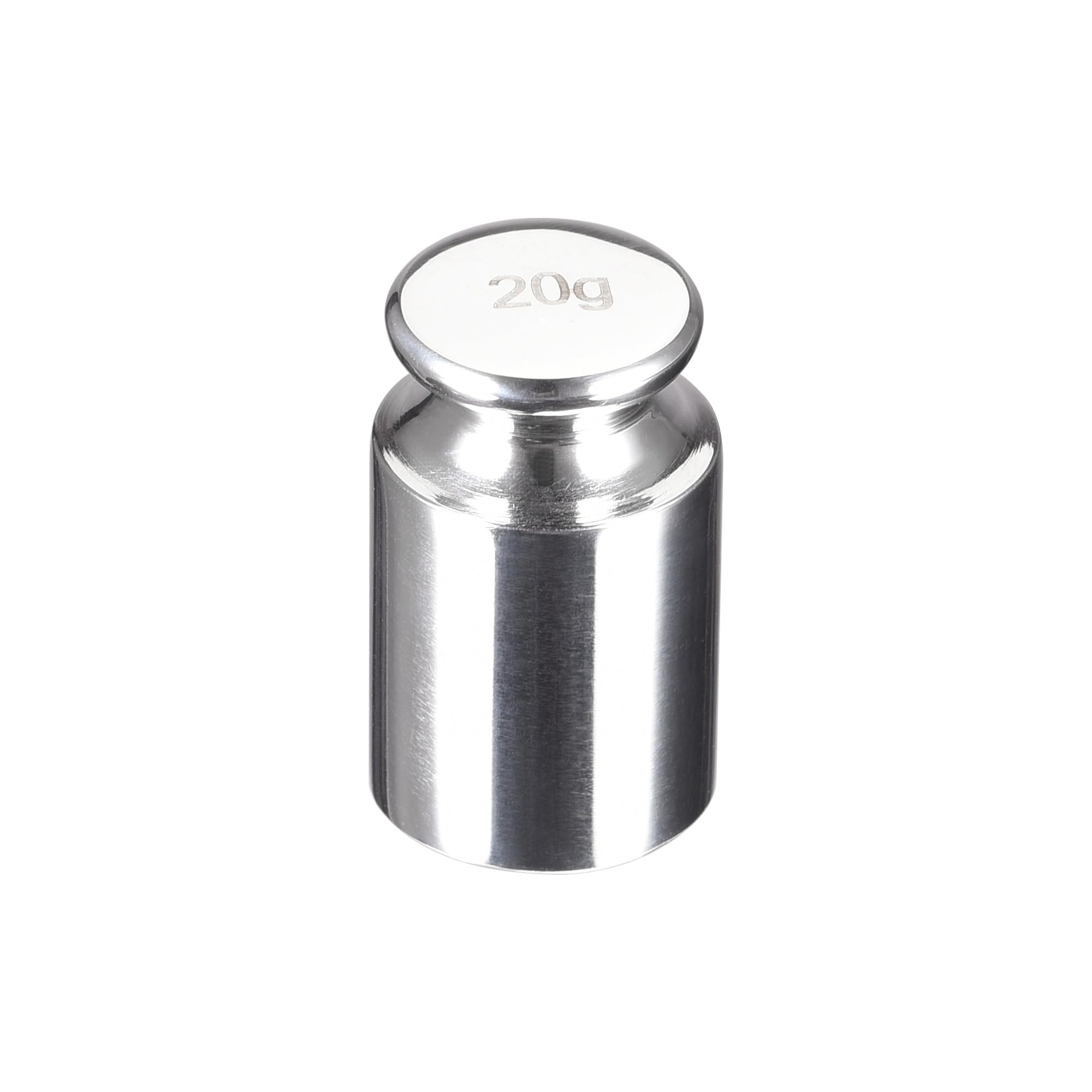
The uxcell 20g F1 Precision Calibration Weight is a single, cylindrical weight with a polished finish, marked with '20' on its top surface, indicating its mass.
2. Орнотуу
The uxcell 20g F1 Precision Calibration Weight requires no assembly. It is ready for use directly out of its protective packaging.
Даярдоо кадамдары:
- Carefully remove the calibration weight from its packaging. Avoid direct skin contact to prevent transferring oils or dirt, which can affect accuracy. Use tweezers or gloves if available.
- Ensure the digital balance scale to be calibrated is placed on a stable, level surface, free from vibrations and drafts.
- Verify the scale's weighing pan is clean and free of any debris.

The calibration weight is supplied in a protective plastic case to maintain its cleanliness and integrity during storage and transport.
3. Иштөө нускамалары
Follow these general steps to calibrate your digital balance scale using the uxcell 20g F1 Precision Calibration Weight. Always refer to your specific scale's instruction manual for its exact calibration procedure, as steps may vary.
Калибрлөө процедурасы:
- Кызытуу: Turn on your digital balance scale and allow it to warm up for the time recommended by the scale manufacturer (typically 5-15 minutes) to ensure stable readings.
- Нөлдөө: Ensure the scale is empty and stable, then press the 'TARE' or 'ZERO' button to set the display to 0.00g.
- Калибрлөө режимине кириңиз: Initiate the calibration mode on your digital scale. This usually involves pressing a specific button (e.g., "CAL", "MODE", or "FUNCTION") or a sequence of buttons. Consult your scale's manual for exact instructions.
- Place Weight: The scale display may prompt you to place a specific weight. When prompted for 20g, carefully place the uxcell 20g calibration weight onto the center of the scale's weighing pan.
- Турукташтыруу: Allow the scale to stabilize and complete the calibration process. The display will typically show "PASS", "END", or return to normal weighing mode once calibration is complete.
- Remove Weight: Carefully remove the calibration weight from the scale.
- Тактыгын текшерүү: Test the scale's accuracy by weighing the 20g calibration weight again or by using other known reference weights.

This image shows the 20g F1 precision calibration weight, highlighting its key specifications for accurate measurement.
4. Техникалык тейлөө
Proper care and maintenance will ensure the longevity and accuracy of your uxcell 20g F1 Precision Calibration Weight.
- Тазалоо: To clean the calibration weight, use a soft, lint-free cloth. If necessary, a small amount of isopropyl alcohol can be used, followed by thorough drying. Avoid abrasive materials or harsh chemicals, which can damage the surface and alter its mass.
- Колдонуу: Always handle the weight with care. Avoid dropping or scratching it, as this can alter its mass and precision. Use tweezers or clean gloves to prevent contamination from skin oils, dirt, or moisture.
- Сактагыч: Store the calibration weight in its original protective case in a clean, dry environment. Protect it from extreme temperatures, high humidity, and strong magnetic fields, which can affect its stability and accuracy.
- Кайра калибрлөө: For critical applications or after prolonged use, periodic recalibration of the weight itself by a certified metrology laboratory is recommended to ensure its continued adherence to F1 precision standards.

Maintaining the weight's surface integrity is crucial for its precision.
5. Кыйынчылыктарды
If you encounter issues during calibration or with scale accuracy, refer to the following table for common problems and solutions.
| Көйгөй | Мүмкүн себеп | Чечим |
|---|---|---|
| Inaccurate Scale Readings after Calibration | Scale not properly zeroed before calibration. | Ensure the scale is tared (zeroed) before initiating the calibration process. |
| Inaccurate Scale Readings after Calibration | Calibration weight contaminated or damaged. | Inspect the calibration weight for any visible dirt, scratches, or damage. Clean it carefully as per maintenance instructions or replace if damaged. |
| Inaccurate Scale Readings after Calibration | Environmental factors affecting scale. | Ensure the scale is on a stable surface, away from drafts, vibrations, and temperature fluctuations. |
| Scale Fails to Calibrate | Incorrect calibration procedure followed for the scale. | Refer to your digital scale's specific instruction manual for its exact calibration steps. |
| Scale Fails to Calibrate | Таразанын иштебей калышы. | If the scale continues to fail calibration after following all steps, the scale itself may require service or replacement. |
6. Техникалык шарттар
Detailed specifications for the uxcell 20g F1 Precision Calibration Weight:
- Модел: a20092900ux0123
- Nominal Mass: 20 grams (g)
- Precision Class: F1
- Материал: Дат баспаган болот
- Түсү: Silver
- Болжолдуу өлчөмдөр: 13 мм (диаметри) x 22 мм (бийиктиги)
- Сунушталган колдонуу: Calibration of digital balance scales with readability from 0.01g to 0.001g.

This image illustrates the physical dimensions of the 20g calibration weight, showing its diameter and height.
7. Кепилдик жана колдоо
For warranty information or technical support regarding your uxcell 20g F1 Precision Calibration Weight, please refer to the documentation provided with your purchase or contact uxcell customer service directly.
Байланыш маалыматы: Please visit the official uxcell website for the most current support and contact details.
Онлайн ресурстар: Additional product information and support may be available on the uxcell brand store page on Amazon: uxcell Store.