
1. Киришүү
The Cuifati SD to IDE 44-Pin Male Adapter allows you to utilize an SD card as a standard ATA IDE storage device. SD cards offer advantages such as compact size, high capacity, shock resistance, stable performance, and silent operation, making them an effective data storage solution. This adapter bridges the gap between modern SD card technology and legacy IDE interfaces, providing a versatile storage option for compatible systems.
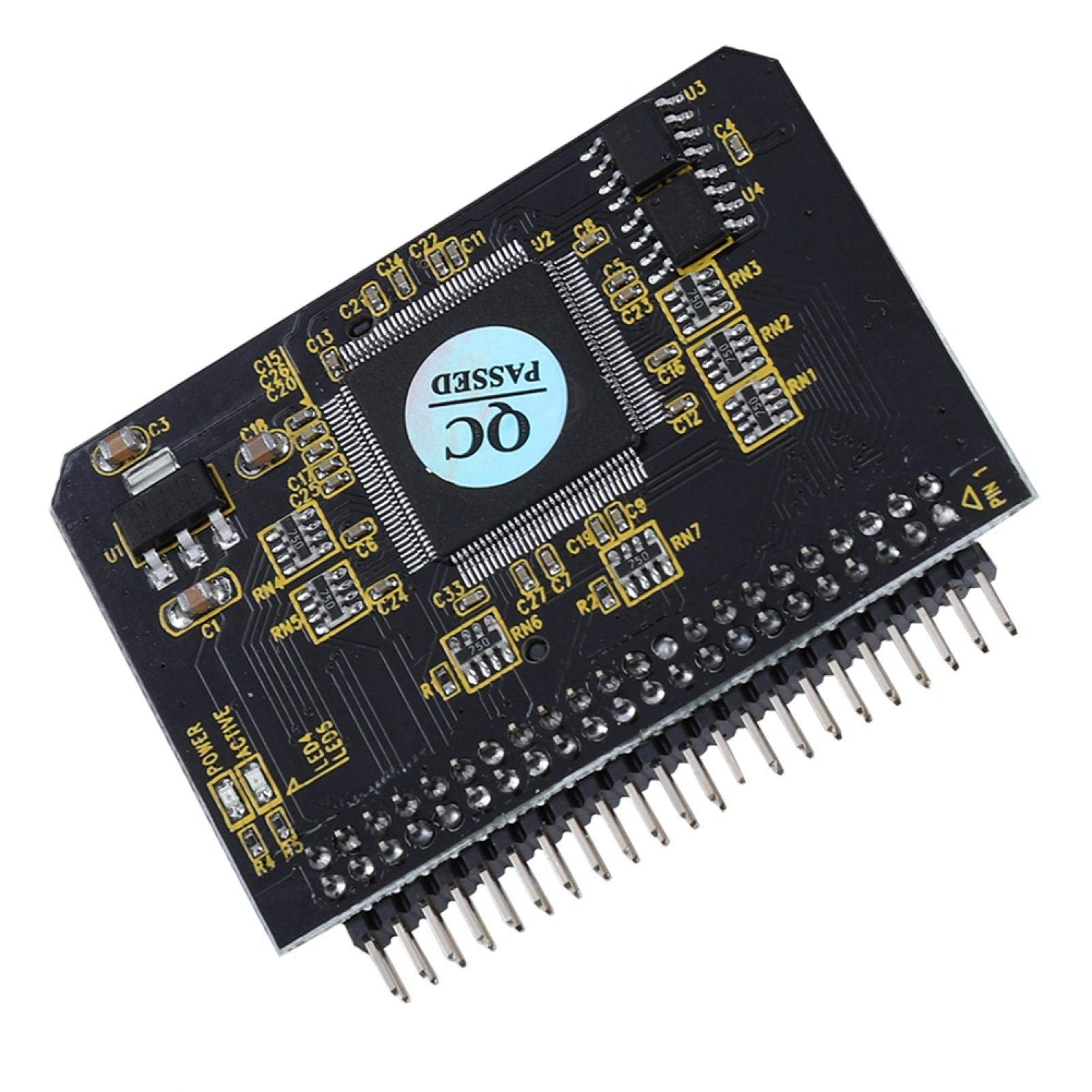
1-сүрөт: жогорудан ылдыйга view of the Cuifati SD to IDE 44-Pin Male Adapter, showing the main chip with a "QC PASSED" sticker, various electronic components, and the 44-pin male IDE connector at the bottom.
2. Продукциянын өзгөчөлүктөрү
- Стандарттык шайкештик: Adheres to SD specification Ver2.0 and IDE/ATA-33 specification.
- IDE Interface: Features a 44-pin/2.0mm male connector, supporting true-IDE mode and DMA-33 mode.
- Дизайн: Compact design with a small footprint for easy integration into various systems.
- Controller Chips: Equipped with two main control chips for reliable and efficient operation.
- SD карта розетка: Includes an SD card socket on the reverse side for secure card insertion.
- Bootable Support: Enables the SD card to be used for operating system and application software, allowing direct device activation.
- Системанын шайкештиги: Supports DMA and Ultra DMA modes for various operating systems including DOS, NT4, 98SE, Me, 2000, XP, Vista, and Windows 7/8/10.
3. Пакеттин мазмуну
Пакетиңизде бардык буюмдар бар экенин текшериңиз:
- 1 x Cuifati SD to IDE 44-Pin Male Adapter
4. Орнотуу жана орнотуу
Follow these steps to install the SD to IDE adapter:
- SD картаны салыңыз: Carefully insert your SD card into the designated slot on the adapter. Ensure it is fully seated.
- Connect to IDE: Connect the 44-pin male IDE connector of the adapter to the corresponding IDE interface on your notebook or compatible device. Ensure the pins are aligned correctly to avoid damage.
- Күйгүзүү: Power on your device. The system should automatically detect the adapter and the inserted SD card as a standard IDE storage device.
No additional drivers are typically required for basic functionality, as the adapter operates as a standard IDE device.

Figure 2: Close-up angled view of the Cuifati SD to IDE adapter, focusing on the main chip and the arrangement of surface-mount components.
5. Иштөө нускамалары
Consider the following guidelines for optimal operation:
- Capacity Considerations:
- For soft routing applications, an SD card size of 1GB or less is typically sufficient.
- For installing operating systems such as Windows ME, XP, or similar, an SD card capacity of 2GB or more is recommended for optimal performance.
- Аткаруу: For high-speed data access, especially when installing operating systems or running demanding applications, use a high-performance flash SD card. Standard SD cards will function adequately for general use.
- Maximum Support: The adapter supports SD cards up to a maximum capacity of 128GB.
- Жүктөө: The SD card, when configured with an operating system, can be used to directly boot the host device.

Figure 3: Isometric view of the Cuifati SD to IDE adapter, showing the top surface with components and the side profile of the 44-pin connector.
6. Техникалык шарттар
| Өзгөчөлүк | Деталь |
|---|---|
| Модель номери | Cuifatiiwb30enkoq |
| Бренд | Cuifati |
| Туташтыргыч түрү | 44-Pin Male IDE |
| Колдоого алынган SD карта түрлөрү | SD, SDHC, SDXC, MMC, TF |
| Maximum SD Card Capacity | 128 ГБ |
| Өлчөмдөрү (L x W x Y) | 51 x 41 x 3 мм (2.01 x 1.57 x 0.12 дюйм) |
| Элемент Салмагы | Болжол менен 10г (0.353 унция) |
| Түс | Кара |
| Шайкештик | SD specification Ver2.0, IDE/ATA-33 specification |
7. Кыйынчылыктарды
If you encounter issues, refer to the following troubleshooting steps:
- Түзмөк аныкталган жок:
- Ensure the SD card is fully inserted into the adapter slot.
- Verify that the 44-pin IDE connector is securely attached to the host device's IDE interface.
- Check the host device's BIOS settings to ensure the IDE channel is enabled and configured correctly.
- Test with a different SD card to rule out card-specific issues.
- Жай аткаруу:
- Ensure you are using a high-speed SD card, especially for operating system installations or frequent data access.
- Verify that the host system's IDE controller is operating in DMA mode if supported.
- Operating System Installation Issues:
- Confirm the SD card has sufficient capacity for the chosen operating system (e.g., 2GB or more for Windows XP).
- Ensure the SD card is properly formatted for the operating system you intend to install.
8. Техникалык тейлөө
Proper care will ensure the longevity of your adapter:
- Тазалоо: Keep the adapter free from dust and debris. Use a soft, dry cloth for cleaning. Avoid liquid cleaners or solvents.
- Сактагыч: Колдонулбаган учурда адаптерди салкын, кургак жерде, күндүн түз тийген нурларынан жана өтө жогорку температурадан алыс сактаңыз.
- Колдонуу: Handle the adapter by its edges to avoid touching the electronic components or pins, which can be sensitive to static discharge.
9. Кепилдик маалыматы
This product comes with a standard manufacturer's warranty. Please refer to the original purchase documentation or contact your retailer for specific warranty terms and conditions, including coverage period and claim procedures. Keep your proof of purchase for any warranty claims.
10. Кардарларды колдоо кызматы
For technical assistance, product inquiries, or further support, please contact your retailer or the manufacturer's customer support. Refer to the product packaging or the manufacturer's official webакыркы байланыш маалыматы жана колдоо булактары үчүн сайт.