
ROCAM CR1009
ROCAM CR1009 Hand Crank Emergency Radio and 1009 Pro Weather Radio
Model: CR1009 / 1009 Pro
Бренд: ROCAM
1. Киришүү
The ROCAM CR1009 Emergency Weather Radio is a versatile and essential device designed to keep you informed and safe during various situations, including power outages, natural disasters, and outdoor activities. This radio features multiple power sources, comprehensive weather alerts, and integrated lighting functions to provide reliable communication and illumination when traditional utilities may be unavailable.

Image: The ROCAM CR1009 radio is designed for portability and emergency preparedness.
2. Продукциянын компоненттери
Familiarize yourself with the key components of your ROCAM CR1009 radio:
- LCD дисплей: Large screen showing time, battery level, band, frequency, and alert status.
- Телескоптук антенна: Extendable antenna for improved radio signal reception.
- Кол бурчу: Foldable crank for manual power generation.
- Күн панели: Integrated panel for solar charging.
- Кол чырак: Front-facing LED light with two brightness levels.
- Окуу Лamp: Top-mounted LED panel light with two brightness levels.
- Башкаруу баскычтары: Power, Band, WX Alert, Volume (+/-), Tune (up/down), Lock, Set Time, Backlight.
- USB-A чыгаруу порту: For charging external devices (e.g., smartphones).
- Микро-USB киргизүү порту: For charging the radio via DC adapter.
- 3.5 мм гарнитура уячасы: Жеке угуу үчүн.
- AAA батарея бөлүмү: Located on the back for optional AAA battery power.
- SOS баскычы: Activates an emergency siren and flashing red light.
- Carry Strap & Hang Buckle: For portability and secure attachment.

Image: The large digital LCD screen provides clear information at a glance.

Image: The 3.5mm headphone jack allows for private audio listening.
3. Энергия булактары
The ROCAM CR1009 radio offers five reliable ways to stay powered:
- 5000 мАч кайра заряддалуучу литий-иондук батарея: The primary internal power source, capable of powering the radio for extended periods and serving as a power bank for other devices.
- Күн панели: Located on top of the radio, this panel can trickle-charge the internal battery when exposed to direct sunlight. Ideal for maintaining charge during prolonged outdoor use.
- Кол бурчу: A manual dynamo crank on the side of the radio. Cranking generates power to charge the internal battery, providing an unlimited power source in emergencies.
- 3 x AAA батарейкалары: An optional backup power source. Insert three AAA batteries into the compartment on the back of the radio.
- DC Adapter (Micro-USB Input): For faster charging, connect the radio to a wall adapter (not included) using the provided Micro-USB cable.
The built-in 5000mAh power bank allows you to charge your mobile phone, tablet, or other USB-powered devices via the USB-A output port, making it a crucial tool for keeping your communication devices active during emergencies.

Image: The radio can charge external devices like smartphones.

Image: The 5000mAh battery provides substantial power for various functions.
4. Орнотуу
4.1 Алгачкы заряддоо
Before first use, it is recommended to fully charge the internal Li-ion battery. Connect the provided Micro-USB cable to the radio's Micro-USB input port and plug the other end into a USB wall adapter (not included) or a computer USB port. The battery indicator on the LCD display will show charging progress.
4.2 Inserting AAA Batteries (Optional)
For an additional power backup, open the battery compartment on the back of the radio and insert three new AAA batteries, ensuring correct polarity (+/-). Close the compartment securely.
5. Иштөө нускамалары
5.1 Күйгүзүү/өчүрүү
басыңыз КҮЧ радиону күйгүзүү же өчүрүү үчүн баскыч.
5.2 Radio Tuning (AM/FM/SW)
- басыңыз БАНД button to cycle through AM, FM, and Shortwave (SW) bands.
- Extend the telescoping antenna for optimal reception, especially for FM and SW.
- колдонуу TUNE + жана ОЮН - жыштыкты кол менен жөндөө үчүн баскычтар.
- Үнүн колдонуп, үнүн жөндөңүз VOL+ жана VOL - баскычтар.
5.3 NOAA аба ырайы жөнүндө эскертүү
The radio is pre-programmed with 7 NOAA weather bands. To activate the weather alert function:
- басыңыз WX ALERT button to enter Weather Band mode.
- When a weather alert is received, a loud warning siren will sound, and the "ALERT" icon on the LCD display will flash to notify you of hazardous weather conditions in your area.
- Басыңыз WX ALERT again to disable the alert function.
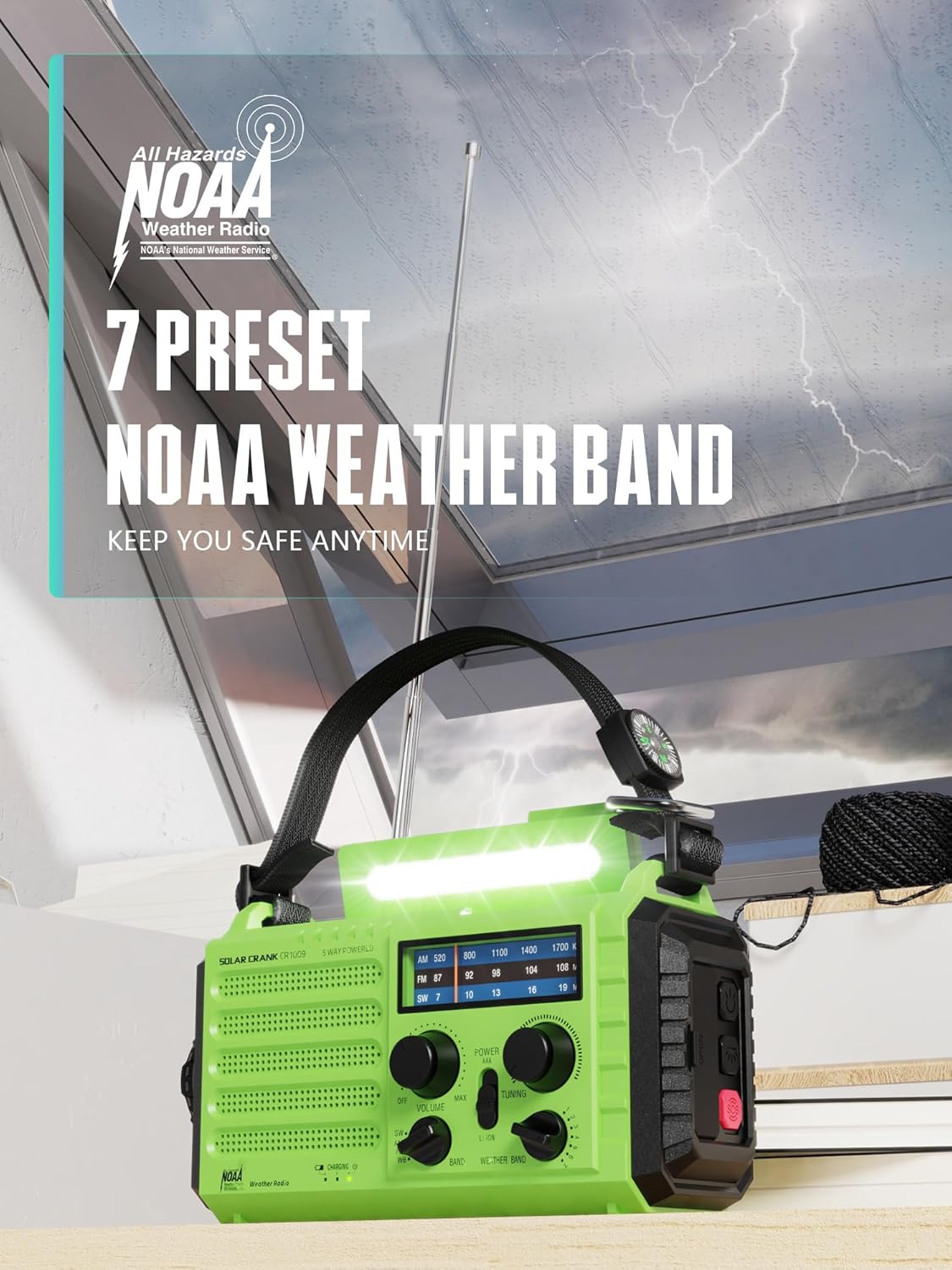
Image: The radio features 7 preset NOAA weather bands for comprehensive coverage.
5.4 Жарыктандыруу функциялары
- Окуу Лamp: Flip up the top panel to reveal the reading lamp. Press the dedicated button (often labeled with a light icon) to toggle between two brightness levels.
- Кол чырак: Press the flashlight button (usually on the side or front) to turn on the front-facing flashlight. Press again to cycle through two brightness levels.

Image: The radio provides both a reading lamp and a powerful flashlight for various lighting needs.
5.5 SOS функциясы
Шашылыш учурда, баскычын басып, кармап туруңуз SOS button (usually located on the side). This will activate a loud siren and a flashing red signal light to attract attention.
5.6 Тышкы түзмөктөрдү заряддоо
Connect your smartphone or other USB-powered device to the radio's USB-A output port using your device's charging cable. The radio's internal 5000mAh battery will begin charging your device.
6. Техникалык тейлөө
- Тазалоо: Радиону жумшак менен сүртүңүз, гamp кездеме. Катуу химиялык заттарды же абразивдүү тазалагычтарды колдонбоңуз.
- Сактагыч: Радиону салкын, кургак, күн нуру түз тийбеген жана өтө жогорку температурадан алыс жерде сактаңыз. Эгерде узак убакытка сактасаңыз, ички батареянын жарым-жартылай заряддалганын (болжол менен 50%) текшерип, батареянын иштөө мөөнөтүн сактоо үчүн аны ар бир 3-6 ай сайын кайра заряддап туруңуз.
- Суу каршылык: The radio has an IPX3 water resistance rating, meaning it is protected against spraying water. Do not submerge the radio in water or expose it to heavy rain.
7. Кыйынчылыктарды
| Көйгөй | Мүмкүн себеп | Чечим |
|---|---|---|
| Радио күйбөйт. | Low or depleted internal battery; AAA batteries (if used) are dead or incorrectly inserted. | Charge the internal battery via Micro-USB, hand crank, or solar panel. Replace AAA batteries if applicable and check polarity. |
| Радио кабыл алуу начар. | Antenna not extended; weak signal in current location; interference. | Fully extend the telescoping antenna. Try moving to a different location, preferably outdoors or near a window. |
| NOAA Weather Alert not activating. | WX Alert function not enabled; no active alerts in your area; poor weather band signal. | Ensure WX Alert mode is active. Check local weather forecasts for active alerts. Extend antenna and try to improve signal. |
| External device not charging from radio. | Radio's internal battery is too low; incorrect cable or connection. | Ensure the radio's internal battery has sufficient charge. Use a compatible USB cable and ensure it is securely connected to the USB-A output port. |
8. Техникалык шарттар
- Модел: CR1009 / 1009 Pro
- Бренд: ROCAM
- Өлчөмдөрү: 7.5"L x 3.5"W x 4.7"H
- Салмагы: Approximately 1.2 LB
- Кубат булактары: 5000mAh Li-ion Battery (rechargeable), Solar Panel, Hand Crank, 3 x AAA Batteries (not included), DC 5V Micro-USB Input
- Байланыш: USB (тышкы түзмөктөрдү кубаттоо үчүн)
- Тюнер технологиясы: FM, AM
- Колдоого алынган радио топтору: AM, FM, Shortwave (SW), NOAA Weather Band (7 preset channels)
- Өзгөчөлүктөр: Solar Powered, Rechargeable, Emergency Weather Alert, Flashlight, Reading Lamp, SOS Siren, Power Bank, Headphone Jack, LCD Display, IPX3 Water Resistance.
- Камтылган компоненттер: Radio, Micro-USB Charging Cable, Carry Strap, Hang Buckle.
9. Кепилдик жана колдоо
ROCAM камсыз кылат 12-Months Replacement Warranty for your CR1009 Emergency Weather Radio. This warranty covers manufacturing defects and ensures your satisfaction with the product.
For any questions, technical support, or warranty claims, please contact ROCAM customer service. Refer to the product packaging or the ROCAM official webакыркы байланыш маалыматы үчүн сайт.
Ask a question about this manual
Ask about setup, troubleshooting, compatibility, parts, safety, or missing instructions. Manuals+ will review the question and use this page’s manual context to help answer it.