
1. Киришүү
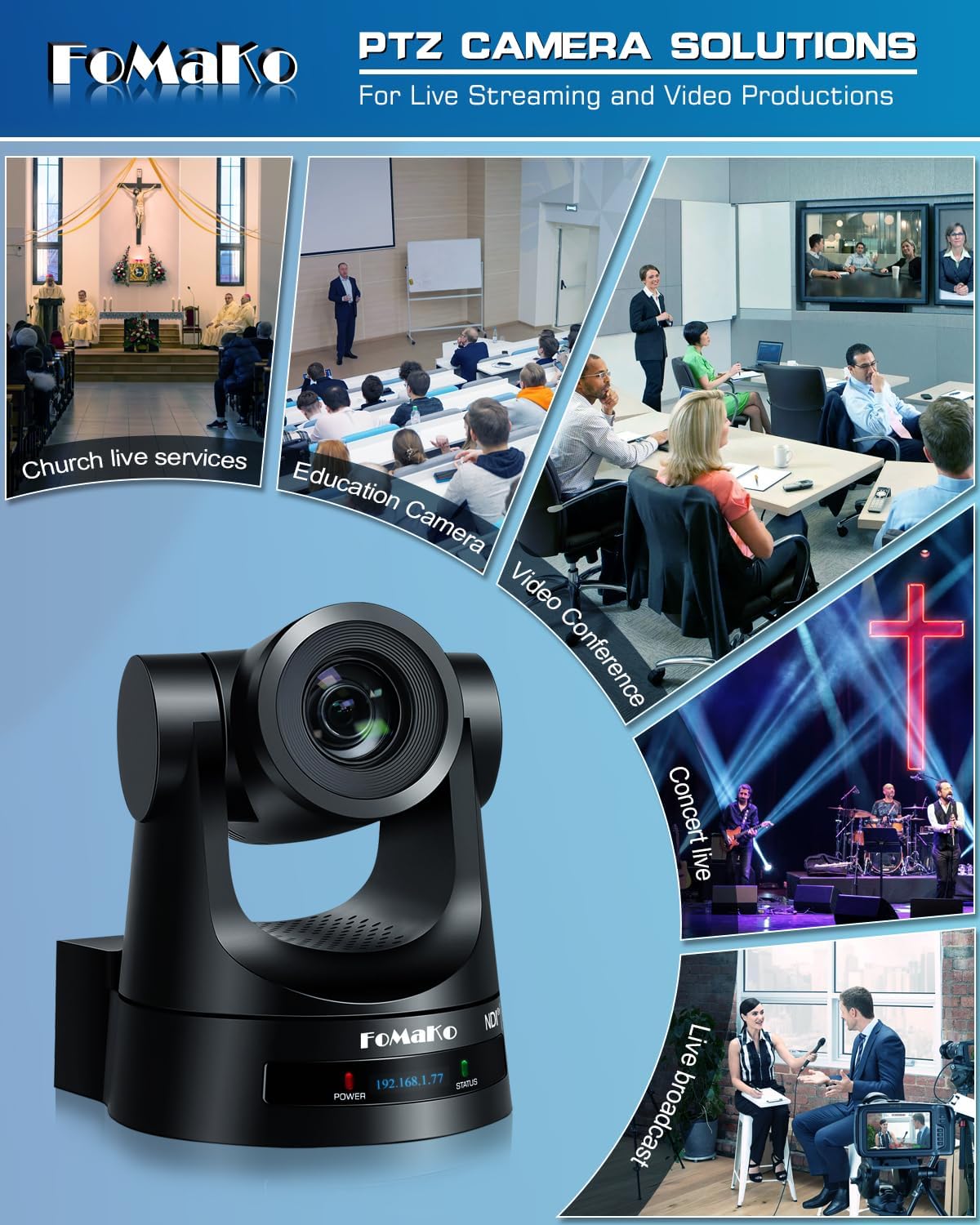
This manual provides detailed instructions for the installation, operation, and maintenance of your FoMaKo NDI PTZ Camera KN20A Pro. This camera features AI auto-tracking, 20x optical zoom, and multiple output interfaces including HDMI, 3G-SDI, IP, NDI, and USB3.0. It is designed for professional video production and live streaming in various environments such as churches, educational institutions, and event venues.
2. Кутуда эмне бар
Пакетте бардык буюмдар бар экенин текшериңиз:
- FoMaKo AI Tracking NDI PTZ Camera (20x optical zoom)
- IR Remote контроллер
- Дубалга орнотуу кронштейн
- Шып кронштейн
- USB кабели
- Кубаттуу адаптер (12V 2A)
- Колдонуучунун Колдонмосу (бул документ)

Image 2.1: FoMaKo NDI PTZ Camera KN20A Pro and its standard accessories.
3. Продукт өзгөчөлүктөрү бүттүview
- Official NDI 6 & NDI HX3 Certification: Ensures stable and high-quality video transmission, even with limited bandwidth.
- 20x оптикалык масштаб: Provides clear, detailed images from a distance.
- Өркүндөтүлгөн AI автокөзөмөлү (3-муун): Offers customizable tracking modes, sensitivity, and target switching.
- Бир нече видео чыгаруу интерфейстери: Simultaneous 3G-SDI, HDMI, LAN/Ethernet, and USB3.0 for versatile connectivity.
- Power over Ethernet (PoE) колдоосу: Бир Ethernet кабели аркылуу кубат жана маалыматтарды берүү менен орнотууну жеңилдетет.
- Efficient Video Encoding: Supports H.264/H.265 for fluent motion video under various bandwidth conditions.
- Төмөн жарык аткаруу: High SNR CMOS combined with 2D & 3D noise reduction for clear images in challenging lighting.
- Precise Gear Transmission Structure: Ensures accurate preset positioning and enhanced durability compared to belt-driven systems.
- Көптөгөн башкаруу ыкмалары: Includes IR remote, dedicated PTZ controller, web interface, OBS/vMix PTZ plugins, and StreamDeck compatibility.

Сүрөт 3.1: Камеранын негизги функцияларынын визуалдык чагылдырылышы.
4. Орнотуу
4.1 Физикалык орнотуу
The FoMaKo NDI PTZ Camera supports three primary installation methods:
- Дубалга орнотуу: Securely attach the camera to a vertical surface using the provided wall mount bracket.
- Штатив орнотуу: Mount the camera on a standard tripod for portable or temporary setups.
- Шыпка орнотуу: Install the camera inverted on a ceiling using the provided ceiling bracket. The camera automatically adjusts its image and control orientation when mounted upside down.

Сүрөт 4.1: Мисamples of camera installation methods.
4.2 Байланыштар
Connect the camera to your system using the appropriate ports on the rear panel:
- 3G-SDI чыгаруу: For professional video transmission over coaxial cable.
- HDMI чыгышы: For direct connection to displays or video switchers.
- USB3.0 чыгышы: For direct connection to a computer for live streaming or recording.
- LAN/Ethernet порту: For IP streaming (NDI, RTSP, RTMP, SRT), control (VISCA over IP), and PoE power.
- RS232/RS485: For serial control using a PTZ controller.
- Катары: 3.5 мм аудио киргизүү.
- DC12V: Power input if not using PoE.
4.2-сүрөт: Арткы панелдин туташуулары.
4.3 Тармактын конфигурациясы
For IP-based control and streaming, configure the camera's network settings. This can typically be done via the camera's web interface or on-screen display (OSD) menu.
- DHCP: Enable DHCP for automatic IP address assignment or disable it to set a static IP.
- IP Address, Subnet Mask, Gateway: Manually configure these settings if DHCP is disabled.
Камерага кирүү web анын IP дарегин киргизүү менен интерфейс web browser. The default IP address is often printed on the camera or can be found using an NDI discovery tool.

Image 4.3: Network settings interface.
5. Иштөө нускамалары
5.1 Негизги башкаруу каражаттары
The camera can be controlled using the IR remote, a dedicated PTZ controller, or the web интерфейс.
- Панорама/Тилт/кичирейтүү: Use the joystick on a PTZ controller or directional buttons on the IR remote/web камераны тууралоо үчүн интерфейс view.
- Ылдамдыкты жөндөө: Pan, tilt, and zoom speeds can be adjusted to achieve smooth camera movements. Preset speed is also adjustable.
- Фокус: The camera features fast auto-focus. Manual focus adjustment is also available.
5.2 AI Auto-Tracking
The third-generation AI auto-tracking system allows the camera to automatically follow a designated subject.
- Жандандыруу: Press the F2 button on the IR remote control to activate automatic tracking.
- Target Switching: Press the F4 button on the IR remote to switch between detected tracking targets.
- Ыңгайлаштыруу: Adjust tracking modes, sensitivity, figure size, AI-track speed, horizontal tracking only, character position, and lost target action via the camera's settings menu or web интерфейс.

Image 5.1: AI Tracking Gen 3 settings and capabilities.
5.3 Алдын ала орнотуулар
The camera supports up to 255 preset positions, allowing quick recall of specific camera angles and zoom levels. Ten presets can be accessed directly via the IR remote control.
- Алдын ала орнотууларды орнотуу: Камераны каалаган жерге коюңуз view, then use the remote or controller to save the preset. Refer to the detailed manual for specific steps.
- Алдын ала орнотууларды эстөө: Use the preset buttons on the remote or controller to move the camera to a saved position.
6. Техникалык тейлөө
To ensure optimal performance and longevity of your FoMaKo NDI PTZ Camera, follow these maintenance guidelines:
- Тазалоо: Камера корпусун тазалоо үчүн жумшак, кургак чүпүрөктү колдонуңуз. Линза үчүн атайын линза тазалоочу чүпүрөктү жана эритмени колдонуңуз. Абразивдүү материалдардан же катуу химиялык заттардан алыс болуңуз.
- Курчап турган чөйрө: Operate and store the camera in a clean, dry environment, away from extreme temperatures, humidity, and direct sunlight.
- Программалык камсыздоонун жаңыртуулары: Periodically check the FoMaKo webКамераңыздын эң акыркы мүмкүнчүлүктөрүн жана иштешин өркүндөтүүнү камсыз кылуу үчүн микропрограмма жаңыртуулары үчүн сайт.
- Кабелдик башкаруу: Ensure all cables are securely connected and not under strain to prevent damage to ports or cables.
7. Кыйынчылыктарды
Эгерде сиз камераңыз менен көйгөйлөргө туш болсоңуз, төмөнкү жалпы көйгөйлөрдү чечүү кадамдарын караңыз:
- Кубат жок: Ensure the power adapter is correctly connected or that your PoE switch is providing power if using PoE. Check power indicators on the camera.
- Видео чыгаруу жок: Verify all video cables (HDMI, SDI, USB, Ethernet) are securely connected. Check input selections on your display or switcher. Ensure the camera is powered on.
- Тармак туташуусу жок: Confirm Ethernet cable connection. Check network settings (IP address, subnet mask, gateway) in the camera's web interface. Ensure the camera and controlling device are on the same network segment.
- PTZ Control Not Responding: Check remote control batteries. Ensure the camera is receiving IR signals or that the network/serial control connection is active. Verify the correct camera ID is selected on the controller.
- Автоматтык түрдө көзөмөлдөө көйгөйлөрү: Ensure AI auto-tracking is enabled (F2 on remote). Check tracking sensitivity and other settings in the menu. Ensure the subject is clearly visible and within the camera's tracking range.
- Сүрөттүн сапаты маселелери: Check lighting conditions. Ensure lens is clean. Adjust exposure and white balance settings if necessary.
For more detailed troubleshooting or issues not covered here, please refer to the full user manual PDF available online or contact FoMaKo customer support.
8. Техникалык шарттар
| Өзгөчөлүк | Спецификация |
|---|---|
| Бренд аты | FoMaKo |
| Модель номери | KN20A |
| Элемент Салмагы | 2.64 фунт |
| Продукциянын өлчөмдөрү | 5.63 x 6.93 x 6.65 дюйм |
| Түс | Кара |
| Өзгөчөлүктөр | AI tracking NDI PTZ Camera |
| Оптикалык масштаб | 20x |
| Видео тартуунун резолюциясы | 1080p |
| Атуу режимдери | Автоматтык |
| Экспозицияны башкаруу түрү | Автоматтык |
| Байланыш | 3G-SDI, HDMI, IP (NDI 6 & NDI HX3), USB3.0, RS232, RS485, PoE |
9. Кепилдик жана колдоо
FoMaKo is committed to providing excellent customer service and product reliability.
- Кепилдик: The product includes a 3-Year Limited Warranty.
- Акчаны кайтарып берүү кепилдиги: A 30-Day No-Questions-Asked Money-Back Guarantee is provided for risk-free purchase.
- Онлайн тренинг: Free online training is available to help users get started easily.
- Эксперттик жардам: 24/7 expert assistance is available, with responses typically within 24 hours. Please include your Order ID when contacting support.
- Алыстан жардам: Remote assistance for setup can be provided if necessary.
- Өмүр бою техникалык колдоо: Enjoy lifetime customer technical support for your product.

Image 9.1: FoMaKo customer support and warranty information.