
1. Продукт бүтүп калдыview
The EPOS Adapt 130T USB II is a wired, single-sided headset designed for professional communication. It offers superior sound quality and enhanced comfort for extended use. This headset is certified for Microsoft Teams and optimized for Unified Communications (UC), ensuring seamless integration with your business tools.
Негизги өзгөчөлүктөрү:
- Microsoft Teams certified and UC optimized for professional communication.
- Single-sided design allows awareness of surroundings.
- Plug and play USB connectivity for quick setup.
- Integrated call control and microphone for clear communication.
- Lightweight design (4 ounces) with enhanced comfort for long workdays.
2. Кутуда эмне бар
Upon opening your EPOS Adapt 130T USB II Headset package, you should find the following items:
- EPOS Adapt 130T USB II Headset
- Колдонуучунун Колдонмосу (бул документ)
- Коопсуздук колдонмосу
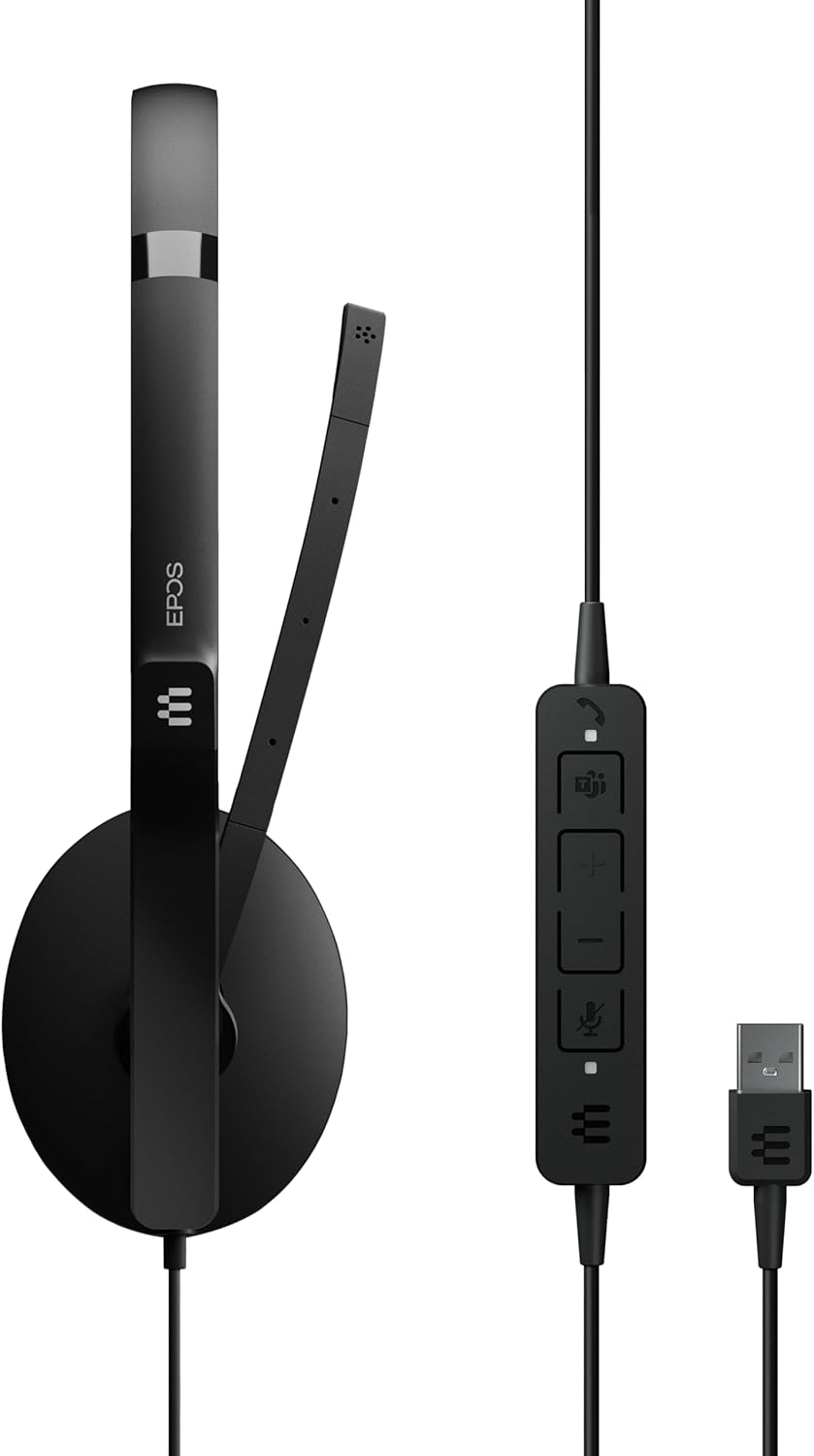
Image: The EPOS Adapt 130T USB II Headset, showcasing the single earcup, adjustable headband, microphone boom, inline call controls, and USB-A connector.
3. Орнотуу нускамалары
The EPOS Adapt 130T USB II Headset features plug-and-play functionality, making setup quick and straightforward.
- Гарнитураны туташтыруу: Locate an available USB-A port on your computer (PC or Mac). Insert the USB-A connector of the headset into the USB port.
- Системаны таануу: Your operating system should automatically detect and install the necessary drivers for the headset. This may take a few moments.
- Аудио жөндөөлөрүн текшерүү: Once connected, open your computer's sound settings or the settings within your communication application (e.g., Microsoft Teams, Zoom, Skype). Ensure that the EPOS Adapt 130T USB II is selected as both the input (microphone) and output (speaker) device.
- Тууралоону тууралоо: Place the headset on your head with the earcup over one ear. Adjust the headband for a comfortable fit. Position the microphone boom approximately two fingers' width from your mouth for optimal voice pickup.

Сүрөт: алдыңкы view of the EPOS Adapt 130T USB II Headset, showing the earcup and microphone boom in position.
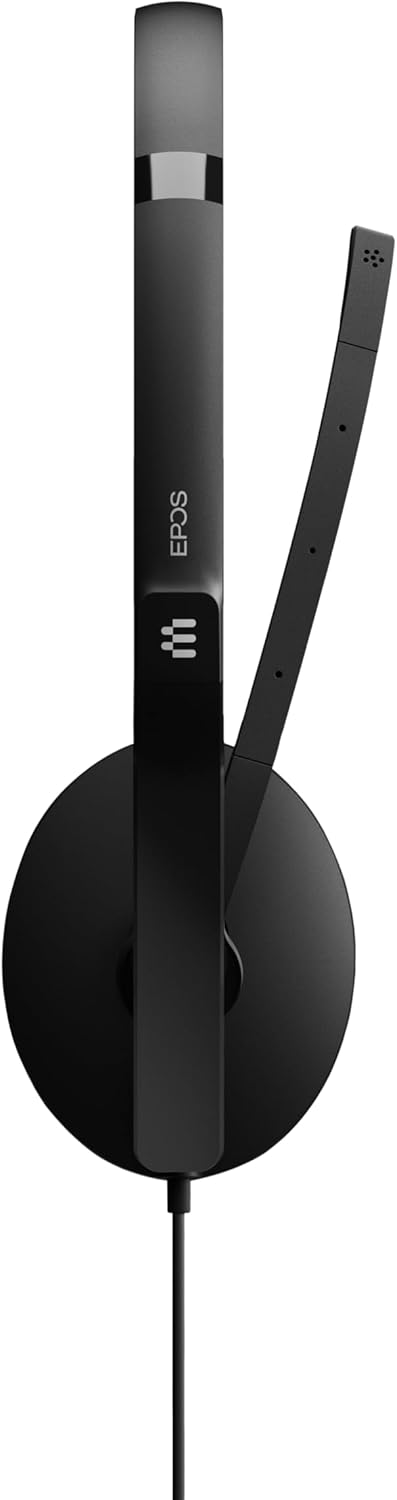
Сүрөт: каптал view of the EPOS Adapt 130T USB II Headset, highlighting the single earcup and the flexible microphone arm.
4. Иштөө нускамалары
The headset features an inline control unit for easy management of calls and audio settings.
Inline Control Unit Functions:

Сүрөт: деталдуу view of the inline control unit, showing the various buttons for call management and volume adjustment.
- Чакырууга жооп берүү/аяктоо баскычы: Press to answer an incoming call or end an active call. (Typically represented by a phone icon).
- Үнүн жогорулатуу (+): Угуу үнүн жогорулатуу үчүн басыңыз.
- Үнүн төмөндөтүү (-): Угуу үнүн азайтуу үчүн басыңыз.
- Микрофондун үнүн басуу баскычы: Press to mute or unmute your microphone. An indicator light on the control unit may show the mute status. (Typically represented by a microphone icon).
- Microsoft командалары баскычы: For MS Teams certified models, this button can be used to launch Teams, bring the Teams window to the foreground, or answer/end Teams calls.
Микрофонду жайгаштыруу:
For optimal voice clarity, position the microphone boom so that the microphone is approximately 2 cm (0.8 inches) from the corner of your mouth. The boom is flexible and can be adjusted.
5. Техникалык тейлөө
Proper care and maintenance will extend the life of your headset and ensure optimal performance.
- Тазалоо: Use a soft, dry cloth to wipe the headset. For ear cushions, a slightly damp cloth with mild soap can be used, but ensure they are completely dry before use. Do not use harsh chemicals or abrasive cleaners.
- Сактагыч: Колдонбогондо гарнитураны таза, кургак жерде, экстремалдык температурадан жана тике күн нурунан алыс сактаңыз. Кабелди чаташтырбоо керек.
- Кабельге кам көрүү: Гарнитураны ажыратуу үчүн кабелди тартпаңыз. Ар дайым USB туташтыргычын кармаңыз. Кабелдин кескин ийилип же кыйшайып кетишинен алыс болуңуз.
- Нымдуулуктан качыңыз: The headset is not water-resistant. Keep it away from liquids and high humidity.
6. Кыйынчылыктарды
Гарнитураңызда көйгөйлөргө туш болсоңуз, көйгөйлөрдү чечүүнүн төмөнкү кадамдарын жасап көрүңүз:
- Үн жок/микрофон иштебейт:
- Гарнитура USB портуна бекем сайылганын текшериңиз.
- Check your computer's sound settings to confirm the EPOS Adapt 130T USB II is selected as the default playback and recording device.
- Verify that the microphone is not muted via the inline control unit or within your communication software.
- Try plugging the headset into a different USB port or another computer to rule out port or system issues.
- Начар аудио сапаты:
- Adjust the volume using the inline controls and your computer's settings.
- Ensure the microphone is correctly positioned near your mouth.
- Check for any software updates for your operating system or communication applications.
- Inline Controls Not Responding:
- Гарнитураны розеткадан чыгарып, кайра сайыңыз.
- Компьютериңизди өчүрүп күйгүзүңүз.
- Ensure your communication software is up-to-date.
7. Техникалык шарттар
| Өзгөчөлүк | Спецификация |
|---|---|
| Бренд | EPOS |
| Модель аты | ADAPT 130T USB II |
| Модель номери | 1000899 |
| Түс | Кара |
| Байланыш технологиясы | Зымдуу (USB) |
| Кулак жайгаштыруу | On Ear (Single-sided) |
| Форма фактору | On Ear |
| Импеданс | 32 Ом |
| Frequency Response | 8000 Гц |
| Жыштык диапазону | 20 Гц - 20 000 Гц |
| Башкаруу түрү | Чалууларды башкаруу |
| Noise Control | Пассивдүү ызы-чууну жокко чыгаруу |
| Элемент Салмагы | 4 унция |
| Шайкеш түзмөктөр | Tablets, Mobile Phones, PCs with Softphone Capabilities |
| Сууга туруктуулук деңгээли | Сууга чыдамдуу эмес |
8. Кепилдик жана колдоо
Кепилдик маалыматы:
This EPOS Adapt 130T USB II Headset comes with a 2 жылдык өндүрүүчүнүн кепилдиги. Кепилдик дооматтары үчүн сатып алганыңыздын далилин сактап коюңуз.
Кардарларды колдоо:
For further assistance, technical support, or to explore other EPOS products, please visit the official EPOS store or contact their customer service.
Official EPOS Store: EPOS Store on Amazon
9. Продукт видеосу
Видео: Продукциянын расмий көргөзмөсүasing the EPOS Adapt 130T USB II Headset, highlighting its features and design. Duration: 1 minute 15 seconds.