
1. Киришүү
This manual provides comprehensive instructions for the STEMDIY 2.13 inch 250x122 E-Paper Display Module. This module is specifically designed for integration with the Raspberry Pi Pico, offering a low-power, high-contrast display solution suitable for various embedded applications. E-paper displays are known for their ability to retain an image without continuous power, making them ideal for projects requiring minimal energy consumption and clear readability.
Маанилүү эскертүү: The Raspberry Pi Pico board is not included with this display module and must be acquired separately.

Image 1.1: The 2.13 inch E-Paper Display Module with a Raspberry Pi Pico board. Please note, the Raspberry Pi Pico board is sold separately.
2. Өзгөчөлүктөрү
- Persistent Display: The display retains its content even when power is removed, eliminating the need for continuous power to maintain the image.
- Өтө аз энергия керектөө: Power is primarily required only during display refreshes, leading to significant energy savings.
- SPI интерфейси: Utilizes a Serial Peripheral Interface (SPI) for communication, requiring a minimal number of I/O pins for connection.
- Жогорку чечим: Features a 2.13 inch display with a resolution of 250x122 pixels.
- Атайын дизайн: Specifically engineered for seamless compatibility with the Raspberry Pi Pico.
- Дисплей түстөрү: Supports black and white display with 2 grayscale levels.
3. Техникалык шарттар
| Параметр | Нарк |
|---|---|
| Operating Voltage | 3.3V |
| Интерфейс | 3-зым SPI, 4-зым SPI |
| Тышкы өлчөмдөр | 65.00 x 30.50 мм |
| Дисплей өлчөмү | 48.55 x 23.70 мм |
| Dot Pitch | 0.194 x 0.194 мм |
| Резолюция | 250 x 122 пиксель |
| Display Color | Кара, Ак |
| Боз шкала | 2 |
| Жарым-жартылай жаңыртуу убактысы | 0.3 секунд |
| Толук жаңыртуу убактысы | 2 секунд |
| Refresh Power | 26.4 мВт (типтүү) |
| Элемент Салмагы | 0.02 килограмм |
4. Орнотуу
Follow these steps to connect your E-Paper Display Module to a Raspberry Pi Pico:
- Prepare Raspberry Pi Pico: Ensure your Raspberry Pi Pico is ready for use and has the necessary firmware or MicroPython environment installed.
- Физикалык байланыш: Carefully align the pins of the E-Paper Display Module with the corresponding GPIO pins on your Raspberry Pi Pico. The module is designed to act as a HAT (Hardware Attached on Top) for the Pico. Ensure all pins are correctly seated to prevent damage.
- Коопсуз туташуу: Once aligned, gently press the module onto the Pico until it is firmly connected.
- Программанын конфигурациясы: Refer to the official documentation or example code provided by STEMDIY or Waveshare (the manufacturer of the display panel) for specific driver installation and programming instructions. This typically involves installing a library for e-paper displays and configuring the SPI communication.
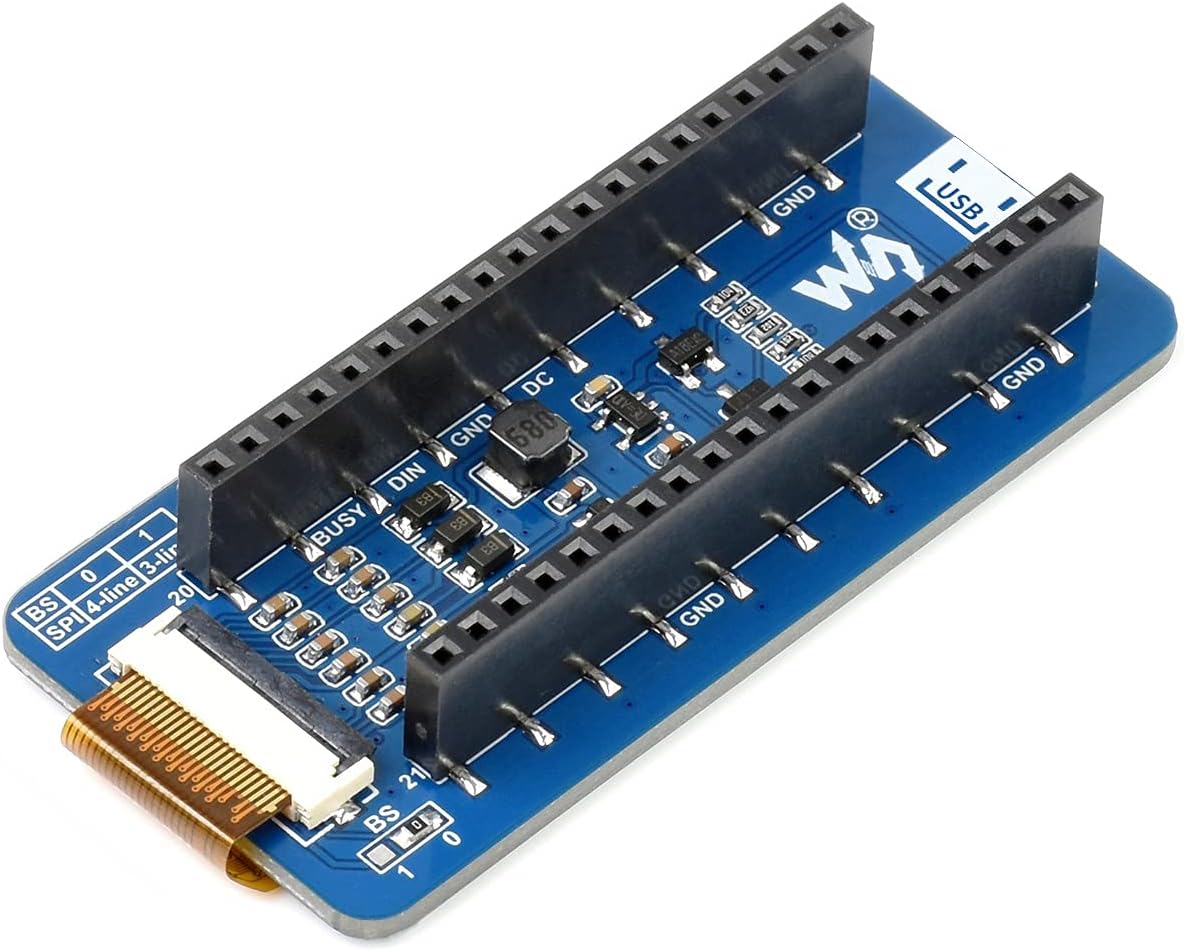
Image 4.1: Underside of the E-Paper Display Module, showing the connection interface for the Raspberry Pi Pico.
5. Дисплейди иштетүү
Operating the E-Paper Display Module involves sending commands via the SPI interface to update its content. Due to the nature of e-paper technology, display updates (refreshes) are not instantaneous and consume power during the refresh cycle.
- Инициализация: Before displaying content, the module must be initialized through software commands. This typically involves setting up the display controller.
- Маалыматтарды жөнөтүү: Image data or text is sent to the display buffer via SPI. The data format will depend on the specific display driver library used.
- Дисплейди жаңылоо: After sending data, a refresh command is issued. The display will then update its pixels to show the new content. Full refreshes take approximately 2 seconds, while partial refreshes can be quicker (around 0.3 seconds) but may leave ghosting artifacts over time.
- Энергияны башкаруу: Once the display is refreshed, it will hold the image without consuming power. For battery-powered applications, it is crucial to put the Raspberry Pi Pico into a low-power state between refreshes.
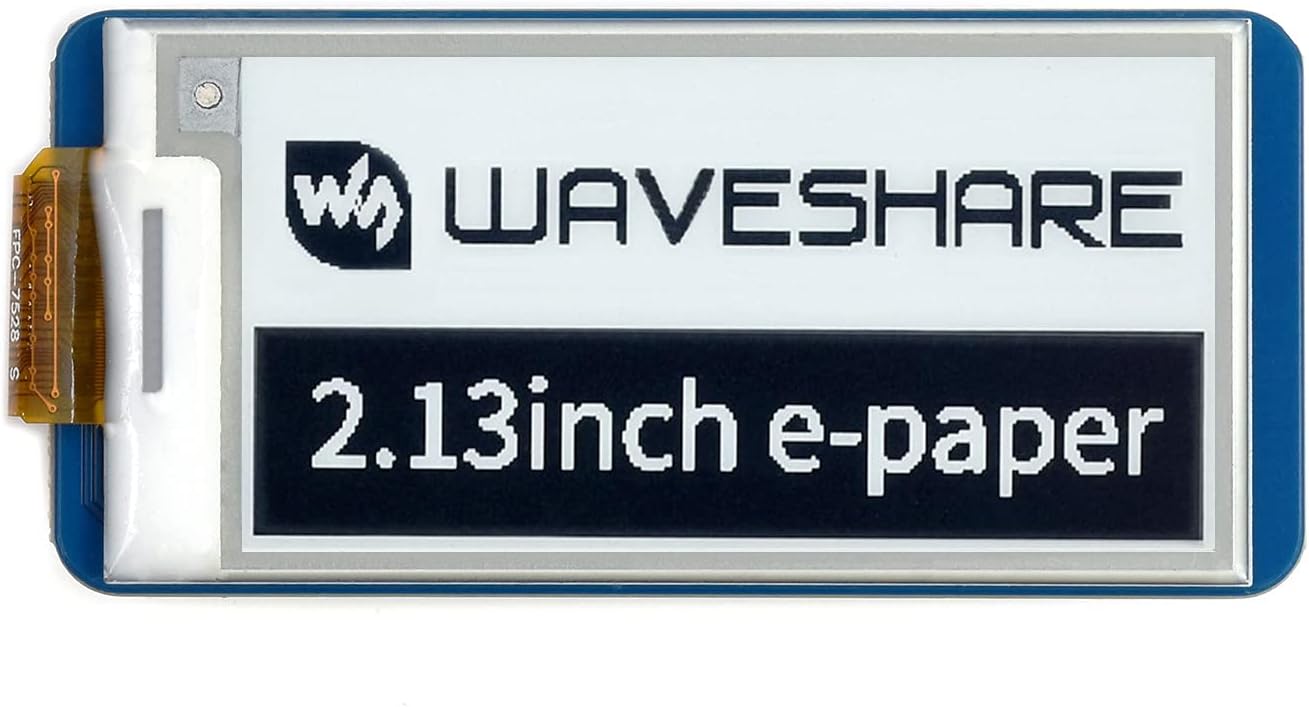
Image 5.1: The 2.13 inch E-Paper Display showing its branding and size.

Сүрөт 5.2: Мисample content displayed on the 2.13 inch E-Paper, demonstrating its clarity.
6. Техникалык тейлөө
The E-Paper Display Module requires minimal maintenance to ensure its longevity and optimal performance.
- Тазалоо: Use a soft, dry, lint-free cloth to gently wipe the display surface. Avoid using abrasive cleaners, solvents, or excessive moisture, as these can damage the screen.
- Сактагыч: When not in use, store the module in a cool, dry environment, away from direct sunlight and extreme temperatures. Keep it in its original packaging or an anti-static bag to protect it from dust and static discharge.
- Колдонуу: Always handle the module by its edges to avoid touching the display surface or the flexible flat cable (FPC). Avoid bending or creasing the FPC.
- Өчүрүү: Disconnect power when making or changing connections to prevent short circuits or damage to the module or Raspberry Pi Pico.
7. Кыйынчылыктарды
If you encounter issues with your E-Paper Display Module, consider the following troubleshooting steps:
- Display Not Refreshing:
- Check all physical connections between the module and the Raspberry Pi Pico. Ensure they are secure and correctly aligned.
- Verify your code includes the necessary refresh commands after sending display data.
- Confirm the power supply to the Raspberry Pi Pico is stable and sufficient.
- Garbled or Incomplete Display:
- This often indicates incorrect data transmission or an issue with the display driver. Double-check your SPI configuration (clock speed, data mode).
- Ensure the correct display library for the 250x122 resolution is being used.
- Try a full refresh instead of a partial refresh to clear any ghosting or artifacts.
- Дисплей чыгышы жок:
- Confirm the Raspberry Pi Pico is powered on and running your program.
- Check for any error messages in your Pico's serial output or debugger.
- Ensure the display module itself is not damaged.
- Программалык камсыздоо маселелери:
- Consult the documentation for the specific e-paper library you are using.
- Search online forums or communities for similar issues and solutions related to Raspberry Pi Pico and e-paper displays.
8. Кутуда эмне бар
The package for the STEMDIY 2.13 inch 250x122 E-Paper Display Module includes:
- 1 x 2.13 inch E-Paper Display Module
Note: The Raspberry Pi Pico board and connecting cables are not included.
9. Кепилдик жана колдоо
For warranty information and technical support, please refer to the seller's policy or contact STEMDIY directly through their official support channels. Keep your purchase receipt or order number handy for any warranty claims or support inquiries.