
Introduction
This manual provides detailed instructions for the HERCHR BAO-JIE BJ-218/BJ-318 USB Programming Cable. This cable is designed to facilitate programming and data transfer between your personal computer and compatible BAO-JIE BJ-218 or BJ-318 mobile two-way radios. Please read this manual thoroughly before use to ensure proper operation and to maximize the cable's performance and longevity.

Image: The HERCHR BAO-JIE USB Programming Cable, showing its USB and RJ45 connectors. This cable is used for programming BJ-218 and BJ-318 mobile radios.
Орнотуу нускамалары
- Драйверлерди орнотуу: Before connecting the cable, ensure that any necessary USB drivers for the programming cable are installed on your computer. These drivers are typically provided with the programming software or can be downloaded from the manufacturer's webсайт.
- Компьютерге туташуу: Insert the USB-A connector of the programming cable into an available USB port on your personal computer.
- Радиого туташуу: Connect the RJ45 8-Pin connector of the programming cable to the corresponding programming port on your BAO-JIE BJ-218 or BJ-318 mobile radio. Ensure a secure connection.
- Программаны ишке киргизүү: Open the dedicated programming software for your BAO-JIE radio on your computer.
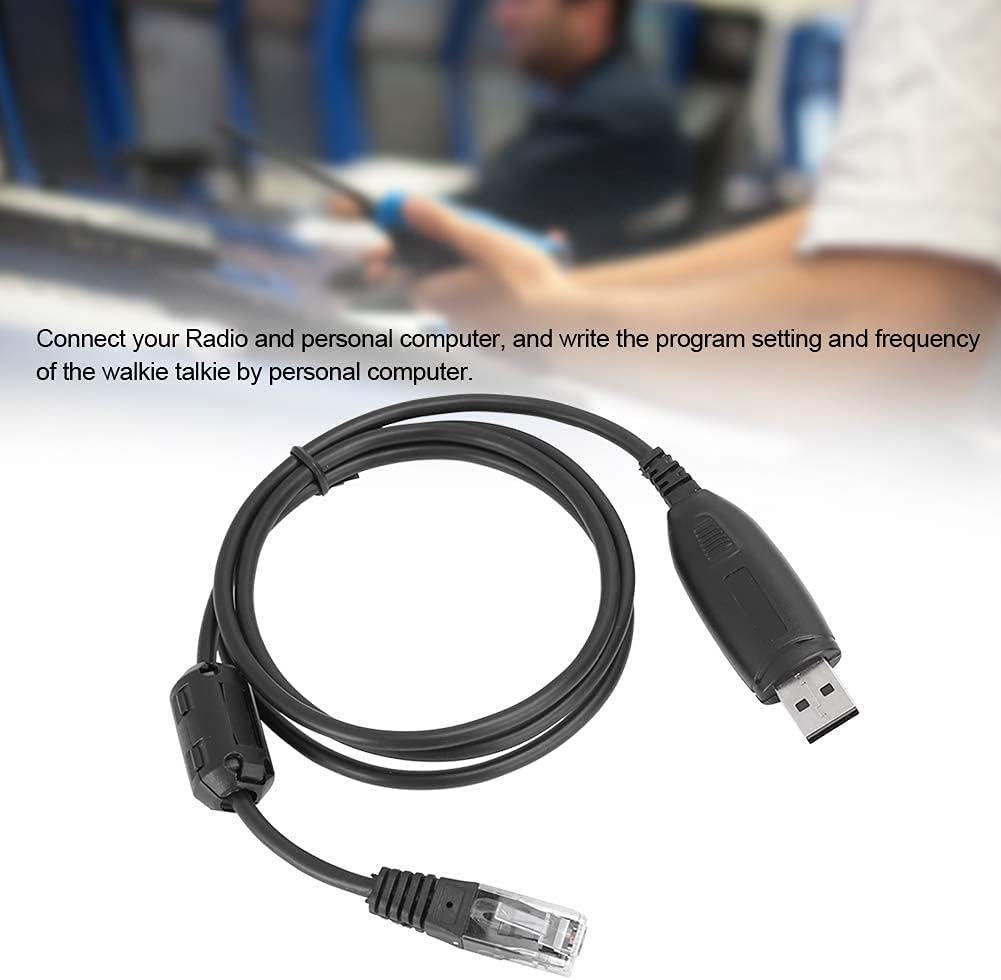
Image: The USB programming cable connected to a computer, illustrating the setup process for programming a mobile radio.
Иштөө нускамалары
Once the cable is connected and the software is launched, you can proceed with programming your radio:
- Программалык камсыздоону таануу: The programming software should detect the connected radio via the USB cable. Confirm that the software recognizes the radio model.
- Радио маалыматтарын окуу: Use the software's function to read the current program settings and frequencies from your radio. This is often a good practice before making any changes.
- Орнотууларды өзгөртүү: Adjust frequencies, channel settings, and other parameters within the programming software interface as needed.
- Write to Radio: After making desired changes, use the software's "write" or "upload" function to transfer the new settings to your radio. Follow any on-screen prompts.
- Текшерүү: After writing, it is recommended to read the radio data again to verify that the new settings have been successfully applied.
The cable enables stable and efficient programming of your radio by PC and through the microphone's keypad, offering ease of operation.

Image: A person operating a two-way radio, illustrating the context in which the programming cable is used for configuration.
Техникалык тейлөө
- Сактагыч: Кабельди күн нурунан жана экстремалдык температурадан алыс салкын, кургак жерде сактаңыз.
- Тазалоо: Кабелди жана туташтыргычтарды тазалоо үчүн жумшак, кургак чүпүрөктү колдонуңуз. Катуу химиялык заттарды же абразивдүү материалдарды колдонуудан алыс болуңуз.
- Колдонуу: Avoid bending or twisting the cable excessively, especially near the connectors, to prevent internal damage. Always grasp the connector housing when plugging or unplugging, not the cable itself.
- Текшерүү: Мезгил-мезгили менен кабелде эскирүү, эскирүү же туташтыргычтардын бузулуу белгилерин текшерип туруңуз. зыян байкалган болсо, колдонууну токтотуу.

Сүрөт: деталдуу view of the USB and RJ45 connectors, highlighting the robust construction designed for stable transmission performance and durability.
Проблемаларды чечүү
- Cable Not Recognized:
- Ensure the USB cable is securely plugged into both the computer and the radio.
- Компьютериңиздеги башка USB портун колдонуп көрүңүз.
- Verify that the correct USB drivers are installed. Check your computer's Device Manager for any unknown devices or driver errors.
- Restart your computer and radio.
- Programming Software Issues:
- Confirm that you are using the correct programming software version for your specific radio model (BJ-218 or BJ-318).
- Check the software settings to ensure the correct COM port is selected (if applicable).
- Run the programming software as an administrator (on Windows).
- Маалыматтарды өткөрүү каталары:
- Ensure the radio is powered on and in programming mode (refer to your radio's manual).
- Avoid disconnecting the cable during data transfer.
- Close other applications that might interfere with USB communication.
Техникалык шарттар
| Өзгөчөлүк | Деталь |
|---|---|
| Бренд | HERCHR |
| Элемент түрү | USB программалоо кабели |
| Материал | ABS |
| Түс | Кара |
| Output Interface | USB |
| киргизүү Interface | 8-Pin (RJ45 type) |
| Иштөө температурасы | -20°Cден +60°Cге чейин (-4°Fтен +140°Fке чейин) |
| Шайкеш түзмөктөр | BAO-JIE BJ-218, BAO-JIE BJ-318 Mobile Radios |
| Туташтыргыч түрү | USB |
| Кабель түрү | USB |
| Connector Gender | Эркектен Аялга |
| Pins саны | 8 |
| Элемент Салмагы | 0.04 килограмм (1.41 унция) |
| Ички/тышкы колдонуу | Ички, сырткы |
Кепилдик маалымат
Specific warranty details for this product are not provided in this manual. For information regarding warranty coverage, duration, and claims, please refer to the product packaging or contact the seller directly. Keep your proof of purchase for any warranty-related inquiries.
Кардарларды колдоо
If you encounter any issues or have questions regarding the HERCHR BAO-JIE BJ-218/BJ-318 USB Programming Cable that are not addressed in this manual, please contact the seller or manufacturer for assistance. Provide your product model number (BJ-218 or BJ-318) and a detailed description of your issue when seeking support.