
Introduction
Welcome and thank you for choosing the EVTSCAN Multifunctional Digital Projection Alarm Clock. This manual provides detailed instructions for the setup, operation, and maintenance of your new device. Please read it carefully before use to ensure proper functionality and to maximize your user experience. Keep this manual for future reference.
Продукт бүттүview
Негизги өзгөчөлүктөрү
- Digital Time Projection & Adjustable Angle: Projects time onto walls or ceilings for clear visibility. The projection angle is adjustable for optimal alignment.
- Temperature Display & Voice Time Broadcast: Displays temperature in Celsius or Fahrenheit. A voice feature announces the current time and temperature.
- Dual Alarm with Snooze Function: Allows setting two separate alarms with 5 distinct alarm tones and 60dB volume. Includes a one-button snooze for temporary silence.
- Компакт дизайн: Constructed from durable ABS material, measuring approximately 8 x 8 x 10 cm (3.1 x 3.1 x 3.9 inches).
- Кош кубат режимдери: Operates on 3 AAA batteries (not included) or via USB cable (included).
Пакеттин мазмуну
- 1 x EVTSCAN Digital Projection Alarm Clock
- 1 x USB кабели
- 1 x User Manual

Сүрөт: алдыңкы view of the EVTSCAN Digital Projection Alarm Clock displaying 12:00 and 50°F, with a red projected time above.

Image: Labeled diagram highlighting the projection show, time report, alarm, snooze function, and temperature display areas on the clock.
Коопсуздук маалыматы
- Аппаратты экстремалдык температурага, түз күндүн нуруна же жогорку нымдуулукка дуушар кылбаңыз.
- Аппаратты түшүрүүдөн же катуу таасирлерден сактаныңыз.
- Do not attempt to disassemble or modify the clock. This will void the warranty.
- Use only the specified power sources (3 AAA batteries or the included USB cable).
- Балдар жетпеген жерде сактаңыз.
Жайгашуу
Аппаратты кубаттандыруу
The alarm clock can be powered by either 3 AAA batteries (not included) or by connecting the included USB cable to a compatible USB power adapter (not included) or port.
Батарея орнотуу
- Сааттын ылдый жагындагы батарея отсегин табыңыз.
- Батарея уясынын капкагын ачыңыз.
- Туура полярдуулукту (+/-) камсыз кылып, 3 жаңы AAA батарейкасын салыңыз.
- Батарея уясынын капкагын бекем жабыңыз.
USB кубат туташуу
- Connect the small end of the USB cable to the DC 5V port on the back of the clock.
- Connect the larger end of the USB cable to a USB power adapter or a powered USB port.
Эскертүү: When operating on batteries, the projection and backlight display will automatically turn off after approximately 8 seconds to conserve power. For continuous projection and backlight, use USB power.
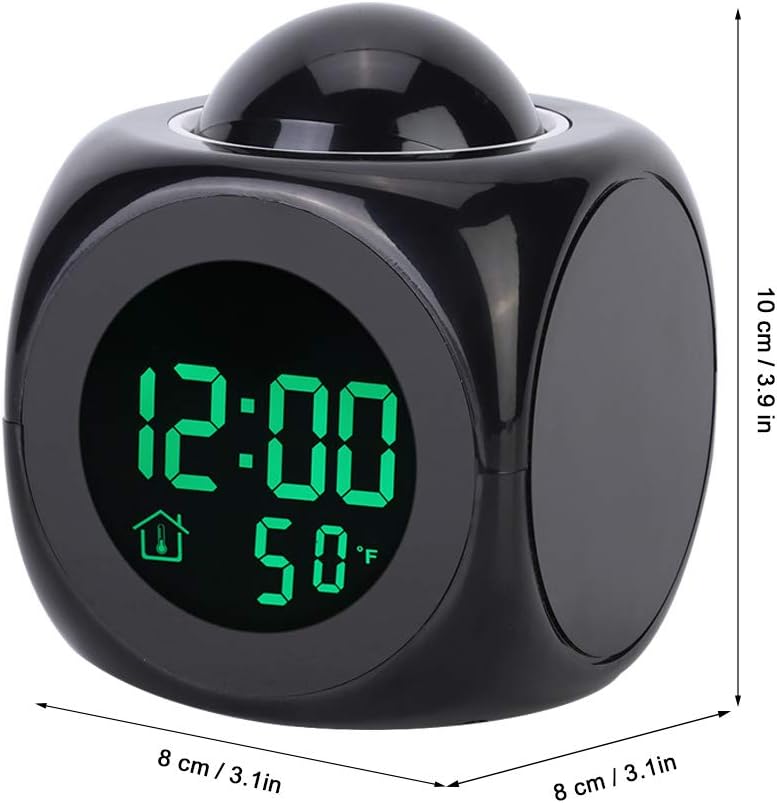
Image: Bottom of the clock showing the battery compartment and function buttons (HR, MIN, MODE, TALKING, SOUND).
Иштөө нускамалары
Убакытты коюу
- басыңыз РЕЖИМ Убакытты орнотуу режимине өтүү үчүн баскычты бир жолу басыңыз. Сааттын сандары күйүп-өчүп турат.
- басыңыз HR саатты жөндөө үчүн баскыч.
- басыңыз MIN мүнөттү жөндөө үчүн баскыч.
- басыңыз РЕЖИМ button again to confirm and exit time setting.
- 12 сааттык жана 24 сааттык форматтын ортосунда которулуу үчүн, басыңыз 12/24 button (located in the battery compartment area).
Ойготкучтарды орнотуу (Кош ойготкуч)
Саат эки көз карандысыз ойготкучту колдойт.
- басыңыз РЕЖИМ button twice to enter Alarm 1 setting mode. The alarm hour digits will flash.
- басыңыз HR ойготкуч саатын жөндөө үчүн баскыч.
- басыңыз MIN ойготкуч мүнөтүн жөндөө үчүн баскыч.
- басыңыз РЕЖИМ button again to enter Alarm 2 setting mode (if desired) or to confirm Alarm 1.
- Repeat steps 2-3 for Alarm 2.
- басыңыз РЕЖИМ button again to confirm and exit alarm setting.
- Ойготкучту иштетүү же өчүрүү үчүн басыңыз AL button (located on the bottom of the clock). An alarm icon will appear on the display when active.
- To change alarm tones, press the ҮН button (located on the bottom of the clock) while in alarm setting mode. There are 5 alarm tones available.
Тындырма функциясы
When an alarm sounds, press the large button on top of the clock to activate the snooze function. The alarm will temporarily stop and sound again after 10 minutes.
Проекциялоо функциясы
To project the current time onto a wall or ceiling, press the large button on top of the clock. The projection will display for approximately 8 seconds when on battery power, or continuously when powered by USB.
The projection lens can be rotated to adjust the angle of the projected time for optimal viewing.
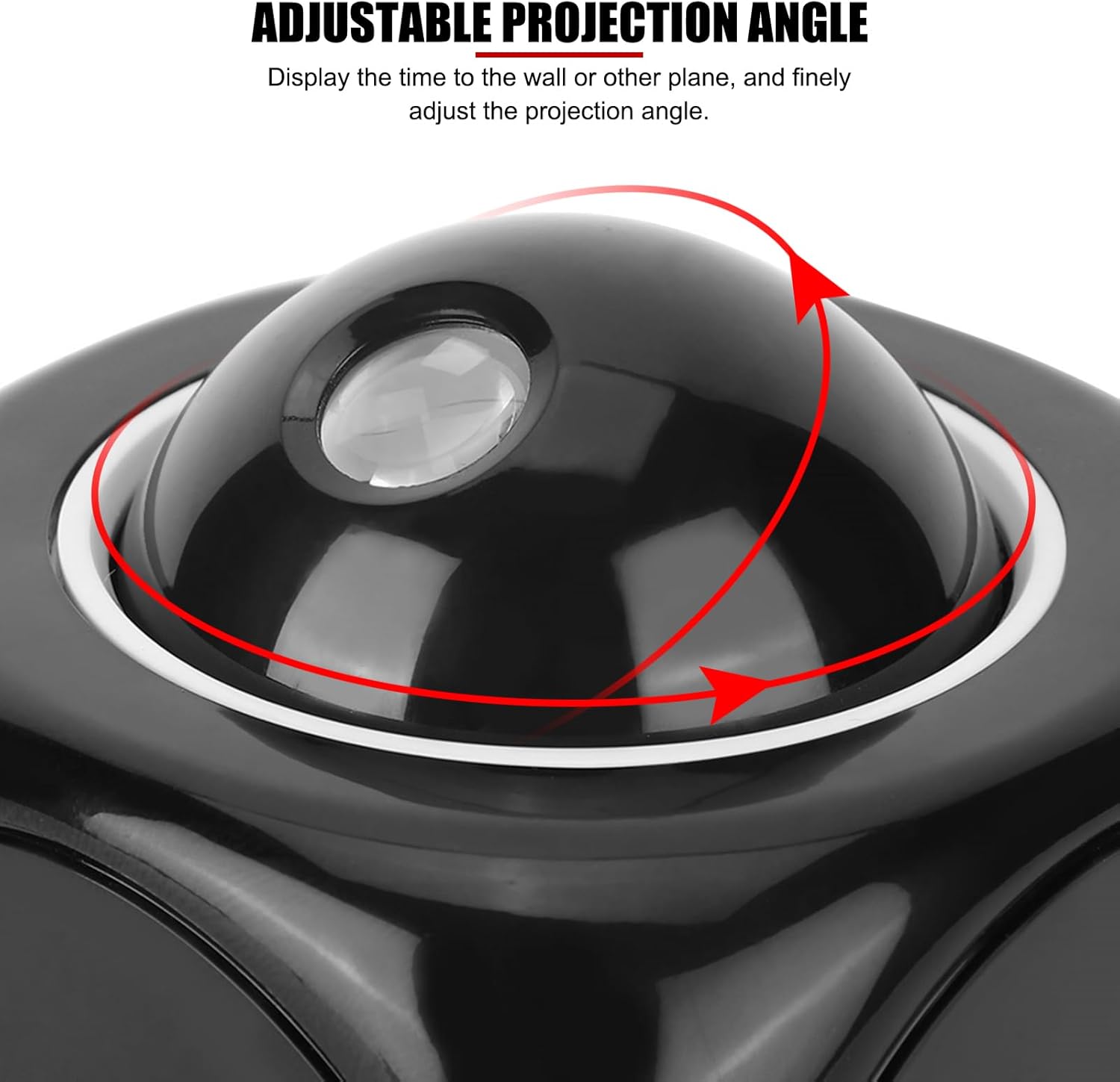
Сүрөт: Жогорку view of the clock showing the projection dome with arrows indicating adjustable rotation.
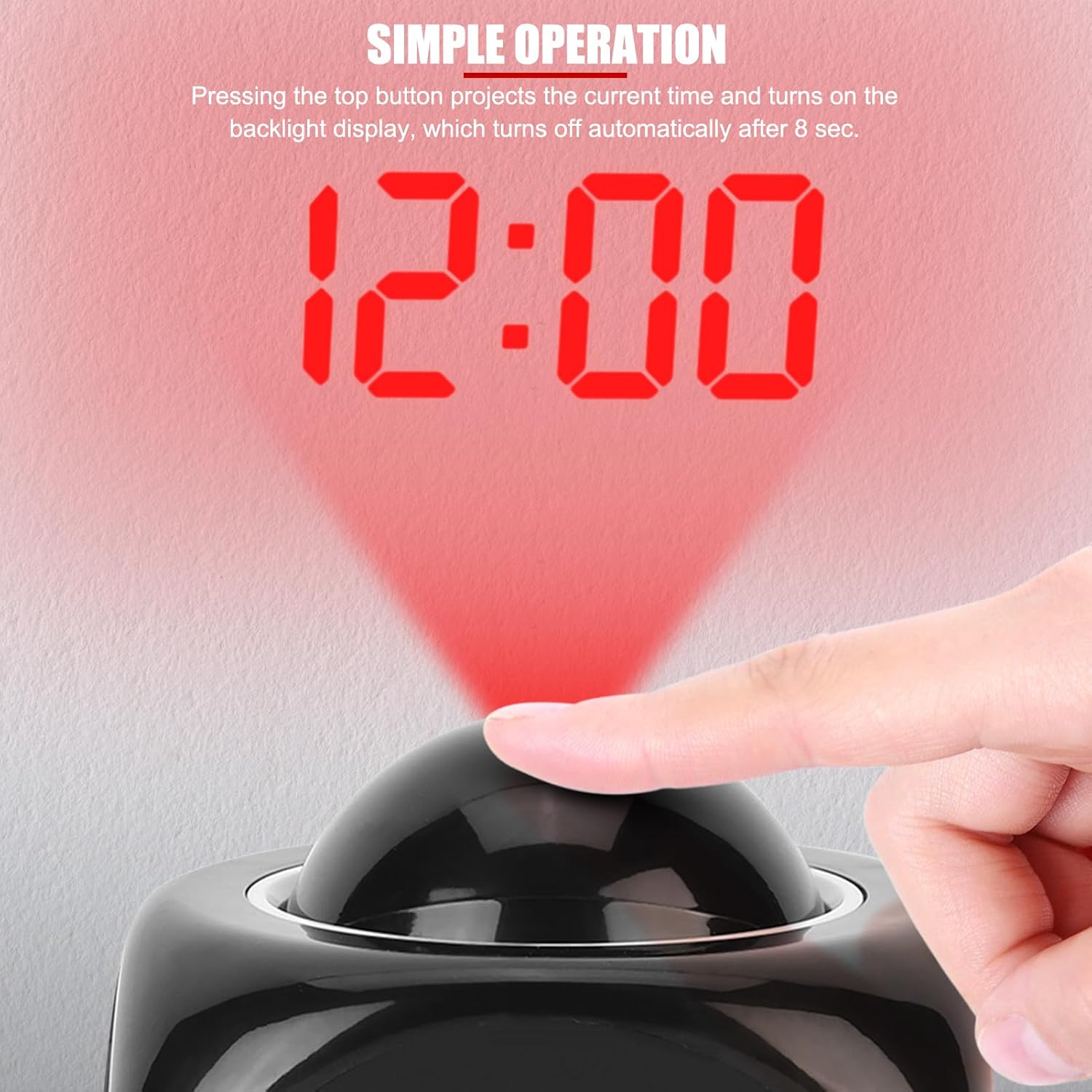
Image: A hand pressing the top button to activate the time projection, showing '12:00' projected in red.

Сүрөт: Бир нече эксamples of the projected time on different surfaces, including a wall and ceiling.
Температура дисплей
The clock displays the ambient temperature. To switch between Celsius (°C) and Fahrenheit (°F), press the MIN button (located on the bottom of the clock) while the clock is in normal time display mode.

Image: The clock displaying time and temperature, with an inset showing the temperature display in Celsius.
Voice Time Broadcast
To hear the current time and temperature announced, press the СҮЙЛӨШҮҮ button (located on the bottom of the clock). To turn the voice function ON/OFF, use the switch labeled TALKING ON/OFF (located on the bottom of the clock).
