
HOCO BS37
HOCO BS37 Dancer зымсыз сырткы колонкасы үчүн колдонуучунун колдонмосу
Модел: BS37
1. Киришүү
Thank you for choosing the HOCO BS37 Dancer Outdoor Wireless Speaker. This manual provides detailed instructions for the safe and efficient operation of your device. Please read this manual thoroughly before use and retain it for future reference.
The HOCO BS37 is a versatile outdoor wireless speaker featuring Bluetooth V5.0 connectivity, TWS (True Wireless Stereo) support, FM radio, USB playback, and AUX input. It includes a wired microphone for karaoke functions and independent colored lights to enhance your audio experience.
2. Пакеттин мазмуну
Сураныч, пакетте төмөнкү нерселерди текшериңиз:
- HOCO BS37 Dancer Outdoor Wireless Speaker
- Зымдуу микрофон
- Заряддоо кабели (USB)
- User Manual
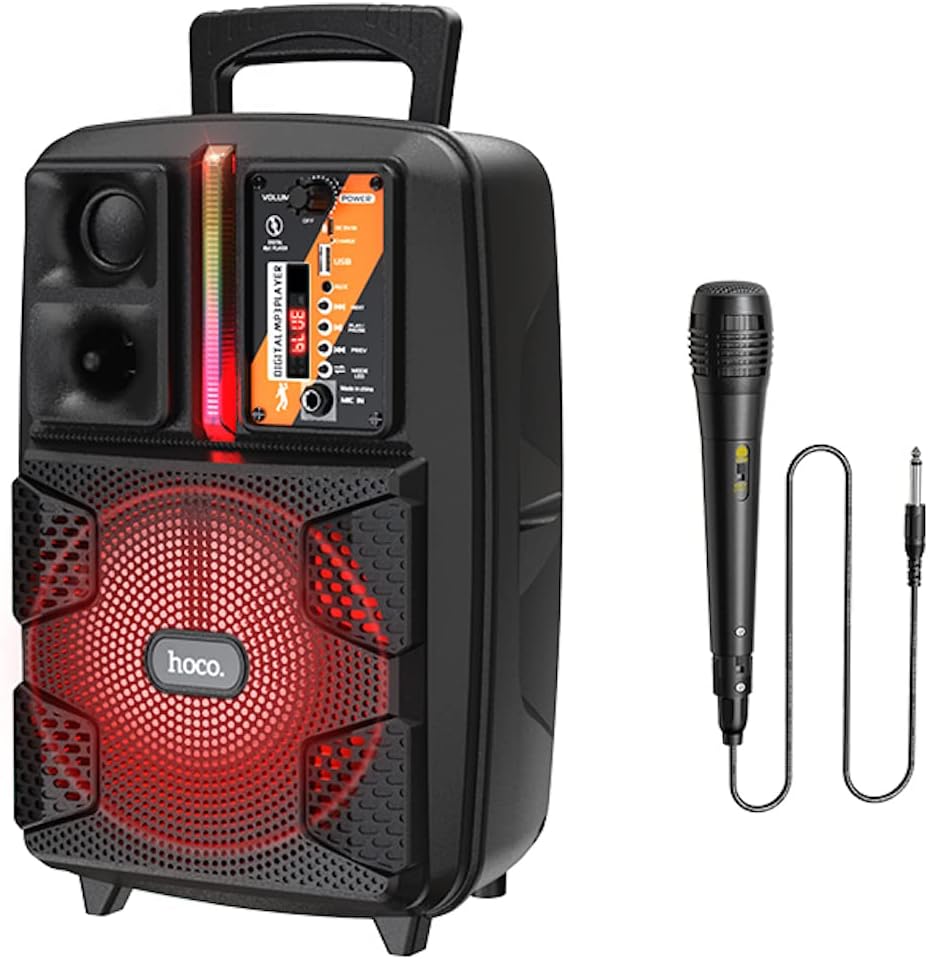
Image: The HOCO BS37 speaker shown with its included wired microphone.
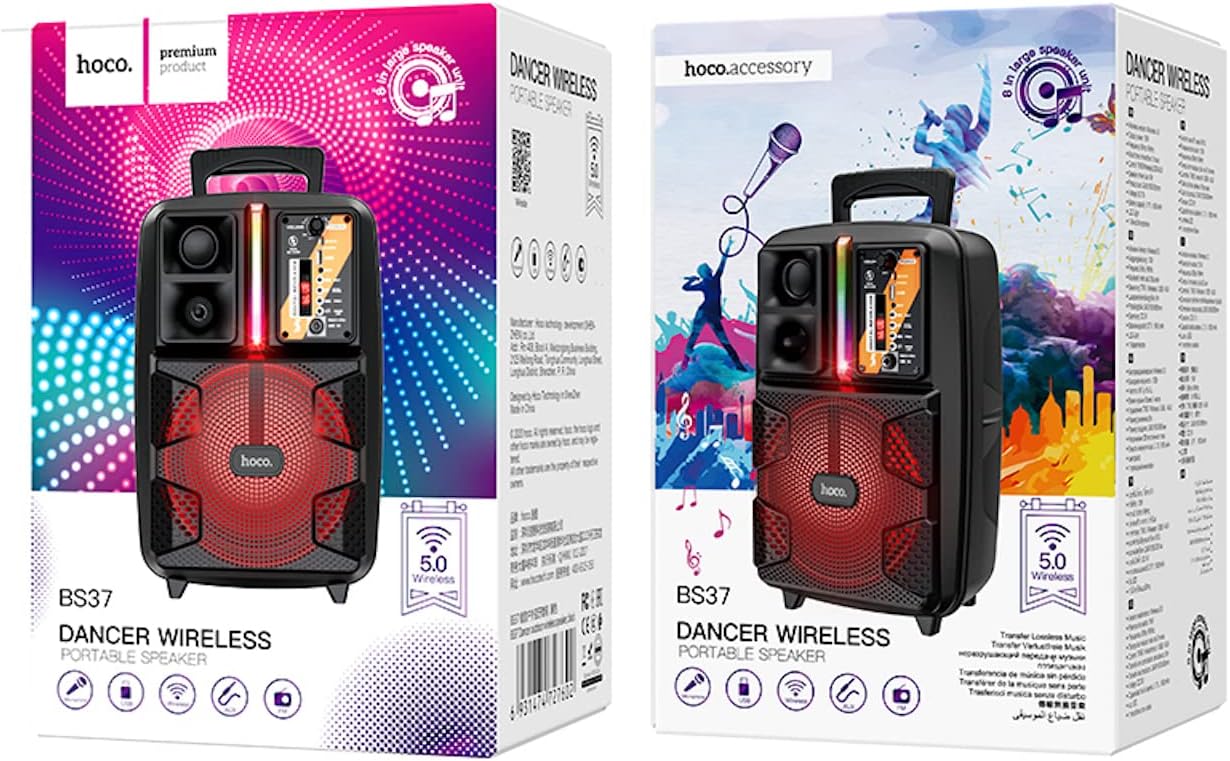
Image: The retail packaging for the HOCO BS37 Dancer Outdoor Wireless Speaker.
3. Продукт бүтүп калдыview
The HOCO BS37 speaker features an 8-inch speaker unit and a control panel for various functions. Familiarize yourself with the layout of the speaker's controls and ports.

Сүрөт: деталдуу view of the HOCO BS37 speaker's control panel, showing volume knob, power switch, USB port, AUX input, microphone input, and mode selection buttons.
Башкаруу панелинин өзгөчөлүктөрү:
- VOLUME баскычы: Adjusts the overall speaker volume.
- POWER которуштуруу: Динамикти КҮЙГҮЗӨТ же ӨЧҮРөт.
- DC 5V IN: Динамикти кубаттоо порту.
- USB порт: USB флэш-дискти ойнотуу үчүн.
- AUX IN: Тышкы түзмөктөр үчүн 3.5 мм аудио киргизүү.
- MIC IN: 6.35mm input for the wired microphone.
- MODE баскычы: Switches between Bluetooth, FM, USB, and AUX modes.
- ОЙНОО/ТЫНДЫРУУ баскычы: Аудиону ойнотот же тындырат.
- PREV/NEXT баскычтары: Мурунку же кийинки трекке/станцияга өткөрөт.
- Жарык өчүргүч: Controls the independent colored lights.
4. Орнотуу
4.1 Алгачкы заряддоо
Before first use, fully charge the speaker. Connect the provided charging cable to the DC 5V IN port on the speaker and the other end to a suitable USB power adapter (not included). The charging time is approximately 2.5 hours.
4.2 Күйгүзүү/өчүрүү
To power on the speaker, slide the КҮЧ switch to the "ON" position. To power off, slide it to the "OFF" position.
5. Иштөө нускамалары
5.1 Bluetooth жупташтыруу
- Turn on the speaker. It will automatically enter Bluetooth pairing mode, indicated by an audible prompt or flashing indicator light.
- Мобилдик түзмөгүңүздө Bluetooth'ду иштетиңиз (смартфон, планшет ж.б.).
- Издөө "HOCO BS37" in the list of available Bluetooth devices.
- Select "HOCO BS37" to connect. Once connected, you will hear a confirmation sound.
The speaker supports Bluetooth V5.0 for stable and efficient wireless connection.
5.2 TWS (Чыныгы зымсыз стерео) өз ара байланышы
To connect two HOCO BS37 speakers for a stereo sound experience:
- Ensure both HOCO BS37 speakers are powered on and not connected to any Bluetooth device.
- Динамиктердин биринде (бул негизги динамик болот) баскычын басып кармап туруңуз РЕЖИМ button or a dedicated TWS button (if available, refer to specific button labels on your device) until you hear a pairing prompt.
- Эки динамик бири-бирине туташууга аракет кылат. Ийгиликтүү жупташтырылгандан кийин, сиз ырастоо үнүн угасыз.
- Эми мобилдик түзмөгүңүздү 5.1-бөлүмдө сүрөттөлгөндөй Bluetooth аркылуу негизги динамикке туташтырыңыз. Аудио эки динамик аркылуу тең стерео режиминде ойнотулат.
5.3 FM радио режими
- басыңыз РЕЖИМ button repeatedly until you enter FM radio mode.
- басыңыз ОЙНОО/ТЫНЫТТЫРУ жеткиликтүү FM станцияларын автоматтык түрдө сканерлөө жана сактоо үчүн бир жолу басыңыз.
- колдонуу ПРЕВ жана КИЙИНКИ баскычтар сакталган станциялардын ортосунда чабыттоо.
5.4 USB ойнотуу
- MP3 аудиосу бар USB флэш-дискти салыңыз fileс ичине USB порту.
- The speaker will automatically switch to USB mode and begin playing audio. If not, press the РЕЖИМ USB режимин тандоо үчүн баскыч.
- колдонуу ОЙНОО/ТЫНЫТТЫРУ, ПРЕВ, жана КИЙИНКИ ойнотууну башкаруу үчүн баскычтар.
5.5 AUX режими
- Тышкы аудио түзүлүштү (мисалы, MP3 ойноткуч, ноутбук) туташтырыңыз AUX IN 3.5 мм аудио кабелин колдонуу порту (киргизилген эмес).
- басыңыз РЕЖИМ AUX режимин тандоо үчүн баскычты басыңыз.
- Туташкан тышкы түзмөгүңүздөн ойнотууну көзөмөлдөңүз.

Image: The HOCO BS37 speaker highlighting its multiple playback options: Bluetooth, USB, and AUX.
5.6 Микрофонду колдонуу (Караоке)
- Зымдуу микрофонду туташтырыңыз MIC IN динамиктеги порт.
- Микрофондун күйгүзүү/өчүрүү баскычы "КҮЙГҮЗҮҮ" абалында экенин текшериңиз.
- Негизги нерсени тууралоо VOLUME knob on the speaker to control the microphone's output level.
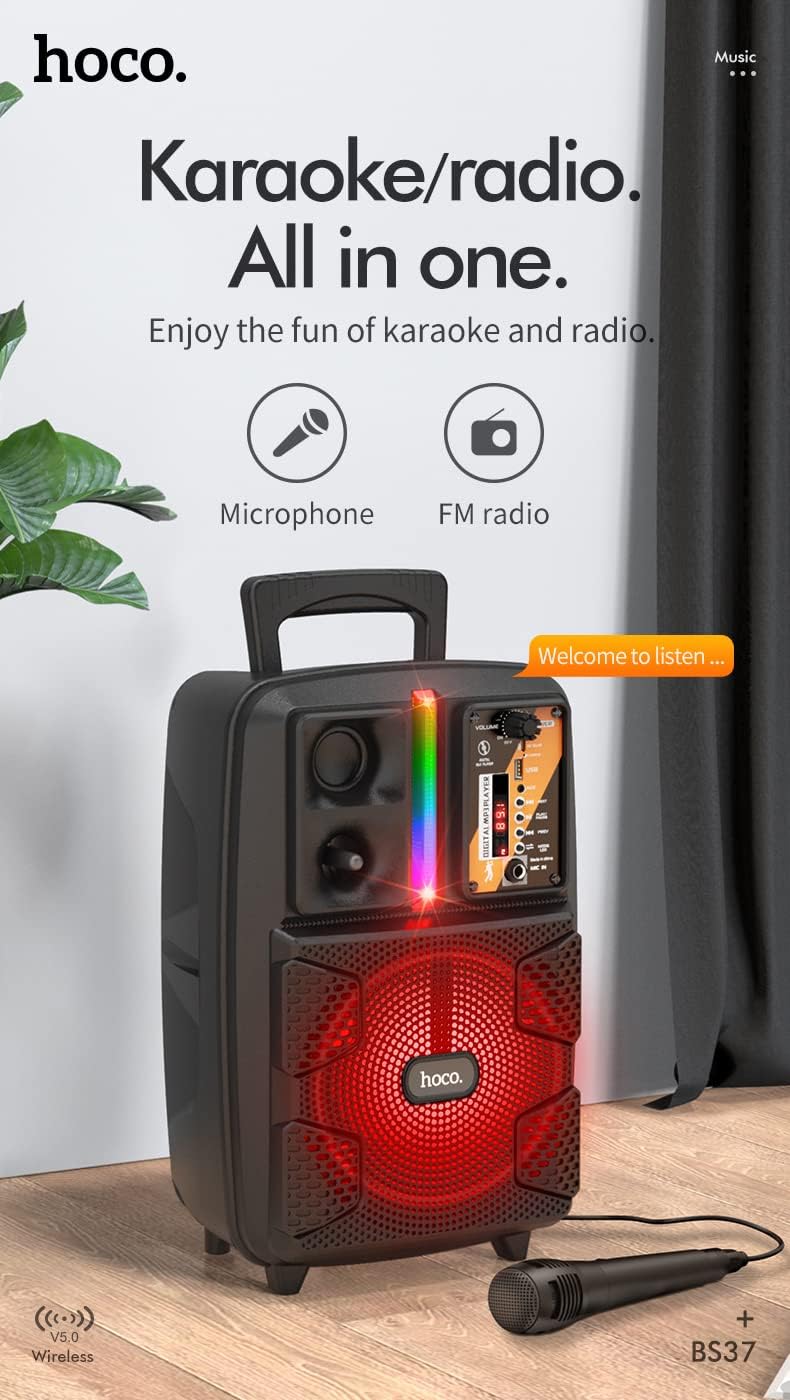
Image: The HOCO BS37 speaker with the wired microphone connected, illustrating its karaoke and radio capabilities.
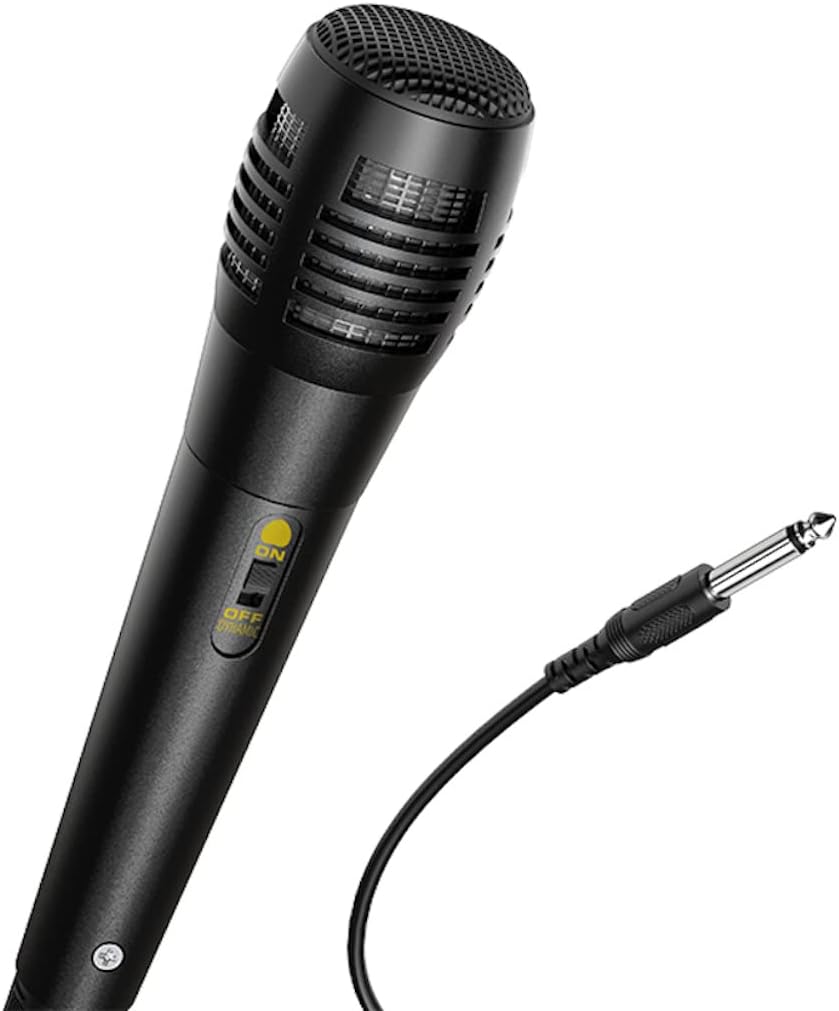
Сүрөт: жакын план view of the wired microphone included with the HOCO BS37 speaker, showing its ON/OFF switch and connector.
5.7 Жарык эффекттери
The speaker features independent colored lights. Use the dedicated Light Switch on the control panel to turn the lights ON or OFF, or to cycle through different light modes (if applicable).

Image: The HOCO BS37 speaker displaying its colorful breathing light effects.
6. Динамикти кубаттоо
When the battery is low, the speaker may indicate this with an audible prompt or a flashing indicator light. To charge:
- Заряддоо кабелин туташтырыңыз DC 5V IN динамиктеги порт.
- Connect the other end of the charging cable to a standard USB power source (e.g., wall adapter, computer USB port).
- The charging indicator light will illuminate. Once fully charged (approximately 2.5 hours), the indicator light may change or turn off.
A full charge provides approximately 3 hours of music playback at 80% volume.
7. Техникалык тейлөө
- Динамикти жумшак, кургак чүпүрөк менен тазалаңыз. Абразивдүү тазалагычтарды же эриткичтерди колдонбоңуз.
- Динамикти суудан, нымдан жана экстремалдык температурадан алыс кармаңыз.
- Динамикти узак убакытка колдонбогондо салкын, кургак жерде сактаңыз.
- Спикерди түшүрүүдөн же катуу таасирлерге дуушар кылуудан качыңыз.
8. Кыйынчылыктарды
| Көйгөй | Мүмкүн себеп | Чечим |
|---|---|---|
| Динамик күйбөйт. | Батарея түгөнүп калды. | Динамикти кеминде 30 мүнөткө заряддаңыз. |
| Bluetooth аркылуу жупташтыруу мүмкүн эмес. | Динамик жупташтыруу режиминде эмес; түзмөктө Bluetooth өчүк; аппарат өтө алыс. | Ensure speaker is in pairing mode. Turn Bluetooth off/on on your device. Move device closer to speaker (within 10 meters). |
| Динамиктен үн жок. | Volume is too low; incorrect mode selected; cable not connected properly. | Increase speaker and device volume. Press РЕЖИМ button to select correct input. Check all cable connections. |
| Микрофон иштебей жатат. | Microphone switch is off; not plugged in correctly. | Ensure microphone switch is ON. Plug microphone firmly into MIC IN порт. |
9. Техникалык шарттар
| Модел | BS37 Dancer |
| Динамик бирдиги | 8 inch, 2Ω10W |
| Өлчөмдөрү (L x W x Y) | 367 x 243 x 196 мм (14.45 x 9.57 x 7.72 дюйм) |
| Салмагы | 1.9 KG (4.19 фунт) |
| Bluetooth версиясы | V5.0 (Blue trum 5322) |
| Батарея сыйымдуулугу | 1800mAh (A grade 18650) |
| Музыканы ойнотуу убактысы | Болжол менен 3 саат (80% көлөмдө) |
| Заряддоо убактысы | Болжол менен 2.5 саат |
| Туташуу параметрлери | Bluetooth, TWS, FM Radio, USB, AUX |
| Камтылган аксессуарлар | Зымдуу микрофон |
| Шайкеш түзмөктөр | Компьютер, ноутбук, MP3 ойноткуч, смартфон, планшет |
10. Коопсуздук маалыматы
- Электр тогуна урунууну же өрттү болтурбоо үчүн динамикти жамгырдын же нымдуулуктун таасирине дуушар кылбаңыз.
- Аппаратты өзүңүз ажыратпаңыз, оңдобоңуз же өзгөртпөңүз. Бардык тейлөөлөрдү квалификациялуу кызматкерлерге тапшырыңыз.
- Avoid placing the speaker near heat sources, such as radiators, heat registers, stoves, or other apparatus that produce heat.
- Көрсөтүлгөн кубаттоо көлөмүн гана колдонуңузtage жана ток.
- Балдар жетпеген жерде сактаңыз.
- Үндүн катуу деңгээлинде узакка созулган угуу угуунун бузулушуна алып келиши мүмкүн.
11. Кепилдик жана колдоо
This product is covered by a limited warranty. Please refer to the warranty card included with your purchase or contact your local HOCO distributor for details regarding warranty terms and conditions.
For technical support or service inquiries, please contact the retailer where you purchased the product or visit the official HOCO webбайланыш маалыматы үчүн сайт.
Ask a question about this manual
Ask about setup, troubleshooting, compatibility, parts, safety, or missing instructions. Manuals+ will review the question and use this page’s manual context to help answer it.