
1. Киришүү
This manual provides comprehensive instructions for the installation, operation, and maintenance of your EVGA GeForce RTX 3080 Ti FTW3 ULTRA GAMING graphics card. This high-performance graphics card is designed to deliver exceptional visual fidelity and processing power for demanding applications and gaming.
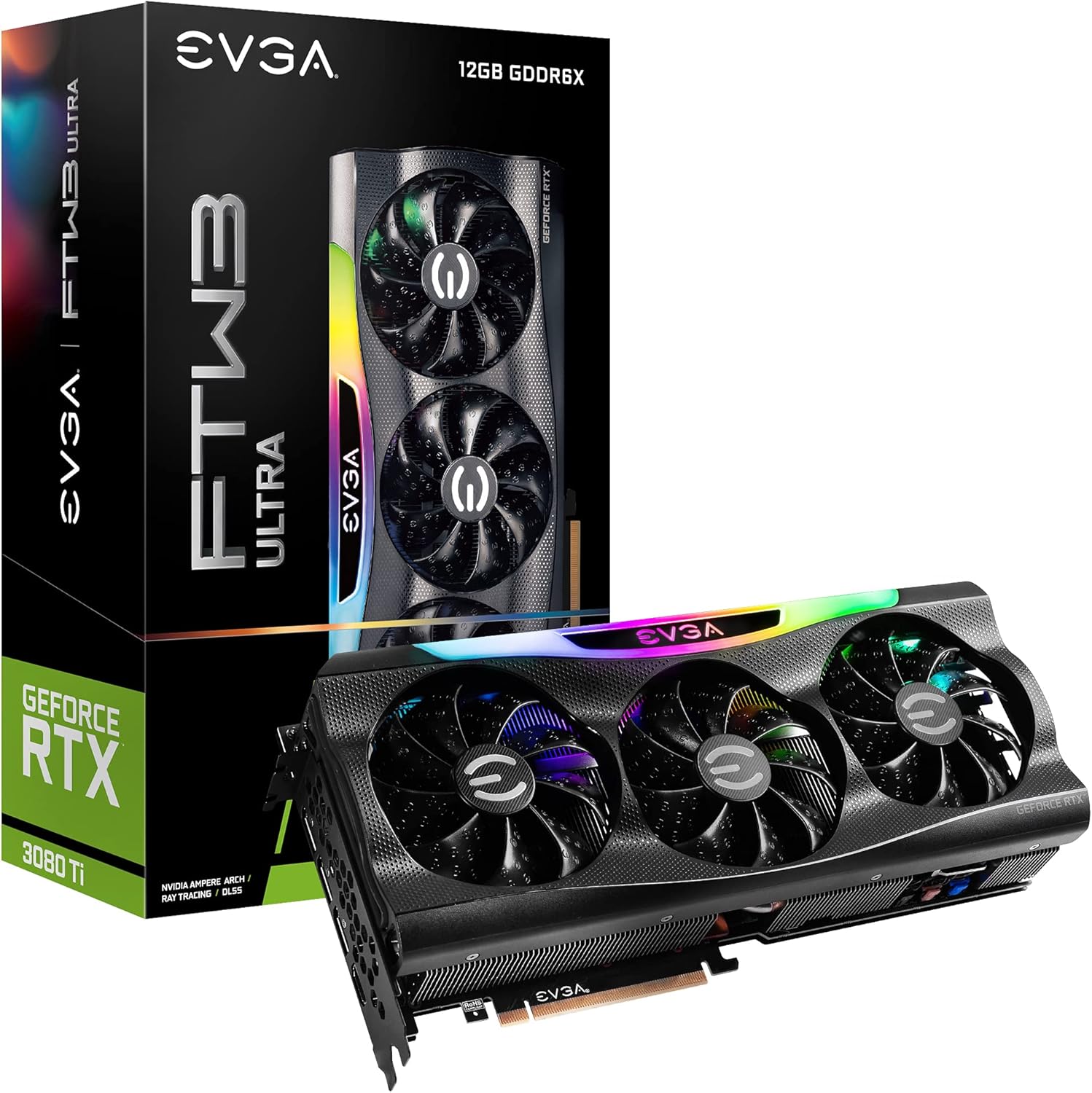
Figure 1.1: EVGA GeForce RTX 3080 Ti FTW3 ULTRA GAMING Graphics Card and Packaging.
2. Негизги өзгөчөлүктөрү
The EVGA GeForce RTX 3080 Ti FTW3 ULTRA GAMING graphics card incorporates advanced technologies to enhance performance and user experience. Key features include:
- Digital Max Resolution: Supports resolutions up to 7680 x 4320 for ultra-high definition displays.
- Real Boost Clock: Achieves a boost clock of 1800 MHz for enhanced performance.
- Memory Detail: Equipped with 12288 MB GDDR6X memory for high-bandwidth data transfer.
- Real-Time RAY TRACING: Delivers cutting-edge, hyper-realistic graphics in supported games.
- iCX3 Technology: Advanced cooling solution for optimal thermal performance.
- ARGB LED: Эстетикалык жекелештирүү үчүн өзгөчөлөштүрүлүүчү RGB жарыктандыруу.
- Металл арткы капкак: Provides structural rigidity and aids in heat dissipation.
- NVIDIA DLSS: AI acceleration for maximum FPS and uncompromised image quality.
- PCI Express Gen 4: High-speed interface for data transfer.

Figure 2.1: Memory and Architecture Overview.

Figure 2.2: iCX3 Interactive Cooling System.
3. Пакеттин мазмуну
Орнотууну улантуудан мурун пакетте бардык элементтер бар экенин текшериңиз:
- EVGA GeForce RTX 3080 Ti FTW3 ULTRA GAMING Graphics Card
- Quick Start Guide / User Manual (Digital or Printed)
- Accessory Kit (may include power adapters, support bracket, screws)
Note: Contents may vary slightly based on region or specific bundle.
4. Орнотуу жана орнотуу
Proper installation is crucial for optimal performance and longevity of your graphics card. Ensure your system meets the minimum requirements before installation.
4.1 Системалык талаптар
- Бир x16 графикалык уячасы бар PCI Express стандартына шайкеш келген энелик плата.
- Minimum 750W or greater system power supply with three 8-pin PCIe power connectors.
- Microsoft Windows 10 64-bit or Linux 64-bit operating system.
- 1.5GB of available hard-disk space.
- 8 ГБ тутум эстутуму (16 ГБ сунушталат).
4.2 Аппараттык камсыздоону орнотуу
- Системаңызды даярдаңыз: Компьютериңизди өчүрүп, бардык кабелдерди ажыратыңыз. Компьютердин корпусун ачыңыз.
- PCIe уячасын табыңыз: Identify an available PCI Express x16 slot on your motherboard. This card typically requires a 2.75 slot width.
- Slot капкактарын алып салуу: Компьютериңиздин корпусунан керектүү кеңейтүү уячасынын капкактарын алып салыңыз.
- Графикалык картаны орнотуу: Carefully align the graphics card with the PCIe slot and press down firmly until it is securely seated. Ensure the retention clip on the motherboard engages.
- Коопсуз карта: Secure the graphics card to the case using the screws from the expansion slots.
- Туташуу кубаты: Connect three 8-pin PCIe power cables from your power supply to the corresponding power connectors on the graphics card. Ensure a secure connection.
- Ишти жабуу: Компьютериңиздин корпусун жаап, бардык кабелдерди кайра туташтырыңыз.

Figure 4.1: Graphics Card Output Ports (DisplayPort and HDMI).

Figure 4.2: Optional Support Bracket Installation.
4.3 Программалык камсыздоону орнотуу
- Күйгүзүү: Turn on your computer. The system may boot into a lower resolution.
- Драйверлерди орнотуу: Download the latest NVIDIA GeForce drivers from the official NVIDIA webсайт (www.nvidia.com/drivers). Select your product series (GeForce RTX 30 Series), product (GeForce RTX 3080 Ti), and operating system.
- Install EVGA Precision X1: For advanced monitoring, overclocking, and ARGB LED control, download and install EVGA Precision X1 software from the official EVGA webсайт (www.evga.com/precisionx1/).
- Кайра баштоо: Restart your computer after driver and software installation to apply changes.
5. Графикалык картаңызды иштетүү
Once installed, your EVGA GeForce RTX 3080 Ti is ready for use. Here are some operational considerations:
5.1 Display Connection
Connect your display(s) to the DisplayPort or HDMI outputs on the graphics card. This card supports multiple displays simultaneously.
5.2 Performance Optimization
- Драйвер жаңыртуулары: Regularly check for and install the latest NVIDIA drivers for optimal performance and compatibility with new games and applications.
- EVGA Precision X1: Utilize EVGA Precision X1 for fine-tuning. This software allows you to:
- GPU температурасын, саат жыштыгын жана желдеткичтин жыштыгын көзөмөлдөңүз.
- Adjust fan curves for customized cooling performance.
- Overclock the GPU and memory for increased performance (use with caution).
- Control the ARGB LED lighting effects.
- Системаны муздатуу: Ensure adequate airflow within your computer case to prevent thermal throttling and maintain stable performance.

Figure 5.1: ARGB LED Illumination (LED ON).

Figure 5.2: Advanced Features in Action.
6. Техникалык тейлөө
Үзгүлтүксүз техникалык тейлөө графикалык картаңыздын узак мөөнөттүү жана оптималдуу иштешин камсыз кылууга жардам берет.
- Чаңды тазалоо: Periodically clean dust from the heatsink fins and fan blades using compressed air. Ensure the fans are not spinning during cleaning to prevent damage.
- Экологиялык шарттар: Operate the graphics card in a well-ventilated environment with stable temperature and humidity. Avoid extreme temperatures.
- Кабелдик башкаруу: Ensure internal cables do not obstruct airflow around the graphics card.
7. Кыйынчылыктарды
Бул бөлүм сиз кабылышы мүмкүн болгон жалпы көйгөйлөрдү карайт.
| Көйгөй | Мүмкүн себеп | Чечим |
|---|---|---|
| Дисплейдин чыгышы жок. |
|
|
| System crashes or freezes during gaming. |
|
|
| Fans are excessively loud. |
|
|
For further assistance, refer to the EVGA support webсайтка же техникалык колдоо менен байланышыңыз.
8. Техникалык шарттар
Detailed specifications for the EVGA GeForce RTX 3080 Ti FTW3 ULTRA GAMING graphics card:
| Категория | Спецификация |
|---|---|
| Графикалык сопроцессор | NVIDIA GeForce RTX 3080 Ti |
| Саатты күчөтүү | 1800 МГц |
| Memory Clock | 19000 МГц натыйжалуу |
| Memory Detail | 12288 MB GDDR6X |
| Эстутум битинин туурасы | 384 бит |
| Memory Bandwidth | 912 ГБ/сек |
| CUDA өзөктөрү | 10240 |
| Автобус түрү | PCIe 4.0 |
| Максималдуу санариптик чечилиш | 7680 x 4320 |
| Видео чыгаруу интерфейси | DisplayPort (3x), HDMI (1x) |
| Өлчөмдөрү (Бийиктик) | 5.38 дюйм - 136.75 мм |
| Өлчөмдөрү (узундугу) | 11.81 дюйм - 300 мм |
| Өлчөмдөрү (туурасы) | 2.75 Slots |
| Элемент Салмагы | 3.96 фунт |
| Тtage | 12 вольт |

Figure 8.1: Summary of Features and Specifications.
9. Кепилдик жана колдоо
9.1 Кепилдик маалыматы
EVGA products are covered by a limited warranty. The specific warranty period and terms may vary by product and region. Please register your product on the official EVGA website to ensure warranty coverage and access to support services.
For detailed warranty terms and conditions, visit the EVGA webсайт:
9.2 Техникалык колдоо
If you encounter issues that cannot be resolved using the troubleshooting guide, or require further assistance, please contact EVGA Technical Support.
- EVGA колдоосу Webсайт: www.evga.com/support/
- Билим базасы: Access FAQs, drivers, and software downloads.
- Байланыш параметрлери: Phone, email, or live chat support may be available depending on your region.
When contacting support, please have your product model number (12G-P5-3967-KR) and serial number ready.