
Introduction
Thank you for choosing the Cellularline CORE True Wireless Bluetooth Earphones. These earphones are designed to provide a seamless audio experience with advanced features such as a charging case with an LED display, touch controls, and automatic pairing. This manual will guide you through the setup, operation, and maintenance of your new earphones.
Кутуда эмне бар
- Cellularline CORE True Wireless Bluetooth Earphones (Left and Right)
- LED дисплей менен заряддоо кутусу
- USB-C заряддоо кабели
- User Manual
Продукт бүттүview
The Cellularline CORE earphones feature a compact design and a charging case with an integrated LED display to show the remaining battery percentage. They offer up to 16 hours of total play time with the charging case.

Image: Cellularline CORE True Wireless Bluetooth Earphones and Charging Case. The earphones are white and sit in an open white charging case.

Image: A close-up of the Cellularline CORE charging case with an LED display showing '100', indicating full battery. The earphones are inside the case.
The LED display on the charging case provides real-time battery status, ensuring you are always aware of the remaining charge.
Жайгашуу
1. Наушникти жана капты заряддоо
- Place both earphones into the charging case. Ensure they are correctly seated in their respective slots.
- Connect the provided USB-C cable to the charging port on the case and plug the other end into a USB power adapter (not included) or a computer's USB port.
- The LED display on the charging case will show the current battery percentage during charging. A full charge typically takes approximately 4 hours for the case and earphones.
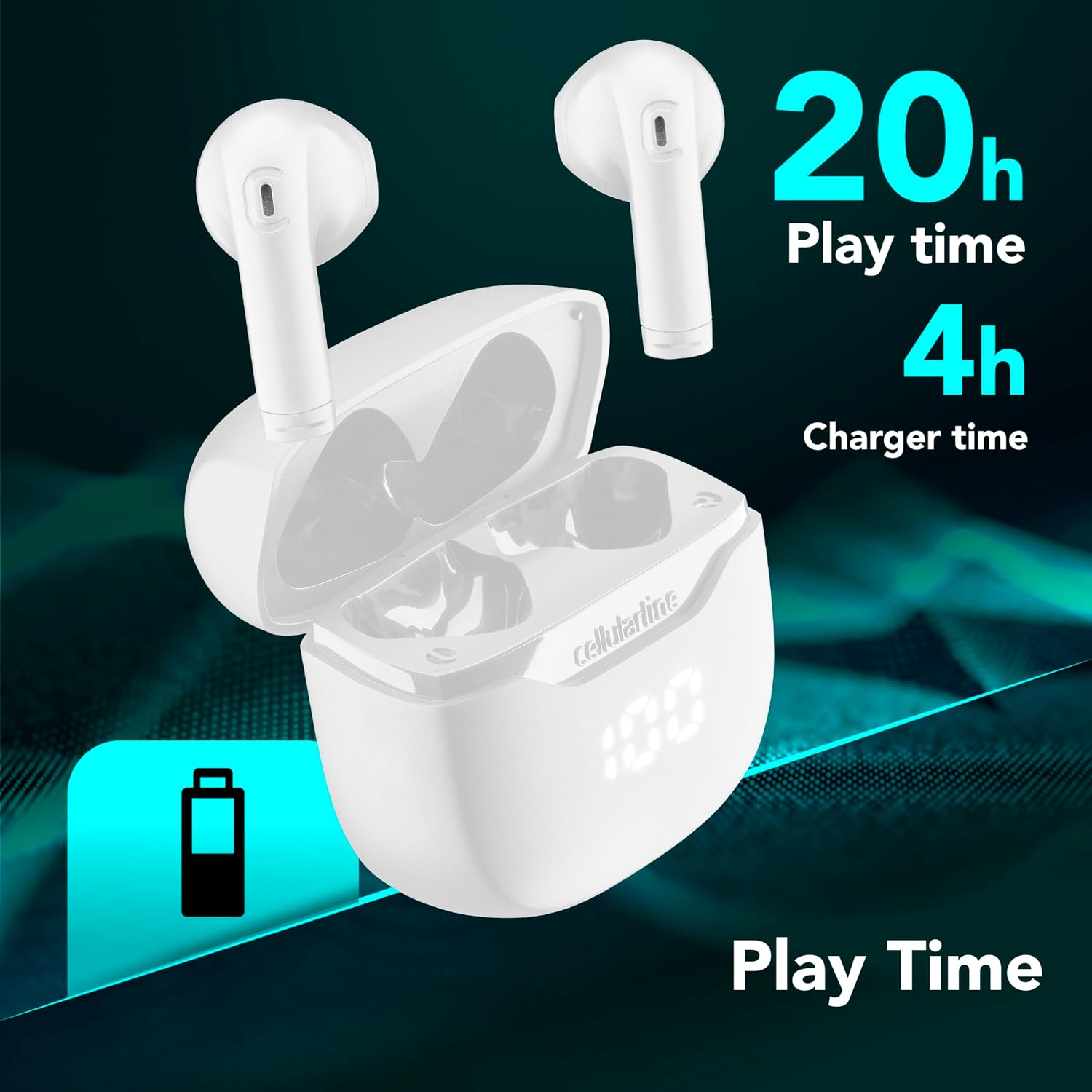
Image: The Cellularline CORE earphones and charging case, highlighting 20 hours of total play time and 4 hours of charging time for the case.
2. Initial Pairing (Autopairing)
- Кулакчындардын заряддалганын текшериңиз.
- Заряддоо кутучасын ачыңыз. Кулакчындар автоматтык түрдө күйүп, жупташтыруу режимине кирет.
- Смартфонуңузда же Bluetooth иштетилген түзмөгүңүздө Bluetooth жөндөөлөрүнө өтүңүз.
- Издөө available devices and select "Cellularline CORE" from the list.
- Once connected, you will hear an audible confirmation, and the earphones are ready for use.

Image: Cellularline CORE earphones and charging case next to a smartphone displaying a music application, with a Bluetooth icon indicating successful pairing.
The Autopairing function ensures that once paired, the earphones will automatically connect to your last paired device when removed from the case.
Иштөө нускамалары
Touch Controls
The Cellularline CORE earphones feature intuitive touch controls on each earbud for managing calls, music, and voice assistant functions.
| Функция | Акция |
|---|---|
| Музыканы ойнотуу/тындыруу | Кулакчындарды бир жолу таптаңыз |
| Кийинки трек | Оң кулакчынды эки жолу таптаңыз |
| Мурунку трек | Сол кулакчынды эки жолу таптаңыз |
| Чалууга жооп берүү/аяктоо | Кулакчындарды бир жолу таптаңыз |
| Чакырууну четке кагуу | Кулакчындардын бирин 2 секунд басып туруңуз |
| Үн жардамчысын жандырыңыз | Кулакчындарды үч жолу таптаңыз |
| Үндү көтөрүү | Оң кулакчынды басып, кармап туруңуз |
| Үндү төмөндөтүү | Сол кулакчынды басып, кармап туруңуз |
Double Master Function
The Double Master function allows you to use either the left or right earbud independently for calls. Simply remove one earbud from the case, and it will automatically connect. You can answer calls by tapping the active earbud.
Техникалык тейлөө
Тазалоо
- Наушниктерди жана заряддоо кутусун жумшак, кургак, түксүз чүпүрөк менен дайыма тазалап туруңуз.
- Абразивдүү тазалагычтарды, эриткичтерди же аэрозолдук спрейлерди колдонбоңуз.
- Ensure charging contacts on both the earphones and the case are clean and free of debris to maintain proper charging.
Сактагыч
- Колдонулбаганда, кулакчындарды коргоо жана кубаттоо үчүн кубаттоо кутусуна сактаңыз.
- Аппаратты салкын, кургак жерде, экстремалдык температурадан жана тике күн нурунан алыс сактаңыз.

Image: A hand placing the compact Cellularline CORE charging case into the pocket of a pair of jeans, demonstrating its portable size.
Проблемаларды чечүү
| Көйгөй | Мүмкүн чечим |
|---|---|
| Кулакчындар күйбөйт. | Ensure the earphones and charging case are fully charged. Place earphones in the case and close it, then open it again. |
| Кулакчындар түзмөк менен жупташпайт. | Make sure Bluetooth is enabled on your device. Forget the device in your Bluetooth settings and try pairing again. Ensure earphones are in pairing mode (LED indicator blinking). |
| Бир гана наушник иштейт. | Place both earphones back into the charging case, close the lid, wait a few seconds, then open it again. This should re-sync them. If the issue persists, try resetting the earphones (refer to manufacturer's webКолдонмодо жок болсо, конкреттүү калыбына келтирүү нускамалары үчүн сайт). |
| Көлөмү төмөн же үн сапаты начар. | Adjust the volume on both your device and the earphones. Ensure the earphones are clean and properly seated in your ears. Check for any obstructions in the earbud speakers. |
| Charging case LED display is not working. | Ensure the charging cable is securely connected and the power source is active. If the issue persists, contact customer support. |
Техникалык шарттар
- Модель аты: BTCORETWSW
- Бренд: уюлдук линия
- Түсү: Ак
- Кулак жайгаштыруу: Кулак ичинде
- Форма фактору: Кулак ичинде
- Байланыш технологиясы: Зымсыз
- Зымсыз технология: Bluetooth
- Bluetooth версиясы: 5.0
- Импеданс: 16 Ом
- Ызы-чууну көзөмөлдөө: Үн изоляциясы
- Жыштык жообу: 20 Гц - 20 000 Гц
- Сезимталдуулук: 100 дБ
- Башкаруу түрү: тийүү
- Айдоочу түрү: Динамикалык драйвер
- Материал: Пластик
- Батареянын орточо иштөө мөөнөтү: 16 саат (заряддоо кутусу менен)
- Сууга туруктуулук деңгээли: Waterproof (Note: Refer to product packaging for specific IP rating if available)
- Өзгөчөлүктөрү: True Wireless Technology, Automatic Pairing, Touch Controls, LED Display
- Шайкеш түзмөктөр: Bluetooth иштетилген түзмөктөр
- Келип чыккан өлкө: Кытай
Кепилдик маалымат
The Cellularline CORE True Wireless Bluetooth Earphones come with a 2 жылдык өндүрүүчүнүн кепилдиги сатып алынган күндөн тартып. Бул кепилдик нормалдуу колдонуудагы материалдардагы жана жасалгадагы кемчиликтерди камтыйт. Бул туура эмес колдонуудан, кырсыктардан, уруксатсыз өзгөртүүлөрдөн же кадимки эскирүүдөн келип чыккан зыянды камтыбайт.
Please retain your proof of purchase for warranty claims. For detailed warranty terms and conditions, please visit the official Cellularline webсайтка же кардарларды колдоо менен байланышыңыз.
Колдоо
For further assistance, technical support, or warranty inquiries, please contact Cellularline customer service through their official webсайт:
Webсайт: www.cellularline.com
You may also find FAQs and additional support resources on their webсайт.