
1. Киришүү
This manual provides detailed instructions for the proper use, setup, and maintenance of your cellularline Key In-Ear True Wireless Earbuds. Please read this manual thoroughly before using the product to ensure optimal performance and longevity.
2. Пакеттин мазмуну
- cellularline Key In-Ear True Wireless Earbuds (Left and Right)
- LED дисплей менен заряддоо кутусу
- USB-C заряддоо кабели
- User Manual
3. Продукт бүтүп калдыview
The cellularline Key In-Ear True Wireless Earbuds offer a compact design with intuitive touch controls and a convenient LED display charging case.

3.1-сүрөт: The cellularline Key In-Ear True Wireless Earbuds resting in their charging case.

3.2-сүрөт: The charging case features an LED display that indicates the current battery level.

3.3-сүрөт: The compact and lightweight design of the charging case allows for easy portability.
4. Кулакчындарды жана кутуну кубаттоо
To ensure optimal performance, fully charge your earbuds and charging case before first use.
4.1. Кулакчындарды заряддоо
- Кулакчындарды заряддоо кутучасындагы тиешелүү уячаларына салыңыз.
- Ensure the charging case has sufficient power. The earbuds will begin charging automatically.
4.2. Заряддоо кутучасын заряддоо
- Берилген USB-C заряддоо кабелин корпустагы заряддоо портуна туташтырыңыз.
- USB-C кабелинин экинчи учун туура келген USB кубат булагына туташтырыңыз (мисалы, дубал адаптери, компьютердин USB порту).
- The LED display on the case will show the current charge level. A full charge takes approximately 4 hours.
The earbuds provide up to 4 hours of continuous playback on a single charge, with an additional 12 hours of playtime available from the fully charged case, totaling 16 hours of battery life.
5. Орнотуу жана жупташтыруу
Follow these steps to pair your cellularline Key Earbuds with your device.
5.1. Баштапкы жупташтыруу
- Кулакчындарыңыздын кубатталганын текшериңиз.
- Заряддоо кутучасын ачыңыз. Кулакчындар автоматтык түрдө күйүп, жупташтыруу режимине өтөт.
- Смартфонуңузда же Bluetooth иштетилген түзмөгүңүздө Bluetooth жөндөөлөрүнө өтүңүз.
- Издөө available devices and select "cellularline Key" from the list.
- Туташкандан кийин, сиз үндүү ырастоону угасыз жана кулакчындар колдонууга даяр болот.
5.2. Автоматтык кайра туташуу
Баштапкы жупташтыруудан кийин, түзмөктө Bluetooth иштетилген болсо, кулакчындар кубаттоочу кутудан чыгарылганда акыркы жупташтырылган түзмөккө автоматтык түрдө туташат.

5.1-сүрөт: The earbuds are designed for seamless wireless connection with your smartphone for music and calls.
6. Иштөө нускамалары
The cellularline Key Earbuds feature intuitive touch controls for managing calls, music, and volume.
6.1. Башкаруу элементтерине тийүү
| Функция | Акция |
|---|---|
| Музыканы ойнотуу/тындыруу | Кулакчындарды бир жолу таптаңыз |
| Кийинки трек | Оң кулакчынды эки жолу таптаңыз |
| Мурунку трек | Сол кулакчынды эки жолу таптаңыз |
| Чалууга жооп берүү/аяктоо | Кулакчындарды бир жолу таптаңыз |
| Чакырууну четке кагуу | Кулакчындардын бирин 2 секунд басып туруңуз |
| Үн жардамчысын жандырыңыз | Triple tap on either earbud (functionality may vary by device) |
6.2. Double Master Function
The earbuds support a double master function, allowing you to use either the left or right earbud independently for calls or music playback. This provides flexibility and convenience.
7. Техникалык тейлөө жана кам көрүү
Туура кам көрүү кулакчыныңыздын иштөө мөөнөтүн узартат.
- Кулакчындарды жана кубаттоочу кутучаны таза жана кургак кармаңыз.
- Use a soft, dry cloth to wipe the surfaces. Avoid using abrasive cleaners or solvents.
- Кулакчындарды коргоо жана кубаттоо үчүн колдонулбаган учурда кубаттоо кутучасында сактаңыз.
- Ашыкча температурадан жана түздөн-түз күн нурунан сактаныңыз.
- Буюмду бөлүктөргө бөлүүгө аракет кылбаңыз, анткени бул кепилдикти жокко чыгарат.
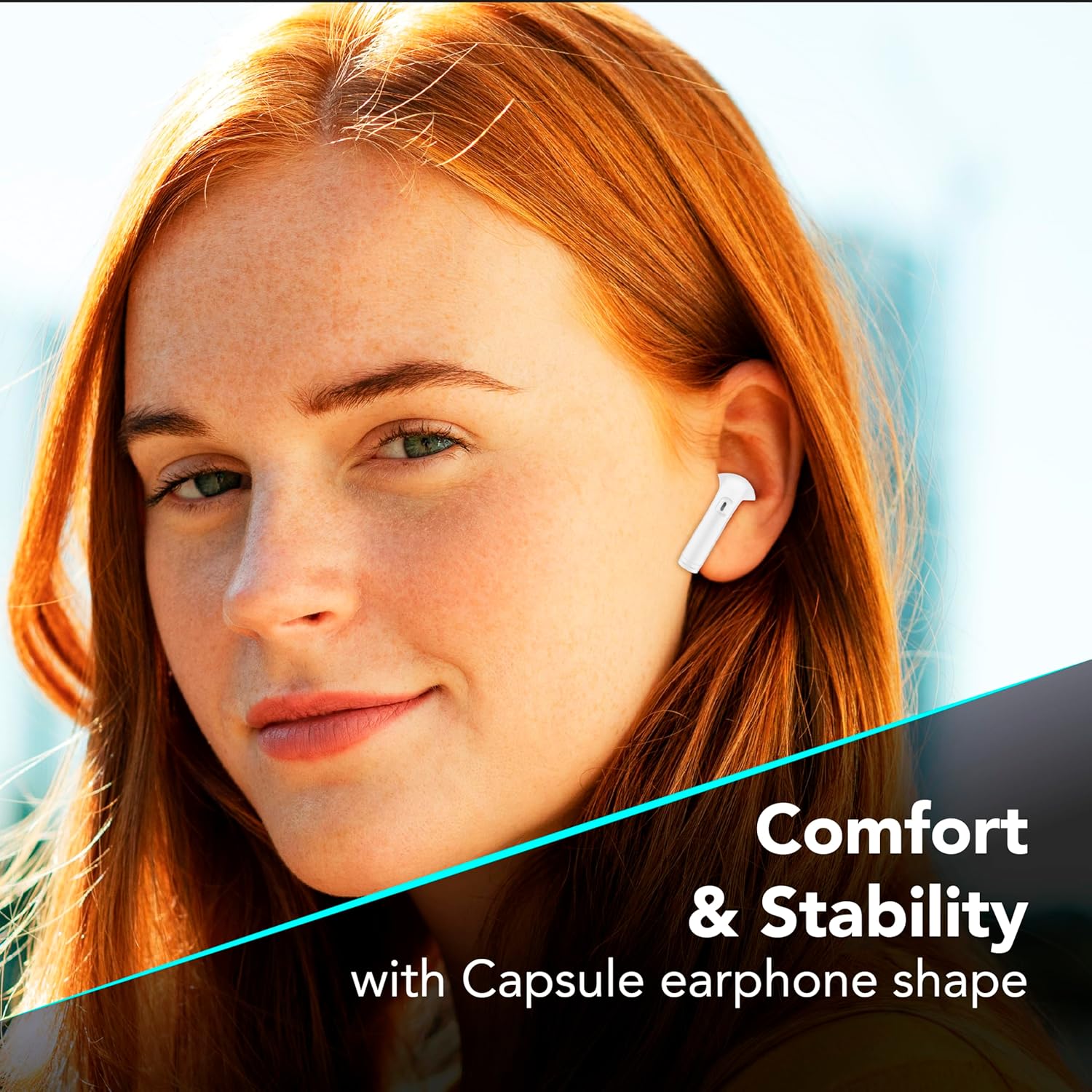
7.1-сүрөт: The in-ear design provides a comfortable and stable fit for extended wear.
8. Кыйынчылыктарды
Эгерде кулакчындарыңыз менен көйгөйлөргө туш болсоңуз, төмөнкү кеңири таралган чечимдерди караңыз.
| Көйгөй | Мүмкүн чечим |
|---|---|
| Кулакчындар жупташкан жок |
|
| Бир кулактын үнү чыкпайт |
|
| Заряддоо куту заряддалбай жатат |
|
| Сенсордук башкаруу жооп бербей жатат |
|
9. Техникалык шарттар
| Өзгөчөлүк | Деталь |
|---|---|
| Модель номери | BTKEYTWSW |
| Байланыш | Bluetooth 5 |
| Наушниктин батареясынын иштөө мөөнөтү | 4 саатка чейин (бир кубаттоо) |
| Жалпы ойноо убактысы (капка менен) | 16 саатка чейин |
| Заряддоо убактысы (капка) | Болжол менен 4 саат |
| Заряддоо порту | USB-C |
| Материал | Пластик |
| Өзгөчөлүктөр | True Wireless, Touch Control, LED Display Charging Case, Double Master Function |
10. Кепилдик жана колдоо
Your cellularline Key In-Ear True Wireless Earbuds are covered by a standard manufacturer's warranty. For specific warranty details, please refer to the warranty card included in your product packaging or visit the official cellularline webсайт.
For technical support, troubleshooting assistance beyond this manual, or warranty claims, please contact cellularline customer service through their official channels.