
Introduction
This manual provides comprehensive instructions for the safe and efficient use of your BOROFONE BE27 Cool Song Bluetooth Wireless Sports Earphones. Please read this manual thoroughly before using the product and retain it for future reference.
Продукт бүттүview
The BOROFONE BE27 earphones are designed for wireless audio playback and hands-free calling, featuring a lightweight design suitable for sports and daily use.
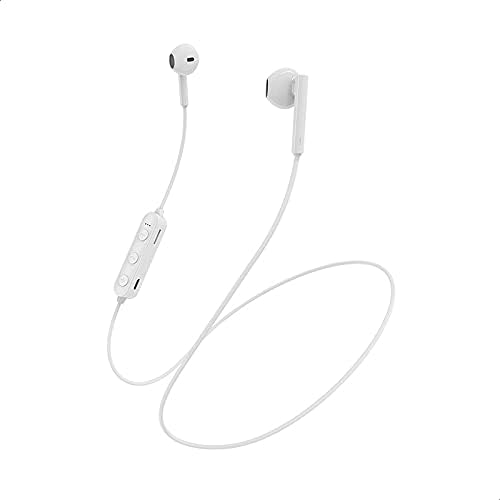
Сүрөт 1: Бүттүview of the BOROFONE BE27 earphones, displaying the white earbuds, the inline control unit with buttons, and the connecting cable.
Key components include the earbuds, the inline control unit, and the charging port.

Сүрөт 2: Деталдаштырылган view of the inline control unit, highlighting the volume up/next track button, multi-function button (power/play/pause/answer call), volume down/previous track button, and the Micro USB charging port.
Техникалык шарттар
| Өзгөчөлүк | Деталь |
|---|---|
| Bluetooth версиясы | V4.2 BK |
| Заряддоо Voltage | DC 5V |
| Заряддоо убактысы | 1.5 саат |
| Батарея сыйымдуулугу | 70 мАч |
| Кулакчын кабелинин узундугу | 55 см |
| Салмагы | 12 грамм |
| Жумуш убактысы | 4 саат |
| Күтүү убактысы | 120 саат |
| Модель аты | BE27 |
| Түс | Ак |
| Байланыш технологиясы | Зымсыз |
| Туташтыргыч түрү | USB түрү C |
| Материал | Пластик |
Жайгашуу
1. Наушниктерди заряддоо
- Locate the charging port on the inline control unit. (Refer to Image 2).
- Берилген USB заряддоо кабелин заряддоо портуна туташтырыңыз.
- Connect the other end of the USB cable to a DC 5V power source (e.g., computer USB port, USB wall adapter).
- The indicator light will illuminate during charging. Once fully charged (approximately 1.5 hours), the indicator light will change or turn off.
- Заряддоо аяктагандан кийин заряддоо кабелин ажыратыңыз.
2. Bluetooth Жупташтыруу
- Наушниктердин толук заряддалганын текшериңиз.
- Күйгүзүү: Press and hold the multi-function button (center button on the inline control unit) for approximately 3-5 seconds until the indicator light flashes blue and red alternately, indicating pairing mode.
- Bluetooth иштетүү: Түзмөгүңүздө (смартфон, планшет, компьютер) Bluetooth иштетиңиз.
- Издөө Түзмөктөр: Түзмөгүңүздүн Bluetooth жөндөөлөрүнөн жеткиликтүү түзмөктөрдү издеңиз.
- Select "BE27": From the list of found devices, select "BE27" to connect.
- Ырастоо: Once successfully paired, the indicator light on the earphones will flash blue slowly, and you may hear an audible confirmation.
- If pairing fails, turn off the earphones and your device's Bluetooth, then repeat the steps.
Иштөө нускамалары
Күйгүзүү/өчүрүү
- Күйгүзүү: Press and hold the multi-function button for 3-5 seconds until the indicator light flashes blue.
- Өчүрүү: Press and hold the multi-function button for 3-5 seconds until the indicator light flashes red and then turns off.
Музыканы ойнотуу
- Ойнотуу/тындыруу: Көп функциялуу баскычты бир жолу басыңыз.
- Кийинки трек: Press and hold the "+" (Volume Up) button for 2 seconds.
- Мурунку трек: Press and hold the "-" (Volume Down) button for 2 seconds.
- Көлөмү: "+" баскычын кыска басыңыз.
- Үнүн азайтуу: "-" баскычын кыска басыңыз.
Чалууларды башкаруу
- Чалууга жооп берүү/аяктоо: Көп функциялуу баскычты бир жолу басыңыз.
- Чакырууну четке кагуу: Көп функциялуу баскычты 2 секунд басып туруңуз.
- Акыркы номерди кайра терүү: Көп функциялуу баскычты эки жолу басыңыз.
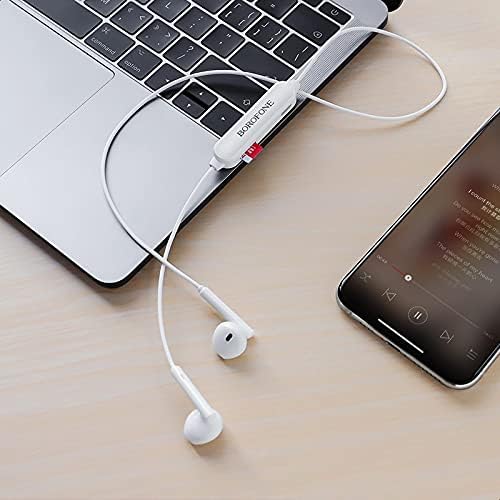
Сүрөт 3: The BOROFONE BE27 earphones in use, connected to both a laptop and a smartphone, illustrating their wireless connectivity for audio playback.
Техникалык тейлөө
- Keep the earphones dry. Avoid exposure to moisture, rain, or liquids.
- Clean the earphones with a soft, dry cloth. Do not use abrasive cleaners or solvents.
- Store the earphones in a cool, dry place away from extreme temperatures.
- Кулакчындарды түшүрүүдөн же катуу таасирлерден сактаныңыз.
- Кулакчындарды бөлүктөргө бөлүүгө же өзгөртүүгө аракет кылбаңыз, анткени бул кепилдикти жокко чыгарат жана зыян келтириши мүмкүн.
Проблемаларды чечүү
| Көйгөй | Чечим |
|---|---|
| Наушник күйбөйт. | Ensure the earphones are fully charged. Connect to a power source and charge for 1.5 hours. |
| Түзмөк менен жупташтыруу мүмкүн эмес. | 1. Ensure earphones are in pairing mode (flashing blue and red). 2. Make sure Bluetooth is enabled on your device. 3. Move earphones closer to your device. 4. Turn off and restart both earphones and your device's Bluetooth. |
| Үн жок же үнү төмөн. | 1. Check volume levels on both earphones and your connected device. 2. Ensure earphones are properly paired. 3. Try playing different audio. |
| үзгүлтүктүү байланыш. | 1. Ensure there are no obstructions between the earphones and your device. 2. Move closer to your device. 3. Avoid strong electromagnetic interference. |
Кепилдик жана колдоо
BOROFONE products are designed and manufactured to the highest quality standards. For warranty information and technical support, please refer to the warranty card included with your purchase or visit the official BOROFONE webсайт. Кепилдик дооматтары үчүн сатып алганыңыздын далилин сактап коюңуз.