
Redzeo BH510A
Redzeo MDots Wireless Earbuds Instruction Manual
Модел: BH510A
Introduction
Thank you for choosing Redzeo MDots Wireless Earbuds. This manual provides detailed instructions on how to set up, operate, maintain, and troubleshoot your new earbuds. Please read this manual carefully before use to ensure optimal performance and longevity of your device.
Пакеттин мазмуну
- Redzeo MDots Wireless Earbuds (Left and Right)
- Зымсыз кубаттоо кутусу
- USB заряддоо кабели
- Multiple Sizes of Eartips (S/M/L)
- Multiple Sizes of Earwings (S/M/L)
- User Manual
Жайгашуу
1. Баштапкы заряддоо
Биринчи колдонуудан мурун, заряддоо кутусун жана кулакчындарды толук заряддаңыз.
- Кулакчындарды заряддоо кутусуна салыңыз. Алардын тиешелүү уячаларына туура отурганын текшериңиз.
- USB заряддоо кабелин корпустагы заряддоо портуна, экинчи учун USB кубат булагына туташтырыңыз (мисалы, компьютер, дубал адаптер).
- The indicator light on the charging case will show charging status. A full charge for the case takes approximately 2.0 hours. The earbuds provide 4.0 hours of playback per charge, and the case provides up to 4 full charges, totaling 20 hours of enjoyment.

Image: The Redzeo MDots earbuds and charging case, illustrating the 20 hours total playtime with the case, 4.0 hours playback per earbud charge, and 2.0 hours to fully charge the case.
2. Түзмөгүңүз менен жупташтыруу
Кулакчындар кубаттоочу кутудан чыгарылганда автоматтык түрдө жупташтыруу режимине өтөт.
- Open the charging case and remove both earbuds. They will automatically power on and attempt to connect to each other.
- Bluetooth иштетилген түзмөгүңүздө (смартфон, планшет ж.б.) Bluetooth жөндөөлөрүнө өтүңүз.
- Издөө new devices and select "Redzeo MDots" from the list.
- Туташкандан кийин, сиз ырастоо үнүн угасыз жана кулакчындар колдонууга даяр болот.

Image: The Redzeo MDots wireless earbuds resting inside their open charging case, ready for pairing or charging.
3. Кулакчындарды орнотуу
For optimal sound quality and comfort, choose the correct size of eartips and earwings.
- Experiment with the different sizes of eartips (S/M/L) to find the best seal for your ear canal. A good seal is crucial for bass response and noise isolation.
- Select the appropriate earwings (S/M/L) that fit snugly into your ear's concha, providing stability during movement.
- Gently insert the earbuds into your ears and twist slightly until they feel secure and comfortable.
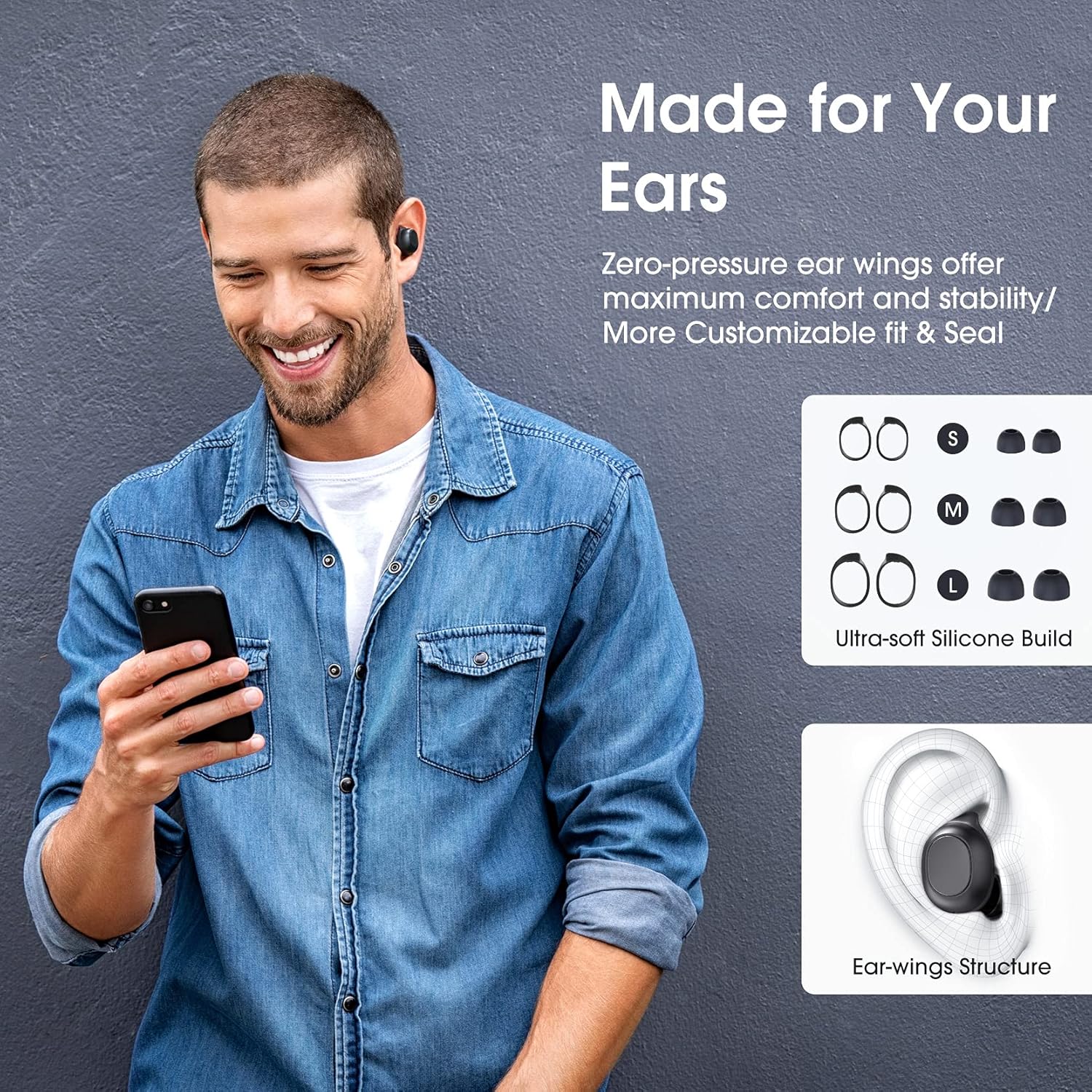
Image: A man wearing the Redzeo MDots earbuds, demonstrating their comfortable fit. The image also shows diagrams of various earwing sizes (S, M, L) and an illustration of how the earwing structure fits into the ear for maximum comfort and stability.
Иштөө нускамалары
Башкаруу баскычтары
The Redzeo MDots earbuds feature two easy-to-press buttons on each earbud for comprehensive control.
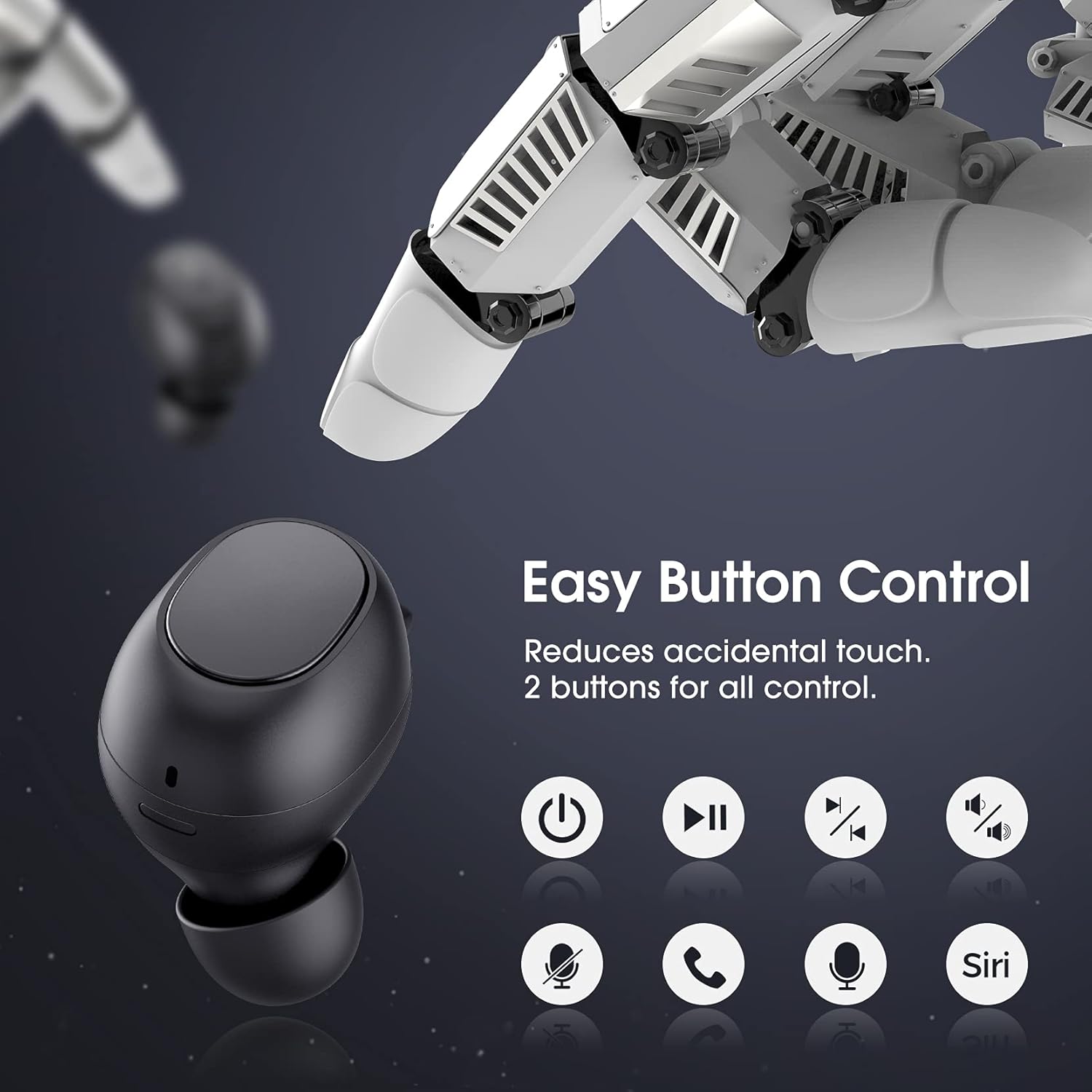
Image: A visual representation of the easy button controls on the Redzeo MDots earbuds, with icons indicating functions such as power on/off, play/pause, skip track, volume control, microphone mute, call answer/end, and voice assistant activation (Siri/Google Assistant).
| Функция | Акция |
|---|---|
| Күйгүзүү | Заряддоо кутусунан алып салыңыз |
| Өчүрүү | Place back into charging case |
| Ойнотуу/Тыныгуу | Single press on either earbud |
| Кийинки трек | Double press on the Right earbud |
| Мурунку трек | Double press on the Left earbud |
| Үндү көтөрүү | Press and hold Right earbud |
| Үндү төмөндөтүү | Press and hold Left earbud |
| Чалууга жооп берүү/аяктоо | Single press on either earbud |
| Чакырууну четке кагуу | Кулакчындардын бирин басып, кармап туруңуз |
| Үн жардамчысын иштетүү (Siri/Google Жардамчы) | Triple press on either earbud |
Mono Mode and Twin Stereo Mode
The Redzeo MDots earbuds offer flexible listening options:
- Моно режими: Each earbud can be used independently. This allows you to leave one ear free to hear your surroundings while still enjoying audio. Simply take one earbud out of the case to use it in mono mode.
- Twin Stereo Mode: Use both earbuds simultaneously for an immersive true wireless stereo sound experience. This mode is ideal for enjoying music or blocking out surrounding noise.

Image: A visual guide demonstrating the different listening modes: Right Mono Mode (using only the right earbud), Left Mono Mode (using only the left earbud to hear ambient sound), and Twin Stereo Mode (using both earbuds for immersive sound).
Үн сапаты
The MDots wireless earbuds deliver well-balanced sound with stereo bass. For the best audio experience, ensure you have selected the optimal eartips for a proper seal, which enhances bass and overall sound clarity.

Image: An exploded diagram illustrating the internal components of the Redzeo MDots earbud, highlighting the driver and acoustic structure responsible for delivering magical immersive sound with rich, high-quality audio.
Техникалык тейлөө
Тазалоо
Үзгүлтүксүз тазалоо үн сапатын жана гигиенаны сактоого жардам берет.
- Кулакчындарды жана кубаттоочу кутуну сүртүү үчүн жумшак, кургак, түксүз чүпүрөктү колдонуңуз.
- For eartips, remove them from the earbuds and clean with a mild soap solution if necessary, then rinse thoroughly and dry completely before reattaching.
- Кичинекей, жумшак щетка же кебез таякчасын колдонуп, кулакчындын торундагы кулактын момун же калдыктарды акырындык менен алып салыңыз.
Сактагыч
Кулакчындарды коргоо жана кубаттоо үчүн колдонулбаган учурда аларды кубаттоо кутучасында сактаңыз.
Сууга туруктуулук (IPX6)
The Redzeo MDots earbuds feature an IPX6 waterproof nano-coating design, making them resistant to sweat, water splashes, and rain. They are suitable for strenuous exercise and all-weather conditions.

Image: The Redzeo MDots earbuds resting on a wet surface, visually representing their IPX6 waterproof capability, which provides water protection for daily use and resistance to sweat, water, and rain, making them ideal for running, yoga, and gym activities.
Маанилүү эскертүү: Do not use the earbuds for swimming or immerse them in heavy rain. The IPX6 rating protects against strong jets of water, but not continuous submersion.
Проблемаларды чечүү
Жалпы маселелер жана чечимдер
- Кулакчындар түзмөк менен жупташкан жок:
- Түзмөгүңүздө Bluetooth иштетилгенин текшериңиз.
- Кулакчындардын заряддалганын текшериңиз.
- Place earbuds back in the case, close it, wait a few seconds, then open and remove them to re-enter pairing mode.
- Forget/delete "Redzeo MDots" from your device's Bluetooth list and try pairing again.
- Бир гана кулакчын иштейт:
- Эки кулакчындын тең кубатталганын текшериңиз.
- Place both earbuds back into the charging case, close the lid, and then open it again. This should force them to re-sync.
- Эгер көйгөй чечилбесе, кулакчындарды баштапкы абалга келтирип көрүңүз (өндүрүүчүнүн көрсөтмөсүн караңыз) website or contact support for specific reset instructions if not detailed here).
- Үн жок же үнү төмөн:
- Түзмөгүңүздөгү жана кулакчындардын үнүнүн деңгээлин текшериңиз.
- Кулакчындар түзмөгүңүзгө туура туташтырылганын текшериңиз.
- Үнгө тоскоол болушу мүмкүн болгон кулакчын торчосунан ар кандай таштандыларды тазалаңыз.
- Try different eartip sizes to ensure a proper seal in your ear.
- Заряддоо кутучасы заряддалбай жатат:
- Заряддоо кабели корпуска да, кубат булагына да бекем туташтырылганын текшериңиз.
- Башка USB кабелин же кубат адаптерин колдонуп көрүңүз.
- Заряддоо портунда кандайдыр бир таштандылар бар-жогун текшериңиз.
Техникалык шарттар
| Өзгөчөлүк | Деталь |
|---|---|
| Модель номери | BH510A |
| Бренд | Redzeo |
| Байланыш технологиясы | Зымсыз (Bluetooth 5.0) |
| Кулак жайгаштыруу | Кулакта |
| Форма фактору | Кулакта |
| Наушник уясы | USB |
| Түс | Ачык кара |
| Материал | Пластик |
| Продукциянын өлчөмдөрү | 6.35 x 2.49 x 1.98 см |
| Элемент Салмагы | 91 г |
| Сууга туруктуулук рейтинги | IPX6 |
| Ойнотуу убактысы (наушник) | 4 саатка чейин |
| Жалпы ойнотуу убактысы (кубаттоочу куту менен) | 20 саатка чейин |
| Заряддоо убактысы (капка) | Болжол менен 2 саат |
| Камтылган компоненттер | Зымсыз кубаттоо кутусу |
| Дата биринчи жеткиликтүү | 31 май 2021 жыл |
Кепилдик жана колдоо
Redzeo products are designed and manufactured to the highest quality standards. For information regarding warranty coverage, technical support, or customer service, please refer to the warranty card included in your product packaging or visit the official Redzeo webсайт. Сураныч, кепилдик дооматтар үчүн сатып алуу далилиңизди сактап коюңуз.
For further assistance, you may contact Redzeo customer support through the contact information provided on their official webсайт.
Ask a question about this manual
Ask about setup, troubleshooting, compatibility, parts, safety, or missing instructions. Manuals+ will review the question and use this page’s manual context to help answer it.