
1. Киришүү
The Twinkly Flex 6.5ft LED Tube is a flexible, app-controlled RGB LED light tube designed for customizable indoor lighting. It offers a wide range of colors and effects, and can be integrated with smart home systems like Alexa and Google Home.
2. Кутуда эмне бар
Бардык компоненттер бар экендигин текшериңиз:
- Twinkly Flex 6.5ft LED Tube
- Smart Controller
- Power Adapter (Type A plug)
- Mounting Kit (includes clips and templates)
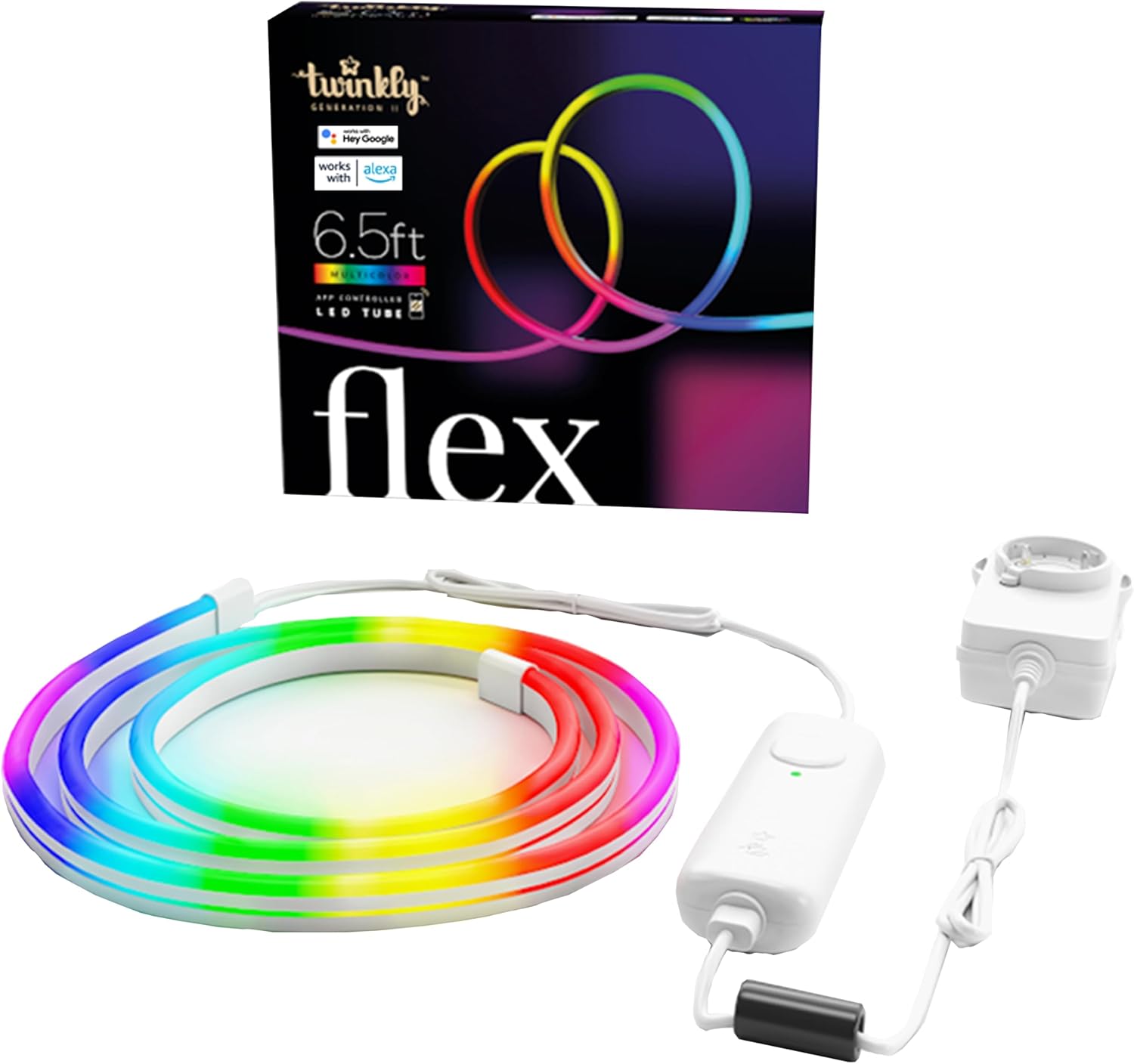
Image: Twinkly Flex LED Tube, smart controller, and power adapter.
3. Орнотуу нускамалары
3.1 Физикалык орнотуу
- Дизайныңызды пландаштырыңыз: Before mounting, decide on the desired shape or pattern for your Twinkly Flex. The tube is flexible but requires mounting clips to hold its shape on a surface.
- Use Templates (Optional): The included mounting kit may contain templates to assist in creating specific designs. Position the template on your desired surface.
- Монтаждык клиптер: Secure the mounting clips to the surface using the provided screws or adhesive. Ensure the clips are spaced appropriately to support the desired shape of the LED tube. The kit includes various clips for different angles (e.g., 90-degree and 180-degree mounts).
- LED түтүгүн салыңыз: Carefully press the Twinkly Flex LED tube into the mounted clips, following your planned design.
- Туташуу кубаты: Connect the LED tube to the smart controller, and then connect the smart controller to the power adapter. Plug the power adapter into a suitable electrical outlet.

Image: A user installing the flexible LED tube onto a wall using mounting clips.
Видео: Бүттүview of the Twinkly Flex LED tube and its installation process.
3.2 Колдонмону орнотуу жана туташуу
- Twinkly тиркемесин жүктөп алыңыз: Download the official Twinkly app from the App Store (iOS) or Google Play Store (Android).
- Каттоо эсебин түзүү: Колдонмону ачып, жаңы колдонуучу каттоо эсебин түзүү үчүн экрандагы нускамаларды аткарыңыз же сизде мурунтан эле бар болсо кириңиз.
- Түзмөк кошуу: Select "Add Device" or similar option within the app. Choose "Twinkly Flex" from the list of available devices.
- Connect via Bluetooth/Wi-Fi: The app will guide you through connecting the Twinkly Flex via Bluetooth for initial setup, then to your local Wi-Fi network (2.4GHz recommended).
- Картанын жарыктары: Once connected, the app will prompt you to "Map Lights." This feature uses your phone's camera to understand the physical layout of your Twinkly Flex, enabling precise and dynamic lighting effects. Follow the in-app instructions for accurate mapping.

Image: The Twinkly app interface displaying color options for mood creation.

Image: The Twinkly app demonstrating the light mapping feature for advanced effects.
4. Операция
4.1 Basic Controls (Smart Controller)
- Күйгүзүү/өчүрүү: Press the button on the smart controller once to turn the lights on. To turn off, you must use the Twinkly app or a connected smart home assistant.
- Циклдин таасири: Press the button repeatedly to cycle through pre-set lighting effects.
4.2 Twinkly App Features
- Түс тандоо: Choose from over 16 million colors to customize your lighting.
- Effects & Animations: Apply pre-set effects, create custom animations using the FX Wizard, or download new effects from the online gallery.
- Жарыктыкты көзөмөлдөө: Adjust the brightness level of the lights.
- Таймерлер: Set schedules for the lights to turn on and off automatically.
- Топтоо: Group multiple Twinkly devices virtually for synchronized scenes and multi-object decorations.

Image: The Twinkly app displaying a wide range of color palettes and effects.
4.3 Smart Home интеграциясы
The Twinkly Flex is compatible with various smart home ecosystems:
- Amazon Alexa: Enable the Twinkly skill in the Alexa app to control your lights with voice commands (e.g., "Alexa, turn on Twinkly").
- Google Home: Link your Twinkly account in the Google Home app to use voice commands (e.g., "Hey Google, set Twinkly to blue").
- Razer Chroma RGB & OMEN Light Studio: Integrate for enhanced gaming lighting experiences.
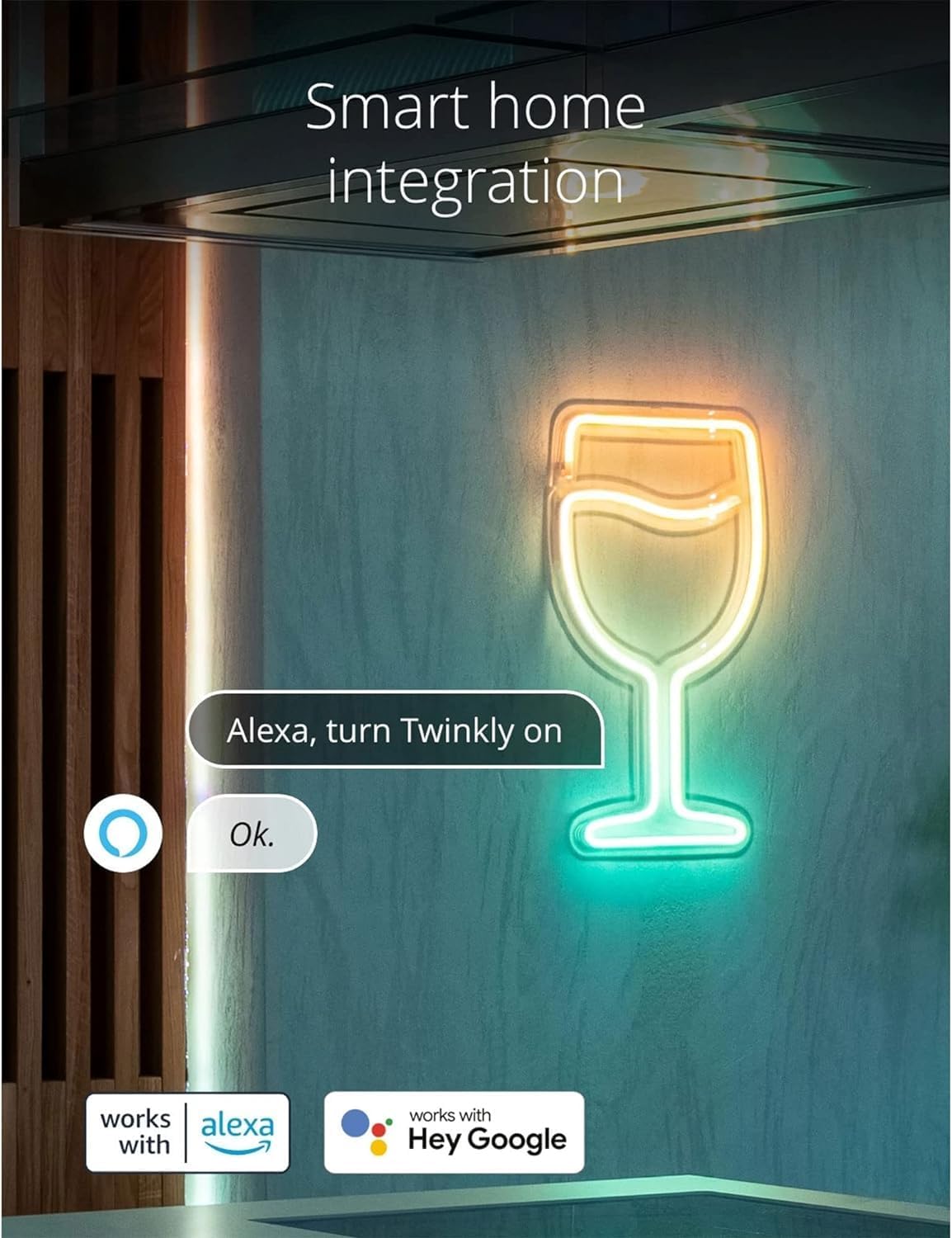
Image: Twinkly Flex lights responding to an Alexa voice command.

Image: Twinkly Flex lights enhancing a gaming setup with Razer Chroma RGB integration.
4.4 Music Sync (Optional Accessory)
For a synchronized audio-visual experience, the Twinkly Music dongle (sold separately) can be paired with the Twinkly Flex. This accessory allows the lights to react to ambient sounds and music.

Image: Twinkly Flex lights displaying effects synchronized with music.
Video: A demonstration of the Twinkly Flex LED tube's flexible nature and various lighting effects.
5. Техникалык тейлөө
- Тазалоо: Gently wipe the LED tube with a soft, dry cloth. Do not use harsh chemicals or abrasive cleaners.
- Суу каршылык: The Twinkly Flex is designed for indoor use and is not water-resistant. Avoid exposure to water or high humidity environments.
- Сактагыч: When not in use, store the Twinkly Flex in a cool, dry place, away from direct sunlight and extreme temperatures.
6. Кыйынчылыктарды
| Көйгөй | Чечим |
|---|---|
| Жарыктар күйбөйт. |
|
| Cannot connect to the Twinkly app. |
|
| Lights do not hold desired shape. |
|
| Cannot turn off lights using the smart controller button. |
|
7. Техникалык шарттар
- Модель номери: TWFL200STW-WUS
- Узундугу: 6.5 Фут (2 метр)
- Жарык булагы түрү: LED
- Ачык түс: Multicolor (RGB, 16M+ colors)
- Кубат булагы: Электр зымдары
- Ватtage: 5 ватт
- Башкаруу ыкмасы: App Control (Wi-Fi & Bluetooth)
- Smart Home шайкештиги: Amazon Alexa, Google Home, Razer Chroma RGB, OMEN Light Studio
- Ички/тышкы колдонуу: Indoor
- Материал: Пластик
- Элемент Салмагы: 1.8 фунт
- Plug Format: А түрү
- Европа Бирлигинин Энергия натыйжалуулугу этикеткасы: Жогорку натыйжалуулук
8. Кепилдик жана колдоо
For warranty information and technical support, please refer to the official Twinkly webсайтка же кардарларды тейлөөгө кайрылыңыз. Кепилдик дооматтар үчүн сатып алганыңыздын далилин сактаңыз.
Онлайн колдоо: Visit www.twinkly.com Көп берилүүчү суроолор, көйгөйлөрдү аныктоо боюнча көрсөтмөлөр жана байланыш маалыматы үчүн.