
1. Киришүү
The ThinkScan SR6 is a professional OBD2 diagnostic scanner designed for comprehensive vehicle system analysis and maintenance. It supports diagnostics for six major vehicle systems: Anti-lock Braking System (ABS), Supplemental Restraint System (SRS), Body Control Module (BCM), Tire Pressure Monitoring System (TPMS), Engine Control Module (ECM), and Transmission Control Module (TCM). Additionally, it offers five essential reset functions: Electronic Parking Brake (EPB) Reset, Tire Pressure Monitoring System (TPMS) Reset, Oil Light Reset, Steering Angle Sensor (SAS) Reset, and Throttle Body Adjustment (TBA).
This manual provides detailed instructions on how to set up, operate, and maintain your ThinkScan SR6 device to ensure accurate and efficient vehicle diagnostics.
Кутуда эмне бар
- ThinkScan SR6 Diagnostic Tool (with integrated OBD2 cable)
- USB заряддоо/дата кабели
- User Manual
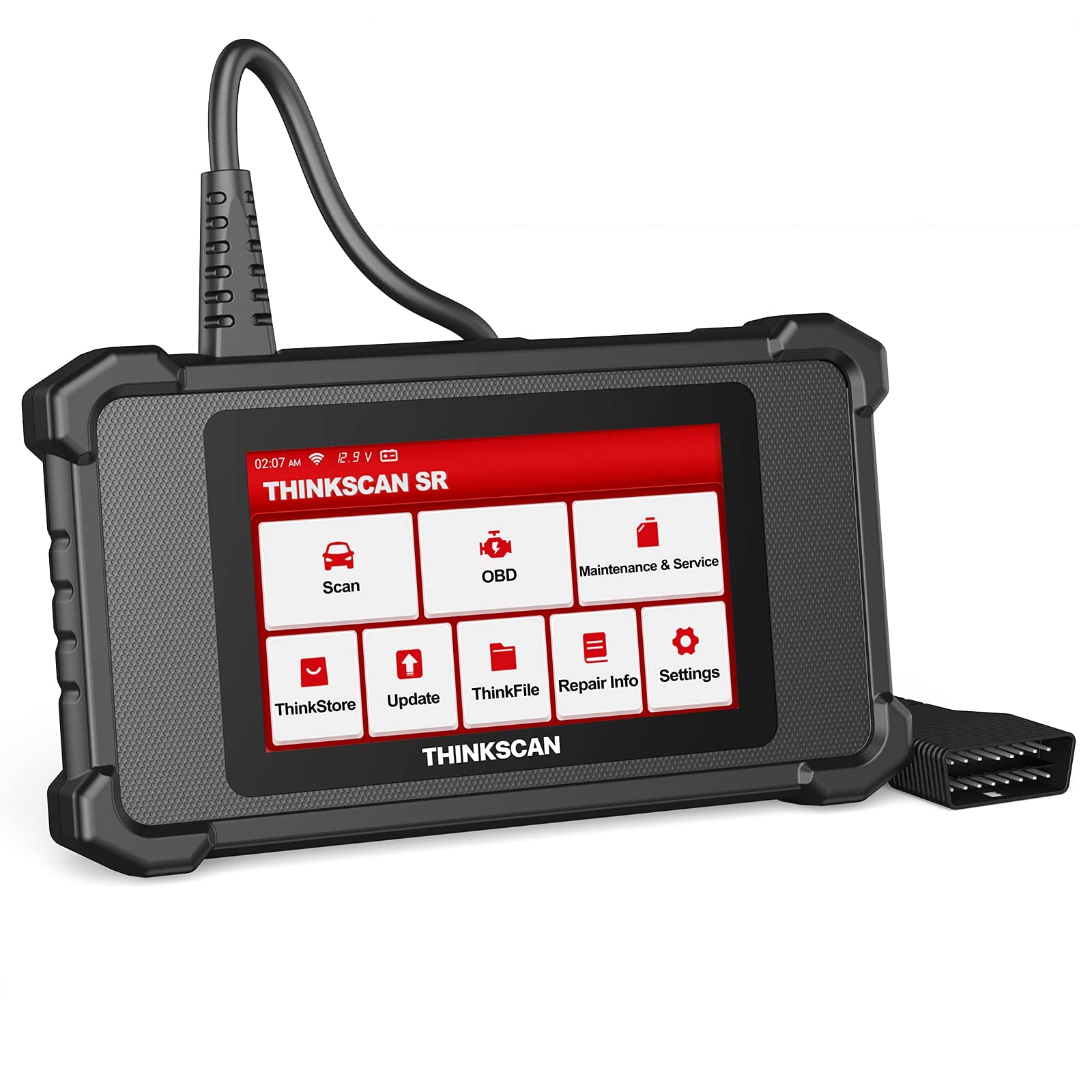
Image: ThinkScan SR6 OBD2 Scanner device and its packaging.
Видео: Бүттүview of the ThinkScan SR6 Scan Tool, demonstrating its unboxing and initial features. This video highlights the device's physical components and basic interface.
2. Орнотуу
2.1 Унааңызга туташуу
- Унаанын 16-пиндүү маалымат туташтыргычын (DLC) табыңыз. Ал, адатта, айдоочу тарабындагы башкаруу панелинин астында жайгашкан.
- Унаанын от алдыруу системасы "OFF" абалында экенин текшериңиз.
- Plug the ThinkScan SR6's integrated OBD2 cable into the vehicle's DLC. Ensure a secure connection.
- Turn the vehicle's ignition to the ON position (engine can be off or running, depending on the diagnostic task). The device will power on automatically.
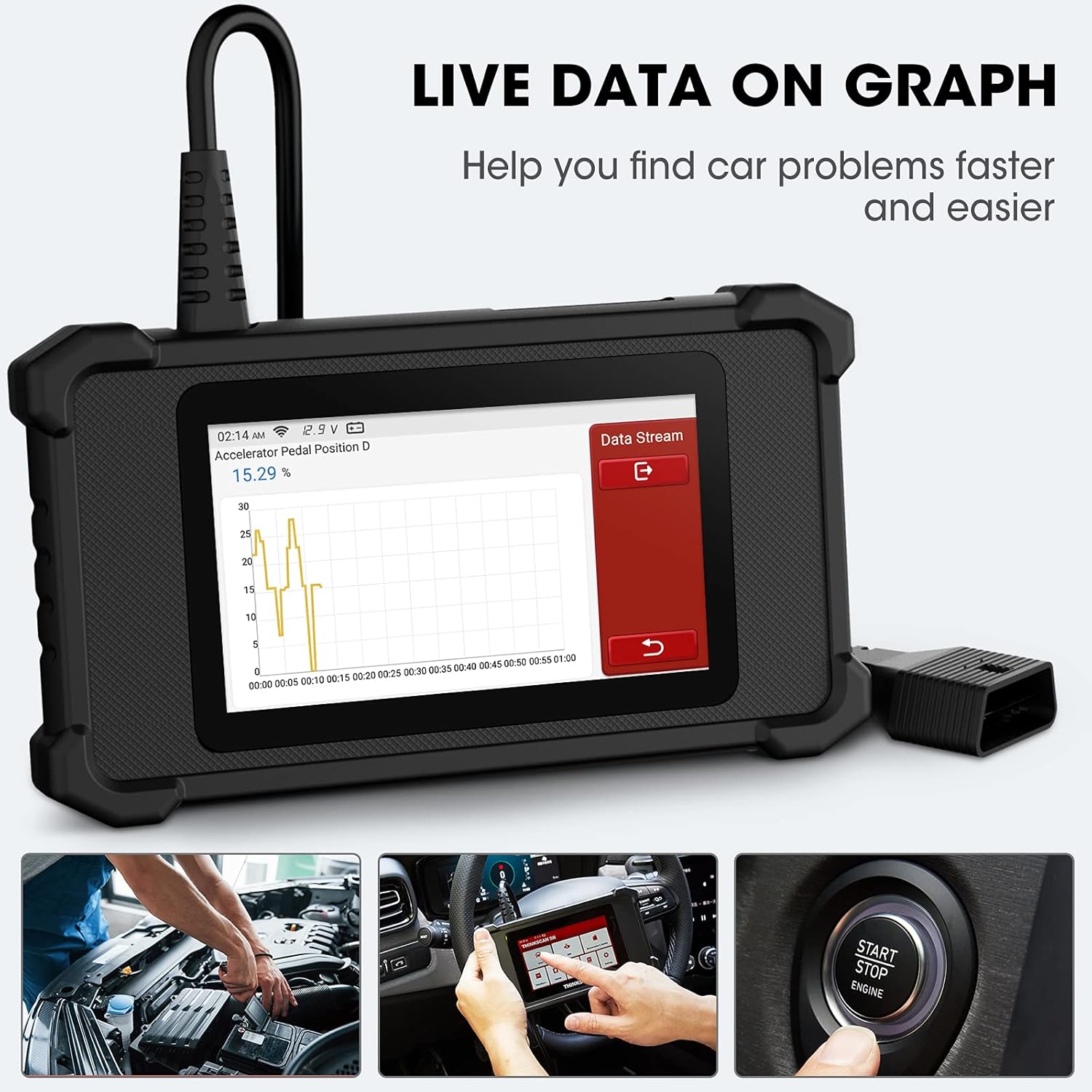
Image: The ThinkScan SR6 device connected to a vehicle's OBD2 port, ready for operation.
2.2 Түзмөктүн баштапкы конфигурациясы
- Upon first use, the device may prompt you to select a language. Follow the on-screen instructions.
- Connect the device to a Wi-Fi network for software updates. Navigate to Орнотуулар > Wi-Fi жана тармагыңызды тандаңыз.
- Perform a software update to ensure you have the latest vehicle coverage and diagnostic functions. Go to Жаңыртуу негизги менюда.
3. Операция
3.1 Системалык диагностика
The ThinkScan SR6 supports comprehensive diagnostics for six key vehicle systems. From the main menu, select Скандоо баштоо.
- ABS системасы: Diagnoses issues related to the anti-lock braking system.
- SRS системасы: Checks the supplemental restraint system (airbags).
- BCM System: Analyzes the body control module for electrical and body-related faults.
- TPMS System: Monitors tire pressure and related sensor issues.
- ECM System: Diagnoses engine control module faults.
- TCM System: Checks the transmission control module for transmission-related problems.

Image: Visual representation of the six major vehicle systems supported for diagnostics by the ThinkScan SR6.
3.2 Толук OBD2 функциялары
Access standard OBD2 functions by selecting OBD from the main menu. These functions are crucial for emissions-related diagnostics and general engine health checks.
- Окуу коддору: Унаанын компьютеринен диагностикалык ката коддорун (DTC) чыгарат.
- Таза коддор: Erases DTCs and turns off the Check Engine Light (MIL).
- Фреймди тоңдуруу: Чыгарууларга байланыштуу мүчүлүштүк болгон учурда унаанын иштөө шарттарынын сүрөтүн көрсөтөт.
- Жандуу маалыматтар: Shows real-time data streams from various sensors and components.
- I/M даярдыгы: Чыгындыларды көзөмөлдөө системаларынын даярдыгын текшерет.
- O2 сенсор тести: O2 сенсоруна мониторинг жүргүзүү тестинин жыйынтыктарын чыгарат.
- Унаа маалыматы: Displays vehicle identification information (VIN, CID, CVN).
- EVAP системасы сыноо: Буулануучу эмиссияны көзөмөлдөө системасын сыноодон өткөрөт.
- Борттогу монитор тести: Retrieves results for on-board diagnostic monitoring tests.
- Компоненттик тест: Allows testing of specific vehicle components.
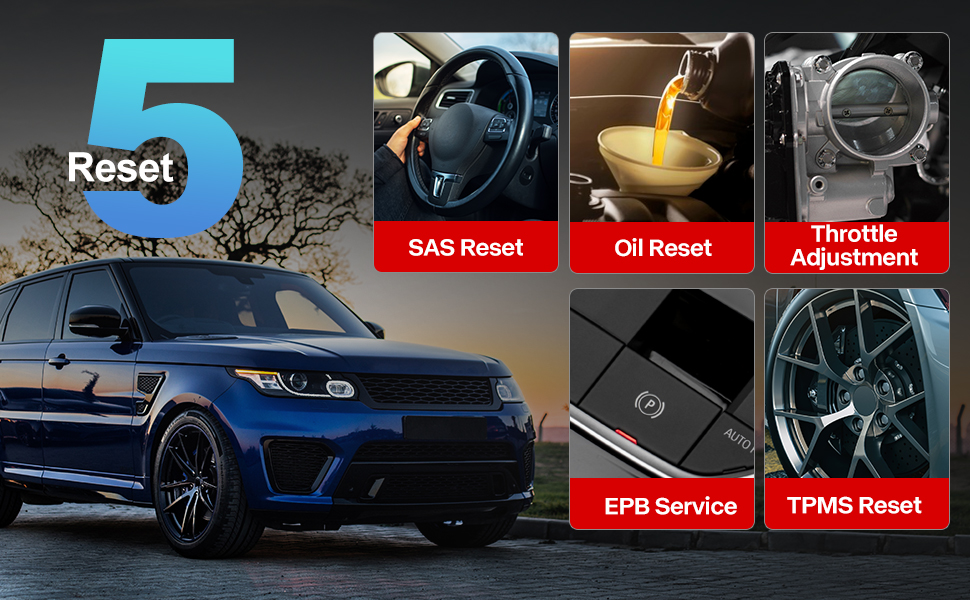
Image: A visual guide to the comprehensive OBD2 functions available on the ThinkScan SR6, including code reading, live data, and vehicle information retrieval.
3.3 DTC Lookup Function
When a Diagnostic Trouble Code (DTC) is retrieved, the ThinkScan SR6 can help you understand its meaning. Navigate to Оңдоо маалыматы > OBD Fault Code Library to input the code and receive a detailed description.
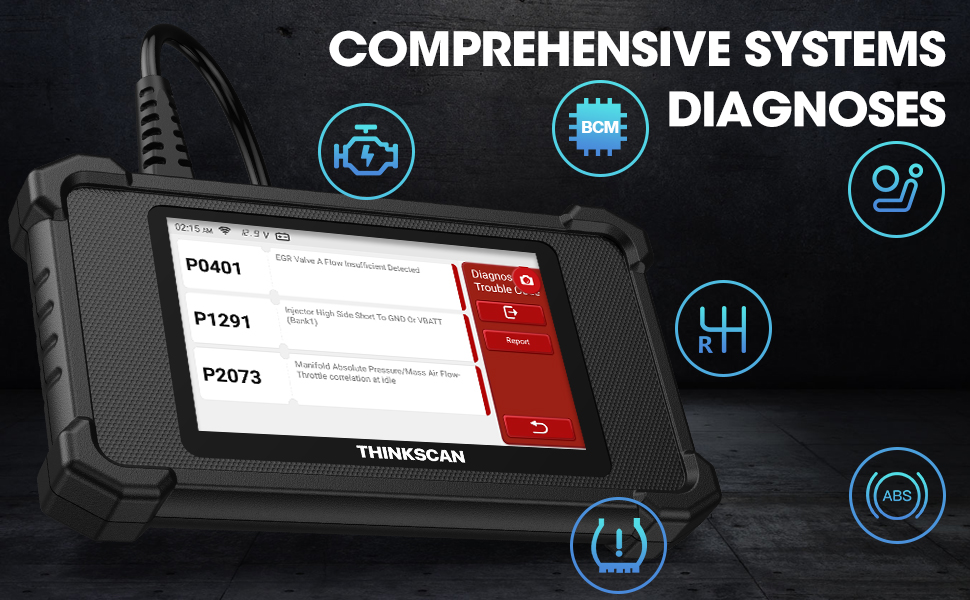
Image: The DTC Lookup function displaying fault codes and their corresponding meanings, aiding in quick diagnosis.
3.4 Live Data Graph
The Live Data function allows you to view real-time sensor data in a graphical format, making it easier to identify anomalies and diagnose intermittent problems. Select OBD > Live Data бул өзгөчөлүккө жетүү үчүн.
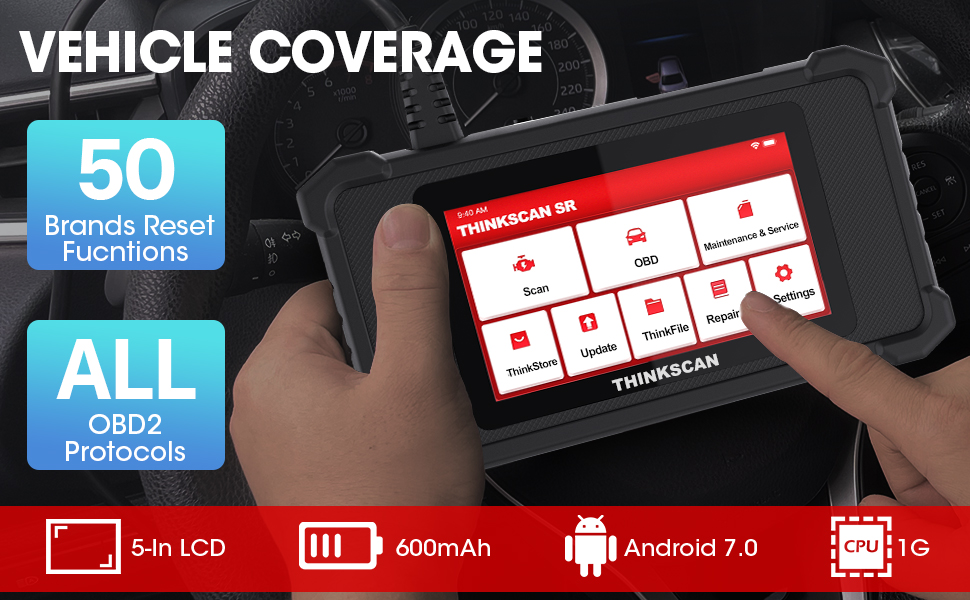
Image: The ThinkScan SR6 displaying live vehicle data in a graphical format, illustrating real-time sensor readings for diagnostic purposes.
4. Maintenance & Service Functions
The ThinkScan SR6 provides five commonly used reset functions to assist with vehicle maintenance. Access these by selecting Тейлөө жана тейлөө негизги менюдан.
- Май чырагын баштапкы абалга келтирүү: Май алмаштырылгандан кийин майдын тейлөө жарыгын баштапкы абалга келтирет.
- EPB Service: Тормоздук аянтчаны алмаштыргандан кийин электрондук токтоочу тормоз системасын баштапкы абалга келтирет.
- SAS баштапкы абалга келтирүү: Руль системасын оңдогондон кийин руль бурчунун сенсорун калибрлейт.
- TPMS баштапкы абалга келтирүү: Resets the tire pressure monitoring system after tire rotation or sensor replacement.
- TBA (Throttle Body Adjustment): Дроссельдин корпусунун абалын кайрадан үйрөнөт.

Image: An illustration of the five free reset functions offered by the ThinkScan SR6, including throttle adjustment and various system resets.
4.1 Программалык камсыздоо жаңыртуулары
Regular software updates are essential to ensure your ThinkScan SR6 has the latest vehicle models, diagnostic functions, and bug fixes. The device supports Wi-Fi updates for convenience.
- Түзмөктүн туруктуу Wi-Fi тармагына туташканын текшериңиз.
- Негизги менюдан тандаңыз Жаңыртуу.
- Жеткиликтүү жаңыртууларды жүктөп алуу жана орнотуу үчүн экрандагы көрсөтмөлөрдү аткарыңыз.

Image: A comparison highlighting the ThinkScan SR6's features, including its 5-inch touch screen, Android 7.0 OS, and one-click Wi-Fi update capability.
5. Кыйынчылыктарды
If you encounter issues with your ThinkScan SR6, consider the following common solutions:
- Түзмөк күйбөй жатат: Ensure the OBD2 cable is securely connected to the vehicle's DLC and the vehicle's ignition is ON. Check the vehicle's battery voltage.
- Connection errors: Verify the OBD2 cable connection. Try connecting to a different vehicle (if available) to rule out vehicle-specific issues. Ensure Wi-Fi is stable for updates.
- Diagnostic function not working: Ensure the vehicle model and year are supported for the specific function. Perform a software update.
- Understanding fault codes: колдонуу OBD Fault Code Library астында Оңдоо маалыматы to look up DTC meanings.
For more detailed troubleshooting or specific repair information, the device includes a Оңдоо маалыматы section with a fault code library, coverage list, and video tutorials. You can also connect the device to Wi-Fi and use the Video option to search for relevant repair guides.
6. Техникалык шарттар
| Өзгөчөлүк | Деталь |
|---|---|
| Бренд | ойлонуучу машина |
| Модель номери | TKSR6 |
| Screen Size | 5 дюйм |
| Операция системасы | Android 7.0 |
| Power Source | Батарея менен иштейт |
| Элемент Салмагы | 1 фунт |
| Продукциянын өлчөмдөрү | 4.13 x 8.07 x 1.18 дюйм |
| Батареялар | 1 Литий Полимер батарейкалары талап кылынат (кошулган) |
| Унаа камтуу | US-based vehicles after 1996, EU-based vehicles after 2000, Asia-based vehicles after 2008 |
7. Кепилдик жана колдоо
For technical assistance, warranty information, or any inquiries regarding your ThinkScan SR6 device, please contact thinkcar customer support. The manufacturer provides 7*24 hours support.
Электрондук почта: jushi@thinkcar.com
Please refer to the official thinkcar website or the included warranty card for detailed warranty terms and conditions.