
BEZGAR HM121
BEZGAR HM121 1:12 Scale RC Truck User Manual
Model: HM121 | Brand: BEZGAR
Introduction
The BEZGAR HM121 is a 1:12 scale 4WD high-speed remote control truck designed for off-road and all-terrain use. It features a durable construction, powerful motor, and responsive controls, making it suitable for both beginners and intermediate hobbyists. This manual provides essential information for setting up, operating, maintaining, and troubleshooting your HM121 RC truck.

Image: The BEZGAR HM121 RC Truck, showcasing its design, remote control, and included accessories.
Кутуда эмне бар
Бардык буюмдарды кылдаттык менен ачып, төмөнкү компоненттердин бар экенине ынаныңыз:
- BEZGAR HM121 RC Truck
- 2.4GHz Radio System (Remote Control)
- Two 7.4V 1500mAh Li-ion Batteries
- Fireproof Battery Bag
- Two USB Chargers
- Колдонуучунун Колдонмосу (бул документ)
- 4 Spare Body Pins
- Screwdriver

Image: A visual representation of all items included in the BEZGAR HM121 product package.
Жайгашуу
- Батареяларды заряддоо: Connect the 7.4V 1500mAh Li-ion batteries to the provided USB chargers. Plug the chargers into a suitable USB power source. The charging indicator will show the charging status (refer to charger instructions for specific light patterns). Ensure batteries are fully charged before first use.
- Install Truck Battery: Remove the body pins and lift the truck body. Open the battery compartment. Carefully insert one charged battery into the compartment and secure it. Connect the battery connector to the truck's power port.
- Алыстан башкаруунун батареяларын орнотуу: Open the battery cover on the back of the 2.4GHz remote control. Insert 3 AA batteries (not included) ensuring correct polarity. Close the cover.
- Алыстан башкарууну жупташтыруу:
- Turn on the RC truck first.
- Then, turn on the remote control.
- The remote and truck should automatically pair. If not, turn both off and repeat the process.
Иштөө нускамалары
Familiarize yourself with the remote control functions and practice in an open area before attempting high-speed maneuvers.

Image: A detailed diagram illustrating the various controls and functions of the 2.4GHz remote control, including steering wheel, throttle trigger, and trim adjustments.
- Күйгүзүү/өчүрүү: Use the switch on the remote and the truck to power them on or off. Always turn off the truck first, then the remote.
- дроссель триггери: Pull the trigger to accelerate forward. Push the trigger forward to brake or reverse.
- Руль: Rotate the steering wheel left or right to control the truck's direction.
- Рулду башкаруу: Adjust this dial to ensure the truck drives straight when the steering wheel is centered.
- Speed Trim: Adjust this dial to limit the maximum speed of the truck, useful for beginners or confined spaces.
- Рульдин артка бурулушу: Use this switch to reverse the steering direction if needed.
Driving on Different Terrains
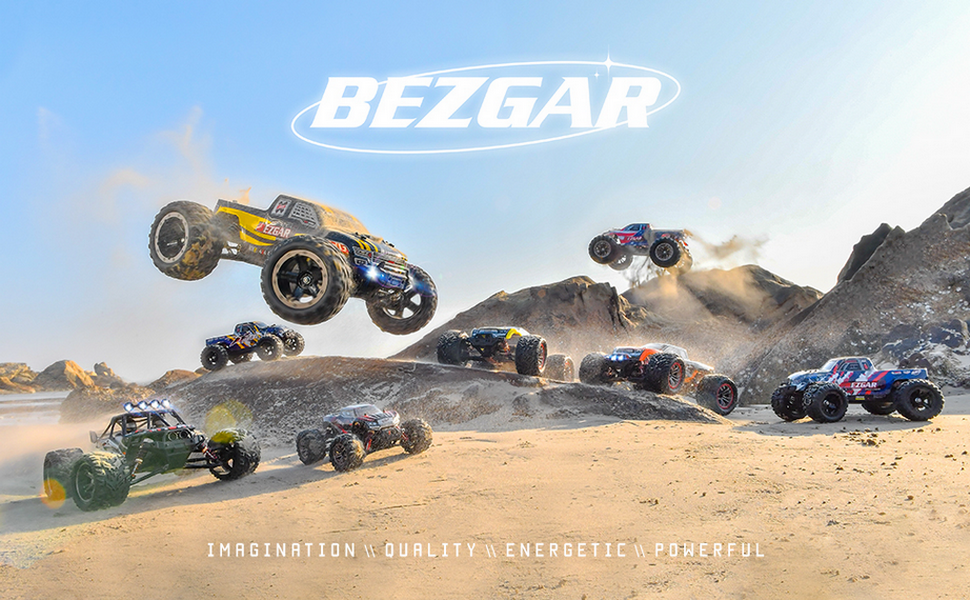
The HM121 is designed for various terrains, including concrete, sand, grass, and rocks. Be mindful that speed and handling may vary depending on the surface. Avoid deep water or extremely muddy conditions as prolonged exposure can damage electronics, despite its waterproof steering servo.

Image: The BEZGAR HM121 RC Truck navigating a dirt terrain, demonstrating its off-road capabilities.

Image: The BEZGAR HM121 RC Truck driving on a sandy surface near water, highlighting its all-terrain design.
Техникалык тейлөө
Regular maintenance will extend the lifespan and performance of your RC truck.
- Тазалоо: After each use, especially in dusty or dirty conditions, clean the truck with a soft brush or compressed air. Avoid using water directly on electronic components.
- Батареяга кам көрүү: Always store batteries in the provided fireproof bag. Do not overcharge or over-discharge batteries. Disconnect batteries from the truck when not in use.
- Текшерүү компоненттери: Periodically check all screws, nuts, and connections for tightness. Inspect the tires for wear and tear. Check the shocks and suspension for proper function.
- Майлоо: Lightly lubricate moving parts like gears and bearings as needed with RC-specific lubricant.
Проблемаларды чечүү
| Көйгөй | Мүмкүн себеп | Чечим |
|---|---|---|
| Жүк ташуучу унаа алыстан жооп бербейт. | Low battery in truck or remote; Not paired; Power switch off. | Charge/replace batteries. Ensure truck and remote are powered on. Re-pair the remote and truck. |
| Truck drives crooked. | Руль дөңгөлөгүн тууралоо керек. | Adjust the steering trim dial on the remote control until the truck drives straight. |
| Reduced speed or power. | Low battery; Motor overheating; Debris in drivetrain. | Charge/replace battery. Allow motor to cool down. Clean any debris from gears and axles. |
| Иш учурунда адаттан тыш үндөр. | Damaged gears; Loose components; Debris. | Inspect gears for damage and replace if necessary. Check all screws and connections. Clean the truck thoroughly. |
Техникалык шарттар
- Модел: HM121
- Масштаб: 1:12
- Drive системасы: 4WD (төрт дөңгөлөктүү)
- Мотор: 390 щеткалуу мотор
- Эң жогорку ылдамдык: 45+ KM/H (28+ MPH)
- Иштөө убактысы: Up to 20 minutes per battery (40 minutes with two batteries)
- Батарея: 7.4V 1500mAh Li-ion (x2 included)
- Алыстан башкаруу жыштыгы: 2.4 ГГц
- Рулдук серво: 3-wire Digital Servo (2.5KG.CM torque)
- Шоктор: 4 x Metal Oil-Filled Shocks
- Шасси: Нейлон
- Өлчөмдөрү: Болжол менен 13.0 x 11.0 x 5.7 дюйм (330 x 280 x 145 мм)
- Салмагы: 5.5 фунт
- Сунушталган жаш: 8 жаш жана андан жогору

Image: A technical drawing showing the key dimensions of the BEZGAR HM121 RC Truck.
Сүрөт: жарылган view illustrating the internal components such as the metal drivetrain, differential gear, oil-filled shocks, and 390 brushed motor.
Кепилдик жана колдоо
For warranty information, technical support, or replacement parts, please contact BEZGAR customer service. Refer to the contact details provided on the product packaging or the official BEZGAR webсайт.
You can also visit the official BEZGAR store on Amazon for more information: BEZGAR Store
Ask a question about this manual
Ask about setup, troubleshooting, compatibility, parts, safety, or missing instructions. Manuals+ will review the question and use this page’s manual context to help answer it.