
EVGA 08G-P5-3767-KL
EVGA GeForce RTX 3070 FTW3 Ultra Gaming
Колдонуучунун инструкциясы
Model: 08G-P5-3767-KL
Introduction
This manual provides essential information for the installation, operation, maintenance, and troubleshooting of your EVGA GeForce RTX 3070 FTW3 Ultra Gaming graphics card. Please read this guide thoroughly before proceeding with installation or use to ensure optimal performance and longevity of your product.
The EVGA GeForce RTX 3070 FTW3 Ultra Gaming is a high-performance graphics card designed for advanced gaming and demanding graphical applications. It features 8GB GDDR6 memory, iCX3 Technology for advanced cooling, ARGB LED lighting, and a durable metal backplate.
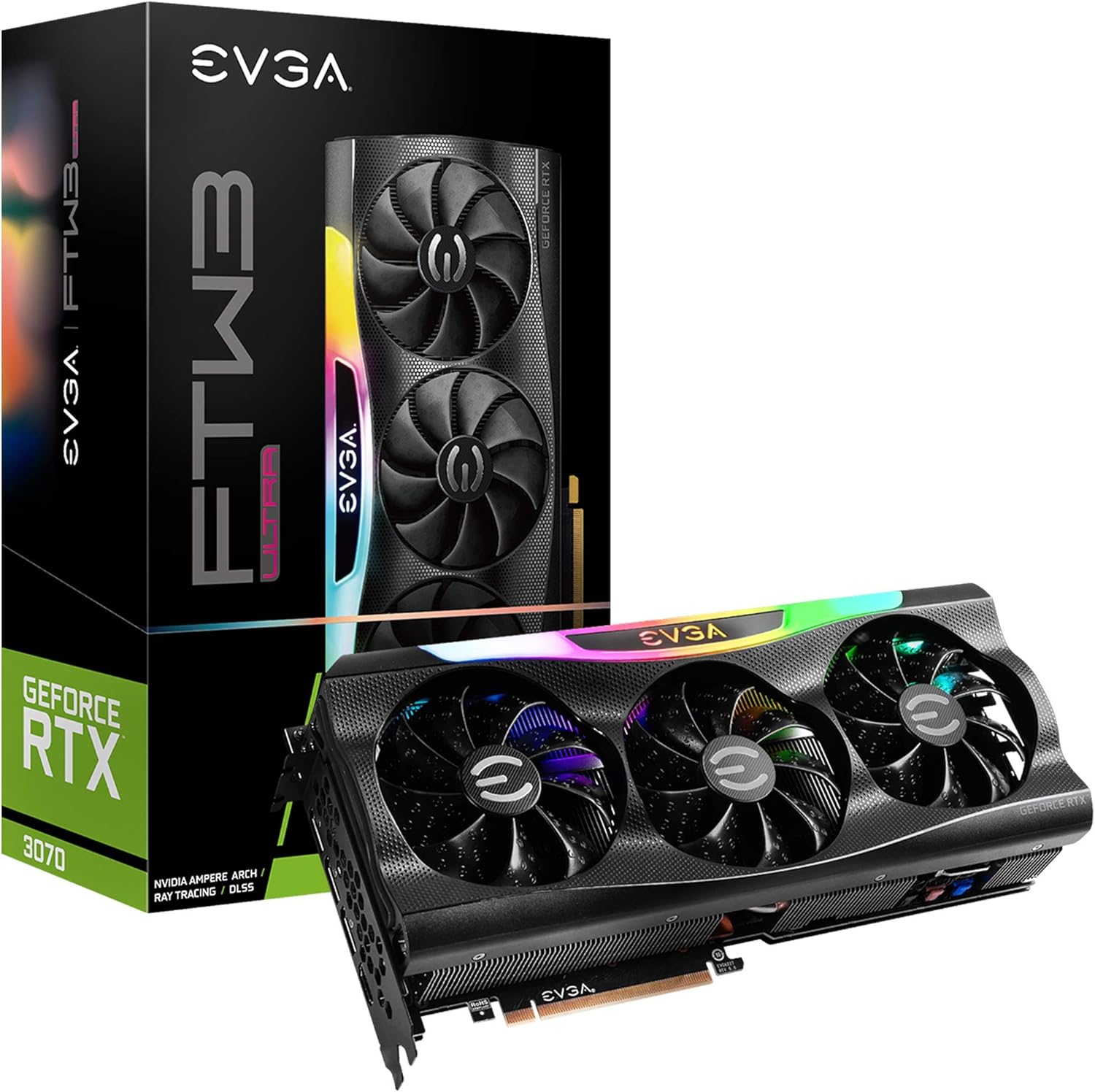
Figure 1: EVGA GeForce RTX 3070 FTW3 Ultra Gaming graphics card and packaging.
Орнотуу жана орнотуу
Proper installation is crucial for the functionality and stability of your graphics card. Follow these steps carefully.
1. Орнотууга чейинки текшерүү тизмеси
- Электр камсыздоо: Энергия менен камсыздоо блогуңуз (PSU) минималдуу ватка жооп берерин текшериңизtage requirements for the RTX 3070 (typically 650W or higher, consult your PSU manufacturer for specific compatibility).
- PCIe Slots: Сиздин энелик платаңызда жеткиликтүү PCI Express x16 слоту бар экенин текшериңиз.
- Ишти тазалоо: Confirm your computer case has sufficient physical space for the graphics card (Product Dimensions: 11.81 x 2.32 x 5.38 inches).
- Айдоочулар: Download the latest NVIDIA drivers for the RTX 3070 from the official NVIDIA webорнотуу алдында сайт.
- Статикалык коргоо: Use an anti-static wrist strap or periodically touch a grounded metal object to discharge static electricity.
2. Физикалык орнотуу
- Өчүрүү: Компьютериңизди өчүрүп, кубат кабелин розеткадан сууруп алыңыз.
- Ачык иш: Эне платага кирүү үчүн компьютериңиздин корпусун ачыңыз.
- Эски картаны алып салыңыз (эгер бар болсо): If replacing an existing graphics card, carefully remove it by unscrewing the retention bracket and releasing PCIe уячасынын кулпусу.
- Жаңы картаны киргизүү: Align the EVGA GeForce RTX 3070 FTW3 Ultra Gaming card with an available PCIe x16 slot. Press down firmly and evenly until the card is fully seated and the slot latch clicks into place.
- Коопсуз карта: Secure the graphics card to the case with screws using the retention bracket.
- Туташуу кубаты: Connect the required PCIe power cables from your power supply to the graphics card. The EVGA RTX 3070 FTW3 Ultra Gaming typically requires two 8-pin PCIe power connectors. Ensure all connections are secure.

Figure 2: Power connector locations on the graphics card.
3. Драйверди орнотуу
- Кубатты кайра туташтыруу: Close your computer case, reconnect the power cable, and connect your monitor to one of the graphics card's display outputs (HDMI or DisplayPort).
- Жүктөө системасы: Компьютериңизди күйгүзүңүз.
- Драйверлерди орнотуу: Once the operating system loads, run the NVIDIA driver installer downloaded earlier. Follow the on-screen prompts to complete the installation.
- Кайра баштоо: Драйверди орнотуу аяктагандан кийин компьютериңизди өчүрүп күйгүзүңүз.

Figure 3: Reference for installation guidance.
Графикалык картаңызды иштетүү
After successful installation, you can optimize your graphics card's performance and customize its features.
1. Программалык камсыздоо жана функциялар
- EVGA Precision X1: This software allows for monitoring, overclocking, and customizing the ARGB LED lighting of your EVGA graphics card. It also provides control over fan speeds and other performance parameters.
- NVIDIA GeForce тажрыйбасы: This application optimizes game settings, updates drivers, and enables features like NVIDIA ShadowPlay for recording gameplay.
- Real-Time RAY TRACING: The RTX 3070 supports real-time ray tracing for enhanced visual fidelity in compatible games.
- NVIDIA DLSS: Deep Learning Super Sampling (DLSS) uses AI to boost frame rates while maintaining image quality.

Figure 4: Graphics card with adjustable ARGB LED lighting.
2. iCX3 Technology
The iCX3 Technology integrates sensors and micro-control processors to provide intelligent cooling. It uses asynchronous fans that spin at different rates to cool components only as needed, optimizing cooling accuracy and reducing noise.

Figure 5: Explanation of iCX3 Technology features.
Техникалык тейлөө
Үзгүлтүксүз техникалык тейлөө графикалык картаңыздын узак мөөнөттүү жана оптималдуу иштешин камсыз кылууга жардам берет.
- Тазалоо: Periodically clean dust from the fans and heatsink using compressed air. Ensure the computer is powered off and unplugged before cleaning. Hold the fan blades gently to prevent them from spinning rapidly during cleaning.
- Драйвер жаңыртуулары: Keep your graphics drivers updated to the latest version from the official NVIDIA website. Driver updates often include performance improvements, bug fixes, and support for new games.
- Программалык камсыздоо жаңыртуулары: Keep EVGA Precision X1 and NVIDIA GeForce Experience software updated.
- Температура мониторинги: Use EVGA Precision X1 or other monitoring tools to keep an eye on your GPU temperatures, especially during heavy loads. Ensure adequate airflow within your computer case.
Проблемаларды чечүү
Эгерде сиз графикалык картаңызда көйгөйлөргө туш болсоңуз, төмөнкү жалпы көйгөйлөрдү чечүү кадамдарын караңыз.
- Дисплей чыгышы жок:
- Ensure the monitor cable is securely connected to the graphics card's output and the monitor.
- Verify the graphics card is fully seated in the PCIe slot and all power cables are connected.
- Мүмкүн болсо, башка дисплей кабели же монитор менен сынап көрүңүз.
- Айдоочулардын көйгөйлөрү/кыйроолору:
- Perform a clean installation of the latest NVIDIA drivers. Use Display Driver Uninstaller (DDU) in Safe Mode to remove old drivers before installing new ones.
- Ensure you are using official software and drivers. Avoid using unofficial software as it can lead to instability or security risks.
- Ашыкча ысып кетүү:
- Check for proper airflow in your computer case. Ensure case fans are functioning correctly.
- Clean dust from the graphics card's fans and heatsink.
- Monitor temperatures with EVGA Precision X1. If temperatures are consistently high, consider adjusting fan curves or improving case ventilation.
- Аткаруу маселелери:
- Ensure your system meets the recommended specifications for the games or applications you are running.
- Verify that the graphics card is running at its expected clock speeds using monitoring software.
- Системалык ресурстарды талап кылган фондо колдонмолорду текшериңиз.
Техникалык шарттар
Detailed technical specifications for the EVGA GeForce RTX 3070 FTW3 Ultra Gaming graphics card.
| Өзгөчөлүк | Спецификация |
|---|---|
| Модель номери | 08G-P5-3767-KL |
| Графикалык сопроцессор | NVIDIA GeForce RTX 3070 |
| Memory Detail | 8192 MB GDDR6X |
| Memory Speed | 14000 МГц |
| Саатты күчөтүү | 1815 МГц |
| Max Screen Resolution | 4K (3840x2160) at 60Hz |
| Видео чыгаруу интерфейси | HDMI, DisplayPort |
| Продукциянын өлчөмдөрү (LxWxH) | 11.81 x 2.32 x 5.38 дюйм |
| Элемент Салмагы | 4.29 фунт |
| iCX3 Technology | Ооба |
| ARGB LED | Yes, Adjustable |
| Арткы пластинка | All-Metal |
| LHR (Жеңил хэш ылдамдыгы) | Ооба |
Кепилдик жана колдоо
EVGA products are typically covered by a manufacturer's warranty. For specific warranty terms, registration, and technical support, please visit the official EVGA webсайтка же кардарларды тейлөөгө кайрылыңыз.
Келечектеги кепилдик дооматтарын же колдоо сурамдарын жеңилдетүү үчүн продуктуңузду сатып алууда каттоодон өткөрүү сунушталат.
Эң акыркы драйверлер, программалык камсыздоо жана колдоо ресурстары үчүн төмөнкү дарекке кириңиз: EVGA колдоосу Webсайт
Ask a question about this manual
Ask about setup, troubleshooting, compatibility, parts, safety, or missing instructions. Manuals+ will review the question and use this page’s manual context to help answer it.