
1. Киришүү
Thank you for choosing the Volkano VX Gaming Artemis Series 3-in-1 Combo. This set includes a high-performance gaming keyboard, a precision gaming mouse, and a non-slip mousepad, designed to enhance your gaming experience. This manual provides essential information for setting up, operating, maintaining, and troubleshooting your new gaming peripherals.
Негизги өзгөчөлүктөрү:
- Includes a keyboard, mouse, and non-slip mouse pad for a complete gaming setup.
- Artemis keyboard features 12 Keyboard Shortcut Keys and multi-coloured lighting.
- High-definition 3200 DPI mouse with rainbow color illumination, DPI switch, scroll wheel, and 6 buttons for precision and speed.
- Multicolor Lighting and 12 multimedia keys enhance the gaming experience.
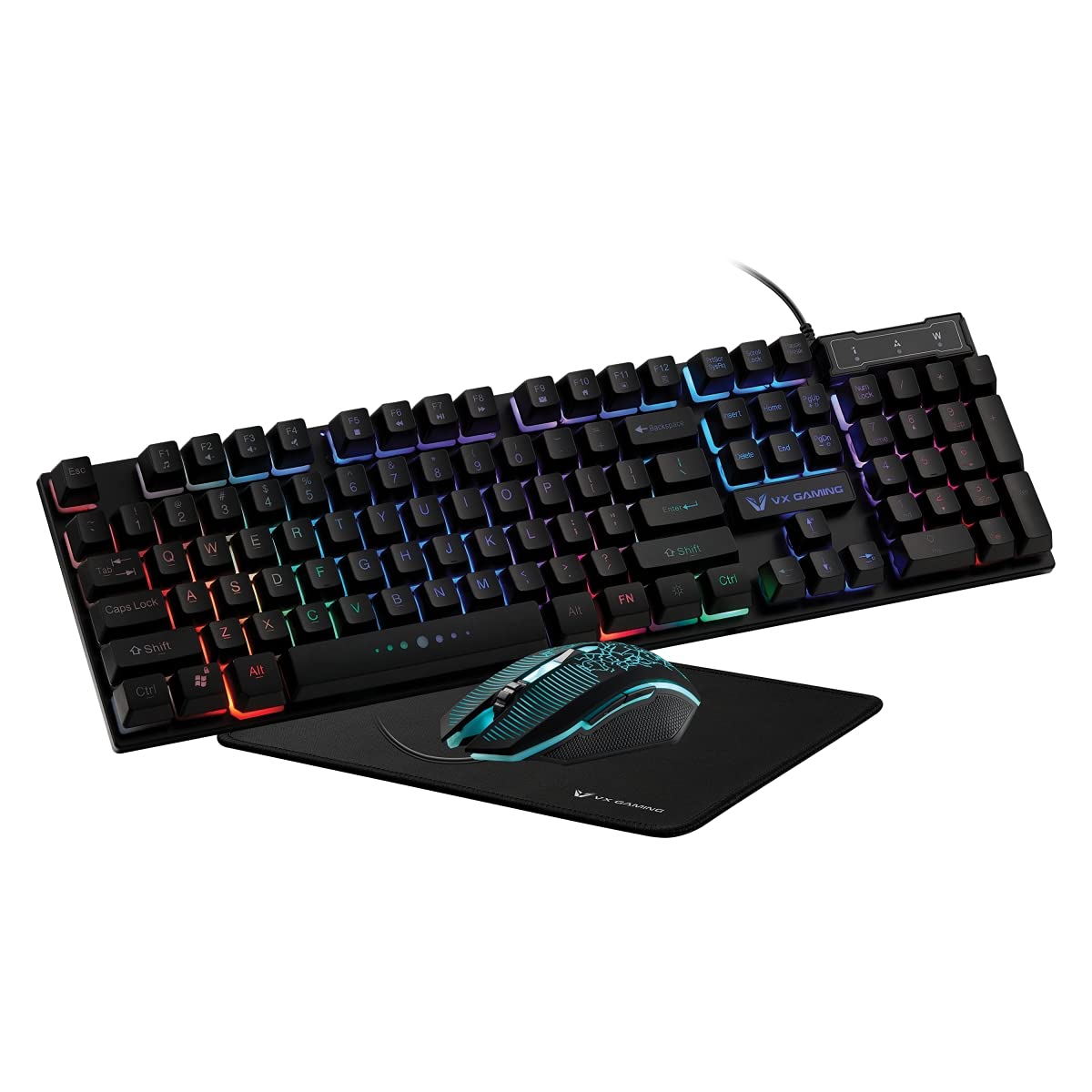
Image 1.1: Volkano VX Gaming Artemis Series 3-in-1 Combo Set packaging.
2. Орнотуу колдонмосу
Follow these steps to connect your Volkano VX Gaming Artemis Series 3-in-1 Combo to your computer.
2.1 Системалык талаптар
- Operating System: Windows 10 or later.
- Compatible Devices: PC (Acer, Dell, HP, Mac, Samsung).
- Жеткиликтүү USB порту.
2.2 Connecting the Keyboard and Mouse
- Unpack the keyboard, mouse, and mousepad from the packaging.
- Place the non-slip mousepad on your desired surface.
- Connect the USB cable from the keyboard to an available USB port on your computer.
- Connect the USB cable from the mouse to another available USB port on your computer.
- Your computer should automatically detect and install the necessary drivers. No additional software installation is typically required.

Image 2.1: The Artemis Combo set connected and ready for use.
3. Иштөө нускамалары
3.1 Баскычтоптун функциялары
The Artemis keyboard features a standard QWERTY layout with additional gaming-specific functionalities.
- Мультимедиа ачкычтары: The keyboard includes 12 dedicated multimedia keys for quick access to media controls (e.g., play, pause, volume). These are typically accessed via the Fn F1-F12 баскычтары менен айкалышта.
- Кыска Keys: 12 Keyboard Shortcut Keys provide quick access to various functions. Refer to the keycap legends for specific functions.
- Multi-colored Lighting: The keyboard features multi-colored rainbow illumination. The lighting mode can often be adjusted using specific key combinations (e.g., Fn + Scroll Lock or similar, refer to keyboard markings).

Image 3.1: Artemis Keyboard with multi-colored lighting.
3.2 Чычкан функциялары
The Artemis mouse is designed for precision and responsiveness in gaming.
- DPI которуу: Cycle through different DPI settings (1200, 1600, 2000, 3200) using the dedicated DPI button, usually located below the scroll wheel. This allows for on-the-fly sensitivity adjustments.
- 6 Баскычтар: The mouse features left-click, right-click, scroll wheel click, DPI switch, and two side buttons (typically for forward/backward navigation or custom assignments in games).
- Rainbow Color Illumination: The mouse features dynamic rainbow lighting.
- Добуш берүү көрсөткүчү: The mouse operates at a 125 Hz polling rate for consistent input.

Image 3.2: Artemis Gaming Mouse.
3.3 Mousepad Usage
The non-slip mousepad provides a stable and consistent surface for optimal mouse tracking.
- Ensure the mousepad is placed on a flat, clean surface.
- The non-slip base prevents unwanted movement during intense gaming sessions.

Image 3.3: Artemis Non-Slip Mousepad.
4. Техникалык тейлөө
Proper care will extend the lifespan and performance of your gaming combo.
- Баскычтопту тазалоо: Use a soft, dry cloth to wipe down the keyboard. For deeper cleaning, use compressed air to remove debris from between keys. Avoid using harsh chemicals or abrasive materials.
- Чычканды тазалоо: Чычкандын бетин жумшак, бир аз г менен сүртүңүзamp cloth. Ensure the optical sensor on the bottom is clean and free of dust for accurate tracking.
- Cleaning the Mousepad: The mousepad can be gently wiped with a damp зарыл болсо, чүпүрөк жана жумшак самын колдонуңуз. Колдонуудан мурун аны толугу менен кургатыңыз.
- Сактагыч: When not in use, store the peripherals in a clean, dry environment away from direct sunlight and extreme temperatures.
5. Кыйынчылыктарды
If you encounter issues with your Volkano VX Gaming Artemis Series 3-in-1 Combo, refer to the following common solutions:
5.1 Клавиатура же чычкан жооп бербей жатат
- USB туташуусун текшерүү: Ensure both the keyboard and mouse USB cables are securely plugged into your computer's USB ports. Try different USB ports.
- Компьютерди кайра иштетүү: Кээде жөнөкөй системаны өчүрүп күйгүзүү байланыш маселелерин чечиши мүмкүн.
- Башка компьютерде сыноо: If possible, test the keyboard and mouse on another computer to determine if the issue is with the peripherals or your system.
5.2 Lighting Not Working
- Байланыштарды текшерүү: Ensure the USB connections are firm.
- Баскычтоптун жарыгы: Verify if any lighting control keys (e.g., Fn + Scroll Lock) have been pressed to turn off or change the lighting mode.
- Электр камсыздоо: Компьютериңиздин USB порттору жетиштүү кубаттуулукту камсыз кылып жатканын текшериңиз.
5.3 Чычканды көзөмөлдөө көйгөйлөрү
- Таза сенсор: Чычкандын түбүндөгү оптикалык сенсор таза жана чаң же таштандыдан таза экенин текшериңиз.
- Mousepad Surface: Use the provided mousepad or a clean, uniform surface. Avoid highly reflective or uneven surfaces.
- DPI жөндөөлөрү: Adjust the DPI setting using the DPI button to see if a different sensitivity resolves the issue.
6. Техникалык шарттар
Technical details for the Volkano VX Gaming Artemis Series 3-in-1 Combo:
| Өзгөчөлүк | Деталь |
|---|---|
| Бренд | Volkano |
| Модель номери | VX-144-BK[V2] |
| Түс | Кара |
| Байланыш технологиясы | USB (Зымдуу) |
| Баскычтоптун түрү | Membrane, QWERTY Layout |
| Баскычтоптун өзгөчөлүктөрү | 12 Multimedia Keys, 12 Shortcut Keys, Multi-colored Lighting |
| Чычкандын DPI жөндөөлөрү | 1200, 1600, 2000, 3200 |
| Чычкан баскычтары | 6 Buttons (Left, Right, Scroll Wheel, DPI, 2 Side Buttons) |
| Чычкандын добуш берүү ылдамдыгы | 125 Гц |
| Кыймылды аныктоо | Оптикалык |
| Power Source | Электр зымдары (USB) |
| Батареялар талап кылынат | Жок |
| Шайкеш Операция системасы | Windows 10 жана андан жогору |
| Өндүрүүчү | SMD Technologies LLC |
| Келип чыккан өлкө | Кытай |
7. Кепилдик жана колдоо
7.1 Кепилдик маалыматы
This Volkano VX Gaming Artemis Series 3-in-1 Combo is covered by a 1 жылдык Чектелген Кепилдик сатып алынган күндөн тартып. Бул кепилдик өндүрүштүн кемчиликтерин жана нормалдуу колдонуудагы чеберчиликти камтыйт. Бул туура эмес колдонуудан, кырсыктардан, уруксатсыз өзгөртүүлөрдөн же кадимки эскирүүдөн келип чыккан зыянды камтыбайт.
Кепилдик дооматтары үчүн сатып алганыңыздын далилин сактап коюңуз.
7.2 Кардарларды колдоо
For technical assistance, warranty claims, or further inquiries, please contact Volkano customer support. You can find contact information on the official Volkano webсайт же сатуучу аркылуу.
Visit the official Volkano Store for more information: Амазонкадагы Volkano дүкөнү